
This is the universal build of 2FA Authenticator (2FAS) 5.5.1. It contains native libraries for every CPU architecture (arm64-v8a, armeabi-v7a, x86, x86_64), so it installs on any Android device. The trade-off is size — it's larger than per-architecture variants. Pick this one if you're unsure which CPU your phone has, or if you plan to share the APK with multiple devices.
File size: 43.0 MB • Min Android: 23 • Target Android: 35 • Version code: 5000032 • Framework: Native (Java/Kotlin) • Permissions: 13
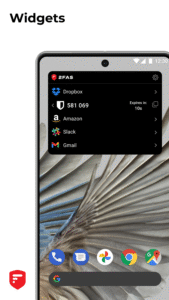
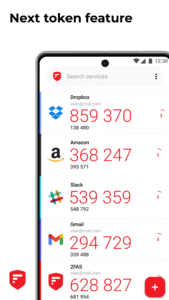
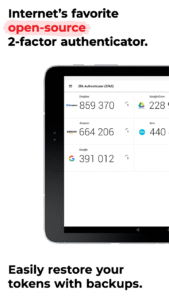
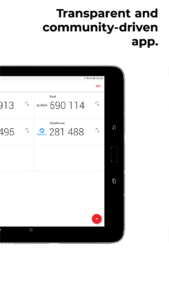
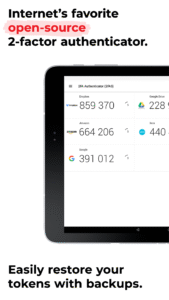
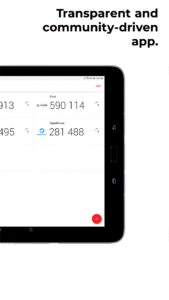
Screenshots
File Information
| Package Name | com.twofasapp |
|---|---|
| Version Name | 5.5.1 |
| Version Code | 5000032 |
| Architecture | Universal |
| Min Android Version | Android 23 (API 35) |
| Main Activity | com.twofasapp.ui.main.StartActivity |
| Framework | Native (Java/Kotlin) |
| File Size | 43.03 MB |
| Signature (SHA1) | 6E0874F8C5A34C5429A3DBBE1C6A244A8A3901AE |
| File Hash (SHA256) | 3939b08097d3742cfe352eedf54e9715879a68c00e01700f0959323b0b6fc5a6 |
What's New
- Fix Chinese translations
- Fix QR code sharing support for UTF-8 characters
- Fix white characters removal when parsing a service
- Fix QR code sharing support for UTF-8 characters
- Fix white characters removal when parsing a service
App Description
2FAS is the easiest way to enable two-factor authentication (or multi-factor authentication) to verify your identity and securely log in to accounts to keep your personal data and passwords protected from cyber threats — all from one app, 100% free!
The world’s most secure, private, and simple 2FA app.
Secure:
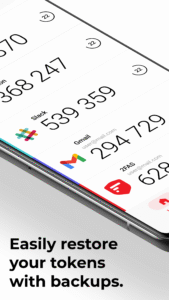
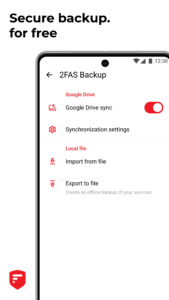
Easily restore your tokens with backups.
Add app protection with your passcode or biometrics.
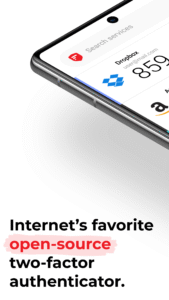
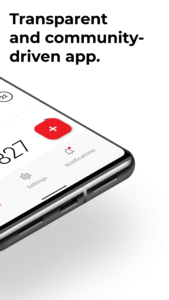
2FAS is open-source, transparent, and community-driven.
Private:
2FAS syncs across your mobile devices.
An interface designed for simplicity.
One-tap authentication with 2FAS Browser Extensions.
Multi-language support.
Quick guides for setup and support. (COMING SOON)
Simple:
2FAS works offline.
2FAS doesn't store any passwords or metadata.
100% anonymous use, no account required.
It’s not too late to protect your data, so what are you waiting for? Protect your online accounts and services now with TOTP and HOTP algorithms.
Start using the 2FAS authenticator app today!
If you have any questions, talk with us on our Discord server:
discord.gg/q4cP6qh2g5
Learn more about 2FAS:
Check our GitHub repository:
github.com/twofas
Visit our website at:
2fas.com/
Follow us on Twitter:
twitter.com/2FAS_com
Subscribe on YouTube:
www.youtube.com/@2FAS
The world’s most secure, private, and simple 2FA app.
Secure:
Easily restore your tokens with backups.
Add app protection with your passcode or biometrics.
2FAS is open-source, transparent, and community-driven.
Private:
2FAS syncs across your mobile devices.
An interface designed for simplicity.
One-tap authentication with 2FAS Browser Extensions.
Multi-language support.
Quick guides for setup and support. (COMING SOON)
Simple:
2FAS works offline.
2FAS doesn't store any passwords or metadata.
100% anonymous use, no account required.
It’s not too late to protect your data, so what are you waiting for? Protect your online accounts and services now with TOTP and HOTP algorithms.
Start using the 2FAS authenticator app today!
If you have any questions, talk with us on our Discord server:
discord.gg/q4cP6qh2g5
Learn more about 2FAS:
Check our GitHub repository:
github.com/twofas
Visit our website at:
2fas.com/
Follow us on Twitter:
twitter.com/2FAS_com
Subscribe on YouTube:
www.youtube.com/@2FAS
Download 2FA Authenticator (2FAS) APK
Fast, free and safe download.
APK Permissions 13
- android.permission.ACCESS_NETWORK_STATE
- android.permission.ACCESS_WIFI_STATE
- android.permission.CAMERA
- android.permission.FOREGROUND_SERVICE
- android.permission.INTERNET
- android.permission.POST_NOTIFICATIONS
- android.permission.RECEIVE_BOOT_COMPLETED
- android.permission.USE_BIOMETRIC
- android.permission.USE_FINGERPRINT
- android.permission.VIBRATE
- android.permission.WAKE_LOCK
- com.google.android.c2dm.permission.RECEIVE
- com.twofasapp.DYNAMIC_RECEIVER_NOT_EXPORTED_PERMISSION
APK Verified
The cryptographic signature guarantees that the file is safe to install and was not tampered with in any way.


Frequently Asked Questions about 2FA Authenticator (2FAS) APK
This is the universal variant — a single APK that contains native libraries for every CPU architecture. It installs on any Android device but is larger than per-architecture variants.
Yes — the APK's signature has been cryptographically verified against the publisher's signing key. The SHA-256 hash is shown in the File Information panel so you can independently confirm the file matches the original release.
Android 23 (API level 35) or newer. Older devices will refuse the install.
Install a free app like 'CPU-Z' or 'Droid Hardware Info' from the Play Store and look at the ABI / Instruction Set row. Most phones made after 2017 are arm64-v8a; if in doubt, download the universal variant.
All variants are functionally identical — same features, same version. They differ only in which CPU architectures the native code is compiled for, and (sometimes) which screen densities the included graphics target. Pick the one that matches your device for the smallest install size, or pick 'Universal' if you're unsure.