
Screenshots


File Information
| Package Name | ccc71.st.cpu |
|---|---|
| Version Name | 4.9.8c |
| Version Code | 4140 |
| Architecture | Universal |
| Min Android Version | Android 23 (API 35) |
| Main Activity | ccc71.cpu.main |
| Framework | Native (Java/Kotlin) |
| File Size | 17.28 MB |
| Signature (SHA1) | 17FB85DBE2B564B1396C3168B7FAA8393FE742A9 |
| File Hash (SHA256) | cb9f515c39627e4bc4710b69ff403c88e31cfe40fc51e656e810a67e07bf3fd5 |
What's New
Support for Galaxy M31 to control CPU without reboot
App Description
3C CPU Manager is the must-have CPU control app for root users, created following popular requests.
3C CPU Manager requires a rooted device to offer a simple yet powerful interface to control your CPU and GPU configurations.
You can remove ads and unlock features using in-app purchase (see below).
★
Highly Configurable UI
allows you to transform the app into something you really like.
★
Highly Configurable Widgets
are all resizable, from a simple gauge to more complex data display and historical graphics.
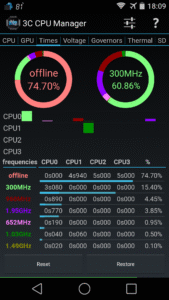
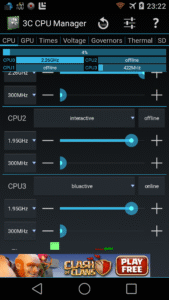
★ Shows a summary of CPU/GPU loads and frequency
★ Shows graphics of CPU/GPU loads, frequencies and temperatures *
★ Controls up-to 16-cores CPU settings
★ Configure governors settings
★ View frequency usage table
★ Set specific screen off configuration.
★ Creates multiple profiles that can be switched using a notification or launcher shortcut.
★ Show CPU/GPU data in widgets (1x1 text and gauge are freely customizable)
Depending on kernel support:
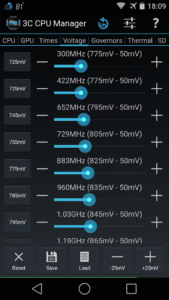
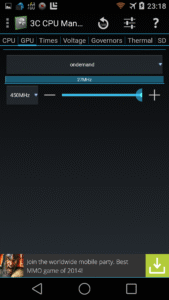
★ Set CPU/GPU frequencies, governor and voltages
★ Configure thermal configuration
★ Configure mp-decision daemons
★ Control cores separately
Use in-app purchases to unlock the following features:
★ Remove Ads
★ Hide specific tabs
★ Advanced UI theming options
★ Add shortcut to notification
★ Create more multiple profiles
★ Enable extra widgets (2x1 text and graphics) customization
★ Enable widget refresh rate configuration
3C CPU Manager requires a rooted device to offer a simple yet powerful interface to control your CPU and GPU configurations.
You can remove ads and unlock features using in-app purchase (see below).
★
Highly Configurable UI
allows you to transform the app into something you really like.
★
Highly Configurable Widgets
are all resizable, from a simple gauge to more complex data display and historical graphics.
★ Shows a summary of CPU/GPU loads and frequency
★ Shows graphics of CPU/GPU loads, frequencies and temperatures *
★ Controls up-to 16-cores CPU settings
★ Configure governors settings
★ View frequency usage table
★ Set specific screen off configuration.
★ Creates multiple profiles that can be switched using a notification or launcher shortcut.
★ Show CPU/GPU data in widgets (1x1 text and gauge are freely customizable)
Depending on kernel support:
★ Set CPU/GPU frequencies, governor and voltages
★ Configure thermal configuration
★ Configure mp-decision daemons
★ Control cores separately
Use in-app purchases to unlock the following features:
★ Remove Ads
★ Hide specific tabs
★ Advanced UI theming options
★ Add shortcut to notification
★ Create more multiple profiles
★ Enable extra widgets (2x1 text and graphics) customization
★ Enable widget refresh rate configuration
Download 3C CPU Manager (root) APK
Fast, free and safe download.
APK Permissions 18
- android.permission.ACCESS_ADSERVICES_AD_ID
- android.permission.ACCESS_ADSERVICES_ATTRIBUTION
- android.permission.ACCESS_ADSERVICES_TOPICS
- android.permission.ACCESS_NETWORK_STATE
- android.permission.FOREGROUND_SERVICE
- android.permission.FOREGROUND_SERVICE_SPECIAL_USE
- android.permission.INTERNET
- android.permission.POST_NOTIFICATIONS
- android.permission.RECEIVE_BOOT_COMPLETED
- android.permission.REQUEST_DELETE_PACKAGES
- android.permission.REQUEST_IGNORE_BATTERY_OPTIMIZATIONS
- android.permission.SCHEDULE_EXACT_ALARM
- android.permission.SYSTEM_ALERT_WINDOW
- android.permission.WAKE_LOCK
- ccc71.st.cpu.DYNAMIC_RECEIVER_NOT_EXPORTED_PERMISSION
- com.android.launcher.permission.INSTALL_SHORTCUT
- com.android.vending.BILLING
- com.google.android.gms.permission.AD_ID
APK Verified
The cryptographic signature guarantees that the file is safe to install and was not tampered with in any way.


