3C SQLite Manager (root)

Download 3C SQLite Manager (root) APK

ccc71.sm · by 3c

• Updated: Mar 23, 2026

About 3C SQLite Manager (root)

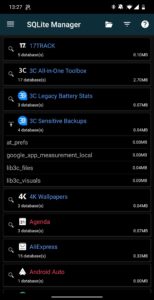
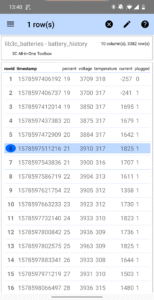
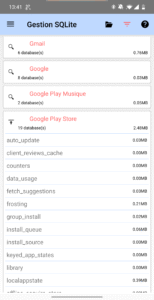
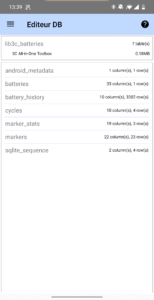
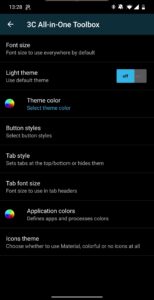
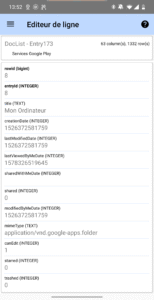
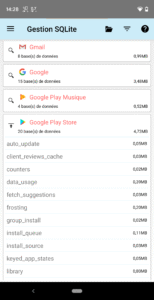
A simple sqlite manager allowing to add/delete/edit any rows in any tables, any databases of any apps. Will not work without root. Don't install if you don't know what SQL is Don't blame the app if you have no root and don't know what SQL is The perfect tool to edit data stored by apps. ★ Highly Configurable UI allows you to transform the app into something you really like. ★ List all apps with databases in known locations ★ Filter system apps versus installed ★ Shows database and table used storage ★ Shows table, row and column counts ★ Edit rows in a friendly way ★ Open any database from any locations manually ★ Run custom SQL queries ★ Optimize database accesses (VACUUM + REINDEX) Will not work without root. In-app purchase can be made to remove ads or unlock features: UI theme, adding optional notifications, multi-select rows, sort apps.

All 3C SQLite Manager (root) APK versions

No versions available.

Frequently Asked Questions

Yes. Every 3C SQLite Manager (root) APK on APK.now is automatically scanned and the cryptographic signature is verified against the original publisher's certificate (3c). Files that fail verification are removed before they ever reach the catalog.

Enable 'Install from unknown sources' for your browser (or the file manager you use to open the APK) under Settings → Apps → Special access. Tap the downloaded 3C SQLite Manager (root) APK, confirm the prompts, and Android installs it just like any app from the Play Store.

The latest 3C SQLite Manager (root) version available on APK.now is the latest version. We track new releases from 3c continuously and add them to the catalog as soon as they pass verification.

Yes — every 3C SQLite Manager (root) APK and every version on APK.now is free to download. We never gate downloads behind sign-up, surveys, or paywalls.

APK.now keeps a full archive of every 3C SQLite Manager (root) release, including older versions that the Play Store has already replaced. The APKs work on devices without Google Play Services (Huawei, GrapheneOS, Amazon Fire) and are signature-verified so you can be confident the file is genuine.