
Screenshots
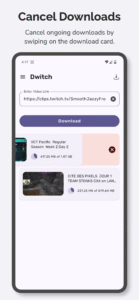
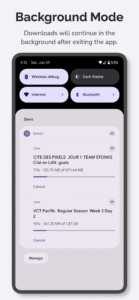
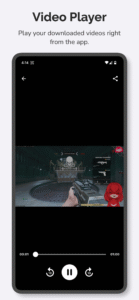
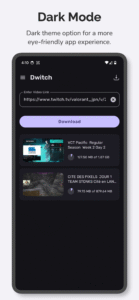
File Information
| Package Name | aculix.dwitch.app |
|---|---|
| Version Name | 2.2 |
| Version Code | 26 |
| Architecture | Universal |
| Min Android Version | Android 24 (API 35) |
| Main Activity | aculix.dwitch.app.ui.MainActivity |
| Framework | Native (Java/Kotlin) |
| File Size | 41.60 MB |
| Signature (SHA1) | 144B6A635108B0EA471B6628618A70259057ABD6 |
| File Hash (SHA256) | dbc5302aa6da514e2686d0d401a3f84bc650d3c4baac5b2d195eb697b8880b25 |
What's New
Bug fixes & performance improvements ✨
App Description
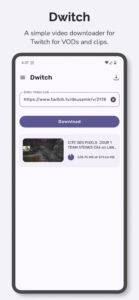
Dwitch offers a quick and easy way to download videos from Twitch. Dwitch will download videos and clips from Twitch with audio.
Features:
- Easily download videos with audio from Twitch.
- Share the videos to any app directly from the Twitch app.
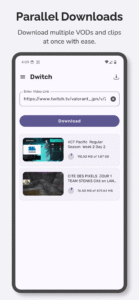
- Parallel downloads. Download multiple videos at once.
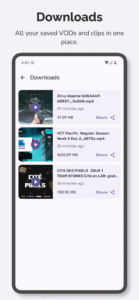
- Access all your downloaded videos right inside the app.
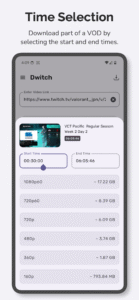
- Download part of a Twitch VOD with time controls.
- Play downloaded videos right from the app.
How to use:
Method - 1
(Recommended)
1. Open the Twitch app.
2. Open the video or clip you want to download.
3. Tap the
Share
icon on the video player and select
Share to…
4. Choose
Dwitch
from the list of apps to automatically download the video from the post.
Method - 2
1. Open the Twitch app.
2. Open the video or clip you want to download.
3. Tap the
Share
icon on the video player and select
Copy Link
.
4. Open the Dwitch app and use the
clipboard
icon to paste the link copied earlier.
5. Tap on
Download
to begin downloading the video.
We would love to hear from you. Feel free to reach out to us at
support@aculix.com
for feedback or any queries.
Cheers! :)
Features:
- Easily download videos with audio from Twitch.
- Share the videos to any app directly from the Twitch app.
- Parallel downloads. Download multiple videos at once.
- Access all your downloaded videos right inside the app.
- Download part of a Twitch VOD with time controls.
- Play downloaded videos right from the app.
How to use:
Method - 1
(Recommended)
1. Open the Twitch app.
2. Open the video or clip you want to download.
3. Tap the
Share
icon on the video player and select
Share to…
4. Choose
Dwitch
from the list of apps to automatically download the video from the post.
Method - 2
1. Open the Twitch app.
2. Open the video or clip you want to download.
3. Tap the
Share
icon on the video player and select
Copy Link
.
4. Open the Dwitch app and use the
clipboard
icon to paste the link copied earlier.
5. Tap on
Download
to begin downloading the video.
We would love to hear from you. Feel free to reach out to us at
support@aculix.com
for feedback or any queries.
Cheers! :)
Download Video Downloader for Twitch APK
Fast, free and safe download.
APK Permissions 18
- aculix.dwitch.app.DYNAMIC_RECEIVER_NOT_EXPORTED_PERMISSION
- android.permission.ACCESS_ADSERVICES_AD_ID
- android.permission.ACCESS_ADSERVICES_ATTRIBUTION
- android.permission.ACCESS_ADSERVICES_TOPICS
- android.permission.ACCESS_NETWORK_STATE
- android.permission.ACCESS_WIFI_STATE
- android.permission.FOREGROUND_SERVICE
- android.permission.FOREGROUND_SERVICE_DATA_SYNC
- android.permission.INTERNET
- android.permission.POST_NOTIFICATIONS
- android.permission.VIBRATE
- android.permission.WAKE_LOCK
- android.permission.WRITE_EXTERNAL_STORAGE
- com.android.vending.BILLING
- com.android.vending.CHECK_LICENSE
- com.google.android.c2dm.permission.RECEIVE
- com.google.android.finsky.permission.BIND_GET_INSTALL_REFERRER_SERVICE
- com.google.android.gms.permission.AD_ID
APK Verified
The cryptographic signature guarantees that the file is safe to install and was not tampered with in any way.


