
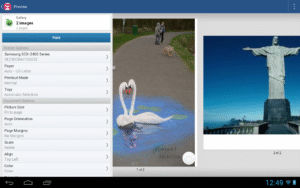
Screenshots
File Information
| Package Name | com.happy2print.premium |
|---|---|
| Version Name | 14.6.0 |
| Version Code | 5500 |
| Architecture | arm64-v8a, armeabi-v7a, x86, x86_64 |
| Min Android Version | Android 21 (API 35) |
| Main Activity | com.dynamixsoftware.printhand.ui.ActivityMain |
| Framework | Native (Java/Kotlin) |
| File Size | 17.41 MB |
| Signature (SHA1) | 6FF92641096252DF3D9FB2DD8432BF6AB51D1407 |
| File Hash (SHA256) | c0037f7b586cfe607eba2f4078403ae7bfc56153fb06161fad2d74a370ff0bb7 |
What's New
Bugs fixes
App Description
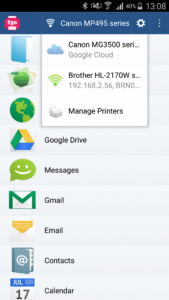
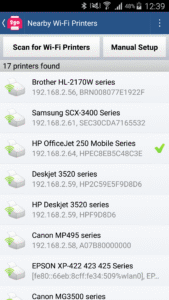
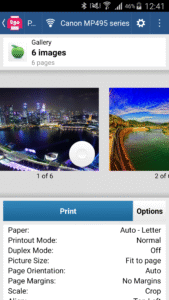
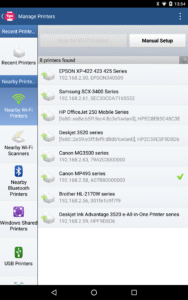
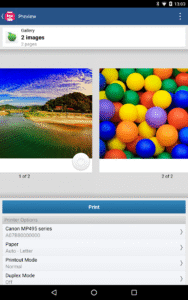
Print directly from your phone or tablet via WiFi, Bluetooth or USB cable without a computer to virtually any printer. Direct mobile scanning is available for selected multifunction printers.
IMPORTANT: Printer 2 Go app is NOT FREE. In order to print real pages, you’ll need to upgrade to Premium Mode by making in-app purchase.
We do recommend printing a free test page prior to upgrading.
NOTE: Unfortunately, we had to remove the SMS and Call log printing features from our app due to the update to the Permissions policy on Google Play. Dear customers, we are as much upset by this issue as you are. And we are doing our best to resolve the issue.
For this reason please stay tuned to the app updates. Once we obtain the necessary Messages and Call log permissions from Google, we are planning to bring the features back to the app.
If you've installed the sponsored version of the app before July 1, 2018, you will not be affected unless the app is uninstalled from your device. Thus please do not uninstall the app from your device if you got it while it was free. Updating the app should be fine though.
The premium version of the app lets one print:
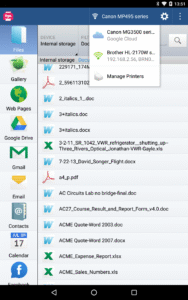
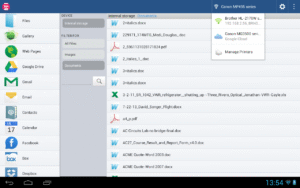
- Office documents, including MS Word, Excel, PowerPoint, PDF;
- Text files and other popular file types;
- Photos and images;
- Web pages, emails and attachments;
- Google Drive content;
- Events from Calendar app;
- Contacts;
- Facebook albums;
- Files from Dropbox;
- Files from Box;
- Files from OneDrive;
- Files from Creative Cloud;
- Files from SugarSync;
- Notes from Evernote;
- Content shared from other apps.
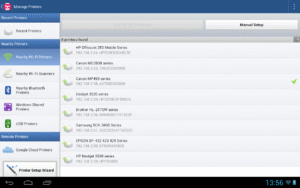
Print to Mac or Windows shared printers, Workgroup, Domain and Active Directory. Print directly via USB cable from Android 4.0 and above. Print to Google Cloud. Share the printer with our free software for Mac and PC from printhand.com, and print to any printer as long as you can print from the computer.
You can print via:
- Wi-Fi (using a Wi-Fi Direct printer or using a Wi-Fi router as a middle man);
- Bluetooth;
- USB if USB OTG is fully supported by your device and it has Android 4.0+ installed. Please note that some of the mobile devices are unable to communicate with a printer properly even if USB Host mode is supported. This happens due to specific electrical design of the USB port. Sadly in such case the app is not likely to work properly.
- PC or Mac (if your printer is shared using PrintHand desktop client or standard tools of your computer's OS);
Please make sure that your printer is supported. You can try to print test page in our free app, but for unlimited printing you have to make in-app purchase in free app.
IMPORTANT: Printer 2 Go app is NOT FREE. In order to print real pages, you’ll need to upgrade to Premium Mode by making in-app purchase.
We do recommend printing a free test page prior to upgrading.
NOTE: Unfortunately, we had to remove the SMS and Call log printing features from our app due to the update to the Permissions policy on Google Play. Dear customers, we are as much upset by this issue as you are. And we are doing our best to resolve the issue.
For this reason please stay tuned to the app updates. Once we obtain the necessary Messages and Call log permissions from Google, we are planning to bring the features back to the app.
If you've installed the sponsored version of the app before July 1, 2018, you will not be affected unless the app is uninstalled from your device. Thus please do not uninstall the app from your device if you got it while it was free. Updating the app should be fine though.
The premium version of the app lets one print:
- Office documents, including MS Word, Excel, PowerPoint, PDF;
- Text files and other popular file types;
- Photos and images;
- Web pages, emails and attachments;
- Google Drive content;
- Events from Calendar app;
- Contacts;
- Facebook albums;
- Files from Dropbox;
- Files from Box;
- Files from OneDrive;
- Files from Creative Cloud;
- Files from SugarSync;
- Notes from Evernote;
- Content shared from other apps.
Print to Mac or Windows shared printers, Workgroup, Domain and Active Directory. Print directly via USB cable from Android 4.0 and above. Print to Google Cloud. Share the printer with our free software for Mac and PC from printhand.com, and print to any printer as long as you can print from the computer.
You can print via:
- Wi-Fi (using a Wi-Fi Direct printer or using a Wi-Fi router as a middle man);
- Bluetooth;
- USB if USB OTG is fully supported by your device and it has Android 4.0+ installed. Please note that some of the mobile devices are unable to communicate with a printer properly even if USB Host mode is supported. This happens due to specific electrical design of the USB port. Sadly in such case the app is not likely to work properly.
- PC or Mac (if your printer is shared using PrintHand desktop client or standard tools of your computer's OS);
Please make sure that your printer is supported. You can try to print test page in our free app, but for unlimited printing you have to make in-app purchase in free app.
Download Printer 2 Go APK
Fast, free and safe download.
APK Permissions 27
- android.permission.ACCESS_ADSERVICES_AD_ID
- android.permission.ACCESS_ADSERVICES_ATTRIBUTION
- android.permission.ACCESS_ADSERVICES_CUSTOM_AUDIENCE
- android.permission.ACCESS_COARSE_LOCATION
- android.permission.ACCESS_FINE_LOCATION
- android.permission.ACCESS_NETWORK_STATE
- android.permission.ACCESS_WIFI_STATE
- android.permission.BLUETOOTH
- android.permission.BLUETOOTH_ADMIN
- android.permission.BLUETOOTH_CONNECT
- android.permission.BLUETOOTH_SCAN
- android.permission.CHANGE_WIFI_MULTICAST_STATE
- android.permission.CHANGE_WIFI_STATE
- android.permission.FOREGROUND_SERVICE
- android.permission.FOREGROUND_SERVICE_DATA_SYNC
- android.permission.INTERNET
- android.permission.NEARBY_WIFI_DEVICES
- android.permission.READ_CALENDAR
- android.permission.READ_CONTACTS
- android.permission.READ_EXTERNAL_STORAGE
- android.permission.READ_PHONE_STATE
- android.permission.RECEIVE_BOOT_COMPLETED
- android.permission.WAKE_LOCK
- android.permission.WRITE_EXTERNAL_STORAGE
- com.android.vending.BILLING
- com.google.android.finsky.permission.BIND_GET_INSTALL_REFERRER_SERVICE
- com.happy2print.premium.DYNAMIC_RECEIVER_NOT_EXPORTED_PERMISSION
APK Verified
The cryptographic signature guarantees that the file is safe to install and was not tampered with in any way.


