
Screenshots
File Information
| Package Name | com.onepassword.android |
|---|---|
| Version Name | 8.11.22-25.BETA |
| Version Code | 81122025 |
| Architecture | Universal |
| Min Android Version | Android 28 (API 35) |
| Main Activity | com.onepassword.android.app.StartActivity |
| Framework | Native (Java/Kotlin) |
| File Size | 192.65 MB |
| Signature (SHA1) | EC338408137FB42E9F100D8D0B9B2D5CA9D0C1F1 |
| File Hash (SHA256) | 72581b53ca3b95627223ddd84664eef802d60d0e48c51d86bffe7da1e6a74c52 |
What's New
- We've moved the location of the "Unlock with device" setting under the "Unlock" heading in Settings > Security. [[#AUTH-1668]]
- Localization has been improved for a number of our supported languages using new translations from Crowdin.
- We've fixed an issue where you couldn't select the "Sign in" button after you changed your account email, and an issue where your Secret Key wouldn't pre-populate after you changed your account password. [[#AP-51]]
- Localization has been improved for a number of our supported languages using new translations from Crowdin.
- We've fixed an issue where you couldn't select the "Sign in" button after you changed your account email, and an issue where your Secret Key wouldn't pre-populate after you changed your account password. [[#AP-51]]
App Description
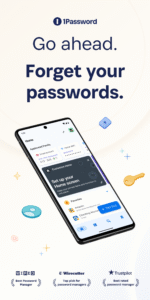
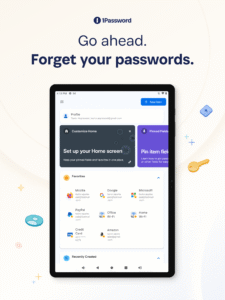
1Password has been helping folks forget their passwords since 2006. Trusted by millions of people and more than 175,000 businesses, "1Password offers the best combination of features, compatibility, security, and ease of use" among password managers, according to The New York Times Wirecutter.
Advertisement
Remove ads, dark theme, and more with
Premium
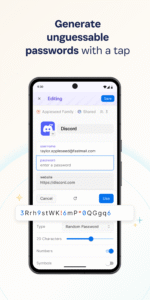
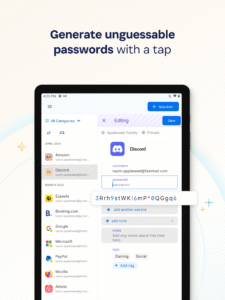
== Generate strong passwords ==
Use the built-in password generator to create strong, unguessable passwords with a tap, then access those secure passwords on any device. 1Password works across popular operating systems as a browser extension, mobile app, or desktop app.
== Sign in automatically ==
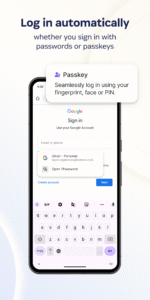
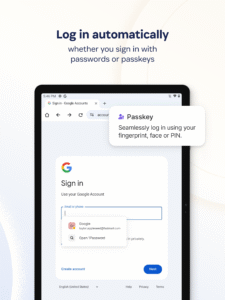
Autofill your username and saved passwords when signing in to websites or apps. 1Password for Android works with popular web browsers (like Google Chrome) and apps so you can sign in to your online accounts without the hassle.
== Built-in two-factor authentication ==
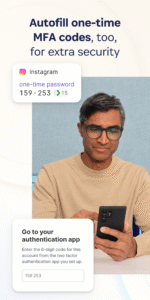
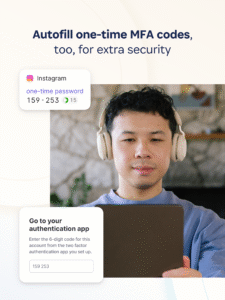
1Password can also create and autofill one-time two-factor authentication codes for services that support 2FA, so there’s no need for a separate authenticator app – and no more copying and pasting.
== Industry-leading passkey support ==
Did you know there’s a more convenient and secure alternative to passwords? They’re called passkeys, and you can generate and save those in 1Password, too – and even use them to unlock 1Password. For sites that support passkeys, you’ll never have to generate another password.
== Sign in with other providers ==
If you sign in to websites or apps with Google or other providers from your Android device instead of a password, you can store and sign in with those logins in 1Password, too.
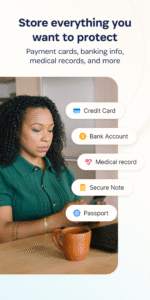
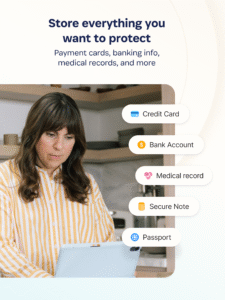
== Secure and organize your digital life ==
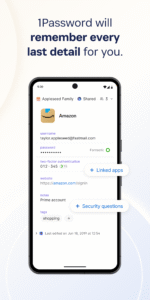
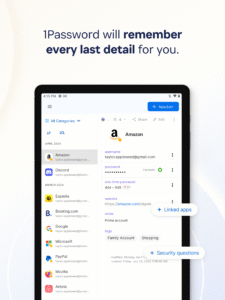
Faster sign-ins are only the beginning. In addition to managing passwords and passkeys, you can store credit cards, secure notes, banking info, medical records, and anything else you want to protect in 1Password, so your most valuable personal information is always available on any device.
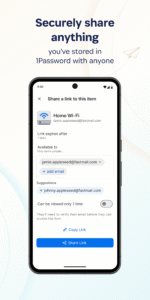
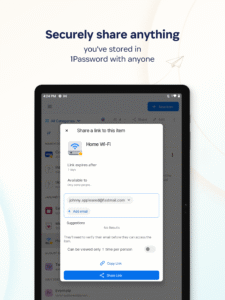
== Share anything, securely ==
Share passwords and anything you store in 1Password with anyone, even if they don’t use 1Password. Securely (and temporarily) share Wi-Fi details, financial information, and other sensitive info with friends, family, or colleagues to keep that information out of insecure channels like email and messaging apps.
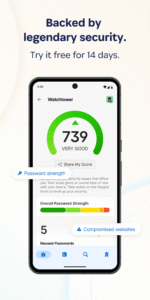
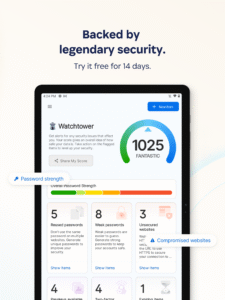
== Security made easy ==
Strong password generation is a big win for your personal security, but 1Password is much more than a password vault. Security features include unlocking 1Password with biometric authentication, and real-time security alerts and reporting through Watchtower. You’ll know immediately if your accounts are compromised in a data breach, so you can take the necessary action.
== Travel Mode ==
Protect your data from prying eyes while traveling with Travel Mode. Temporarily hide vaults containing sensitive information and restore them when you’re home.
== Uniquely secure, completely private ==
Protect yourself and your family from cyber criminals with 1Password’s unique, industry-leading security. We can’t see your 1Password data, so we can’t use it, share it, or sell it. Learn more about our security model at 1Password.com/security.
== Get started for free ==
1Password is the best password manager app for Android. Try 1Password free for 14 days, then find the plan that's right for you or your business.
Terms of Use:
1password.com/legal/terms-of-service/
.
Show more
Show less
Advertisement
Remove ads, dark theme, and more with
Premium
== Generate strong passwords ==
Use the built-in password generator to create strong, unguessable passwords with a tap, then access those secure passwords on any device. 1Password works across popular operating systems as a browser extension, mobile app, or desktop app.
== Sign in automatically ==
Autofill your username and saved passwords when signing in to websites or apps. 1Password for Android works with popular web browsers (like Google Chrome) and apps so you can sign in to your online accounts without the hassle.
== Built-in two-factor authentication ==
1Password can also create and autofill one-time two-factor authentication codes for services that support 2FA, so there’s no need for a separate authenticator app – and no more copying and pasting.
== Industry-leading passkey support ==
Did you know there’s a more convenient and secure alternative to passwords? They’re called passkeys, and you can generate and save those in 1Password, too – and even use them to unlock 1Password. For sites that support passkeys, you’ll never have to generate another password.
== Sign in with other providers ==
If you sign in to websites or apps with Google or other providers from your Android device instead of a password, you can store and sign in with those logins in 1Password, too.
== Secure and organize your digital life ==
Faster sign-ins are only the beginning. In addition to managing passwords and passkeys, you can store credit cards, secure notes, banking info, medical records, and anything else you want to protect in 1Password, so your most valuable personal information is always available on any device.
== Share anything, securely ==
Share passwords and anything you store in 1Password with anyone, even if they don’t use 1Password. Securely (and temporarily) share Wi-Fi details, financial information, and other sensitive info with friends, family, or colleagues to keep that information out of insecure channels like email and messaging apps.
== Security made easy ==
Strong password generation is a big win for your personal security, but 1Password is much more than a password vault. Security features include unlocking 1Password with biometric authentication, and real-time security alerts and reporting through Watchtower. You’ll know immediately if your accounts are compromised in a data breach, so you can take the necessary action.
== Travel Mode ==
Protect your data from prying eyes while traveling with Travel Mode. Temporarily hide vaults containing sensitive information and restore them when you’re home.
== Uniquely secure, completely private ==
Protect yourself and your family from cyber criminals with 1Password’s unique, industry-leading security. We can’t see your 1Password data, so we can’t use it, share it, or sell it. Learn more about our security model at 1Password.com/security.
== Get started for free ==
1Password is the best password manager app for Android. Try 1Password free for 14 days, then find the plan that's right for you or your business.
Terms of Use:
1password.com/legal/terms-of-service/
.
Show more
Show less
Download 1Password: Password Manager APK
Fast, free and safe download.
APK Permissions 20
- android.permission.ACCESS_COARSE_LOCATION
- android.permission.ACCESS_FINE_LOCATION
- android.permission.ACCESS_NETWORK_STATE
- android.permission.ACCESS_WIFI_STATE
- android.permission.CAMERA
- android.permission.DETECT_SCREEN_CAPTURE
- android.permission.FOREGROUND_SERVICE
- android.permission.FOREGROUND_SERVICE_DATA_SYNC
- android.permission.INTERNET
- android.permission.POST_NOTIFICATIONS
- android.permission.QUERY_ALL_PACKAGES
- android.permission.READ_USER_DICTIONARY
- android.permission.RECEIVE_BOOT_COMPLETED
- android.permission.USE_BIOMETRIC
- android.permission.USE_FINGERPRINT
- android.permission.WAKE_LOCK
- com.android.vending.BILLING
- com.google.android.c2dm.permission.RECEIVE
- com.kolide.mobile.service.deviceId.permission.ACCESS_SERVICE
- com.onepassword.android.DYNAMIC_RECEIVER_NOT_EXPORTED_PERMISSION
APK Verified
The cryptographic signature guarantees that the file is safe to install and was not tampered with in any way.


