
This is the universal build of AIO Launcher 5.7.9. It contains native libraries for every CPU architecture (arm64-v8a, armeabi-v7a, x86, x86_64), so it installs on any Android device. The trade-off is size — it's larger than per-architecture variants. Pick this one if you're unsure which CPU your phone has, or if you plan to share the APK with multiple devices.
File size: 36.7 MB • Min Android: 21 • Target Android: 35 • Version code: 905795 • Framework: Native (Java/Kotlin) • Permissions: 43
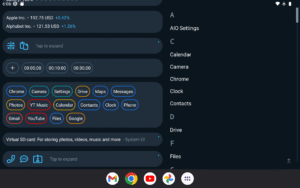
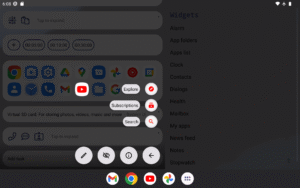
Screenshots
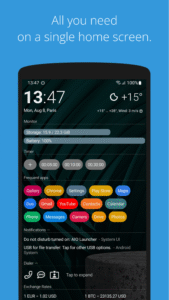
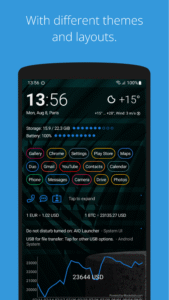
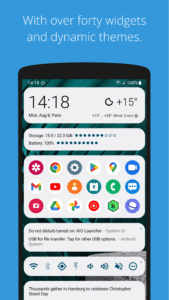
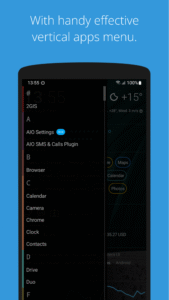
File Information
| Package Name | ru.execbit.aiolauncher |
|---|---|
| Version Name | 5.7.9 |
| Version Code | 905795 |
| Architecture | Universal |
| Min Android Version | Android 21 (API 35) |
| Main Activity | ru.execbit.aiolauncher.ui.MainActivity |
| Framework | Native (Java/Kotlin) |
| File Size | 36.66 MB |
| Signature (SHA1) | 019A377B45D11BFBB295EE1417D96AE0BC2C6E19 |
| File Hash (SHA256) | 081cf100c97ad9cb4c2518eb647a4c053b25055d8dd3095229797ab8aaffce6c |
What's New
- Profiles, themes, and scripts are now synced with the cloud
- Ability to delete a profile or theme from the search button menu
- Fixed notes order after cloud synchronization
- Fixed app widgets naming
- Minor fixes and improvements
- Ability to delete a profile or theme from the search button menu
- Fixed notes order after cloud synchronization
- Fixed app widgets naming
- Minor fixes and improvements
App Description
AIO Launcher — a home screen that helps, not distracts
AIO Launcher isn’t just a home screen — it’s a powerful tool for those who want to use their phone more efficiently. A minimalist, fast, and thoughtful interface that shows only what matters and helps you save time.
Why AIO is better:
-
Information, not icons.
A screen full of useful data instead of a grid of apps.
-
Flexible and customizable.
Make it your own in just a few minutes.
-
Fast and lightweight.
No unnecessary animations or slowdowns.
-
Private and secure.
No tracking, ever.
What AIO Launcher can do:
-
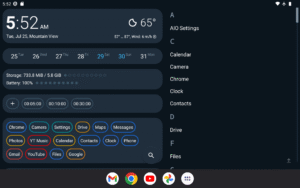
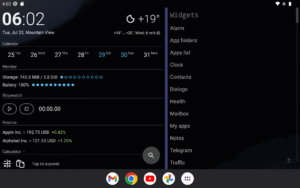
30+ built-in widgets:
Weather, notifications, messengers, tasks, finance, and much more.
-
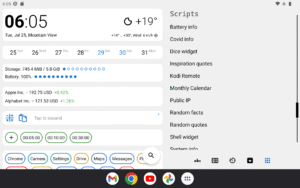
Tasker integration and Lua scripting
for automating your daily routines.
-
Built-in ChatGPT integration
— smart replies, automation, and assistance with zero effort.
-
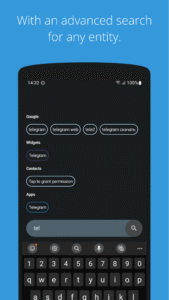
Powerful search:
Look through the web, apps, contacts, widgets — all in one place.
One developer. More focus. Maximum speed.
I build AIO Launcher alone, and it’s my top priority. Bugs happen, but I fix them faster than big companies reply to emails. If something goes wrong — just reach out and I’ll take care of it.
Not for everyone
AIO Launcher isn’t about pretty wallpapers and animations. It’s a tool for those who want to move faster, manage their information, and stay productive. If you value efficiency — you’re in the right place.
Privacy First
AIO Launcher uses and transmits certain data only with your consent and solely to enable features:
-
Location
– sent to the weather service for forecasts (MET Norway).
-
App List
– sent to OpenAI for categorization (ChatGPT).
-
Notifications
– sent to OpenAI for spam filtering (ChatGPT).
Data is not stored, used for analytics or advertising, or shared with third parties beyond the stated purposes.
They are marked as “collected” on Google Play because policy requires it, even if collection occurs only with user permission.
Accessibility usage
AIO Launcher uses the Accessibility Service to handle gestures and simplify device interaction.
Feedback and support
:
zobnin@gmail.com
AIO Launcher isn’t just a home screen — it’s a powerful tool for those who want to use their phone more efficiently. A minimalist, fast, and thoughtful interface that shows only what matters and helps you save time.
Why AIO is better:
-
Information, not icons.
A screen full of useful data instead of a grid of apps.
-
Flexible and customizable.
Make it your own in just a few minutes.
-
Fast and lightweight.
No unnecessary animations or slowdowns.
-
Private and secure.
No tracking, ever.
What AIO Launcher can do:
-
30+ built-in widgets:
Weather, notifications, messengers, tasks, finance, and much more.
-
Tasker integration and Lua scripting
for automating your daily routines.
-
Built-in ChatGPT integration
— smart replies, automation, and assistance with zero effort.
-
Powerful search:
Look through the web, apps, contacts, widgets — all in one place.
One developer. More focus. Maximum speed.
I build AIO Launcher alone, and it’s my top priority. Bugs happen, but I fix them faster than big companies reply to emails. If something goes wrong — just reach out and I’ll take care of it.
Not for everyone
AIO Launcher isn’t about pretty wallpapers and animations. It’s a tool for those who want to move faster, manage their information, and stay productive. If you value efficiency — you’re in the right place.
Privacy First
AIO Launcher uses and transmits certain data only with your consent and solely to enable features:
-
Location
– sent to the weather service for forecasts (MET Norway).
-
App List
– sent to OpenAI for categorization (ChatGPT).
-
Notifications
– sent to OpenAI for spam filtering (ChatGPT).
Data is not stored, used for analytics or advertising, or shared with third parties beyond the stated purposes.
They are marked as “collected” on Google Play because policy requires it, even if collection occurs only with user permission.
Accessibility usage
AIO Launcher uses the Accessibility Service to handle gestures and simplify device interaction.
Feedback and support
:
zobnin@gmail.com
Download AIO Launcher APK
Fast, free and safe download.
APK Permissions 43
- android.permission.ACCESS_COARSE_LOCATION
- android.permission.ACCESS_FINE_LOCATION
- android.permission.ACCESS_HIDDEN_PROFILES
- android.permission.ACCESS_NETWORK_STATE
- android.permission.ACCESS_NOTIFICATION_POLICY
- android.permission.ACCESS_WIFI_STATE
- android.permission.BLUETOOTH
- android.permission.BLUETOOTH_ADMIN
- android.permission.BLUETOOTH_CONNECT
- android.permission.BLUETOOTH_SCAN
- android.permission.CALL_PHONE
- android.permission.CHANGE_WIFI_STATE
- android.permission.EXPAND_STATUS_BAR
- android.permission.FLASHLIGHT
- android.permission.FOREGROUND_SERVICE
- android.permission.GET_ACCOUNTS
- android.permission.INTERNET
- android.permission.PACKAGE_USAGE_STATS
- android.permission.POST_NOTIFICATIONS
- android.permission.QUERY_ALL_PACKAGES
- android.permission.READ_BASIC_PHONE_STATE
- android.permission.READ_CALENDAR
- android.permission.READ_CONTACTS
- android.permission.READ_EXTERNAL_STORAGE
- android.permission.READ_PHONE_STATE
- android.permission.READ_SYNC_SETTINGS
- android.permission.RECEIVE_BOOT_COMPLETED
- android.permission.RECORD_AUDIO
- android.permission.REQUEST_DELETE_PACKAGES
- android.permission.USE_CREDENTIALS
- android.permission.USE_FINGERPRINT
- android.permission.VIBRATE
- android.permission.WAKE_LOCK
- android.permission.WRITE_CALENDAR
- android.permission.WRITE_SETTINGS
- android.permission.WRITE_SYNC_SETTINGS
- com.android.alarm.permission.SET_ALARM
- com.android.vending.BILLING
- com.google.android.gm.permission.READ_CONTENT_PROVIDER
- com.kieronquinn.app.smartspacer.permission.ACCESS_SMARTSPACER
- net.dinglisch.android.tasker.PERMISSION_RUN_TASKS
- net.dinglisch.android.tasker.PERMISSION_SEND_COMMAND
- ru.execbit.aiolauncher.DYNAMIC_RECEIVER_NOT_EXPORTED_PERMISSION


Frequently Asked Questions about AIO Launcher APK
This is the universal variant — a single APK that contains native libraries for every CPU architecture. It installs on any Android device but is larger than per-architecture variants.
Yes — the APK's signature has been cryptographically verified against the publisher's signing key. The SHA-256 hash is shown in the File Information panel so you can independently confirm the file matches the original release.
Android 21 (API level 35) or newer. Older devices will refuse the install.
Install a free app like 'CPU-Z' or 'Droid Hardware Info' from the Play Store and look at the ABI / Instruction Set row. Most phones made after 2017 are arm64-v8a; if in doubt, download the universal variant.
All variants are functionally identical — same features, same version. They differ only in which CPU architectures the native code is compiled for, and (sometimes) which screen densities the included graphics target. Pick the one that matches your device for the smallest install size, or pick 'Universal' if you're unsure.