
This is the armeabi-v7a build of Alarm.com 5.8, compiled for 32-bit ARM processors found in older Android phones (roughly 2013-2017). Use this build if your device's primary ABI is armeabi-v7a — modern 64-bit phones should pick the arm64-v8a or universal variant for better performance.
File size: 88.9 MB • Min Android: 26 • Target Android: 35 • Version code: 1801 • Framework: Native (Java/Kotlin) • Permissions: 48
Screenshots
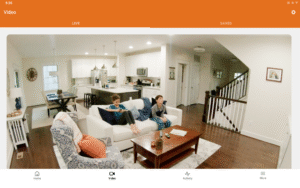
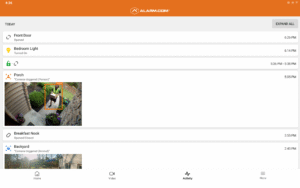
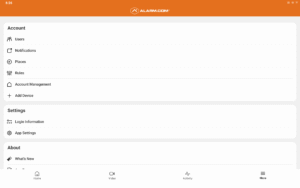
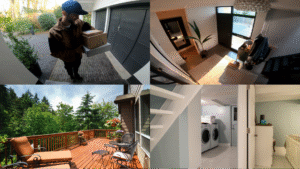
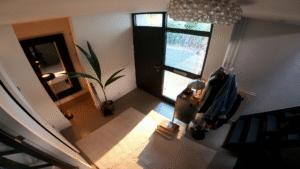
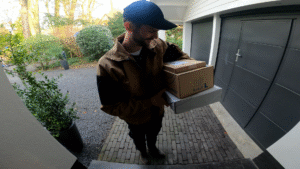
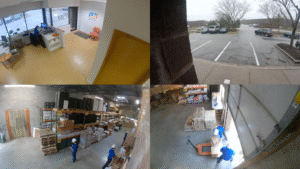


File Information
| Package Name | com.alarm.alarmmobile.android |
|---|---|
| Version Name | 5.8 |
| Version Code | 1801 |
| Architecture | armeabi-v7a |
| Min Android Version | Android 26 (API 35) |
| Main Activity | com.alarm.alarmmobile.android.feature.auth.login.LoginActivity |
| Framework | Native (Java/Kotlin) |
| File Size | 88.91 MB |
| Signature (SHA1) | 3F53CF6F273E0D1CF899C60E12CC2E6E7067B4B4 |
| File Hash (SHA256) | df7524eaf2570c4de067958fe2524eb3189919612102c71ff3718074a613c2d4 |
What's New
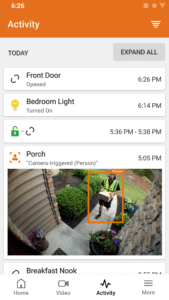
• Explore enhanced activity filters—quickly zero in on relevant information and simplify monitoring key system activity.
• Behind the scenes improvements to power future features
• Minor UI enhancements and bug fixes
• Behind the scenes improvements to power future features
• Minor UI enhancements and bug fixes
App Description
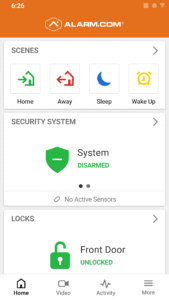
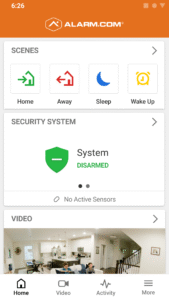
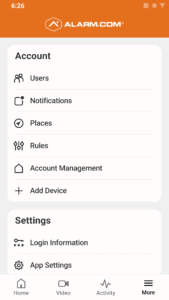
Keep your home or business connected, protected and one step ahead with Alarm.com. Our technology connects your security, locks, lights, video cameras and more into a single system that protects you from crime, fire, carbon monoxide and even water damage.
Our all-in-one app for your phone or tablet makes it easy to:
• Control your entire property remotely
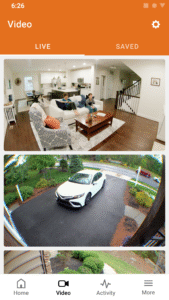
• Know what’s going on with intelligent alerts and live video feeds
• Automate your daily security routine and other time-consuming tasks
Note: This app requires a compatible system and an interactive Alarm.com service plan. Feature availability varies based on system, equipment, and service plan. Visit
www.alarm.com
for more information.
Our smarter home security features include:
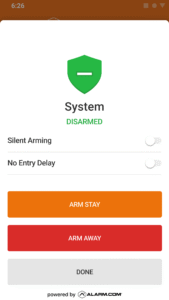
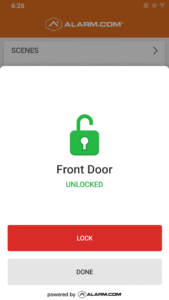
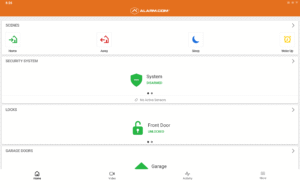
• Control your security panel, locks, lights and more from anywhere
• Get alerts when people enter and leave, or when there’s unexpected activity
• Watch live and recorded video from indoor and outdoor cameras
• Customize your video alerts to see specific activity only
• Talk to visitors through your doorbell camera and unlock your door from the same screen
• Use Scenes commands to activate multiple devices with one touch
Our smarter business security features include:
• Arm or disarm your security panel across multiple locations
• Get alerted if the store opens late or an employee accesses a restricted area
• Get smarter video alerts that highlight specific types of activity
• Automate your lights, locks, thermostats and more
• Track and manage access to multiple properties
• Buzz open your access control doors from the Doorbell Call screen
• Respond to alarm events and alert emergency personnel
Dependable in emergencies and helpful every day, Alarm.com is the all-in-one solution for the connected, protected home or business.
Our all-in-one app for your phone or tablet makes it easy to:
• Control your entire property remotely
• Know what’s going on with intelligent alerts and live video feeds
• Automate your daily security routine and other time-consuming tasks
Note: This app requires a compatible system and an interactive Alarm.com service plan. Feature availability varies based on system, equipment, and service plan. Visit
www.alarm.com
for more information.
Our smarter home security features include:
• Control your security panel, locks, lights and more from anywhere
• Get alerts when people enter and leave, or when there’s unexpected activity
• Watch live and recorded video from indoor and outdoor cameras
• Customize your video alerts to see specific activity only
• Talk to visitors through your doorbell camera and unlock your door from the same screen
• Use Scenes commands to activate multiple devices with one touch
Our smarter business security features include:
• Arm or disarm your security panel across multiple locations
• Get alerted if the store opens late or an employee accesses a restricted area
• Get smarter video alerts that highlight specific types of activity
• Automate your lights, locks, thermostats and more
• Track and manage access to multiple properties
• Buzz open your access control doors from the Doorbell Call screen
• Respond to alarm events and alert emergency personnel
Dependable in emergencies and helpful every day, Alarm.com is the all-in-one solution for the connected, protected home or business.
Download Alarm.com APK
Fast, free and safe download.
APK Permissions 48
- android.permission.ACCESS_ADSERVICES_AD_ID
- android.permission.ACCESS_ADSERVICES_ATTRIBUTION
- android.permission.ACCESS_BACKGROUND_LOCATION
- android.permission.ACCESS_COARSE_LOCATION
- android.permission.ACCESS_FINE_LOCATION
- android.permission.ACCESS_NETWORK_STATE
- android.permission.ACCESS_WIFI_STATE
- android.permission.ACTIVITY_RECOGNITION
- android.permission.BLUETOOTH
- android.permission.BLUETOOTH_ADMIN
- android.permission.BLUETOOTH_ADVERTISE
- android.permission.BLUETOOTH_CONNECT
- android.permission.BLUETOOTH_SCAN
- android.permission.CAMERA
- android.permission.CHANGE_NETWORK_STATE
- android.permission.CHANGE_WIFI_MULTICAST_STATE
- android.permission.CHANGE_WIFI_STATE
- android.permission.FOREGROUND_SERVICE
- android.permission.FOREGROUND_SERVICE_CONNECTED_DEVICE
- android.permission.FOREGROUND_SERVICE_HEALTH
- android.permission.FOREGROUND_SERVICE_LOCATION
- android.permission.FOREGROUND_SERVICE_PHONE_CALL
- android.permission.GET_ACCOUNTS
- android.permission.INTERNET
- android.permission.MANAGE_OWN_CALLS
- android.permission.MODIFY_AUDIO_SETTINGS
- android.permission.NFC
- android.permission.POST_NOTIFICATIONS
- android.permission.READ_CONTACTS
- android.permission.READ_EXTERNAL_STORAGE
- android.permission.READ_MEDIA_VISUAL_USER_SELECTED
- android.permission.READ_PHONE_STATE
- android.permission.RECEIVE_BOOT_COMPLETED
- android.permission.RECORD_AUDIO
- android.permission.REQUEST_IGNORE_BATTERY_OPTIMIZATIONS
- android.permission.USE_BIOMETRIC
- android.permission.USE_FINGERPRINT
- android.permission.USE_FULL_SCREEN_INTENT
- android.permission.VIBRATE
- android.permission.WAKE_LOCK
- android.permission.WRITE_EXTERNAL_STORAGE
- com.alarm.alarmmobile.android.DYNAMIC_RECEIVER_NOT_EXPORTED_PERMISSION
- com.alarm.alarmmobile.android.permission.MAPS_RECEIVE
- com.google.android.c2dm.permission.RECEIVE
- com.google.android.finsky.permission.BIND_GET_INSTALL_REFERRER_SERVICE
- com.google.android.gms.permission.ACTIVITY_RECOGNITION
- com.google.android.gms.permission.AD_ID
- com.google.android.providers.gsf.permission.READ_GSERVICES
APK Verified
The cryptographic signature guarantees that the file is safe to install and was not tampered with in any way.


Frequently Asked Questions about Alarm.com APK
This variant is built for 32-bit ARM (older Android phones, ~2013–2017). If your device's CPU matches, this is the smallest, fastest version to install.
Yes — the APK's signature has been cryptographically verified against the publisher's signing key. The SHA-256 hash is shown in the File Information panel so you can independently confirm the file matches the original release.
Android 26 (API level 35) or newer. Older devices will refuse the install.
Install a free app like 'CPU-Z' or 'Droid Hardware Info' from the Play Store and look at the ABI / Instruction Set row. Most phones made after 2017 are arm64-v8a; if in doubt, download the universal variant.
All variants are functionally identical — same features, same version. They differ only in which CPU architectures the native code is compiled for, and (sometimes) which screen densities the included graphics target. Pick the one that matches your device for the smallest install size, or pick 'Universal' if you're unsure.