
This is the armeabi-v7a build of Smart AudioBook Player 2.8.7, compiled for 32-bit ARM processors found in older Android phones (roughly 2013-2017). Use this build if your device's primary ABI is armeabi-v7a — modern 64-bit phones should pick the arm64-v8a or universal variant for better performance.
File size: 3.0 MB • Min Android: 14 • Target Android: 22 • Version code: 14217 • Framework: Native (Java/Kotlin) • Permissions: 7
Screenshots
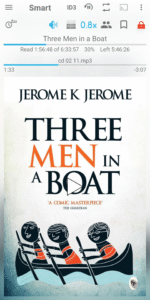
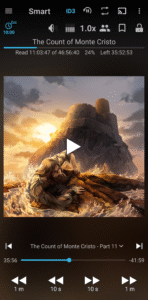
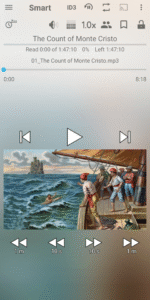
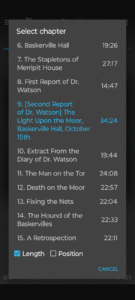
File Information
| Package Name | ak.alizandro.smartaudiobookplayer |
|---|---|
| Version Name | 2.8.7 |
| Version Code | 14217 |
| Architecture | armeabi-v7a |
| Min Android Version | Android 14 (API 22) |
| Main Activity | ak.alizandro.smartaudiobookplayer.PlayerActivity |
| Framework | Native (Java/Kotlin) |
| File Size | 2.99 MB |
| Signature (SHA1) | 36D3F2578B844712602F122612122ED082042731 |
| File Hash (SHA256) | 29d03b6fd34a6dc954ac21ee8041655da9853838f0faa380ddf1f25723d04e74 |
What's New
+ Fixed search cover on the Internet feature on some phones.
+ Added 45 seconds rewind to:
Settings--Full version settings--Bluetooth headset control.
+ Added Library--Settings--Quick scroll.
Allows you to quickly scroll by swiping on the right edge of the screen.
+ Implemented edge-to-edge display.
+ Added Predictive back gestures.
Works on phones with Android 15 or newer.
+ Added 45 seconds rewind to:
Settings--Full version settings--Bluetooth headset control.
+ Added Library--Settings--Quick scroll.
Allows you to quickly scroll by swiping on the right edge of the screen.
+ Implemented edge-to-edge display.
+ Added Predictive back gestures.
Works on phones with Android 15 or newer.
App Description
The app is designed specially for playing audio books.
You have to manually download the books and place them in subfolders under the "My Audiobooks" folder on your phone.
Every book must be in a separate subfolder, even if it consists of only one file.
In Library→Settings→Root folder select the "My Audiobooks" folder.
Once finished, don't forget to press the "Update" button at the top of the Library window.
First 30 days Full version. Later - Basic version.
Features:
+ Playback speed control. It may be useful if narrator speaks too slow or too fast.
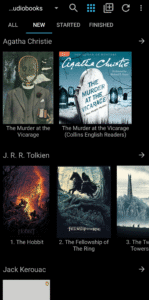
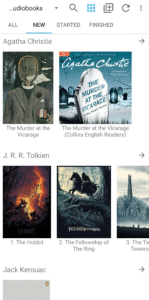
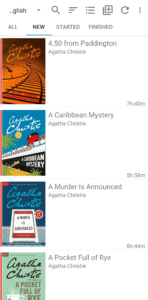
+ Classification of books (new, started and finished) allows you to understand at glance what books have been finished, what you are reading now and what are new).
+ Downloading cover from the Internet brings more life to the book than just blank general cover.
+ Bookmarks allow you to mark interesting moments in the book.
+ List of characters. You can manually create a list of characters to easier follow the story.
+ Automatic pause in case you fall asleep. To continue playback just shake your phone.
+ Playback history allows to return to the previous playback position in situation when you accidentally hit Next file or other button.
+ Chromecast support allows to listen the book on full size speakers.
+ Application Widget. Allows you to control the player from the home screen.
+ You don't have to finish one book to start another. The progress is saved independently for all books.
+ NO ADS!
To purchase full version press: menu--Help--Version tab.
It is a one time purchase. Not a subscription.
Many thanks to people who left comments and suggestions.
If you have something that doesn't work please write an email instead of leaving a comment.
Version for Android 4.4 - 5.1:
drive.google.com/file/d/159WJmKi_t9vx8er0lzTGtQTfB7Aagw2o
Version for Android 4.1 - 4.3:
drive.google.com/file/d/1QtMJF64iQQcybkUTndicuSOoHbpUUS-f/view?usp=sharing
Version with old icon:
drive.google.com/open?id=1lDjGmqhgSB3qFsLR7oCxweHjnOLLERRZ
You have to manually download the books and place them in subfolders under the "My Audiobooks" folder on your phone.
Every book must be in a separate subfolder, even if it consists of only one file.
In Library→Settings→Root folder select the "My Audiobooks" folder.
Once finished, don't forget to press the "Update" button at the top of the Library window.
First 30 days Full version. Later - Basic version.
Features:
+ Playback speed control. It may be useful if narrator speaks too slow or too fast.
+ Classification of books (new, started and finished) allows you to understand at glance what books have been finished, what you are reading now and what are new).
+ Downloading cover from the Internet brings more life to the book than just blank general cover.
+ Bookmarks allow you to mark interesting moments in the book.
+ List of characters. You can manually create a list of characters to easier follow the story.
+ Automatic pause in case you fall asleep. To continue playback just shake your phone.
+ Playback history allows to return to the previous playback position in situation when you accidentally hit Next file or other button.
+ Chromecast support allows to listen the book on full size speakers.
+ Application Widget. Allows you to control the player from the home screen.
+ You don't have to finish one book to start another. The progress is saved independently for all books.
+ NO ADS!
To purchase full version press: menu--Help--Version tab.
It is a one time purchase. Not a subscription.
Many thanks to people who left comments and suggestions.
If you have something that doesn't work please write an email instead of leaving a comment.
Version for Android 4.4 - 5.1:
drive.google.com/file/d/159WJmKi_t9vx8er0lzTGtQTfB7Aagw2o
Version for Android 4.1 - 4.3:
drive.google.com/file/d/1QtMJF64iQQcybkUTndicuSOoHbpUUS-f/view?usp=sharing
Version with old icon:
drive.google.com/open?id=1lDjGmqhgSB3qFsLR7oCxweHjnOLLERRZ
Download Smart AudioBook Player APK
Fast, free and safe download.
APK Permissions 7
- android.permission.ACCESS_NETWORK_STATE
- android.permission.BLUETOOTH
- android.permission.INTERNET
- android.permission.READ_EXTERNAL_STORAGE
- android.permission.WAKE_LOCK
- android.permission.WRITE_EXTERNAL_STORAGE
- com.android.vending.BILLING
APK Verified
The cryptographic signature guarantees that the file is safe to install and was not tampered with in any way.


Frequently Asked Questions about Smart AudioBook Player APK
This variant is built for 32-bit ARM (older Android phones, ~2013–2017). If your device's CPU matches, this is the smallest, fastest version to install.
Yes — the APK's signature has been cryptographically verified against the publisher's signing key. The SHA-256 hash is shown in the File Information panel so you can independently confirm the file matches the original release.
Android 14 (API level 22) or newer. Older devices will refuse the install.
Install a free app like 'CPU-Z' or 'Droid Hardware Info' from the Play Store and look at the ABI / Instruction Set row. Most phones made after 2017 are arm64-v8a; if in doubt, download the universal variant.
All variants are functionally identical — same features, same version. They differ only in which CPU architectures the native code is compiled for, and (sometimes) which screen densities the included graphics target. Pick the one that matches your device for the smallest install size, or pick 'Universal' if you're unsure.