
Download analiti - Speed & WiFi APK 2024.12.83862 Universal · Android 25+
This is the universal build of analiti - Speed & WiFi 2024.12.83862. It contains native libraries for every CPU architecture (arm64-v8a, armeabi-v7a, x86, x86_64), so it installs on any Android device. The trade-off is size — it's larger than per-architecture variants. Pick this one if you're unsure which CPU your phone has, or if you plan to share the APK with multiple devices.
File size: 18.1 MB • Min Android: 25 • Target Android: 35 • Version code: 83862 • Framework: Native (Java/Kotlin) • Permissions: 39
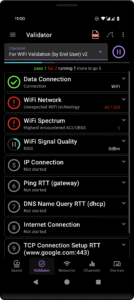
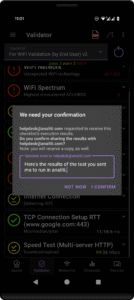
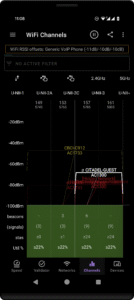
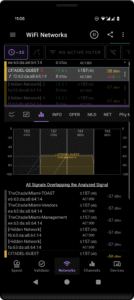
Screenshots
File Information
| Package Name | com.analiti.fastest.android |
|---|---|
| Version Name | 2024.12.83862 |
| Version Code | 83862 |
| Architecture | Universal |
| Min Android Version | Android 25 (API 35) |
| Main Activity | com.analiti.fastest.android.NonTVAnalitiActivity |
| Framework | Native (Java/Kotlin) |
| File Size | 18.14 MB |
| Signature (SHA1) | A1BD706977B73809552322C45A85F58D1CCC52D3 |
| File Hash (SHA256) | 9fe5faed4a0c952e6da7273f5947d1a4ca680391fc02ce0cf22491048f66682d |
What's New
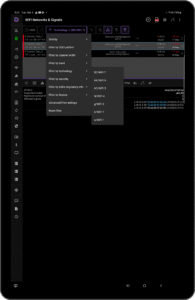
* WiFi Networks & WiFi Channels - ability to filter based on 6GHz regulatory info (e.g., LPI, SP, VLP)
* General bug fixes and performance improvements
App Description
Is your WiFi up to the task? Is your network slow? Are you getting what you pay for?
Did you ask yourself:
🤔 Is my WiFi coverage good?
🤔 Am I connected to the best WiFi channel?
🤔 Are there better WiFi channels around me?
🤔 Anyone stealing my WiFi without permission?
🤔 What's the real speed of my connection?
🤔 What speed can my WiFi AP/Router really support?
🤔 Am I getting what I'm paying my ISP for?
Test your connection and analyze your networking conditions with expert tools
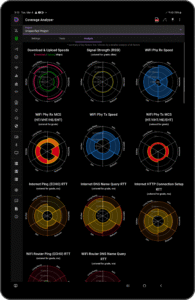
✅ Wireless coverage 360 analysis
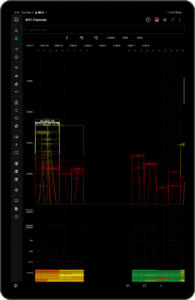
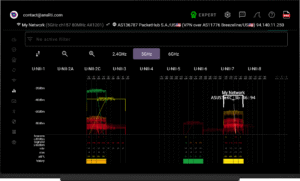
✅ WiFi analyzer - signal lists and channel maps
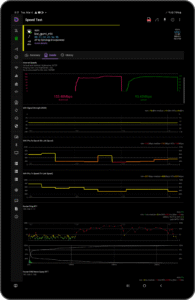
✅ Internet and LAN Speed Tests
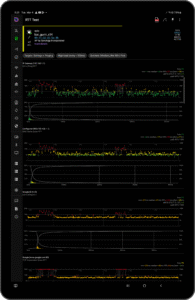
✅ Ping & DNS Speed analyzer - find the quickest DNS servers or fastest game servers
✅ LAN connected device scanner – who’s using the network
✅ WiFi, Ethernet, DSL, Cable, Fiber, 4G/LTE and 5G/NR
Wireless Coverage 360 Analyzer
✅ Analyze wireless network coverage - in a home, a business or a venue
✅ Using active surveying (alongside WiFi analysis and concurrent ping/DNS/HTTP loads)
✅ Detailed network performance statistics - overall and for every specific location
WiFi Analyzer
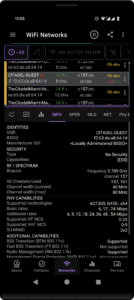
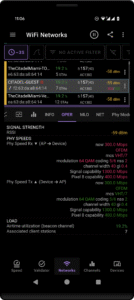
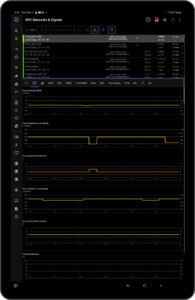
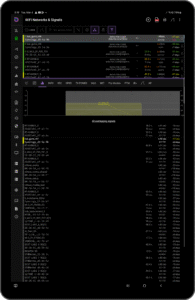
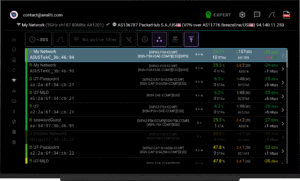
✅ Extensive details for every signal / AP - signal strength, security, current and supported spectrum usage (primary and secondary channels), current and supported MCS/phy speeds, supported MIMO configurations, supported features (e.g., 802.11k, 802.11v, 802.11r), distance from AP (when 802.11mc is supported), load (stations connected and utilization), etc.
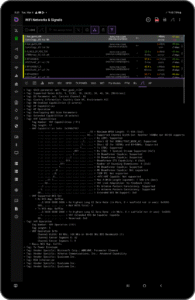
✅ Beacon IEs decodes - with diff analysis between current and a baseline
✅ Supported technologies - WiFi 1 (802.11a), WiFi 2 (802.11b), WiFi 3 (802.11g), WiFi 4 (802.11n), WiFi 5 (802.11ac), WiFi 6 (802.11ax), WiFi 6E (802.11ax in 6GHz), WiFi 7 (802.11be)
✅ Supported security configurations - WPA3, OWE (inc. transition mode), WPA2, WPA, WEP, 802.1x/EAP
✅ Supported spectrum bands - 2.4GHz, 5GHz and 6GHz
✅ Supported channel widths - 20MHz, 40MHz, 80MHz, 80+80MHz, 160MHz and 320MHz
✅ Elaborate filters to show only (or just highlight) networks/APs/signals of interest
WiFi Scans as PCAP records in a PCAPng file
✅ Export WiFi Scan results as PCAP records
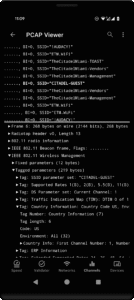
✅ On-device PCAP viewer (also for files generated or downloaded by other apps)
✅ Open generated PCAPng files using compatible apps such as Wireshark
✅ Upload and open generated PCAPng files using compatible cloud services such as CloudShark or Arista Networks' Packets
✅ Use analiti as a remote WiFi sensor - stream generated PCAP records in real time to compatible apps such as Wireshark
Speed Tests
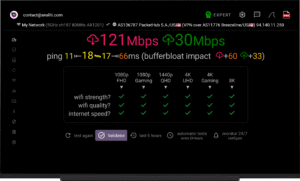
✅ Internet speedtest
✅ IP WAN or LAN speedtests - between devices running our app, or to any user specified server (iPerf3, HTTP, FTP)
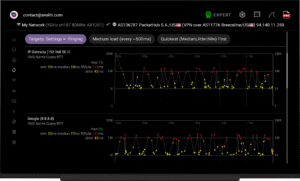
✅ Concurrent ping, DNS and HTTP latency results – to multiple servers with configurable load
✅ Automatic tests - with user configured interval (from 15 minutes to 24 hours)
✅ Remote uptime monitoring 24/7 of outages or slowdowns
Ping & DNS Speeds Analyzer
✅ Multiple simultaneous ping targets
✅ ECHO, DNS, HTTP, HTTPS or any TCP port
✅ Configurable ping load
✅ Predefined or personal target lists (e.g., game servers)
Connected Devices
✅ Detection of devices connected to the LAN (WiFi or Ethernet)
✅ Uses ping, ARP, UPnP/SSDP, reverse DNS, Bonjour/mDNS, NetBIOS, SNMP, HTTP
✅ Detailed information about every device
✅ Detailed ping performance statistics
✅ Detailed list of open TCP ports
✅ Configurable name and trust for every device
Compatible with
✅ Android smartphones & tablets
✅ Google TV devices and sets
✅ Android TV devices and sets
Fast, free and safe download.
APK Permissions 39
- android.permission.ACCESS_ADSERVICES_AD_ID
- android.permission.ACCESS_ADSERVICES_ATTRIBUTION
- android.permission.ACCESS_ADSERVICES_TOPICS
- android.permission.ACCESS_BACKGROUND_LOCATION
- android.permission.ACCESS_COARSE_LOCATION
- android.permission.ACCESS_FINE_LOCATION
- android.permission.ACCESS_NETWORK_STATE
- android.permission.ACCESS_WIFI_STATE
- android.permission.BLUETOOTH
- android.permission.BLUETOOTH_ADMIN
- android.permission.BLUETOOTH_CONNECT
- android.permission.BLUETOOTH_SCAN
- android.permission.CHANGE_NETWORK_STATE
- android.permission.CHANGE_WIFI_MULTICAST_STATE
- android.permission.CHANGE_WIFI_STATE
- android.permission.DETECT_SCREEN_CAPTURE
- android.permission.FOREGROUND_SERVICE
- android.permission.FOREGROUND_SERVICE_DATA_SYNC
- android.permission.INTERNET
- android.permission.NEARBY_WIFI_DEVICES
- android.permission.POST_NOTIFICATIONS
- android.permission.READ_EXTERNAL_STORAGE
- android.permission.READ_PHONE_STATE
- android.permission.RECEIVE_BOOT_COMPLETED
- android.permission.REQUEST_IGNORE_BATTERY_OPTIMIZATIONS
- android.permission.RUN_USER_INITIATED_JOBS
- android.permission.VIBRATE
- android.permission.WAKE_LOCK
- android.permission.WRITE_EXTERNAL_STORAGE
- com.analiti.fastest.android.DYNAMIC_RECEIVER_NOT_EXPORTED_PERMISSION
- com.analiti.fastest.android.selfProtection
- com.android.launcher.permission.INSTALL_SHORTCUT
- com.android.launcher.permission.UNINSTALL_SHORTCUT
- com.android.providers.tv.permission.READ_EPG_DATA
- com.android.providers.tv.permission.WRITE_EPG_DATA
- com.android.vending.BILLING
- com.google.android.finsky.permission.BIND_GET_INSTALL_REFERRER_SERVICE
- com.google.android.gms.permission.AD_ID
- com.samsung.android.iap.permission.BILLING
APK Verified
The cryptographic signature guarantees that the file is safe to install and was not tampered with in any way.
Other Variants
This release has multiple variants (e.g. diff architectures).
arm64-v8a, armeabi-v7a, x86, x86_64


