
This is the x86 build of AnkiDroid Flashcards 2.21.0. Intel-architecture builds are useful for Android emulators (BlueStacks, NoxPlayer, Android Studio AVD), Chromebooks running ARC, and the small number of Intel-CPU Android phones. Most physical Android phones should download the ARM variant instead.
File size: 35.7 MB • Min Android: 24 • Target Android: 35 • Version code: 222100300 • Framework: Native (Java/Kotlin) • Permissions: 14
Screenshots
File Information
| Package Name | com.ichi2.anki |
|---|---|
| Version Name | 2.21.0 |
| Version Code | 222100300 |
| Architecture | x86 |
| Min Android Version | Android 24 (API 35) |
| Main Activity | com.ichi2.anki.IntentHandler |
| Framework | Native (Java/Kotlin) |
| File Size | 35.69 MB |
| Signature (SHA1) | F24E06A3657B190A12671100402DF32D7B9B3D36 |
| File Hash (SHA256) | 4970672ecd2977aeff6ef976f21f4d38bb32d97eef38a56ed022e3dcbb708407 |
What's New
Hello from your AnkiDroid crew! New release time!
* 🤜🤛 Thank you! As ever, your donations help the features happen!
opencollective.com/ankidroid
Limited in changelog space, for full details:
ankidroid.org/changelog.html#_version_2_21_0_20250708
Best changelog items... we think most people will like:
- Includes Anki 25.02.7 (25.07.1 w/FSRS6 is in alphas, will be out soon)
- Reviewer: Better multilingual support, w/Noto Sans Mono font for type-in-answer
- Fixed top crash bug!
* 🤜🤛 Thank you! As ever, your donations help the features happen!
opencollective.com/ankidroid
Limited in changelog space, for full details:
ankidroid.org/changelog.html#_version_2_21_0_20250708
Best changelog items... we think most people will like:
- Includes Anki 25.02.7 (25.07.1 w/FSRS6 is in alphas, will be out soon)
- Reviewer: Better multilingual support, w/Noto Sans Mono font for type-in-answer
- Fixed top crash bug!
App Description
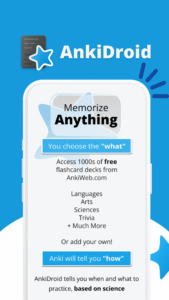
Memorize anything with AnkiDroid!
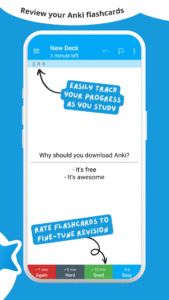
AnkiDroid lets you learn flashcards very efficiently by showing them just before you would forget. It is fully compatible with the spaced repetition software Anki (including synchronization), which is available for Windows/Mac/Linux/ChromeOS/iOS.
Study all sorts of things wherever and whenever you want. Make good use of idle times on bus trips, in supermarket queues or any other waiting situation!
Create your own flashcard decks or download free decks compiled for many languages and topics (thousands available).
Add material through the desktop application Anki or directly through Ankidroid. The application even supports adding material automatically from a dictionary!
Need support?
docs.ankidroid.org/help.html
(much preferred over comments in reviews here :-) )
★ Key features:
• supported flashcard contents: text, images, sounds, mathjax
• spaced repetition (supermemo 2 algorithm)
• text-to-speech integration
• thousands of premade decks
• progress widget
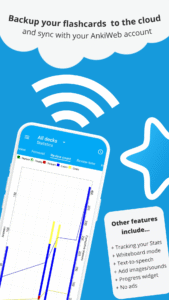
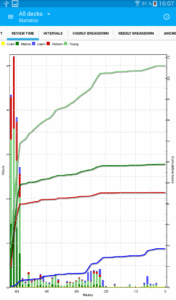
• detailed statistics
• syncing with AnkiWeb
• open source
★ Additional features:
• write answers (optional)
• whiteboard
• card editor/adder
• card browser
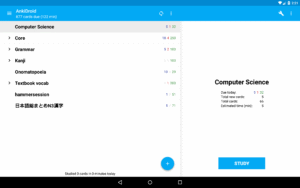
• tablet layout
• import existing collection files (via Anki Desktop)
• add cards by intent from other applications like dictionaries
• custom font support
• full backup system
• navigation by swipe, tap, shake
• fully customisable
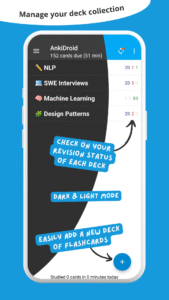
• dynamic deck handling
• dark mode
• 100+ localisations!
• All previous AnkiDroid versions can be downloaded from the website
AnkiDroid lets you learn flashcards very efficiently by showing them just before you would forget. It is fully compatible with the spaced repetition software Anki (including synchronization), which is available for Windows/Mac/Linux/ChromeOS/iOS.
Study all sorts of things wherever and whenever you want. Make good use of idle times on bus trips, in supermarket queues or any other waiting situation!
Create your own flashcard decks or download free decks compiled for many languages and topics (thousands available).
Add material through the desktop application Anki or directly through Ankidroid. The application even supports adding material automatically from a dictionary!
Need support?
docs.ankidroid.org/help.html
(much preferred over comments in reviews here :-) )
★ Key features:
• supported flashcard contents: text, images, sounds, mathjax
• spaced repetition (supermemo 2 algorithm)
• text-to-speech integration
• thousands of premade decks
• progress widget
• detailed statistics
• syncing with AnkiWeb
• open source
★ Additional features:
• write answers (optional)
• whiteboard
• card editor/adder
• card browser
• tablet layout
• import existing collection files (via Anki Desktop)
• add cards by intent from other applications like dictionaries
• custom font support
• full backup system
• navigation by swipe, tap, shake
• fully customisable
• dynamic deck handling
• dark mode
• 100+ localisations!
• All previous AnkiDroid versions can be downloaded from the website
Download AnkiDroid Flashcards APK
Fast, free and safe download.
APK Permissions 14
- android.permission.ACCESS_NETWORK_STATE
- android.permission.FOREGROUND_SERVICE
- android.permission.FOREGROUND_SERVICE_DATA_SYNC
- android.permission.GET_PACKAGE_SIZE
- android.permission.INTERNET
- android.permission.POST_NOTIFICATIONS
- android.permission.READ_EXTERNAL_STORAGE
- android.permission.RECEIVE_BOOT_COMPLETED
- android.permission.RECORD_AUDIO
- android.permission.VIBRATE
- android.permission.WAKE_LOCK
- android.permission.WRITE_EXTERNAL_STORAGE
- com.ichi2.anki.DYNAMIC_RECEIVER_NOT_EXPORTED_PERMISSION
- com.ichi2.anki.permission.READ_WRITE_DATABASE
APK Verified
The cryptographic signature guarantees that the file is safe to install and was not tampered with in any way.
Other Variants
This release has multiple variants (e.g. diff architectures).
arm64-v8a armeabi-v7a x86_64


Frequently Asked Questions about AnkiDroid Flashcards APK
This variant is built for 32-bit Intel (older Chromebooks, some Android emulators). If your device's CPU matches, this is the smallest, fastest version to install.
Yes — the APK's signature has been cryptographically verified against the publisher's signing key. The SHA-256 hash is shown in the File Information panel so you can independently confirm the file matches the original release.
Android 24 (API level 35) or newer. Older devices will refuse the install.
Install a free app like 'CPU-Z' or 'Droid Hardware Info' from the Play Store and look at the ABI / Instruction Set row. Most phones made after 2017 are arm64-v8a; if in doubt, download the universal variant.
All variants are functionally identical — same features, same version. They differ only in which CPU architectures the native code is compiled for, and (sometimes) which screen densities the included graphics target. Pick the one that matches your device for the smallest install size, or pick 'Universal' if you're unsure.