
This is the armeabi-v7a build of AnkiDroid Flashcards 2.22.3, compiled for 32-bit ARM processors found in older Android phones (roughly 2013-2017). Use this build if your device's primary ABI is armeabi-v7a — modern 64-bit phones should pick the arm64-v8a or universal variant for better performance.
File size: 32.3 MB • Min Android: 24 • Target Android: 35 • Version code: 122203300 • Framework: Native (Java/Kotlin) • Permissions: 14
Screenshots
File Information
| Package Name | com.ichi2.anki |
|---|---|
| Version Name | 2.22.3 |
| Version Code | 122203300 |
| Architecture | armeabi-v7a |
| Min Android Version | Android 24 (API 35) |
| Main Activity | com.ichi2.anki.IntentHandler |
| Framework | Native (Java/Kotlin) |
| File Size | 32.26 MB |
| Signature (SHA1) | F24E06A3657B190A12671100402DF32D7B9B3D36 |
| File Hash (SHA256) | 0cff4e8c1df44b0a806ea3b29d6db294ac77f8cbb287bdea6cccf4e990e6c74e |
What's New
* it's got anki 25.07 with FSRS6 in it! Excite!
* 🤜🤛 Thank you! As ever, your donations help the fixes happen!
opencollective.com/ankidroid
* For optimal scheduling: update all your Anki clients, sync, then re-optimize FSRS
* For all the new features and fixes - see
ankidroid.org/changelog.html
* Enjoy!
* 🤜🤛 Thank you! As ever, your donations help the fixes happen!
opencollective.com/ankidroid
* For optimal scheduling: update all your Anki clients, sync, then re-optimize FSRS
* For all the new features and fixes - see
ankidroid.org/changelog.html
* Enjoy!
App Description
Memorize anything with AnkiDroid!
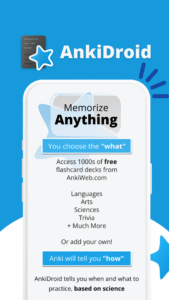
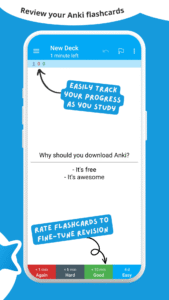
AnkiDroid lets you learn flashcards very efficiently by showing them just before you would forget. It is fully compatible with the spaced repetition software Anki (including synchronization), which is available for Windows/Mac/Linux/ChromeOS/iOS.
Study all sorts of things wherever and whenever you want. Make good use of idle times on bus trips, in supermarket queues or any other waiting situation!
Create your own flashcard decks or download free decks compiled for many languages and topics (thousands available).
Add material through the desktop application Anki or directly through Ankidroid. The application even supports adding material automatically from a dictionary!
Need support?
docs.ankidroid.org/help.html
(much preferred over comments in reviews here :-) )
★ Key features:
• supported flashcard contents: text, images, sounds, mathjax
• spaced repetition (supermemo 2 algorithm)
• text-to-speech integration
• thousands of premade decks
• progress widget
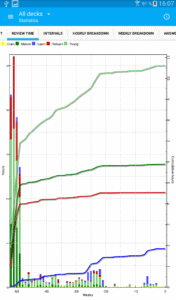
• detailed statistics
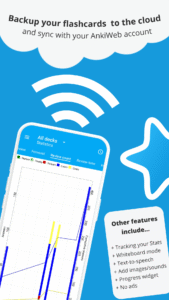
• syncing with AnkiWeb
• open source
★ Additional features:
• write answers (optional)
• whiteboard
• card editor/adder
• card browser
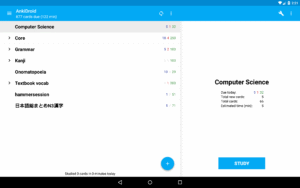
• tablet layout
• import existing collection files (via Anki Desktop)
• add cards by intent from other applications like dictionaries
• custom font support
• full backup system
• navigation by swipe, tap, shake
• fully customisable
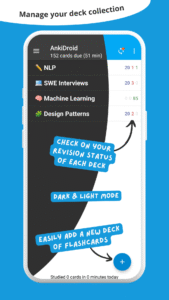
• dynamic deck handling
• dark mode
• 100+ localisations!
• All previous AnkiDroid versions can be downloaded from the website
AnkiDroid lets you learn flashcards very efficiently by showing them just before you would forget. It is fully compatible with the spaced repetition software Anki (including synchronization), which is available for Windows/Mac/Linux/ChromeOS/iOS.
Study all sorts of things wherever and whenever you want. Make good use of idle times on bus trips, in supermarket queues or any other waiting situation!
Create your own flashcard decks or download free decks compiled for many languages and topics (thousands available).
Add material through the desktop application Anki or directly through Ankidroid. The application even supports adding material automatically from a dictionary!
Need support?
docs.ankidroid.org/help.html
(much preferred over comments in reviews here :-) )
★ Key features:
• supported flashcard contents: text, images, sounds, mathjax
• spaced repetition (supermemo 2 algorithm)
• text-to-speech integration
• thousands of premade decks
• progress widget
• detailed statistics
• syncing with AnkiWeb
• open source
★ Additional features:
• write answers (optional)
• whiteboard
• card editor/adder
• card browser
• tablet layout
• import existing collection files (via Anki Desktop)
• add cards by intent from other applications like dictionaries
• custom font support
• full backup system
• navigation by swipe, tap, shake
• fully customisable
• dynamic deck handling
• dark mode
• 100+ localisations!
• All previous AnkiDroid versions can be downloaded from the website
Download AnkiDroid Flashcards APK
Fast, free and safe download.
APK Permissions 14
- android.permission.ACCESS_NETWORK_STATE
- android.permission.FOREGROUND_SERVICE
- android.permission.FOREGROUND_SERVICE_DATA_SYNC
- android.permission.GET_PACKAGE_SIZE
- android.permission.INTERNET
- android.permission.POST_NOTIFICATIONS
- android.permission.READ_EXTERNAL_STORAGE
- android.permission.RECEIVE_BOOT_COMPLETED
- android.permission.RECORD_AUDIO
- android.permission.VIBRATE
- android.permission.WAKE_LOCK
- android.permission.WRITE_EXTERNAL_STORAGE
- com.ichi2.anki.DYNAMIC_RECEIVER_NOT_EXPORTED_PERMISSION
- com.ichi2.anki.permission.READ_WRITE_DATABASE
APK Verified
The cryptographic signature guarantees that the file is safe to install and was not tampered with in any way.


Frequently Asked Questions about AnkiDroid Flashcards APK
This variant is built for 32-bit ARM (older Android phones, ~2013–2017). If your device's CPU matches, this is the smallest, fastest version to install.
Yes — the APK's signature has been cryptographically verified against the publisher's signing key. The SHA-256 hash is shown in the File Information panel so you can independently confirm the file matches the original release.
Android 24 (API level 35) or newer. Older devices will refuse the install.
Install a free app like 'CPU-Z' or 'Droid Hardware Info' from the Play Store and look at the ABI / Instruction Set row. Most phones made after 2017 are arm64-v8a; if in doubt, download the universal variant.
All variants are functionally identical — same features, same version. They differ only in which CPU architectures the native code is compiled for, and (sometimes) which screen densities the included graphics target. Pick the one that matches your device for the smallest install size, or pick 'Universal' if you're unsure.