
This is the universal build of Bluetooth Keyboard & Mouse 6.12.1. It contains native libraries for every CPU architecture (arm64-v8a, armeabi-v7a, x86, x86_64), so it installs on any Android device. The trade-off is size — it's larger than per-architecture variants. Pick this one if you're unsure which CPU your phone has, or if you plan to share the APK with multiple devices.
File size: 4.7 MB • Min Android: 23 • Target Android: 36 • Version code: 238 • Framework: Native (Java/Kotlin) • Permissions: 17
Screenshots
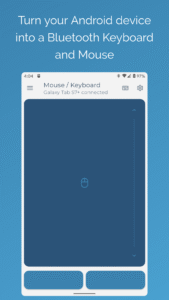
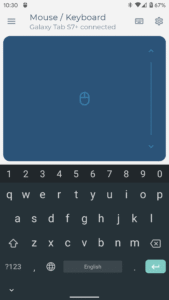
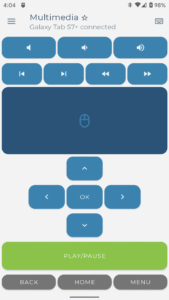
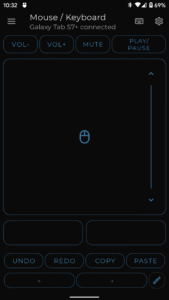
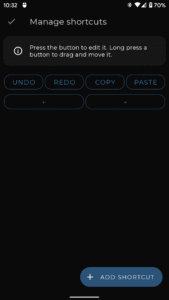
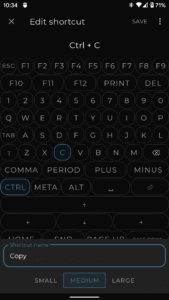
File Information
| Package Name | io.appground.blek |
|---|---|
| Version Name | 6.12.1 |
| Version Code | 238 |
| Architecture | Universal |
| Min Android Version | Android 23 (API 36) |
| Main Activity | io.appground.blek.MainActivity |
| Framework | Native (Java/Kotlin) |
| File Size | 4.71 MB |
| Signature (SHA1) | 592293122D3185E73699506BE1A8956A35551249 |
| File Hash (SHA256) | 455bb3a7e9fe3d727991cbe5621694461999c1f04974ddf1846ac1eae8693334 |
What's New
- A new Mouse Jiggle option keeps your remote device active (PRO).
- Redesigned settings with more precise mouse sensitivity adjustment.
- Enhanced connection stability and performance.
- Redesigned settings with more precise mouse sensitivity adjustment.
- Enhanced connection stability and performance.
App Description
Turn your device into a serverless Bluetooth keyboard and mouse - no additional software needed!
Use your Android device as a remote keyboard and mouse for your smartphone, tablet, computer or Android TV.
Features include:
• Keyboard, mouse and touchpad with scrolling support
• PC keyboard feature to type comfortably and switch between 100+ different language layouts *
• Multimedia mode to control playback, volume and navigation on media players *
• Numpad layout to do calculations and send the results to your connected device *
• Presenter control mode to navigate through the slides of your presentation, while moving around freely and engaging your audience*
• Scanner mode to send QR and barcodes to your connected device *
• Creating your own custom layouts with specific controls for your favorite application or game
• Movement based air mouse to interact with your PC or laptop from a distance*
• Speech input with the possibility to send copied text to your connected device*
* Premium feature
Supported devices:
The receiving device must have Bluetooth. The following operating systems have been successfully tested:
Android and Android TV
Apple iOS and iPad OS
Windows 8.1 and higher
Chromebook Chrome OS
Steam Deck
If you have issues or feature requests please visit our Discord community:
appground.io/discord
Use your Android device as a remote keyboard and mouse for your smartphone, tablet, computer or Android TV.
Features include:
• Keyboard, mouse and touchpad with scrolling support
• PC keyboard feature to type comfortably and switch between 100+ different language layouts *
• Multimedia mode to control playback, volume and navigation on media players *
• Numpad layout to do calculations and send the results to your connected device *
• Presenter control mode to navigate through the slides of your presentation, while moving around freely and engaging your audience*
• Scanner mode to send QR and barcodes to your connected device *
• Creating your own custom layouts with specific controls for your favorite application or game
• Movement based air mouse to interact with your PC or laptop from a distance*
• Speech input with the possibility to send copied text to your connected device*
* Premium feature
Supported devices:
The receiving device must have Bluetooth. The following operating systems have been successfully tested:
Android and Android TV
Apple iOS and iPad OS
Windows 8.1 and higher
Chromebook Chrome OS
Steam Deck
If you have issues or feature requests please visit our Discord community:
appground.io/discord
Download Bluetooth Keyboard & Mouse APK
Fast, free and safe download.
APK Permissions 17
- android.permission.ACCESS_NETWORK_STATE
- android.permission.ACCESS_WIFI_STATE
- android.permission.BLUETOOTH
- android.permission.BLUETOOTH_ADMIN
- android.permission.BLUETOOTH_ADVERTISE
- android.permission.BLUETOOTH_CONNECT
- android.permission.BLUETOOTH_SCAN
- android.permission.EXPAND_STATUS_BAR
- android.permission.FOREGROUND_SERVICE
- android.permission.FOREGROUND_SERVICE_CONNECTED_DEVICE
- android.permission.INTERNET
- android.permission.POST_NOTIFICATIONS
- android.permission.WAKE_LOCK
- com.android.vending.BILLING
- com.android.vending.CHECK_LICENSE
- com.google.android.c2dm.permission.RECEIVE
- io.appground.blek.DYNAMIC_RECEIVER_NOT_EXPORTED_PERMISSION
APK Verified
The cryptographic signature guarantees that the file is safe to install and was not tampered with in any way.


Frequently Asked Questions about Bluetooth Keyboard & Mouse APK
This is the universal variant — a single APK that contains native libraries for every CPU architecture. It installs on any Android device but is larger than per-architecture variants.
Yes — the APK's signature has been cryptographically verified against the publisher's signing key. The SHA-256 hash is shown in the File Information panel so you can independently confirm the file matches the original release.
Android 23 (API level 36) or newer. Older devices will refuse the install.
Install a free app like 'CPU-Z' or 'Droid Hardware Info' from the Play Store and look at the ABI / Instruction Set row. Most phones made after 2017 are arm64-v8a; if in doubt, download the universal variant.
All variants are functionally identical — same features, same version. They differ only in which CPU architectures the native code is compiled for, and (sometimes) which screen densities the included graphics target. Pick the one that matches your device for the smallest install size, or pick 'Universal' if you're unsure.