
This is the universal build of AI Vocal Remover - unMix 8.6. It contains native libraries for every CPU architecture (arm64-v8a, armeabi-v7a, x86, x86_64), so it installs on any Android device. The trade-off is size — it's larger than per-architecture variants. Pick this one if you're unsure which CPU your phone has, or if you plan to share the APK with multiple devices.
File size: 26.5 MB • Min Android: 24 • Target Android: 36 • Version code: 161 • Framework: Native (Java/Kotlin) • Permissions: 24
Screenshots

File Information
| Package Name | com.vocalremover.unmix |
|---|---|
| Version Name | 8.6 |
| Version Code | 161 |
| Architecture | Universal |
| Min Android Version | Android 24 (API 36) |
| Main Activity | com.vocalremover.unmix.view.authentication.activity.SplashActivity |
| Framework | Native (Java/Kotlin) |
| File Size | 26.55 MB |
| Signature (SHA1) | 2061C209C8BFFB64911B593CFB063BF055AA4343 |
| File Hash (SHA256) | 35d7874095acd6425f7fdd2124bb153553da4c9b25652dc9a8e539a8f1c8038a |
What's New
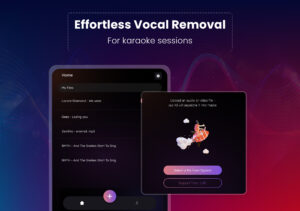
Create remixes and extract instruments for your next karaoke sessions with the unMix app.
App Description
Vocal Remover, music separator app trusted and loved by millions of karaoke singers, musicians, DJ, YouTubers, and content creators worldwide!
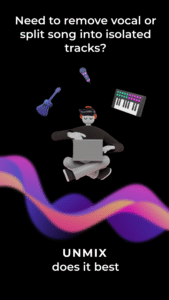
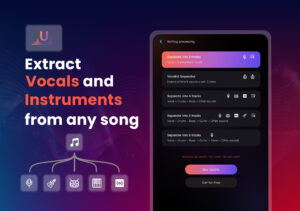
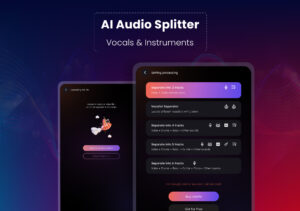
🎤🎶 unMix is the #1 free AI music, vocal remover and stem splitter that lets you extract vocals, instrumentals, drums, bass, piano, guitar, or any specific sound from any track—audio or video—with ease.
Best vocal remover for musicians, content creators, vloggers, YouTubers, Podcasters and karaoke enthusiasts! Extract vocals, instrumentals, drums, bass, piano, guitar or any specific sound from any track—audio or video—with ease.
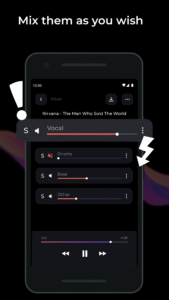
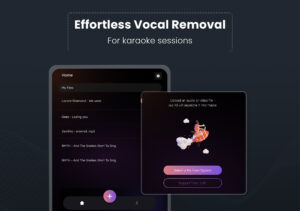
Create acapellas, karaoke versions, or custom remixes—perfect for those who want full control over their music.
unMix provides the best quality stem split and karaoke tool compared to all other apps with cutting-edge AI music technology. Whether you're looking for a vocal remover, music remover, or background music remover, mp3 generator, track splitter unMix has you covered.
With unMix, you can easily separate songs into isolated tracks, ensuring unparalleled precision for every flux and splithit task. The quality of the results is sensational, thanks to our highly trained AI.
From complex music projects to quick moises edits, un Mix offers flexibility for both professional and personal flux use—whether it's for musiclab work or casual fun.
Discover the power of AI vocal remover technology with the latest musician's app designed to help you remove vocals, extract clean audio instrumental tracks, and separate vocals from music effortlessly. You can now take advantage of smart solutions to remove voice, separate audio, and isolate sounds with precision.
Our vocal remover online lets you access a vocal isolation experience like never before. Ideal for DJs, producers, and creators, it functions as a music separator, vocal remover free, and even a voice remover for quick edits. Looking to create your own beats? Use the instrument separator and vocal extractor to fine-tune your mixes and get professional results every time.
From music imbizo events to personal projects, tools like moise maker and instrumental music app options help you craft magic. Easily remove music, generate clean tracks with a song remover, or use a remover instrument feature to extract just what you need. Whether it’s for covers, remixes, or karaoke, this is your ultimate music remover and instrumental remover toolkit — perfect for fans of Lorenzo Music or anyone who loves working with instrumentos de musica.
⬇️
Vocal Remover Features
:
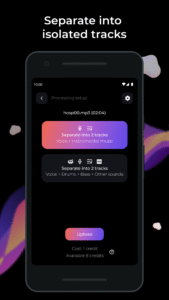
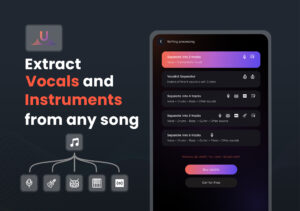
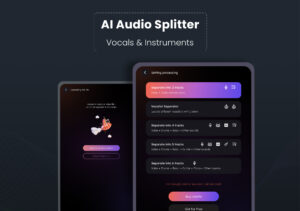
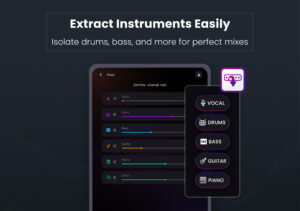
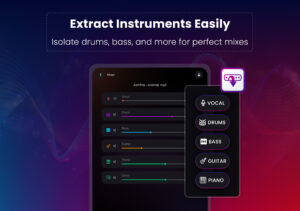
1. Separate songs and remove vocals, background music remover, or isolate instruments like drums, piano, guitar, and bass using unMix's AI tools.
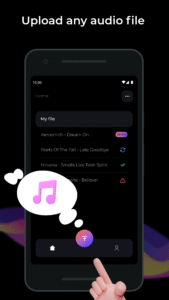
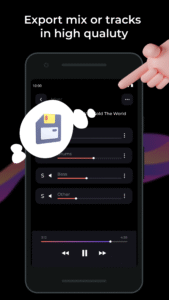
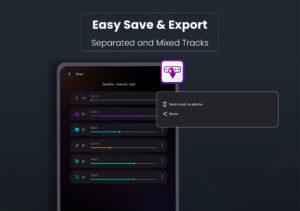
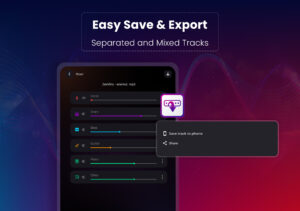
2. Save separated tracks easily to your device or share them with friends.
3. Perfect for musicians, DJs, cover makers, karaoke enthusiasts, TikTok creators, and social media content creators, unMix fits seamlessly into workflows—whether you're working on moises flux heavy splithit projects or need something quick for lalal - style audio processing.
4. Trim or convert video to mp3 and quickly user vocal remover music separator for creating tik tok videos, moises, remove background music and practice vocals with correct pitch and lyrics.
5. Learn Drums, Piano, Guitar, Bass by extracting them form any song
It’s ideal karaoke app, offering tracks in mp3 from the original sound, unlike most karaoke apps that rely on covers.
➡️ Try out our new sound separator, background music and vocal remover app, and experience unparalleled musical chord, content creations for instagram and youtube video.
🎤🎶 unMix is the #1 free AI music, vocal remover and stem splitter that lets you extract vocals, instrumentals, drums, bass, piano, guitar, or any specific sound from any track—audio or video—with ease.
Best vocal remover for musicians, content creators, vloggers, YouTubers, Podcasters and karaoke enthusiasts! Extract vocals, instrumentals, drums, bass, piano, guitar or any specific sound from any track—audio or video—with ease.
Create acapellas, karaoke versions, or custom remixes—perfect for those who want full control over their music.
unMix provides the best quality stem split and karaoke tool compared to all other apps with cutting-edge AI music technology. Whether you're looking for a vocal remover, music remover, or background music remover, mp3 generator, track splitter unMix has you covered.
With unMix, you can easily separate songs into isolated tracks, ensuring unparalleled precision for every flux and splithit task. The quality of the results is sensational, thanks to our highly trained AI.
From complex music projects to quick moises edits, un Mix offers flexibility for both professional and personal flux use—whether it's for musiclab work or casual fun.
Discover the power of AI vocal remover technology with the latest musician's app designed to help you remove vocals, extract clean audio instrumental tracks, and separate vocals from music effortlessly. You can now take advantage of smart solutions to remove voice, separate audio, and isolate sounds with precision.
Our vocal remover online lets you access a vocal isolation experience like never before. Ideal for DJs, producers, and creators, it functions as a music separator, vocal remover free, and even a voice remover for quick edits. Looking to create your own beats? Use the instrument separator and vocal extractor to fine-tune your mixes and get professional results every time.
From music imbizo events to personal projects, tools like moise maker and instrumental music app options help you craft magic. Easily remove music, generate clean tracks with a song remover, or use a remover instrument feature to extract just what you need. Whether it’s for covers, remixes, or karaoke, this is your ultimate music remover and instrumental remover toolkit — perfect for fans of Lorenzo Music or anyone who loves working with instrumentos de musica.
⬇️
Vocal Remover Features
:
1. Separate songs and remove vocals, background music remover, or isolate instruments like drums, piano, guitar, and bass using unMix's AI tools.
2. Save separated tracks easily to your device or share them with friends.
3. Perfect for musicians, DJs, cover makers, karaoke enthusiasts, TikTok creators, and social media content creators, unMix fits seamlessly into workflows—whether you're working on moises flux heavy splithit projects or need something quick for lalal - style audio processing.
4. Trim or convert video to mp3 and quickly user vocal remover music separator for creating tik tok videos, moises, remove background music and practice vocals with correct pitch and lyrics.
5. Learn Drums, Piano, Guitar, Bass by extracting them form any song
It’s ideal karaoke app, offering tracks in mp3 from the original sound, unlike most karaoke apps that rely on covers.
➡️ Try out our new sound separator, background music and vocal remover app, and experience unparalleled musical chord, content creations for instagram and youtube video.
Download AI Vocal Remover - unMix APK
Fast, free and safe download.
APK Permissions 24
- android.permission.ACCESS_ADSERVICES_AD_ID
- android.permission.ACCESS_ADSERVICES_ATTRIBUTION
- android.permission.ACCESS_ADSERVICES_TOPICS
- android.permission.ACCESS_NETWORK_STATE
- android.permission.ACCESS_WIFI_STATE
- android.permission.CHANGE_NETWORK_STATE
- android.permission.FOREGROUND_SERVICE
- android.permission.GET_ACCOUNTS
- android.permission.INTERNET
- android.permission.POST_NOTIFICATIONS
- android.permission.READ_MEDIA_AUDIO
- android.permission.READ_MEDIA_VIDEO
- android.permission.USE_BIOMETRIC
- android.permission.USE_FINGERPRINT
- android.permission.WAKE_LOCK
- android.permission.WRITE_EXTERNAL_STORAGE
- com.android.vending.BILLING
- com.android.vending.CHECK_LICENSE
- com.google.android.c2dm.permission.RECEIVE
- com.google.android.finsky.permission.BIND_GET_INSTALL_REFERRER_SERVICE
- com.google.android.gms.permission.AD_ID
- com.google.android.providers.gsf.permission.READ_GSERVICES
- com.vocalremover.unmix.BIND_GET_INSTALL_REFERRER_SERVICE
- com.vocalremover.unmix.DYNAMIC_RECEIVER_NOT_EXPORTED_PERMISSION
APK Verified
The cryptographic signature guarantees that the file is safe to install and was not tampered with in any way.
Similar in Music & Audio


Frequently Asked Questions about AI Vocal Remover - unMix APK
This is the universal variant — a single APK that contains native libraries for every CPU architecture. It installs on any Android device but is larger than per-architecture variants.
Yes — the APK's signature has been cryptographically verified against the publisher's signing key. The SHA-256 hash is shown in the File Information panel so you can independently confirm the file matches the original release.
Android 24 (API level 36) or newer. Older devices will refuse the install.
Install a free app like 'CPU-Z' or 'Droid Hardware Info' from the Play Store and look at the ABI / Instruction Set row. Most phones made after 2017 are arm64-v8a; if in doubt, download the universal variant.
All variants are functionally identical — same features, same version. They differ only in which CPU architectures the native code is compiled for, and (sometimes) which screen densities the included graphics target. Pick the one that matches your device for the smallest install size, or pick 'Universal' if you're unsure.