
Download Health Sync APK
nl.appyhapps.healthsync · by appyhapps.nl
Screenshots
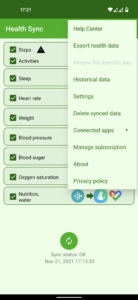
About Health Sync
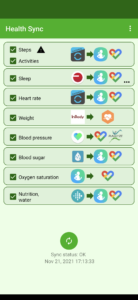
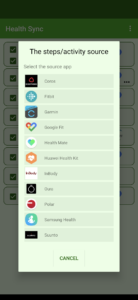
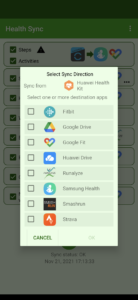
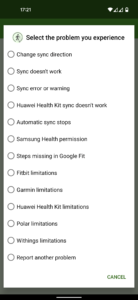
Sync your health data from Coros, Diabetes:M, FatSecret (nutrition data), Fitbit, Garmin, Google Fit, MedM Health, Withings, Oura, Polar, Samsung Health, Strava, Suunto and Huawei Health. You can sync to Coros (activity data only), Diabetes:M, Fitbit, Google Fit, Health Connect, Intervals.icu, Samsung Health, Schrittmeister, FatSecret (weight only), Runalyze, Smashrun, Strava, Suunto (activity data only) or the MapMy apps (MapMyFitness, MapMyRun etc.). Activity data can also be synced as FIT, TCX or GPX file to Google Drive. Health Sync works automatically and syncs the data in the background. It will sync data from the time you first use the app. Historical data (all data before the day of installation) can be synced after the free trail period. You can't sync historical data from Polar (Polar doesn't allow this). Caution: Huawei has announced that apps like Health Sync will be restricted from accessing GPS information from Huawei Health if connected after July 31, 2023. However, as of now, this rule is not being enforced, so your activity GPS data will likely continue to sync. Samsung decided in 2020 that no partner app can write steps to Samsung Health anymore. Reading steps data and other data, and writing other data works normally. One week free trial Health Sync is very easy to use. It offers you a one week free trial period. After the trial period, you can make a one-time purchase or start a six-month subscription to continue using Health Sync. For the Withings sync an additional subscription is required. The additional subscription is required due to recurring additional costs that we incur for this integration. Just try the app and see if it fits your needs. What data you can sync depends on the source app from which you sync data, and the destination app(s) to which you sync the data. You can choose different source apps for different types of data. For example: sync activities from Garmin to Samsung Health, and sync sleep from Fitbit to Samsung Health and Google Fit. After the first initialization actions, you can define the different sync directions. Health Sync can sync your Garmin Connect data to other apps, but it cannot sync data from other apps into the Garmin Connect app. Garmin does not allow this. For more information and available workarounds for syncing activity data or weight data to Garmin Connect, please visit the Health Sync website check the FAQ for information about the sync to Garmin Connect. Syncing between health data apps sometimes doesn't work as expected. Don't worry, almost all issues can be solved easily. You can check the Help Center menu in Health Sync. And if you can't solve the issue, you can send a Health Sync problem report (the last option in the Help Center menu), or send an email to info@appyhapps.nl You will get support to solve the sync issue.