
This is the armeabi-v7a build of PDF Reader & Editor: Xodo 10.2.3, compiled for 32-bit ARM processors found in older Android phones (roughly 2013-2017). Use this build if your device's primary ABI is armeabi-v7a — modern 64-bit phones should pick the arm64-v8a or universal variant for better performance.
File size: 61.8 MB • Min Android: 24 • Target Android: 35 • Version code: 110020300 • Framework: Native (Java/Kotlin) • Permissions: 17
Screenshots
File Information
| Package Name | com.xodo.pdf.reader |
|---|---|
| Version Name | 10.2.3 |
| Version Code | 110020300 |
| Architecture | armeabi-v7a |
| Min Android Version | Android 24 (API 35) |
| Main Activity | viewer.CompleteReaderMainActivity |
| Framework | Native (Java/Kotlin) |
| File Size | 61.77 MB |
| Signature (SHA1) | AC5061A39DFA5BC48FC9A1912E15C12E0CE8CD3F |
| File Hash (SHA256) | bec392ef0a723d7a7db0ae0a305f6e5f4fb9076e847e176987b0dd47fd08e364 |
What's New
- Added support for fractional precision for measurement tools
- Fixed issue for Xodo actions with multiple input documents
- Fixed issue for Xodo actions with multiple input documents
App Description
Xodo is the all-in-one PDF productivity tool you can use anytime, anywhere. Scan and upload documents to edit, convert to and from PDF, merge files together, collect signatures and share securely. Discover our easy all-in-one PDF reader, editor, scanner, and annotator designed for mobile productivity and collaboration.
More than a simple PDF reader, Xodo easily streamlines your document management and workflow productivity. Enjoy easy editing tools, seamless annotations, and convenient e-signature capabilities all in one PDF app for Android. Plus, effortlessly view, fill, edit, annotate and sign PDF forms and utilize the PDF scanner for efficiency and productivity.
Whether you need a PDF reader to view important documents, a PDF editor and annotator to fill in a form, or a fast and easy way to sign and upload a contract with an e signature - Xodo can help you do it all!
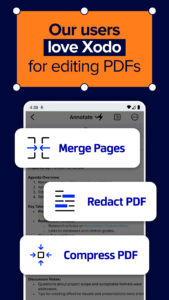
📑Xodo is your all-in-one PDF viewer, editor, and filler designed to streamline your productivity with powerful tools for managing, editing, and securing your documents. Effortlessly crop, flatten, and compress PDFs; rotate pages, extract, add, edit PDF text or redact content based on your daily needs. Whether you're working with contracts, reports, or study materials, Xodo gives you full control over your PDFs.
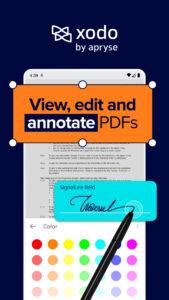
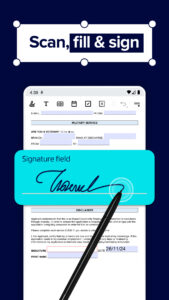
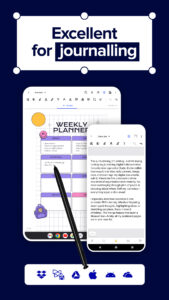
✍🏻Enhance collaboration with advanced text editing and annotation features. Highlight, underline, draw, and add text directly to your documents, or use a stylus to easily annotate planners and calendars for a seamless workflow. Need to fill out and sign a form? Xodo automatically detects form fields, transforming static PDFs into interactive, fillable documents. With built-in e-signature and editor tools, signing and sharing paperwork has never been easier.
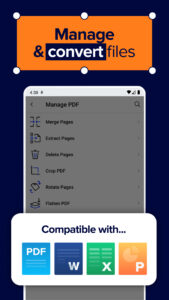
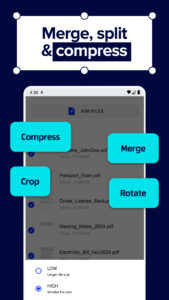
👩🏽💻Organize your PDF files effortlessly with PDF merging and splitting tools, or convert documents into different formats with just a tap. Convert PDFs to Word, Excel, PowerPoint, JPG, PNG, HTML, and even PDF/A, or transform other file types—such as HTML, JPEG, and MS Office files—into high-quality PDFs. Need to turn an image into a professional document or vice versa? Our photo to PDF and MS Office to image converters make both tasks simple.
☁️Stay connected with cloud integration, allowing you to sync and access files from Google Drive, Dropbox, OneDrive, and more. Share documents with your team and use stylus-supported annotations to enhance collaboration instantly. With our built-in PDF scanner, you can digitize physical documents in seconds, turning them into editable and shareable PDFs.
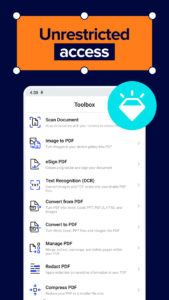
📄Boost productivity with OCR technology, converting scanned documents, images, and PDFs into fully searchable files. Reduce file sizes with our compression tool for faster sharing, and keep your documents secure with password protection and redaction features. Easily add electronic signatures for authenticity and confidentiality, ensuring your PDFs remain safe and professional.
With Xodo, managing PDFs has never been more efficient—whether you're viewing, editing, signing, converting, merging or sharing; our fully equipped PDF editor is designed to help you work smarter every day.
⭐️Join over 336,295 satisfied users who have rated Xodo highly! With more than 10 million downloads, Xodo is trusted by students and professionals alike for its powerful features and user-friendly interface, making it one of the top PDF apps available.
Are you tired of juggling multiple apps for your document needs? Xodo brings everything under one roof—whether you need to edit, annotate, or sign documents, our all-in-one PDF app eliminates the hassle of switching between tools. Say goodbye to productivity loss and hello to seamless document management!
Join the Xodo community and transform your document experience! Install now and discover the power of our PDF reader and editor!
More than a simple PDF reader, Xodo easily streamlines your document management and workflow productivity. Enjoy easy editing tools, seamless annotations, and convenient e-signature capabilities all in one PDF app for Android. Plus, effortlessly view, fill, edit, annotate and sign PDF forms and utilize the PDF scanner for efficiency and productivity.
Whether you need a PDF reader to view important documents, a PDF editor and annotator to fill in a form, or a fast and easy way to sign and upload a contract with an e signature - Xodo can help you do it all!
📑Xodo is your all-in-one PDF viewer, editor, and filler designed to streamline your productivity with powerful tools for managing, editing, and securing your documents. Effortlessly crop, flatten, and compress PDFs; rotate pages, extract, add, edit PDF text or redact content based on your daily needs. Whether you're working with contracts, reports, or study materials, Xodo gives you full control over your PDFs.
✍🏻Enhance collaboration with advanced text editing and annotation features. Highlight, underline, draw, and add text directly to your documents, or use a stylus to easily annotate planners and calendars for a seamless workflow. Need to fill out and sign a form? Xodo automatically detects form fields, transforming static PDFs into interactive, fillable documents. With built-in e-signature and editor tools, signing and sharing paperwork has never been easier.
👩🏽💻Organize your PDF files effortlessly with PDF merging and splitting tools, or convert documents into different formats with just a tap. Convert PDFs to Word, Excel, PowerPoint, JPG, PNG, HTML, and even PDF/A, or transform other file types—such as HTML, JPEG, and MS Office files—into high-quality PDFs. Need to turn an image into a professional document or vice versa? Our photo to PDF and MS Office to image converters make both tasks simple.
☁️Stay connected with cloud integration, allowing you to sync and access files from Google Drive, Dropbox, OneDrive, and more. Share documents with your team and use stylus-supported annotations to enhance collaboration instantly. With our built-in PDF scanner, you can digitize physical documents in seconds, turning them into editable and shareable PDFs.
📄Boost productivity with OCR technology, converting scanned documents, images, and PDFs into fully searchable files. Reduce file sizes with our compression tool for faster sharing, and keep your documents secure with password protection and redaction features. Easily add electronic signatures for authenticity and confidentiality, ensuring your PDFs remain safe and professional.
With Xodo, managing PDFs has never been more efficient—whether you're viewing, editing, signing, converting, merging or sharing; our fully equipped PDF editor is designed to help you work smarter every day.
⭐️Join over 336,295 satisfied users who have rated Xodo highly! With more than 10 million downloads, Xodo is trusted by students and professionals alike for its powerful features and user-friendly interface, making it one of the top PDF apps available.
Are you tired of juggling multiple apps for your document needs? Xodo brings everything under one roof—whether you need to edit, annotate, or sign documents, our all-in-one PDF app eliminates the hassle of switching between tools. Say goodbye to productivity loss and hello to seamless document management!
Join the Xodo community and transform your document experience! Install now and discover the power of our PDF reader and editor!
Download PDF Reader & Editor: Xodo APK
Fast, free and safe download.
APK Permissions 17
- android.permission.ACCESS_ADSERVICES_AD_ID
- android.permission.ACCESS_ADSERVICES_ATTRIBUTION
- android.permission.ACCESS_NETWORK_STATE
- android.permission.FOREGROUND_SERVICE
- android.permission.INTERNET
- android.permission.MANAGE_EXTERNAL_STORAGE
- android.permission.POST_NOTIFICATIONS
- android.permission.RECEIVE_BOOT_COMPLETED
- android.permission.RECORD_AUDIO
- android.permission.VIBRATE
- android.permission.WAKE_LOCK
- android.permission.WRITE_EXTERNAL_STORAGE
- com.android.vending.BILLING
- com.google.android.c2dm.permission.RECEIVE
- com.google.android.finsky.permission.BIND_GET_INSTALL_REFERRER_SERVICE
- com.google.android.gms.permission.AD_ID
- com.xodo.pdf.reader.DYNAMIC_RECEIVER_NOT_EXPORTED_PERMISSION
APK Verified
The cryptographic signature guarantees that the file is safe to install and was not tampered with in any way.


Frequently Asked Questions about PDF Reader & Editor: Xodo APK
This variant is built for 32-bit ARM (older Android phones, ~2013–2017). If your device's CPU matches, this is the smallest, fastest version to install.
Yes — the APK's signature has been cryptographically verified against the publisher's signing key. The SHA-256 hash is shown in the File Information panel so you can independently confirm the file matches the original release.
Android 24 (API level 35) or newer. Older devices will refuse the install.
Install a free app like 'CPU-Z' or 'Droid Hardware Info' from the Play Store and look at the ABI / Instruction Set row. Most phones made after 2017 are arm64-v8a; if in doubt, download the universal variant.
All variants are functionally identical — same features, same version. They differ only in which CPU architectures the native code is compiled for, and (sometimes) which screen densities the included graphics target. Pick the one that matches your device for the smallest install size, or pick 'Universal' if you're unsure.