
Download Photoroom: AI Photo Editor APK 2025.13.02 Universal · Android 29+
Download APK
Verified Safe
This is the universal build of Photoroom: AI Photo Editor 2025.13.02. It contains native libraries for every CPU architecture (arm64-v8a, armeabi-v7a, x86, x86_64), so it installs on any Android device. The trade-off is size — it's larger than per-architecture variants. Pick this one if you're unsure which CPU your phone has, or if you plan to share the APK with multiple devices.
File size: 66.0 MB • Min Android: 29 • Target Android: 34 • Version code: 1806 • Framework: Native (Java/Kotlin) • Permissions: 24
Screenshots
File Information
| Package Name | com.photoroom.app |
|---|---|
| Version Name | 2025.13.02 |
| Version Code | 1806 |
| Architecture | Universal |
| Min Android Version | Android 29 (API 34) |
| Main Activity | com.photoroom.application.LaunchActivity |
| Framework | Native (Java/Kotlin) |
| File Size | 66.01 MB |
| Signature (SHA1) | 0424A4898A4B33940D8BF16E44251B876E97F8D0 |
| File Hash (SHA256) | 3e48362acb0cae9f733947ccffd889557e4d7f2e26551e79be97a54be8ec8895 |
What's New
This update brings new features and stability improvements to make your Photoroom experience even greater.
App Description
Create stunning product photos, social media content, and marketing visuals in seconds with Photoroom, the leading AI-powered photo editing app trusted by over 200 million users. Whether you’re an entrepreneur, seller, influencer, or content creator, Photoroom gives you all the tools you need to make your images stand out, grow your brand, and boost sales.
Why choose Photoroom?
🌟 AI that creates visuals for you
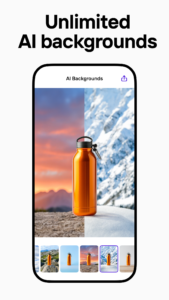
No design or AI skills? No problem! Describe your idea, and let our AI create your vision to life instantly. Logos, stickers, custom scenes – whatever you imagine, our AI does it for you in seconds.
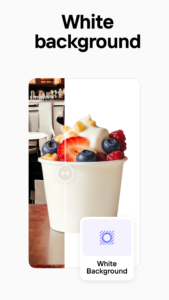
🖼️ One-tap background removal & replacement
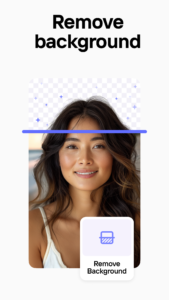
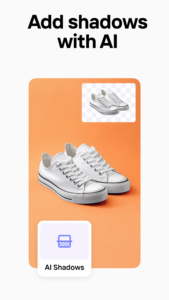
Remove and replace photo backgrounds effortlessly. Create polished product shots, eye-catching posts, or ad-ready visuals with professional lighting and shadow adjustments with our AI made to enhance product photos.
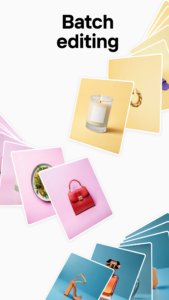
🔄 Batch editing for maximum efficiency
Save time by editing multiple photos at once. Perfect for high-volume e-commerce sellers or social media campaigns.
📱 Social media & marketplace ready
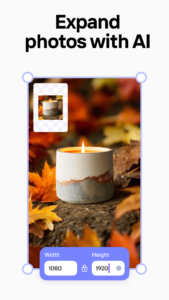
Resize and optimize images for Instagram, YouTube, Amazon, Shopify, Depop, Poshmark, Etsy, Facebook marketplace and more – no cropping or pixelation!
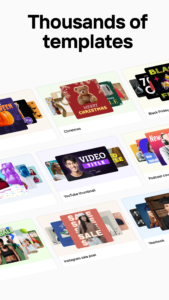
🎨 Professional templates for every occasion
Choose from designer-made templates for holidays, promotions, and special events. Customize them in just a few taps.
💡 Polish like a pro
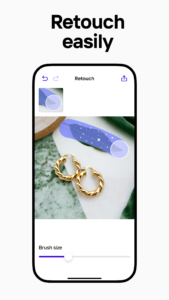
Easily remove unwanted objects, clean up images, and retouch photos to perfection with our advanced tools.
🤝 Collaborate with your team
Invite team members to edit, comment, and share designs. Pro accounts include 2 free team access, making collaboration a breeze.
Who Is Photoroom For?
- E-commerce seller creating perfect product listings.
- Content creator building a standout brand.
- Social media manager producing engaging posts.
- Freelancer designing for clients.
- Anyone wanting to create visuals.
Key Features:
- AI-powered background removal and editing
- Create visuals with AI (logos, stickers, scenes)
- Batch mode for high-speed editing
- Photo retouching tools
- Social media and e-commerce AI resize
- Designer templates
- Team collaboration tools
- 250 free exports per month; unlimited with Pro
Why Millions Love Photoroom:
⭐ Easy to use: Simple and powerful AI tools that anyone can master.
⭐ Pro results: Professional results for everyone thanks to AI.
Try Photoroom Pro – Free with our trial on selected plans
Unlock all the advanced tools, premium templates, and unlimited exports with our free trial of Photoroom Pro!
You'll be charged a subscription fee when the trial ends only, except if you cancel the subscription before. Your Pro subscription will automatically renew unless auto-renew is turned off at least 24 hours before the end of the current period. Manage membership and turn off auto-renew in Google Play account. Free trial is limited to one per Google Play account. Free Plan is limited to 250 exports.
Whether you're running an online store, growing your social presence, or creating amazing content, Photoroom makes it effortless to stand out.
Join over 200 million users and experience the magic of AI-powered photo editing today!
Why choose Photoroom?
🌟 AI that creates visuals for you
No design or AI skills? No problem! Describe your idea, and let our AI create your vision to life instantly. Logos, stickers, custom scenes – whatever you imagine, our AI does it for you in seconds.
🖼️ One-tap background removal & replacement
Remove and replace photo backgrounds effortlessly. Create polished product shots, eye-catching posts, or ad-ready visuals with professional lighting and shadow adjustments with our AI made to enhance product photos.
🔄 Batch editing for maximum efficiency
Save time by editing multiple photos at once. Perfect for high-volume e-commerce sellers or social media campaigns.
📱 Social media & marketplace ready
Resize and optimize images for Instagram, YouTube, Amazon, Shopify, Depop, Poshmark, Etsy, Facebook marketplace and more – no cropping or pixelation!
🎨 Professional templates for every occasion
Choose from designer-made templates for holidays, promotions, and special events. Customize them in just a few taps.
💡 Polish like a pro
Easily remove unwanted objects, clean up images, and retouch photos to perfection with our advanced tools.
🤝 Collaborate with your team
Invite team members to edit, comment, and share designs. Pro accounts include 2 free team access, making collaboration a breeze.
Who Is Photoroom For?
- E-commerce seller creating perfect product listings.
- Content creator building a standout brand.
- Social media manager producing engaging posts.
- Freelancer designing for clients.
- Anyone wanting to create visuals.
Key Features:
- AI-powered background removal and editing
- Create visuals with AI (logos, stickers, scenes)
- Batch mode for high-speed editing
- Photo retouching tools
- Social media and e-commerce AI resize
- Designer templates
- Team collaboration tools
- 250 free exports per month; unlimited with Pro
Why Millions Love Photoroom:
⭐ Easy to use: Simple and powerful AI tools that anyone can master.
⭐ Pro results: Professional results for everyone thanks to AI.
Try Photoroom Pro – Free with our trial on selected plans
Unlock all the advanced tools, premium templates, and unlimited exports with our free trial of Photoroom Pro!
You'll be charged a subscription fee when the trial ends only, except if you cancel the subscription before. Your Pro subscription will automatically renew unless auto-renew is turned off at least 24 hours before the end of the current period. Manage membership and turn off auto-renew in Google Play account. Free trial is limited to one per Google Play account. Free Plan is limited to 250 exports.
Whether you're running an online store, growing your social presence, or creating amazing content, Photoroom makes it effortless to stand out.
Join over 200 million users and experience the magic of AI-powered photo editing today!
Download Photoroom: AI Photo Editor APK
Fast, free and safe download.
APK Permissions 24
- android.permission.ACCESS_ADSERVICES_AD_ID
- android.permission.ACCESS_ADSERVICES_ATTRIBUTION
- android.permission.ACCESS_NETWORK_STATE
- android.permission.ACCESS_WIFI_STATE
- android.permission.CAMERA
- android.permission.DETECT_SCREEN_CAPTURE
- android.permission.FOREGROUND_SERVICE
- android.permission.HIGH_SAMPLING_RATE_SENSORS
- android.permission.INTERNET
- android.permission.POST_NOTIFICATIONS
- android.permission.READ_EXTERNAL_STORAGE
- android.permission.READ_MEDIA_IMAGES
- android.permission.READ_PHONE_STATE
- android.permission.RECEIVE_BOOT_COMPLETED
- android.permission.RECORD_AUDIO
- android.permission.VIBRATE
- android.permission.WAKE_LOCK
- android.permission.WRITE_EXTERNAL_STORAGE
- com.android.vending.BILLING
- com.google.android.c2dm.permission.RECEIVE
- com.google.android.finsky.permission.BIND_GET_INSTALL_REFERRER_SERVICE
- com.google.android.gms.permission.AD_ID
- com.google.android.providers.gsf.permission.READ_GSERVICES
- com.photoroom.app.DYNAMIC_RECEIVER_NOT_EXPORTED_PERMISSION
APK Verified
The cryptographic signature guarantees that the file is safe to install and was not tampered with in any way.


Frequently Asked Questions about Photoroom: AI Photo Editor APK
This is the universal variant — a single APK that contains native libraries for every CPU architecture. It installs on any Android device but is larger than per-architecture variants.
Yes — the APK's signature has been cryptographically verified against the publisher's signing key. The SHA-256 hash is shown in the File Information panel so you can independently confirm the file matches the original release.
Android 29 (API level 34) or newer. Older devices will refuse the install.
Install a free app like 'CPU-Z' or 'Droid Hardware Info' from the Play Store and look at the ABI / Instruction Set row. Most phones made after 2017 are arm64-v8a; if in doubt, download the universal variant.
All variants are functionally identical — same features, same version. They differ only in which CPU architectures the native code is compiled for, and (sometimes) which screen densities the included graphics target. Pick the one that matches your device for the smallest install size, or pick 'Universal' if you're unsure.