
This is the universal build of Avast Secure Browser 8.15.0. It contains native libraries for every CPU architecture (arm64-v8a, armeabi-v7a, x86, x86_64), so it installs on any Android device. The trade-off is size — it's larger than per-architecture variants. Pick this one if you're unsure which CPU your phone has, or if you plan to share the APK with multiple devices.
File size: 206.2 MB • Min Android: 29 • Target Android: 35 • Version code: 5610 • Framework: Native (Java/Kotlin) • Permissions: 33
Screenshots
File Information
| Package Name | com.avast.android.secure.browser |
|---|---|
| Version Name | 8.15.0 |
| Version Code | 5610 |
| Architecture | Universal |
| Min Android Version | Android 29 (API 35) |
| Main Activity | com.tenta.android.activities.MainActivity |
| Framework | Native (Java/Kotlin) |
| File Size | 206.24 MB |
| Signature (SHA1) | 953596F9BF7357F54533DAA045DF19E2003DAC22 |
| File Hash (SHA256) | 165b326906d93e2dbee71fe7efc2442869c1985f600f176ec4fb57af4116733b |
What's New
Crashes were fixed, bugs were destroyed to keep your browser powerful.
App Description
Avast Secure Browser
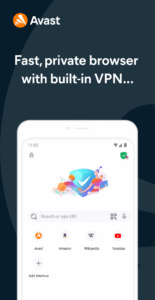
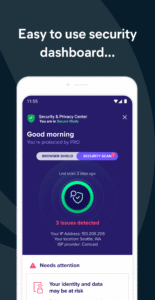
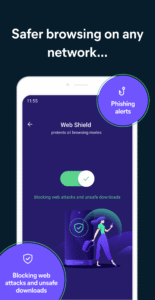
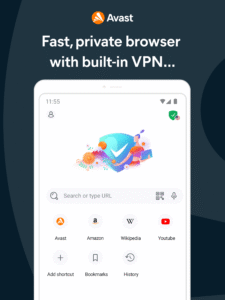
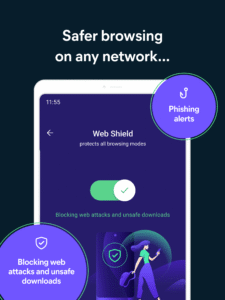
is a free feature-packed private browser with AdBlock and VPN designed to make secure browsing fast and easy to use. Developed by the cybersecurity experts at Avast, Avast’s private browser automatically blocks ads and trackers that slow you down and includes advanced security and privacy features such as free VPN, anti-tracking, full data encryption, PIN lock, and more for the best private browser experience on Android devices.
Over 400 million users trust Avast for anonymous security and privacy. Download the best AdBlock private browser today and securely browse the web safely!
⚡
Fast and Secure Private Browsing
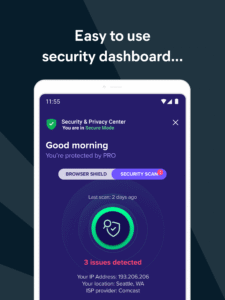
Avast’s privacy browser keeps you hidden from the prying eyes of hackers, trackers, and ISPs. Browse securely with powerful private browser tools such as built-in VPN, Ad Blocker, full data encryption, private search engines, and PIN lock.
🚀
Browse Faster With AdBlock
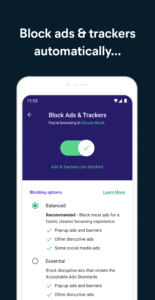
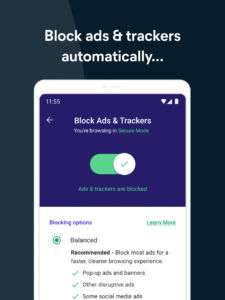
Avast Secure Browser’s free built-in AdBlocker automatically blocks those annoying ads and trackers that slow you down, dramatically improving web browsing performance and speed while protecting you from trackers as you browse the internet.
🛡️
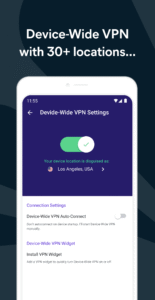
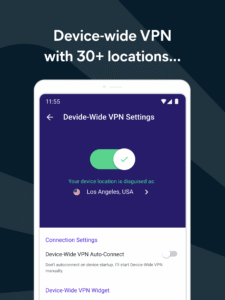
Stay Secure with Free Built-In VPN
Protect your device and online data with best in class VPN protection. Secure your connection on public Wi-Fi hotspots.
🌎
Unblock the Internet
Connect to a secure VPN server and safely access unrestricted sites, apps, and content with powerful speed and unlimited bandwidth.
🔒
Guard Your Sensitive Data
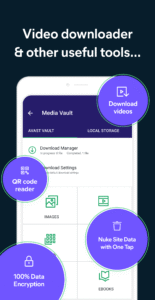
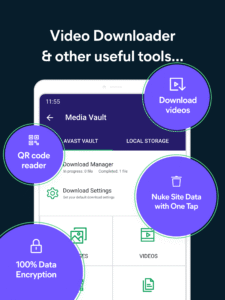
This is incognito mode on steroids! Avast Secure Browser encrypts all your online data, such as your IP address, browsing history, bookmarks, DNS queries, and more. Downloaded files are automatically encrypted on your device and accessible through the private Media Vault.
🔑
PIN Lock and Fingerprint Unlock
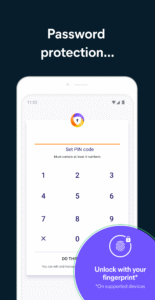
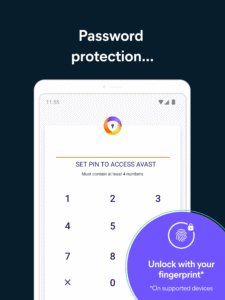
Feel comfortable sharing your mobile device with friends or family knowing your private browsing data is encrypted and locked with your PIN code or fingerprint.
🔃
Secure Syncing Across All Your Devices
Sync your encrypted bookmarks and browser history with Avast Secure Browser on iOS, Mac, Android and Windows devices.
APP FEATURES
* Free private browser
* Built-in AdBlocker
* Ultra-fast VPN
* Safe private browsing
* Stay secure online
* Ad Blocker to block invasive ads and trackers
* Sync bookmarks and history securely across all your devices
* QR scanner
* Sleek interface
* PIN lock and fingerprint unlock
* Anti-tracking protection
* Customizable browsing modes
* Encrypted file downloads and manager
* Private media players
* Video downloader
* Group tabs for better organization
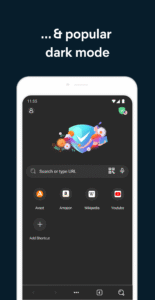
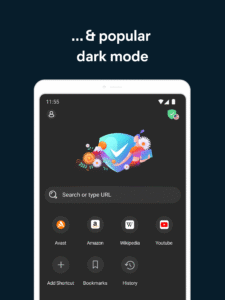
* Popular dark mode
* Private search engine options
is a free feature-packed private browser with AdBlock and VPN designed to make secure browsing fast and easy to use. Developed by the cybersecurity experts at Avast, Avast’s private browser automatically blocks ads and trackers that slow you down and includes advanced security and privacy features such as free VPN, anti-tracking, full data encryption, PIN lock, and more for the best private browser experience on Android devices.
Over 400 million users trust Avast for anonymous security and privacy. Download the best AdBlock private browser today and securely browse the web safely!
⚡
Fast and Secure Private Browsing
Avast’s privacy browser keeps you hidden from the prying eyes of hackers, trackers, and ISPs. Browse securely with powerful private browser tools such as built-in VPN, Ad Blocker, full data encryption, private search engines, and PIN lock.
🚀
Browse Faster With AdBlock
Avast Secure Browser’s free built-in AdBlocker automatically blocks those annoying ads and trackers that slow you down, dramatically improving web browsing performance and speed while protecting you from trackers as you browse the internet.
🛡️
Stay Secure with Free Built-In VPN
Protect your device and online data with best in class VPN protection. Secure your connection on public Wi-Fi hotspots.
🌎
Unblock the Internet
Connect to a secure VPN server and safely access unrestricted sites, apps, and content with powerful speed and unlimited bandwidth.
🔒
Guard Your Sensitive Data
This is incognito mode on steroids! Avast Secure Browser encrypts all your online data, such as your IP address, browsing history, bookmarks, DNS queries, and more. Downloaded files are automatically encrypted on your device and accessible through the private Media Vault.
🔑
PIN Lock and Fingerprint Unlock
Feel comfortable sharing your mobile device with friends or family knowing your private browsing data is encrypted and locked with your PIN code or fingerprint.
🔃
Secure Syncing Across All Your Devices
Sync your encrypted bookmarks and browser history with Avast Secure Browser on iOS, Mac, Android and Windows devices.
APP FEATURES
* Free private browser
* Built-in AdBlocker
* Ultra-fast VPN
* Safe private browsing
* Stay secure online
* Ad Blocker to block invasive ads and trackers
* Sync bookmarks and history securely across all your devices
* QR scanner
* Sleek interface
* PIN lock and fingerprint unlock
* Anti-tracking protection
* Customizable browsing modes
* Encrypted file downloads and manager
* Private media players
* Video downloader
* Group tabs for better organization
* Popular dark mode
* Private search engine options
Download Avast Secure Browser APK
Fast, free and safe download.
APK Permissions 33
- android.permission.ACCESS_ADSERVICES_AD_ID
- android.permission.ACCESS_ADSERVICES_ATTRIBUTION
- android.permission.ACCESS_COARSE_LOCATION
- android.permission.ACCESS_FINE_LOCATION
- android.permission.ACCESS_NETWORK_STATE
- android.permission.ACCESS_WIFI_STATE
- android.permission.CAMERA
- android.permission.FOREGROUND_SERVICE
- android.permission.FOREGROUND_SERVICE_DATA_SYNC
- android.permission.FOREGROUND_SERVICE_MEDIA_PLAYBACK
- android.permission.FOREGROUND_SERVICE_SYSTEM_EXEMPTED
- android.permission.INTERNET
- android.permission.MODIFY_AUDIO_SETTINGS
- android.permission.POST_NOTIFICATIONS
- android.permission.READ_EXTERNAL_STORAGE
- android.permission.READ_MEDIA_AUDIO
- android.permission.READ_MEDIA_IMAGES
- android.permission.READ_MEDIA_VIDEO
- android.permission.READ_MEDIA_VISUAL_USER_SELECTED
- android.permission.RECEIVE_BOOT_COMPLETED
- android.permission.RECORD_AUDIO
- android.permission.REORDER_TASKS
- android.permission.USE_BIOMETRIC
- android.permission.USE_FINGERPRINT
- android.permission.VIBRATE
- android.permission.WAKE_LOCK
- android.permission.WRITE_EXTERNAL_STORAGE
- com.android.launcher.permission.INSTALL_SHORTCUT
- com.android.vending.BILLING
- com.avast.android.secure.browser.DYNAMIC_RECEIVER_NOT_EXPORTED_PERMISSION
- com.google.android.c2dm.permission.RECEIVE
- com.google.android.finsky.permission.BIND_GET_INSTALL_REFERRER_SERVICE
- com.google.android.gms.permission.AD_ID
APK Verified
The cryptographic signature guarantees that the file is safe to install and was not tampered with in any way.
Similar in Communication


More by Avast Software


Frequently Asked Questions about Avast Secure Browser APK
This is the universal variant — a single APK that contains native libraries for every CPU architecture. It installs on any Android device but is larger than per-architecture variants.
Yes — the APK's signature has been cryptographically verified against the publisher's signing key. The SHA-256 hash is shown in the File Information panel so you can independently confirm the file matches the original release.
Android 29 (API level 35) or newer. Older devices will refuse the install.
Install a free app like 'CPU-Z' or 'Droid Hardware Info' from the Play Store and look at the ABI / Instruction Set row. Most phones made after 2017 are arm64-v8a; if in doubt, download the universal variant.
All variants are functionally identical — same features, same version. They differ only in which CPU architectures the native code is compiled for, and (sometimes) which screen densities the included graphics target. Pick the one that matches your device for the smallest install size, or pick 'Universal' if you're unsure.