
Download AVG Cleaner – Storage Cleaner APK 25.17.0 Universal · Android 29+
Download APK
Verified Safe
This is the universal build of AVG Cleaner – Storage Cleaner 25.17.0. It contains native libraries for every CPU architecture (arm64-v8a, armeabi-v7a, x86, x86_64), so it installs on any Android device. The trade-off is size — it's larger than per-architecture variants. Pick this one if you're unsure which CPU your phone has, or if you plan to share the APK with multiple devices.
File size: 30.5 MB • Min Android: 29 • Target Android: 34 • Version code: 800011239 • Framework: Native (Java/Kotlin) • Permissions: 46
Screenshots
File Information
| Package Name | com.avg.cleaner |
|---|---|
| Version Name | 25.17.0 |
| Version Code | 800011239 |
| Architecture | Universal |
| Min Android Version | Android 29 (API 34) |
| Main Activity | com.avast.android.cleaner.activity.StartActivity |
| Framework | Native (Java/Kotlin) |
| File Size | 30.53 MB |
| Signature (SHA1) | AD83107F7B40BB9A1DB36A4F649CDBE9586D83E0 |
| File Hash (SHA256) | a9e56213811f4dfd3969eeb6a5f10579cb98219a18db94a726ce0353959b9562 |
What's New
We are always working to maintain this app in tip top shape and improve its functionalities. To learn details about the most important recent changes, please open the app and navigate to "What's new" screen. It can be directly accessed from the main menu. Thank you for using our app!
App Description
AVG Cleaner is cleaning tool that has let nearly 50 million people worldwide clean their devices.
AVG Cleaner top features:
✔
Uninstall Updates of Preinstalled Apps:
replace preinstalled bloatware apps you don't use with factory versions to save space
✔
Get more space
- Remove junk files, uninstall apps, and delete bad or unwanted photos and videos
✔
System info
- Everything you need to know about your phone on one screen
✔
File manager
- Smart File Manager & Storage Cleaner can analyze pictures, files, and apps
✔
Junk Cleaner
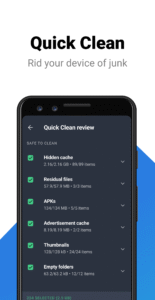
- Clean out any useless junk from your device e.g. app data
With AVG Cleaner, you will get rid of junk files, and automatically find bad quality or duplicate photos
AVG Cleaner – Storage Cleaner is a clean up tool that gives you more storage space
Junk cleaner, storage clean up, and app removal features are described below:
Cleaner: Advanced app remover & app manager:
► App analyzer: AVG Cleaner can identify apps that drain mobile data, or take up too much storage space, allowing you to clean them out more easily
► App remover: Easily remove apps to get more storage space
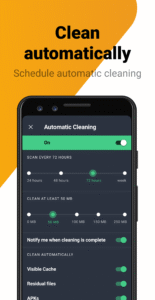
► Junk cleaner: Master junk files and leftover data
► Easily analyze apps based on storage, ram, battery, data consumption or usage
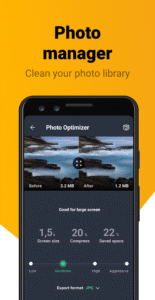
Cleaner: Photo Analyzer
:
► Find bad quality or duplicate photos
► Easily clean your photo library
Cleaner: 1-tap Analysis
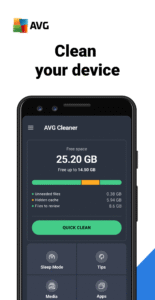
► Clean your device with a single tap of a button
► Perform device scan and analysis with just one tap
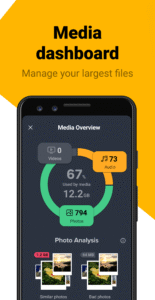
Media Overview
• Access Image Analysis results
• Sorted media by source folders
• All large video files in one view
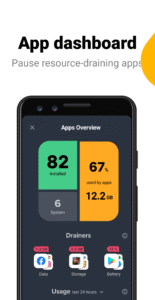
App Overview
• Draining apps analysis
• Usage statistics
• App size growth analysis
• Notification analysis
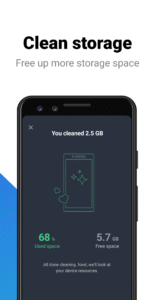
Clean your phone to free up storage space. Eliminate junk, delete bad quality, similar or duplicate photos to make more storage space available for the apps, photos, and other stuff you want.
By installing this app, you agree that your use of it is governed by these terms:
m.avg.com/terms
This app uses Accessibility permission to assist disabled and other users stop all background apps with just one tap.
Download AVG Cleaner – Storage Cleaner for Android™ phones NOW
AVG Cleaner top features:
✔
Uninstall Updates of Preinstalled Apps:
replace preinstalled bloatware apps you don't use with factory versions to save space
✔
Get more space
- Remove junk files, uninstall apps, and delete bad or unwanted photos and videos
✔
System info
- Everything you need to know about your phone on one screen
✔
File manager
- Smart File Manager & Storage Cleaner can analyze pictures, files, and apps
✔
Junk Cleaner
- Clean out any useless junk from your device e.g. app data
With AVG Cleaner, you will get rid of junk files, and automatically find bad quality or duplicate photos
AVG Cleaner – Storage Cleaner is a clean up tool that gives you more storage space
Junk cleaner, storage clean up, and app removal features are described below:
Cleaner: Advanced app remover & app manager:
► App analyzer: AVG Cleaner can identify apps that drain mobile data, or take up too much storage space, allowing you to clean them out more easily
► App remover: Easily remove apps to get more storage space
► Junk cleaner: Master junk files and leftover data
► Easily analyze apps based on storage, ram, battery, data consumption or usage
Cleaner: Photo Analyzer
:
► Find bad quality or duplicate photos
► Easily clean your photo library
Cleaner: 1-tap Analysis
► Clean your device with a single tap of a button
► Perform device scan and analysis with just one tap
Media Overview
• Access Image Analysis results
• Sorted media by source folders
• All large video files in one view
App Overview
• Draining apps analysis
• Usage statistics
• App size growth analysis
• Notification analysis
Clean your phone to free up storage space. Eliminate junk, delete bad quality, similar or duplicate photos to make more storage space available for the apps, photos, and other stuff you want.
By installing this app, you agree that your use of it is governed by these terms:
m.avg.com/terms
This app uses Accessibility permission to assist disabled and other users stop all background apps with just one tap.
Download AVG Cleaner – Storage Cleaner for Android™ phones NOW
Download AVG Cleaner – Storage Cleaner APK
Fast, free and safe download.
APK Permissions 46
- android.permission.ACCESS_ADSERVICES_AD_ID
- android.permission.ACCESS_ADSERVICES_ATTRIBUTION
- android.permission.ACCESS_ADSERVICES_TOPICS
- android.permission.ACCESS_COARSE_LOCATION
- android.permission.ACCESS_FINE_LOCATION
- android.permission.ACCESS_NETWORK_STATE
- android.permission.ACCESS_NOTIFICATION_POLICY
- android.permission.ACCESS_WIFI_STATE
- android.permission.AUTHENTICATE_ACCOUNTS
- android.permission.BLUETOOTH
- android.permission.BLUETOOTH_ADMIN
- android.permission.CHANGE_NETWORK_STATE
- android.permission.FOREGROUND_SERVICE
- android.permission.FOREGROUND_SERVICE_DATA_SYNC
- android.permission.FOREGROUND_SERVICE_SPECIAL_USE
- android.permission.GET_ACCOUNTS
- android.permission.GET_PACKAGE_SIZE
- android.permission.INTERNET
- android.permission.KILL_BACKGROUND_PROCESSES
- android.permission.MANAGE_ACCOUNTS
- android.permission.MANAGE_EXTERNAL_STORAGE
- android.permission.PACKAGE_USAGE_STATS
- android.permission.POST_NOTIFICATIONS
- android.permission.READ_EXTERNAL_STORAGE
- android.permission.READ_PHONE_STATE
- android.permission.READ_SYNC_SETTINGS
- android.permission.RECEIVE_BOOT_COMPLETED
- android.permission.REQUEST_DELETE_PACKAGES
- android.permission.REQUEST_IGNORE_BATTERY_OPTIMIZATIONS
- android.permission.SYSTEM_ALERT_WINDOW
- android.permission.USE_CREDENTIALS
- android.permission.WAKE_LOCK
- android.permission.WRITE_EXTERNAL_STORAGE
- android.permission.WRITE_SETTINGS
- android.permission.WRITE_SYNC_SETTINGS
- com.android.launcher.permission.INSTALL_SHORTCUT
- com.android.vending.BILLING
- com.android.vending.CHECK_LICENSE
- com.applovin.array.apphub.permission.BIND_APPHUB_SERVICE
- com.avast.android.account.avg.ACCOUNT_PERMISSION_V2
- com.avast.android.applocker.avg.TEMPORARY_DISABLE
- com.avg.cleaner.BIND_GET_INSTALL_REFERRER_SERVICE
- com.avg.cleaner.DYNAMIC_RECEIVER_NOT_EXPORTED_PERMISSION
- com.google.android.c2dm.permission.RECEIVE
- com.google.android.finsky.permission.BIND_GET_INSTALL_REFERRER_SERVICE
- com.google.android.gms.permission.AD_ID
APK Verified
The cryptographic signature guarantees that the file is safe to install and was not tampered with in any way.
Similar in Productivity


Frequently Asked Questions about AVG Cleaner – Storage Cleaner APK
This is the universal variant — a single APK that contains native libraries for every CPU architecture. It installs on any Android device but is larger than per-architecture variants.
Yes — the APK's signature has been cryptographically verified against the publisher's signing key. The SHA-256 hash is shown in the File Information panel so you can independently confirm the file matches the original release.
Android 29 (API level 34) or newer. Older devices will refuse the install.
Install a free app like 'CPU-Z' or 'Droid Hardware Info' from the Play Store and look at the ABI / Instruction Set row. Most phones made after 2017 are arm64-v8a; if in doubt, download the universal variant.
All variants are functionally identical — same features, same version. They differ only in which CPU architectures the native code is compiled for, and (sometimes) which screen densities the included graphics target. Pick the one that matches your device for the smallest install size, or pick 'Universal' if you're unsure.