
This is the universal build of Open Radio - Online FM Radio 15.0.0. It contains native libraries for every CPU architecture (arm64-v8a, armeabi-v7a, x86, x86_64), so it installs on any Android device. The trade-off is size — it's larger than per-architecture variants. Pick this one if you're unsure which CPU your phone has, or if you plan to share the APK with multiple devices.
File size: 12.5 MB • Min Android: 17 • Target Android: 34 • Version code: 715 • Framework: Native (Java/Kotlin) • Permissions: 14
Screenshots
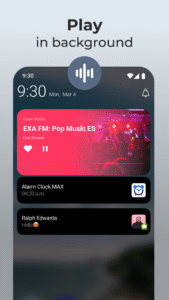
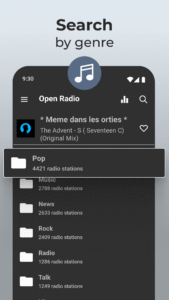
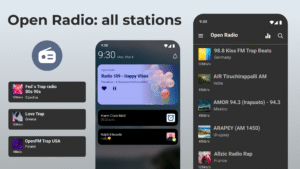
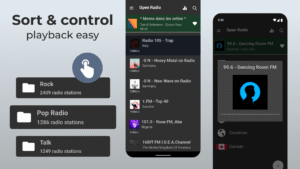
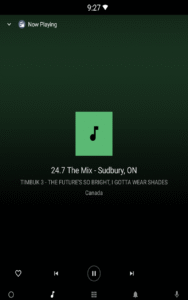
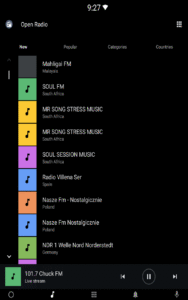
File Information
| Package Name | com.yuriy.openradio |
|---|---|
| Version Name | 15.0.0 |
| Version Code | 715 |
| Architecture | Universal |
| Min Android Version | Android 17 (API 34) |
| Main Activity | com.yuriy.openradio.mobile.view.activity.MainActivity |
| Framework | Native (Java/Kotlin) |
| File Size | 12.54 MB |
| Signature (SHA1) | 8C8E4AC50BC316419201BF13DD3EAFA252031101 |
| File Hash (SHA256) | 4cde23248c71468968137a3b240b808bf6528169679db5d7f9a60734f2cfbb18 |
What's New
Deprecate Cloud Storage due to the technical reasons.
Introduce export / import of Favorites via the File System.
Introduce export / import of Favorites via the File System.
App Description
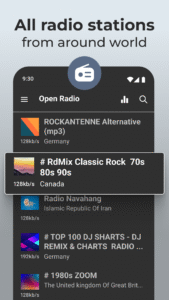
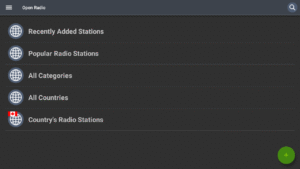
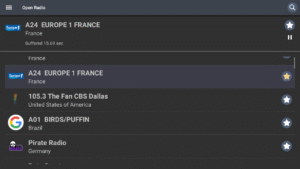
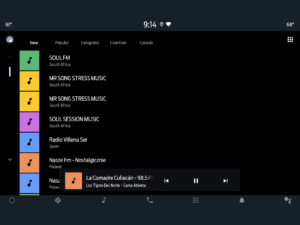
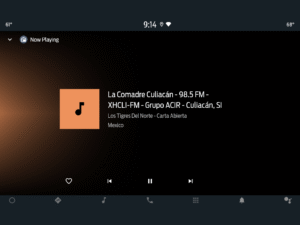
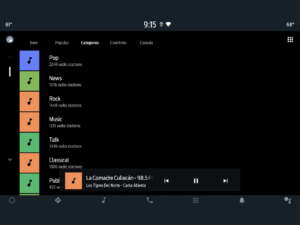
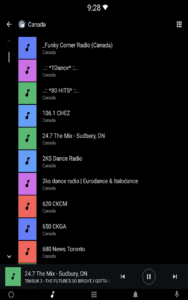
Open Radio is an internet-based radio streaming application that lets you listen to radio stations from around the world on your:
- mobile device running Jelly Bean (4.2.x) or newer;
- Android Automotive OS (
developers.google.com/cars/design/automotive-os);
- Android Auto (
android.com/auto);
- Android TV (with limited support) (
www.android.com/tv
).
Open Radio is an ad-free app, but some radio stations may include advertisements in their streams, which the app cannot control.
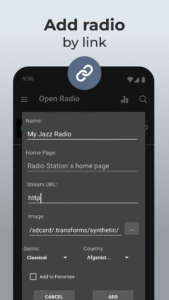
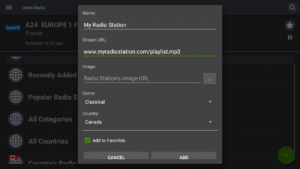
If you want to add a radio station to Open Radio, you can do so via:
- Radio Browser (
www.radio-browser.info/add);
- Web Radio (
jcorporation.github.io/webradiodb
).
It's important to note that:
- Open Radio is a community-driven effort, and the databases used by the app are free and open to everyone;
- Me and the database owners are not responsible for the content of the radio stations;
- The databases are community-driven, which means anyone can contribute to them, and everyone is encouraged to respect the work put in by the app creator and the database owners.
To exit Open Radio, you can simply press the Back button until you leave the app.
If you have any suggestions or issues, you can use the issues tracker at:
github.com/ChernyshovYuriy/OpenRadio/issues
.
- mobile device running Jelly Bean (4.2.x) or newer;
- Android Automotive OS (
developers.google.com/cars/design/automotive-os);
- Android Auto (
android.com/auto);
- Android TV (with limited support) (
www.android.com/tv
).
Open Radio is an ad-free app, but some radio stations may include advertisements in their streams, which the app cannot control.
If you want to add a radio station to Open Radio, you can do so via:
- Radio Browser (
www.radio-browser.info/add);
- Web Radio (
jcorporation.github.io/webradiodb
).
It's important to note that:
- Open Radio is a community-driven effort, and the databases used by the app are free and open to everyone;
- Me and the database owners are not responsible for the content of the radio stations;
- The databases are community-driven, which means anyone can contribute to them, and everyone is encouraged to respect the work put in by the app creator and the database owners.
To exit Open Radio, you can simply press the Back button until you leave the app.
If you have any suggestions or issues, you can use the issues tracker at:
github.com/ChernyshovYuriy/OpenRadio/issues
.
Download Open Radio - Online FM Radio APK
Fast, free and safe download.
APK Permissions 14
- android.permission.ACCESS_COARSE_LOCATION
- android.permission.ACCESS_NETWORK_STATE
- android.permission.BLUETOOTH
- android.permission.BLUETOOTH_ADMIN
- android.permission.BLUETOOTH_CONNECT
- android.permission.FOREGROUND_SERVICE
- android.permission.FOREGROUND_SERVICE_MEDIA_PLAYBACK
- android.permission.INTERNET
- android.permission.READ_EXTERNAL_STORAGE
- android.permission.READ_MEDIA_IMAGES
- android.permission.RECEIVE_BOOT_COMPLETED
- android.permission.WAKE_LOCK
- android.permission.WRITE_EXTERNAL_STORAGE
- com.yuriy.openradio.DYNAMIC_RECEIVER_NOT_EXPORTED_PERMISSION
APK Verified
The cryptographic signature guarantees that the file is safe to install and was not tampered with in any way.
Similar in Music & Audio


More by Battery Stats Saver

Frequently Asked Questions about Open Radio - Online FM Radio APK
This is the universal variant — a single APK that contains native libraries for every CPU architecture. It installs on any Android device but is larger than per-architecture variants.
Yes — the APK's signature has been cryptographically verified against the publisher's signing key. The SHA-256 hash is shown in the File Information panel so you can independently confirm the file matches the original release.
Android 17 (API level 34) or newer. Older devices will refuse the install.
Install a free app like 'CPU-Z' or 'Droid Hardware Info' from the Play Store and look at the ABI / Instruction Set row. Most phones made after 2017 are arm64-v8a; if in doubt, download the universal variant.
All variants are functionally identical — same features, same version. They differ only in which CPU architectures the native code is compiled for, and (sometimes) which screen densities the included graphics target. Pick the one that matches your device for the smallest install size, or pick 'Universal' if you're unsure.