
Download Mi Remote controller - for TV, STB, AC and more APK 7.1.3G Universal · Android 22+
Download APK
Verified Safe
This is the universal build of Mi Remote controller - for TV, STB, AC and more 7.1.3G. It contains native libraries for every CPU architecture (arm64-v8a, armeabi-v7a, x86, x86_64), so it installs on any Android device. The trade-off is size — it's larger than per-architecture variants. Pick this one if you're unsure which CPU your phone has, or if you plan to share the APK with multiple devices.
File size: 30.6 MB • Min Android: 22 • Target Android: 34 • Version code: 6383 • Framework: Native (Java/Kotlin) • Permissions: 40
Screenshots
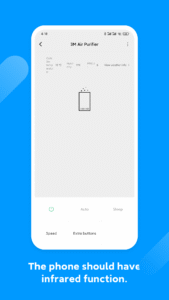
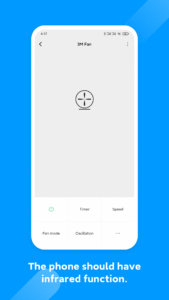
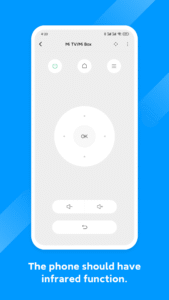
File Information
| Package Name | com.duokan.phone.remotecontroller |
|---|---|
| Version Name | 7.1.3G |
| Version Code | 6383 |
| Architecture | Universal |
| Min Android Version | Android 22 (API 34) |
| Main Activity | com.xiaomi.mitv.phone.remotecontroller.HoriWidgetMainActivityV2 |
| Framework | Native (Java/Kotlin) |
| File Size | 30.59 MB |
| Signature (SHA1) | CB2120F8376A8CD18531BB6C096DD78EAB519690 |
| File Hash (SHA256) | 3a9db4e16fd56b4d10704e082cab70e493084f5ff27fdb3884b2a8f094a57aab |
What's New
Optimize the Design of Partial Interfaces, Such as the Addition Process and Remote Control Backup
App Description
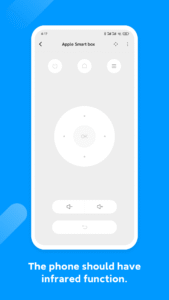
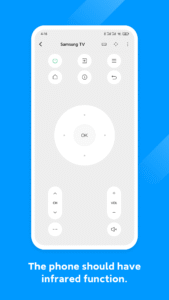
Control your electric appliances with your phone using Mi Remote. Whenever you can’t find your remote or feel like pranking your friends, Mi Remote will be there to help. We also have all the information you need about your favorite TV shows, so you can switch the channel faster, or even watch the show on your mobile device. Mi Remote brings watching TV to a new level!
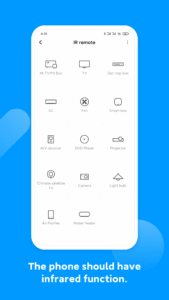
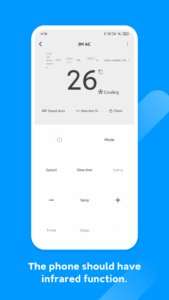
Supported appliances: TV, air-conditioner, set top box, DVD player, projector, A/V receiver, camera, etc.
Supported Brands: Samsung, LG, Sony, Panasonic, Sharp, Haier, Videocon, Micromax, Onida, etc.
1. Most phones with IR blasters support Mi Remote and its features.
2. All mobile devices can be used to control Mi TV/Mi Box and other smart TVs with standard protocols over Wi-Fi.
3. All mobile devices support Mi Remote’s integration with TV scheduling.
Supported phones: Samsung S4/S5/S6/S6 Edge/Note 3/Note 4, HTC One Series, Mi 4/Mi 4c/Mi 5/Mi 5S Plus/Mi 5C/Mi 5X/Mi 6, Redmi 4/Redmi 4A/Redmi 4X, Redmi Note 2/Redmi Note 3/Redmi Note4/Redmi Note4X/Redmi Note5A, Huawei Honor 3/6/6 plus
Mi Remote. Life at the tips of your fingers.
Supported appliances: TV, air-conditioner, set top box, DVD player, projector, A/V receiver, camera, etc.
Supported Brands: Samsung, LG, Sony, Panasonic, Sharp, Haier, Videocon, Micromax, Onida, etc.
1. Most phones with IR blasters support Mi Remote and its features.
2. All mobile devices can be used to control Mi TV/Mi Box and other smart TVs with standard protocols over Wi-Fi.
3. All mobile devices support Mi Remote’s integration with TV scheduling.
Supported phones: Samsung S4/S5/S6/S6 Edge/Note 3/Note 4, HTC One Series, Mi 4/Mi 4c/Mi 5/Mi 5S Plus/Mi 5C/Mi 5X/Mi 6, Redmi 4/Redmi 4A/Redmi 4X, Redmi Note 2/Redmi Note 3/Redmi Note4/Redmi Note4X/Redmi Note5A, Huawei Honor 3/6/6 plus
Mi Remote. Life at the tips of your fingers.
Download Mi Remote controller - for TV, STB, AC and more APK
Fast, free and safe download.
APK Permissions 40
- android.permission.ACCESS_COARSE_LOCATION
- android.permission.ACCESS_FINE_LOCATION
- android.permission.ACCESS_NETWORK_STATE
- android.permission.ACCESS_WIFI_STATE
- android.permission.AUTHENTICATE_ACCOUNTS
- android.permission.BLUETOOTH
- android.permission.BLUETOOTH_ADMIN
- android.permission.BLUETOOTH_ADVERTISE
- android.permission.BLUETOOTH_CONNECT
- android.permission.BLUETOOTH_SCAN
- android.permission.BROADCAST_STICKY
- android.permission.CAMERA
- android.permission.CAPTURE_AUDIO_OUTPUT
- android.permission.CHANGE_CONFIGURATION
- android.permission.CHANGE_WIFI_MULTICAST_STATE
- android.permission.CHANGE_WIFI_STATE
- android.permission.DISABLE_KEYGUARD
- android.permission.FLASHLIGHT
- android.permission.GET_ACCOUNTS
- android.permission.GET_ACCOUNTS_PRIVILEGED
- android.permission.INTERNET
- android.permission.MANAGE_ACCOUNTS
- android.permission.MOUNT_UNMOUNT_FILESYSTEMS
- android.permission.RECORD_AUDIO
- android.permission.TRANSMIT_IR
- android.permission.USE_CREDENTIALS
- android.permission.VIBRATE
- android.permission.WAKE_LOCK
- android.permission.WRITE_SETTINGS
- com.android.launcher.permission.INSTALL_SHORTCUT
- com.android.launcher.permission.READ_SETTINGS
- com.android.launcher.permission.UNINSTALL_SHORTCUT
- com.google.android.c2dm.permission.RECEIVE
- com.htc.IR_CONTROLLER
- com.miui.home.launcher.permission.UNINSTALL_SHORTCUT
- com.miui.securitycenter.permission.SYSTEM_PERMISSION_DECLARE
- com.xiaomi.permission.CLOUD_MANAGER
- mitv.permission.ACCESS_INNER_APPLICATION
- tv.peel.samsung.app.REMOTE_CONTROL
- tv.peel.smartremote.REMOTE_CONTROL
APK Verified
The cryptographic signature guarantees that the file is safe to install and was not tampered with in any way.
Similar in Tools


Frequently Asked Questions about Mi Remote controller - for TV, STB, AC and more APK
This is the universal variant — a single APK that contains native libraries for every CPU architecture. It installs on any Android device but is larger than per-architecture variants.
Yes — the APK's signature has been cryptographically verified against the publisher's signing key. The SHA-256 hash is shown in the File Information panel so you can independently confirm the file matches the original release.
Android 22 (API level 34) or newer. Older devices will refuse the install.
Install a free app like 'CPU-Z' or 'Droid Hardware Info' from the Play Store and look at the ABI / Instruction Set row. Most phones made after 2017 are arm64-v8a; if in doubt, download the universal variant.
All variants are functionally identical — same features, same version. They differ only in which CPU architectures the native code is compiled for, and (sometimes) which screen densities the included graphics target. Pick the one that matches your device for the smallest install size, or pick 'Universal' if you're unsure.