
This is the x86 build of MyBell 1.7.1. Intel-architecture builds are useful for Android emulators (BlueStacks, NoxPlayer, Android Studio AVD), Chromebooks running ARC, and the small number of Intel-CPU Android phones. Most physical Android phones should download the ARM variant instead.
File size: 12.0 MB • Min Android: 16 • Target Android: 23 • Version code: 17 • Framework: Native (Java/Kotlin) • Permissions: 19
Screenshots
File Information
| Package Name | ca.bell.selfserve.mybellmobile |
|---|---|
| Version Name | 1.7.1 |
| Version Code | 17 |
| Architecture | x86 |
| Min Android Version | Android 16 (API 23) |
| Main Activity | com.pega.mobile.MainActivity |
| Framework | Native (Java/Kotlin) |
| File Size | 11.97 MB |
| Signature (SHA1) | 5E8C888DE7A70D12526415530661CCBD5024A247 |
| File Hash (SHA256) | 8f5b2bbf3f65c9dce1719866fe25867235f0c482d4ca1d158a9157c056753939 |
What's New
We’ve fixed bugs and made improvements to make your experience better.
App Description
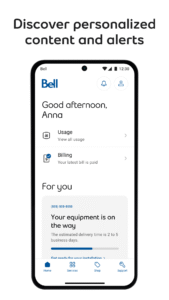
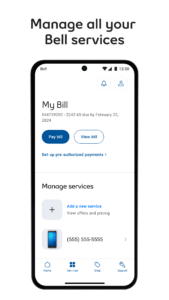
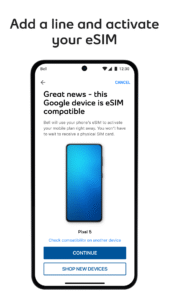
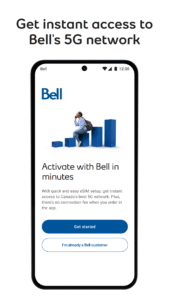
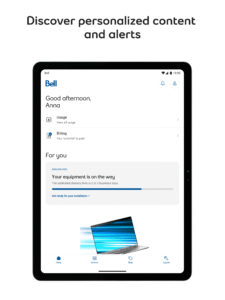
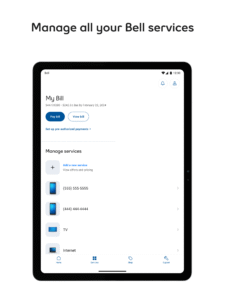
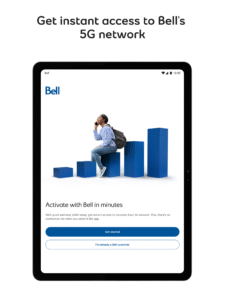
The award-winning MyBell app lets you manage all of your Bell services any time, anywhere, from the moment you order them.
• View your Mobility usage.
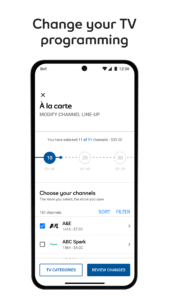
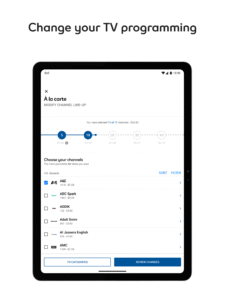
• Change your TV programming.
• Add a travel option.
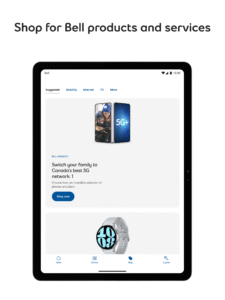
• Upgrade your device.
• Manage your Mobility rate plan, add-ons, and data.
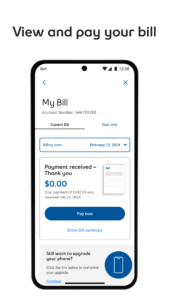
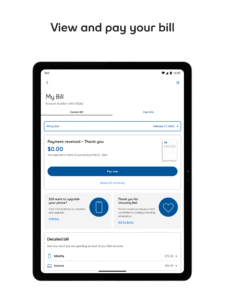
• View and pay your bill, and set up pre-authorized payments.
• Change your Internet package and run a speed test.
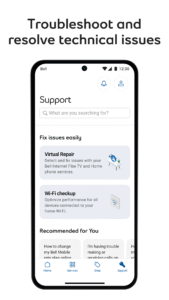
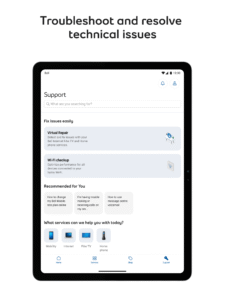
• Get support from anywhere in the app.
Take advantage of advanced self-serve tools to do more while saving time:
• Use our step-by-step guide to install your new Internet, TV or Home phone services yourself.
• Manage your appointment with your Bell technician.
• Use our Virtual Repair tool to detect and fix issues with your Internet, TV or Home phone services.
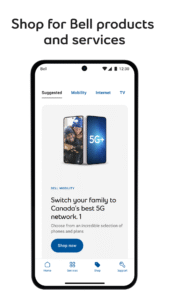
Plus, take advantage of personalized offers and exciting contests exclusive to Bell customers.
The MyBell app is optimized for Android 13.0 and above.
For app support or troubleshooting, please contact us at:
mybellappsupport@bell.ca
• View your Mobility usage.
• Change your TV programming.
• Add a travel option.
• Upgrade your device.
• Manage your Mobility rate plan, add-ons, and data.
• View and pay your bill, and set up pre-authorized payments.
• Change your Internet package and run a speed test.
• Get support from anywhere in the app.
Take advantage of advanced self-serve tools to do more while saving time:
• Use our step-by-step guide to install your new Internet, TV or Home phone services yourself.
• Manage your appointment with your Bell technician.
• Use our Virtual Repair tool to detect and fix issues with your Internet, TV or Home phone services.
Plus, take advantage of personalized offers and exciting contests exclusive to Bell customers.
The MyBell app is optimized for Android 13.0 and above.
For app support or troubleshooting, please contact us at:
mybellappsupport@bell.ca
Download MyBell APK
Fast, free and safe download.
APK Permissions 19
- android.permission.ACCESS_COARSE_LOCATION
- android.permission.ACCESS_FINE_LOCATION
- android.permission.ACCESS_NETWORK_STATE
- android.permission.ACCESS_WIFI_STATE
- android.permission.CHANGE_NETWORK_STATE
- android.permission.CHANGE_WIFI_STATE
- android.permission.GET_ACCOUNTS
- android.permission.GET_TASKS
- android.permission.INTERNET
- android.permission.READ_CONTACTS
- android.permission.READ_EXTERNAL_STORAGE
- android.permission.READ_PHONE_STATE
- android.permission.RECEIVE_BOOT_COMPLETED
- android.permission.VIBRATE
- android.permission.WAKE_LOCK
- android.permission.WRITE_CONTACTS
- android.permission.WRITE_EXTERNAL_STORAGE
- ca.bell.selfserve.mybellmobile.permission.C2D_MESSAGE
- com.google.android.c2dm.permission.RECEIVE
APK Verified
The cryptographic signature guarantees that the file is safe to install and was not tampered with in any way.
Similar in Communication


Frequently Asked Questions about MyBell APK
This variant is built for 32-bit Intel (older Chromebooks, some Android emulators). If your device's CPU matches, this is the smallest, fastest version to install.
Yes — the APK's signature has been cryptographically verified against the publisher's signing key. The SHA-256 hash is shown in the File Information panel so you can independently confirm the file matches the original release.
Android 16 (API level 23) or newer. Older devices will refuse the install.
Install a free app like 'CPU-Z' or 'Droid Hardware Info' from the Play Store and look at the ABI / Instruction Set row. Most phones made after 2017 are arm64-v8a; if in doubt, download the universal variant.
All variants are functionally identical — same features, same version. They differ only in which CPU architectures the native code is compiled for, and (sometimes) which screen densities the included graphics target. Pick the one that matches your device for the smallest install size, or pick 'Universal' if you're unsure.