
Download Ad Blocker VPN & DNS – Blokada APK 25.2.7 Universal · Android 28+
Download APK
Verified Safe
This is the universal build of Ad Blocker VPN & DNS – Blokada 25.2.7. It contains native libraries for every CPU architecture (arm64-v8a, armeabi-v7a, x86, x86_64), so it installs on any Android device. The trade-off is size — it's larger than per-architecture variants. Pick this one if you're unsure which CPU your phone has, or if you plan to share the APK with multiple devices.
File size: 47.4 MB • Min Android: 28 • Target Android: 35 • Version code: 668000608 • Framework: Native (Java/Kotlin) • Permissions: 20
Screenshots
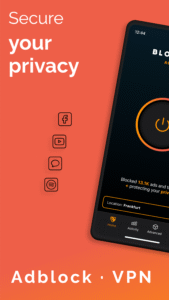
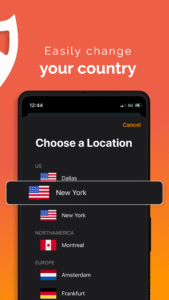
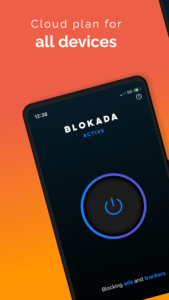
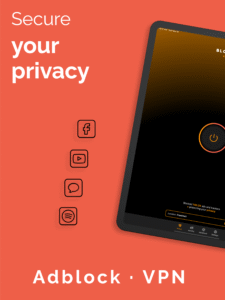
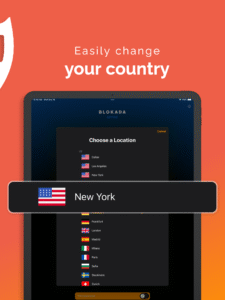
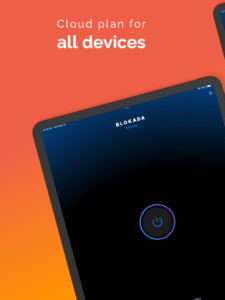
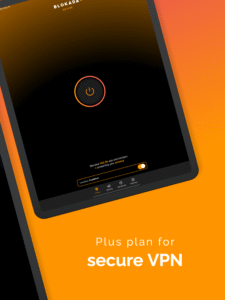
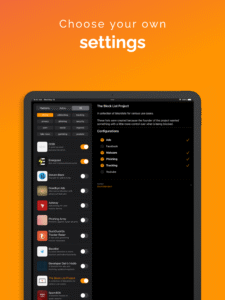
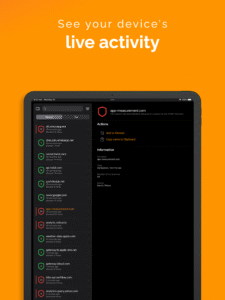
File Information
| Package Name | org.blokada.sex |
|---|---|
| Version Name | 25.2.7 |
| Version Code | 668000608 |
| Architecture | Universal |
| Min Android Version | Android 28 (API 35) |
| Main Activity | ui.MainActivity |
| Framework | Native (Java/Kotlin) |
| File Size | 47.36 MB |
| Signature (SHA1) | 06BB1F472289BD989262CC059600D8A5FAE87DAF |
| File Hash (SHA256) | 3eca75035facaee7c6b78c136d97e9a287b6eaf9bcfc78ff50f346f58b100bd5 |
What's New
We’re constantly improving the app based on your feedback! Got something to share? You can always reach out to us through the chat in the app settings!
App Description
Now with a free trial for everyone!
🌐 Blokada: Your Fast & Secure Online Solution
Experience the fastest and most secure way to browse the online world with Blokada! 🌟 Protect your data and enjoy clean and ad-free content. Say goodbye to unwanted ads, malware, and spyware. 🔒
🔥 Why Choose Blokada?
• Fast browsing speeds 🚀
• Enhanced security features 🔐
• Block unwanted content 🛑
• Protect your data and privacy 🕵️♂️
• Seamless Android integration 🤖
🌟 Key Features
• Protect all your devices with one subscription 📱
• Free trial available ✅
🚀 Fast & Secure VPN
• Fast connection speeds for smooth online experience 🌐
• Secure your network with our advanced VPN 🔒
• Powered by WireGuard for top-notch performance ⚡
🔒 Advanced DNS Options
• Update your DNS settings for optimal security 🛡️
• Block malicious domains and enhance privacy 🔐
🛡️ Powerful Blocker
• Block ads, malware, spyware, and trackers 🚫
• Enjoy a clean, ad-free experience across all apps 🧹
• Protect your data from unwanted access 🔒
☁️ Cloud Integration
• Sync settings across devices with our cloud services ☁️
• Access your preferences anytime, anywhere 🌍
• Enjoy consistent protection across all your Android devices 🤖
🌐 Clean Online Experience
• Block unwanted content for a cleaner internet 🧼
• Reduce data usage by eliminating unnecessary ads 📉
• Enhance your online privacy and security 🔐
📱 Optimized for Android
• Lightweight and efficient for all Android devices 🤖
• Runs seamlessly in the background without draining battery 🔋
• User-friendly interface for easy navigation 🖱️
🔧 Advanced Settings
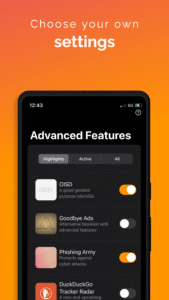
• Full control over DNS, VPN, and blocker configurations ⚙️
• Regular updates to protect against new malware and spyware 🔄
🌈 Additional Benefits
• Fast and reliable VPN connections 🌐
• Protects your data on public Wi-Fi networks 🛡️
• Private browsing with no logs kept 🚫📝
🎉 Download Blokada Today!
Set up your VPN and DNS preferences ⚙️
Enjoy a fast, secure, and clean online experience! 🚀
Take control of your online experience with Blokada! 🌟
----
Terms of Use:
go.blokada.org/terms
Privacy Policy:
go.blokada.org/privacy
Try Blokada Cloud and see the difference. Set up an unlimited number of devices with one subscription. Setup guides available for most platforms, with native apps for Android and iOS.
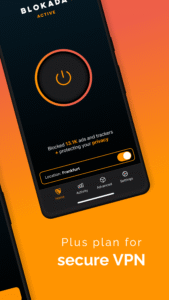
For users wanting more, we also offer the Blokada Plus upgrade, that gives you access to our independent VPN network (servers in multiple countries), for up to 5 devices.
🌐 Blokada: Your Fast & Secure Online Solution
Experience the fastest and most secure way to browse the online world with Blokada! 🌟 Protect your data and enjoy clean and ad-free content. Say goodbye to unwanted ads, malware, and spyware. 🔒
🔥 Why Choose Blokada?
• Fast browsing speeds 🚀
• Enhanced security features 🔐
• Block unwanted content 🛑
• Protect your data and privacy 🕵️♂️
• Seamless Android integration 🤖
🌟 Key Features
• Protect all your devices with one subscription 📱
• Free trial available ✅
🚀 Fast & Secure VPN
• Fast connection speeds for smooth online experience 🌐
• Secure your network with our advanced VPN 🔒
• Powered by WireGuard for top-notch performance ⚡
🔒 Advanced DNS Options
• Update your DNS settings for optimal security 🛡️
• Block malicious domains and enhance privacy 🔐
🛡️ Powerful Blocker
• Block ads, malware, spyware, and trackers 🚫
• Enjoy a clean, ad-free experience across all apps 🧹
• Protect your data from unwanted access 🔒
☁️ Cloud Integration
• Sync settings across devices with our cloud services ☁️
• Access your preferences anytime, anywhere 🌍
• Enjoy consistent protection across all your Android devices 🤖
🌐 Clean Online Experience
• Block unwanted content for a cleaner internet 🧼
• Reduce data usage by eliminating unnecessary ads 📉
• Enhance your online privacy and security 🔐
📱 Optimized for Android
• Lightweight and efficient for all Android devices 🤖
• Runs seamlessly in the background without draining battery 🔋
• User-friendly interface for easy navigation 🖱️
🔧 Advanced Settings
• Full control over DNS, VPN, and blocker configurations ⚙️
• Regular updates to protect against new malware and spyware 🔄
🌈 Additional Benefits
• Fast and reliable VPN connections 🌐
• Protects your data on public Wi-Fi networks 🛡️
• Private browsing with no logs kept 🚫📝
🎉 Download Blokada Today!
Set up your VPN and DNS preferences ⚙️
Enjoy a fast, secure, and clean online experience! 🚀
Take control of your online experience with Blokada! 🌟
----
Terms of Use:
go.blokada.org/terms
Privacy Policy:
go.blokada.org/privacy
Try Blokada Cloud and see the difference. Set up an unlimited number of devices with one subscription. Setup guides available for most platforms, with native apps for Android and iOS.
For users wanting more, we also offer the Blokada Plus upgrade, that gives you access to our independent VPN network (servers in multiple countries), for up to 5 devices.
Download Ad Blocker VPN & DNS – Blokada APK
Fast, free and safe download.
APK Permissions 20
- android.permission.ACCESS_COARSE_LOCATION
- android.permission.ACCESS_NETWORK_STATE
- android.permission.ACCESS_WIFI_STATE
- android.permission.CAMERA
- android.permission.FOREGROUND_SERVICE
- android.permission.GET_TASKS
- android.permission.INTERNET
- android.permission.POST_NOTIFICATIONS
- android.permission.READ_LOGS
- android.permission.READ_PHONE_STATE
- android.permission.RECEIVE_BOOT_COMPLETED
- android.permission.REQUEST_DELETE_PACKAGES
- android.permission.USE_BIOMETRIC
- android.permission.USE_FINGERPRINT
- android.permission.VIBRATE
- android.permission.WAKE_LOCK
- android.permission.WRITE_EXTERNAL_STORAGE
- com.android.alarm.permission.SET_ALARM
- com.android.vending.BILLING
- org.blokada.sex.DYNAMIC_RECEIVER_NOT_EXPORTED_PERMISSION
APK Verified
The cryptographic signature guarantees that the file is safe to install and was not tampered with in any way.
Similar in Tools


More by Blocka AB

Frequently Asked Questions about Ad Blocker VPN & DNS – Blokada APK
This is the universal variant — a single APK that contains native libraries for every CPU architecture. It installs on any Android device but is larger than per-architecture variants.
Yes — the APK's signature has been cryptographically verified against the publisher's signing key. The SHA-256 hash is shown in the File Information panel so you can independently confirm the file matches the original release.
Android 28 (API level 35) or newer. Older devices will refuse the install.
Install a free app like 'CPU-Z' or 'Droid Hardware Info' from the Play Store and look at the ABI / Instruction Set row. Most phones made after 2017 are arm64-v8a; if in doubt, download the universal variant.
All variants are functionally identical — same features, same version. They differ only in which CPU architectures the native code is compiled for, and (sometimes) which screen densities the included graphics target. Pick the one that matches your device for the smallest install size, or pick 'Universal' if you're unsure.