
Download Universal TV Remote for All TV APK 2.3.4 Universal · Android 23+
Download APK
Verified Safe
This is the universal build of Universal TV Remote for All TV 2.3.4. It contains native libraries for every CPU architecture (arm64-v8a, armeabi-v7a, x86, x86_64), so it installs on any Android device. The trade-off is size — it's larger than per-architecture variants. Pick this one if you're unsure which CPU your phone has, or if you plan to share the APK with multiple devices.
File size: 38.6 MB • Min Android: 23 • Target Android: 36 • Version code: 2252 • Framework: Native (Java/Kotlin) • Permissions: 27
Screenshots
File Information
| Package Name | com.boost.universal.remote |
|---|---|
| Version Name | 2.3.4 |
| Version Code | 2252 |
| Architecture | Universal |
| Min Android Version | Android 23 (API 36) |
| Main Activity | com.boost.universal.remote.ui.SplashActivity |
| Framework | Native (Java/Kotlin) |
| File Size | 38.56 MB |
| Signature (SHA1) | A278AAF42494D02359D26BE06DF500F8478A0CD9 |
| File Hash (SHA256) | df73506d4d7c0df3f7a71883bab69cede64968d4c3dd48272b9129d8639cbb93 |
What's New
*Support self-developed mirroring protocol
*Improving User Experience
*New way to cast to Roku TV
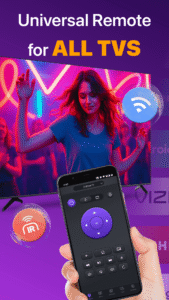
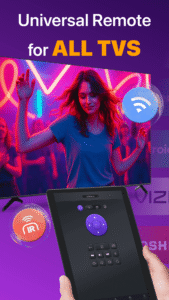
*Universal Remote for all Smart TVs & IR TVs.
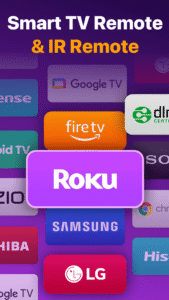
*Support mainstream TV brands including Roku, FireStick TV, Samsung, Vizio TV, Sony TV, Apple TV and LG webOS TV.
*Bug Fix
*Improving User Experience
*New way to cast to Roku TV
*Universal Remote for all Smart TVs & IR TVs.
*Support mainstream TV brands including Roku, FireStick TV, Samsung, Vizio TV, Sony TV, Apple TV and LG webOS TV.
*Bug Fix
App Description
Universal TV Remote for All TV is a helpful TV remote control app that can get you out of the trouble of frequently switching remote controls between multiple smart TVs, such as Roku TV & Roku Stick, LG, Samsung, TCL, Vizio, Fire TV and Firestick, Hisense, Sony and more. As long as it is under the same WiFi as your Smart TV, this multifunctional remote app can help you easily turn on/off the TV, manage channels, change volume and control content playback just like a real physical remote control. It even supports IR modes, so you can easily control your TV when WiFi isn't available.
Key benefits of the TV remote control app include:
- Auto-detect all the Smart TVs on the same WiFi network
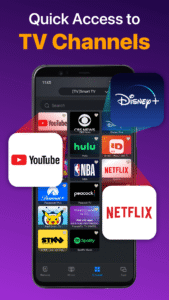
- Quick remote control TV with Volume control, Reverse and Fast Forward
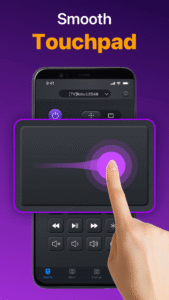
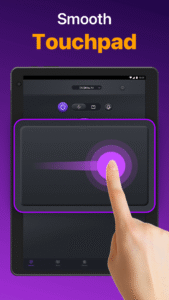
- Responsive Touchpad to control TV in an efficient way
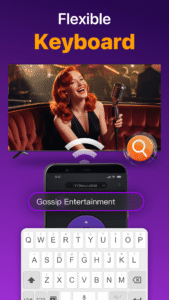
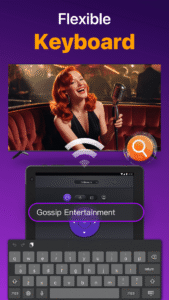
- Quick text input and search for finding your favorite shows or movies
- Power On/Off Smart TV from your phone/tablet for added convenience
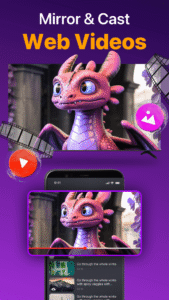
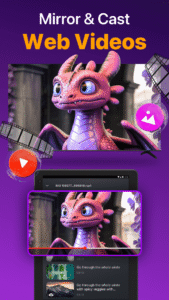
- Cast photos & videos from your local album with the TV control app
- Mirror your phone screen to big TVs with low latency
How to use TV Remote for Ruku & Smart TV:
1.Download and install the universal replacement remote app
2.Click and select a TV brand or Stick like Fire TV, Samsung, Roku, TCL, LG, Vizio, Hisense, Toshiba, Chromecast etc.
3.Tap to connect the universal TV remote app to the Smart TV
4.Finish! TV Remote control is ready to use.
Universal TV Remote – Compatible with All Major TV Brands
▸ Remote Control for Roku TVs
▸ Vizio Smart TV & Standard Vizio Remote Support
▸ Screen Mirroring & Casting to TV, including Chromecast
▸ Fire TV & FireStick Remote Functionality
▸ Full Support for LG and Samsung TVs
▸ Works with TCL, LG, Hisense, Toshiba, and More
Troubleshoot:
• Both the Smart TV and Android devices must be under the same network to connect smoothly.
• Reinstall this smart remote app and reboot Smart TV will resolve most of the connecting issues.
• Try upgrading the television remote control to the latest version
• Change to another device and try again
Disclaimer: Universal TV Remote for All TV is not an official application and we are not affiliated with any brand mentioned above. Our application has been tested carefully on many TV models. However, we cannot test all TV models, we don’t guarantee the product works on ALL TV models.
Terms of Use:
www.boostvision.tv/terms-of-use
Privacy Policy:
www.boostvision.tv/privacy-policy
Visit Our Page:
www.boostvision.tv/app/universal-tv-remote
Key benefits of the TV remote control app include:
- Auto-detect all the Smart TVs on the same WiFi network
- Quick remote control TV with Volume control, Reverse and Fast Forward
- Responsive Touchpad to control TV in an efficient way
- Quick text input and search for finding your favorite shows or movies
- Power On/Off Smart TV from your phone/tablet for added convenience
- Cast photos & videos from your local album with the TV control app
- Mirror your phone screen to big TVs with low latency
How to use TV Remote for Ruku & Smart TV:
1.Download and install the universal replacement remote app
2.Click and select a TV brand or Stick like Fire TV, Samsung, Roku, TCL, LG, Vizio, Hisense, Toshiba, Chromecast etc.
3.Tap to connect the universal TV remote app to the Smart TV
4.Finish! TV Remote control is ready to use.
Universal TV Remote – Compatible with All Major TV Brands
▸ Remote Control for Roku TVs
▸ Vizio Smart TV & Standard Vizio Remote Support
▸ Screen Mirroring & Casting to TV, including Chromecast
▸ Fire TV & FireStick Remote Functionality
▸ Full Support for LG and Samsung TVs
▸ Works with TCL, LG, Hisense, Toshiba, and More
Troubleshoot:
• Both the Smart TV and Android devices must be under the same network to connect smoothly.
• Reinstall this smart remote app and reboot Smart TV will resolve most of the connecting issues.
• Try upgrading the television remote control to the latest version
• Change to another device and try again
Disclaimer: Universal TV Remote for All TV is not an official application and we are not affiliated with any brand mentioned above. Our application has been tested carefully on many TV models. However, we cannot test all TV models, we don’t guarantee the product works on ALL TV models.
Terms of Use:
www.boostvision.tv/terms-of-use
Privacy Policy:
www.boostvision.tv/privacy-policy
Visit Our Page:
www.boostvision.tv/app/universal-tv-remote
Download Universal TV Remote for All TV APK
Fast, free and safe download.
APK Permissions 27
- android.permission.ACCESS_ADSERVICES_AD_ID
- android.permission.ACCESS_ADSERVICES_ATTRIBUTION
- android.permission.ACCESS_ADSERVICES_CUSTOM_AUDIENCE
- android.permission.ACCESS_ADSERVICES_TOPICS
- android.permission.ACCESS_NETWORK_STATE
- android.permission.ACCESS_WIFI_STATE
- android.permission.CHANGE_NETWORK_STATE
- android.permission.CHANGE_WIFI_MULTICAST_STATE
- android.permission.CHANGE_WIFI_STATE
- android.permission.FOREGROUND_SERVICE
- android.permission.FOREGROUND_SERVICE_MEDIA_PLAYBACK
- android.permission.FOREGROUND_SERVICE_MEDIA_PROJECTION
- android.permission.INTERNET
- android.permission.POST_NOTIFICATIONS
- android.permission.READ_EXTERNAL_STORAGE
- android.permission.READ_MEDIA_IMAGES
- android.permission.READ_MEDIA_VIDEO
- android.permission.READ_MEDIA_VISUAL_USER_SELECTED
- android.permission.RECORD_AUDIO
- android.permission.SYSTEM_ALERT_WINDOW
- android.permission.TRANSMIT_IR
- android.permission.VIBRATE
- android.permission.WAKE_LOCK
- com.android.vending.BILLING
- com.boost.universal.remote.DYNAMIC_RECEIVER_NOT_EXPORTED_PERMISSION
- com.google.android.finsky.permission.BIND_GET_INSTALL_REFERRER_SERVICE
- com.google.android.gms.permission.AD_ID
APK Verified
The cryptographic signature guarantees that the file is safe to install and was not tampered with in any way.


Frequently Asked Questions about Universal TV Remote for All TV APK
This is the universal variant — a single APK that contains native libraries for every CPU architecture. It installs on any Android device but is larger than per-architecture variants.
Yes — the APK's signature has been cryptographically verified against the publisher's signing key. The SHA-256 hash is shown in the File Information panel so you can independently confirm the file matches the original release.
Android 23 (API level 36) or newer. Older devices will refuse the install.
Install a free app like 'CPU-Z' or 'Droid Hardware Info' from the Play Store and look at the ABI / Instruction Set row. Most phones made after 2017 are arm64-v8a; if in doubt, download the universal variant.
All variants are functionally identical — same features, same version. They differ only in which CPU architectures the native code is compiled for, and (sometimes) which screen densities the included graphics target. Pick the one that matches your device for the smallest install size, or pick 'Universal' if you're unsure.