
This is the universal build of Auto Clicker-Auto Tap & Swipe 1.4.5. It contains native libraries for every CPU architecture (arm64-v8a, armeabi-v7a, x86, x86_64), so it installs on any Android device. The trade-off is size — it's larger than per-architecture variants. Pick this one if you're unsure which CPU your phone has, or if you plan to share the APK with multiple devices.
File size: 66.3 MB • Min Android: 26 • Target Android: 35 • Version code: 154 • Framework: Native (Java/Kotlin) • Permissions: 21
Screenshots
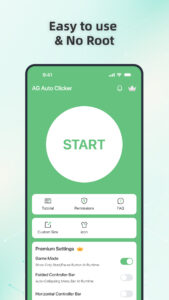
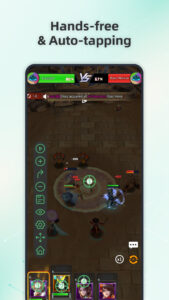

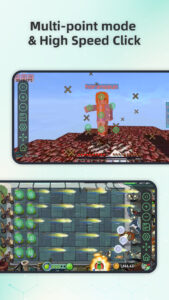
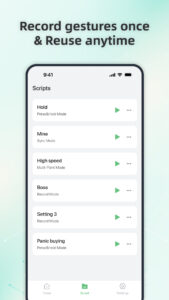
File Information
| Package Name | com.tapassistant.autoclicker |
|---|---|
| Version Name | 1.4.5 |
| Version Code | 154 |
| Architecture | Universal |
| Min Android Version | Android 26 (API 35) |
| Main Activity | com.tapassistant.autoclicker.ui.SplashActivity |
| Framework | Native (Java/Kotlin) |
| File Size | 66.27 MB |
| Signature (SHA1) | EB9F96727708F26B23408224B0E00571FE049C2A |
| File Hash (SHA256) | d418650a7ef25d3c89fabc26b81f83c3248a17ad1be0c554724369d048b83b4d |
What's New
🔧 New Update – Smoother Performance!
- Bug fixes for a more reliable experience
- Improved stability and overall performance
Update now for the best experience! 🚀
- Bug fixes for a more reliable experience
- Improved stability and overall performance
Update now for the best experience! 🚀
App Description
Auto Clicker automates taps and swipes at any location with custom intervals. Ideal for gaming, auto-liking, or any repetitive task requiring fast and precise actions.
Key Features:
Multi-touch Mode: Set multiple taps or swipes that run either in sync or in sequence, giving you full control over complex actions and enhancing automation flexibility.
Record Mode: Capture and automate complex gestures—taps, swipes, and long presses—for easy playback and efficient task repetition
Synchronous Click Pattern: Tap multiple targets at once with precision—perfect for complex tasks.
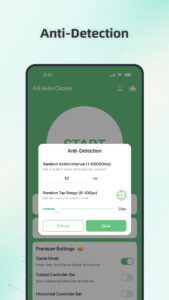
Game mode: Stay undetected with advanced game anti-detection technology.
Save/Load Scripts: Easily save and load your custom scripts for automated actions, allowing you to quickly switch between different configurations and optimize your workflow.
Custom Click Target: Choose from a variety of click target styles—personalize your tapping.
Floating Controls Transparency: Adjust the transparency of floating controls for seamless multitasking.
Timer Start: Set a custom start time for your taps—great for scheduled auto-clicking
Accessibility Services Declaration:
This Auto Clicker application requires the Accessibility Services API to perform essential functions, such as executing clicks, swipes, and other core interactions.
Accessibility permission is necessary for devices running Android 12 and above.
We do not collect or share any personal or sensitive data through the accessibility features.
Install Auto Clicker now and enjoy the freedom of automatic tapping! :)
Key Features:
Multi-touch Mode: Set multiple taps or swipes that run either in sync or in sequence, giving you full control over complex actions and enhancing automation flexibility.
Record Mode: Capture and automate complex gestures—taps, swipes, and long presses—for easy playback and efficient task repetition
Synchronous Click Pattern: Tap multiple targets at once with precision—perfect for complex tasks.
Game mode: Stay undetected with advanced game anti-detection technology.
Save/Load Scripts: Easily save and load your custom scripts for automated actions, allowing you to quickly switch between different configurations and optimize your workflow.
Custom Click Target: Choose from a variety of click target styles—personalize your tapping.
Floating Controls Transparency: Adjust the transparency of floating controls for seamless multitasking.
Timer Start: Set a custom start time for your taps—great for scheduled auto-clicking
Accessibility Services Declaration:
This Auto Clicker application requires the Accessibility Services API to perform essential functions, such as executing clicks, swipes, and other core interactions.
Accessibility permission is necessary for devices running Android 12 and above.
We do not collect or share any personal or sensitive data through the accessibility features.
Install Auto Clicker now and enjoy the freedom of automatic tapping! :)
Download Auto Clicker-Auto Tap & Swipe APK
Fast, free and safe download.
APK Permissions 21
- android.permission.ACCESS_ADSERVICES_AD_ID
- android.permission.ACCESS_ADSERVICES_ATTRIBUTION
- android.permission.ACCESS_ADSERVICES_TOPICS
- android.permission.ACCESS_NETWORK_STATE
- android.permission.ACCESS_WIFI_STATE
- android.permission.DISABLE_KEYGUARD
- android.permission.FOREGROUND_SERVICE
- android.permission.INTERNET
- android.permission.POST_NOTIFICATIONS
- android.permission.QUERY_ALL_PACKAGES
- android.permission.REQUEST_IGNORE_BATTERY_OPTIMIZATIONS
- android.permission.WAKE_LOCK
- com.android.vending.BILLING
- com.android.vending.CHECK_LICENSE
- com.applovin.array.apphub.permission.BIND_APPHUB_SERVICE
- com.google.android.c2dm.permission.RECEIVE
- com.google.android.finsky.permission.BIND_GET_INSTALL_REFERRER_SERVICE
- com.google.android.gms.permission.AD_ID
- com.huawei.appmarket.service.commondata.permission.GET_COMMON_DATA
- com.samsung.android.mapsagent.permission.READ_APP_INFO
- com.tapassistant.autoclicker.DYNAMIC_RECEIVER_NOT_EXPORTED_PERMISSION
APK Verified
The cryptographic signature guarantees that the file is safe to install and was not tampered with in any way.


Frequently Asked Questions about Auto Clicker-Auto Tap & Swipe APK
This is the universal variant — a single APK that contains native libraries for every CPU architecture. It installs on any Android device but is larger than per-architecture variants.
Yes — the APK's signature has been cryptographically verified against the publisher's signing key. The SHA-256 hash is shown in the File Information panel so you can independently confirm the file matches the original release.
Android 26 (API level 35) or newer. Older devices will refuse the install.
Install a free app like 'CPU-Z' or 'Droid Hardware Info' from the Play Store and look at the ABI / Instruction Set row. Most phones made after 2017 are arm64-v8a; if in doubt, download the universal variant.
All variants are functionally identical — same features, same version. They differ only in which CPU architectures the native code is compiled for, and (sometimes) which screen densities the included graphics target. Pick the one that matches your device for the smallest install size, or pick 'Universal' if you're unsure.