
This is the universal build of CA DMV Wallet 0.2.21. It contains native libraries for every CPU architecture (arm64-v8a, armeabi-v7a, x86, x86_64), so it installs on any Android device. The trade-off is size — it's larger than per-architecture variants. Pick this one if you're unsure which CPU your phone has, or if you plan to share the APK with multiple devices.
File size: 112.9 MB • Min Android: 28 • Target Android: 35 • Version code: 224 • Framework: Native (Java/Kotlin) • Permissions: 28
Screenshots
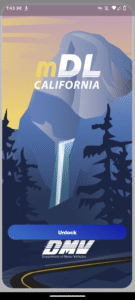
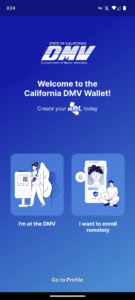
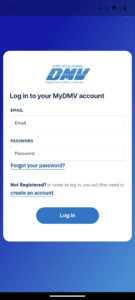
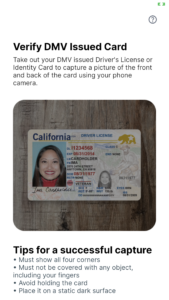
File Information
| Package Name | gov.ca.dmv.wallet |
|---|---|
| Version Name | 0.2.21 |
| Version Code | 224 |
| Architecture | Universal |
| Min Android Version | Android 28 (API 35) |
| Main Activity | com.spruceid.app.credible.mdl.MainActivity |
| Framework | Native (Java/Kotlin) |
| File Size | 112.87 MB |
| Signature (SHA1) | 0E0072D1781BB523DB348D8A4881EA85BD74931C |
| File Hash (SHA256) | 51a1f895058d5ed758dc3874afcc8e269ef08436637e24f3e5c9e455be71bdbe |
What's New
Updates to TruAge credential encoding
Updates to credential presentation
Updates to credential presentation
App Description
Now live in Pilot Phase – California DMV Mobile Wallet
Californians now have a secure way to present their driver’s license or identification card using their smartphones via a Mobile Driver’s License (mDL) digital credential.
California DMV Wallet gives you the control of the driver’s license data you share with others. For example, when buying age-restricted items, the app can confirm you are of legal age without having to share your birth date or address.
With mDL in your CA DMV Wallet, you can breeze through the TSA queue at the airports using your phone. You can also enroll in the TruAge program via the Wallet Marketplace to purchase age-verified products at a corner store near you (starting with select pilot locations in California and expanding nationally). The Wallet will soon be supporting online identity verification for government and commercial applications.
Designed with California's diverse population in mind, the CA DMV Wallet open-source platform uses state-of-the-art encryption algorithms and security technologies to combat fraud and reduce identity theft while improving privacy, transparency, and access for all Californians with a smartphone.
Important note: While the mDL can be used as an official state-issued ID, per the pilot scope approved by the California legislature, you must still have a physical driver’s license or identification card with you.
For more information, please visit:
www.dmv.ca.gov/portal/ca-dmv-wallet/
California DMV Wallet is free, easy, secure, and convenient
Your mDL needs to be updated every 30 days to get the best experience. You might be asked to refresh your mDL more often to receive the most up to date information. When the app prompts you to refresh your mDL, tap on the "Refresh Driver's License" button below your photo, then follow the instructions.
Californians now have a secure way to present their driver’s license or identification card using their smartphones via a Mobile Driver’s License (mDL) digital credential.
California DMV Wallet gives you the control of the driver’s license data you share with others. For example, when buying age-restricted items, the app can confirm you are of legal age without having to share your birth date or address.
With mDL in your CA DMV Wallet, you can breeze through the TSA queue at the airports using your phone. You can also enroll in the TruAge program via the Wallet Marketplace to purchase age-verified products at a corner store near you (starting with select pilot locations in California and expanding nationally). The Wallet will soon be supporting online identity verification for government and commercial applications.
Designed with California's diverse population in mind, the CA DMV Wallet open-source platform uses state-of-the-art encryption algorithms and security technologies to combat fraud and reduce identity theft while improving privacy, transparency, and access for all Californians with a smartphone.
Important note: While the mDL can be used as an official state-issued ID, per the pilot scope approved by the California legislature, you must still have a physical driver’s license or identification card with you.
For more information, please visit:
www.dmv.ca.gov/portal/ca-dmv-wallet/
California DMV Wallet is free, easy, secure, and convenient
Your mDL needs to be updated every 30 days to get the best experience. You might be asked to refresh your mDL more often to receive the most up to date information. When the app prompts you to refresh your mDL, tap on the "Refresh Driver's License" button below your photo, then follow the instructions.
Download CA DMV Wallet APK
Fast, free and safe download.
APK Permissions 28
- android.permission.ACCESS_COARSE_LOCATION
- android.permission.ACCESS_FINE_LOCATION
- android.permission.ACCESS_LOCATION_EXTRA_COMMANDS
- android.permission.ACCESS_NETWORK_STATE
- android.permission.ACCESS_WIFI_STATE
- android.permission.BLUETOOTH
- android.permission.BLUETOOTH_ADMIN
- android.permission.BLUETOOTH_ADVERTISE
- android.permission.BLUETOOTH_CONNECT
- android.permission.BLUETOOTH_SCAN
- android.permission.CAMERA
- android.permission.CHANGE_NETWORK_STATE
- android.permission.CHANGE_WIFI_STATE
- android.permission.FLASHLIGHT
- android.permission.HIGH_SAMPLING_RATE_SENSORS
- android.permission.INTERNET
- android.permission.NFC
- android.permission.POST_NOTIFICATIONS
- android.permission.READ_EXTERNAL_STORAGE
- android.permission.READ_PRIVILEGED_PHONE_STATE
- android.permission.RECORD_AUDIO
- android.permission.USE_BIOMETRIC
- android.permission.USE_FINGERPRINT
- android.permission.VIBRATE
- android.permission.WAKE_LOCK
- android.permission.WRITE_EXTERNAL_STORAGE
- com.google.android.c2dm.permission.RECEIVE
- gov.ca.dmv.wallet.DYNAMIC_RECEIVER_NOT_EXPORTED_PERMISSION
APK Verified
The cryptographic signature guarantees that the file is safe to install and was not tampered with in any way.


Frequently Asked Questions about CA DMV Wallet APK
This is the universal variant — a single APK that contains native libraries for every CPU architecture. It installs on any Android device but is larger than per-architecture variants.
Yes — the APK's signature has been cryptographically verified against the publisher's signing key. The SHA-256 hash is shown in the File Information panel so you can independently confirm the file matches the original release.
Android 28 (API level 35) or newer. Older devices will refuse the install.
Install a free app like 'CPU-Z' or 'Droid Hardware Info' from the Play Store and look at the ABI / Instruction Set row. Most phones made after 2017 are arm64-v8a; if in doubt, download the universal variant.
All variants are functionally identical — same features, same version. They differ only in which CPU architectures the native code is compiled for, and (sometimes) which screen densities the included graphics target. Pick the one that matches your device for the smallest install size, or pick 'Universal' if you're unsure.