
Download Rethink: DNS + Firewall + VPN v0.5.5n-1-gc74a7ae1 (Android APK v0.5.5o arm64-v8a, armeabi-v7a, x86, x86_64 · Android 23+
Download APK
Verified Safe
This is the arm64-v8a, armeabi-v7a, x86, x86_64 build of Rethink: DNS + Firewall + VPN v0.5.5n-1-gc74a7ae1 (Android v0.5.5o. Pick this build if your device's primary ABI matches.
File size: 79.9 MB • Min Android: 23 • Target Android: 35 • Version code: 30000047 • Framework: Native (Java/Kotlin) • Permissions: 18
Screenshots
File Information
| Package Name | com.celzero.bravedns |
|---|---|
| Version Name | v0.5.5o |
| Version Code | 30000047 |
| Architecture | arm64-v8a, armeabi-v7a, x86, x86_64 |
| Min Android Version | Android 23 (API 35) |
| Main Activity | com.celzero.bravedns.ui.activity.LauncherAliasAppLock |
| Framework | Native (Java/Kotlin) |
| File Size | 79.90 MB |
| Signature (SHA1) | 1B3053F9949071227BB9F6EECFBFB7DAA6FDD91F |
| File Hash (SHA256) | eff96b01cff6108142e0928095e92ca96223357ee26916169d7717dc93dbcd03 |
What's New
New feature: Optionally proxy DNS over WireGuard and SOCKS5 proxies.
New feature: Optionally enable built-in Android connectivity checks.
New feature: List domains and websites an app has connected to.
Improved support for editing IP-based firewall rules.
Improved WireGuard bandwidth.
Overhauled WireGuard UX.
Avoid connection leaks for Simple and Always-on WireGuard modes.
Bug fix: Support multiple rules for a single Trusted IP.
Bug fix: Android 14 specific crash.
New feature: Optionally enable built-in Android connectivity checks.
New feature: List domains and websites an app has connected to.
Improved support for editing IP-based firewall rules.
Improved WireGuard bandwidth.
Overhauled WireGuard UX.
Avoid connection leaks for Simple and Always-on WireGuard modes.
Bug fix: Support multiple rules for a single Trusted IP.
Bug fix: Android 14 specific crash.
App Description
Say hello to a safer, transparent, and secure Android.
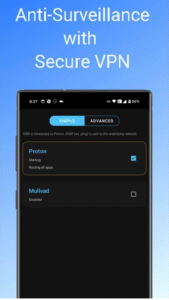
VPN: Connects to multiple WireGuard VPNs of your choice.
Safe: Reveals network activity of installed apps and lets you disable, uninstall, or firewall them.
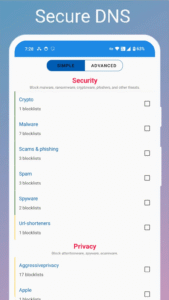
Secure: First line of defense against spyware, ransomware, and malware that steal personal information and takeover accounts. Protects from DNS manipulation typically employed to censor websites, social media, and messaging apps.
Fast: DNS Servers deployed to 300+ locations world-wide to ensure your internet is as fast and highly available as it can be.
Open: Open source and free of any trackers.
***Features***
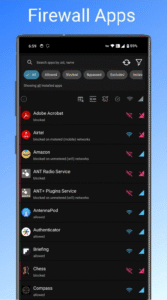
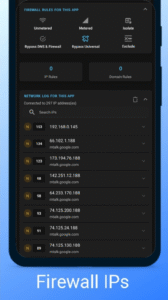
Firewall: Prevent apps from connecting to the Internet. Block spyware, malware, ransomware and more.
A firewall blocks any app connecting to the Internet over WiFi or Mobile data. Since most forms of surveillance require the data to be sent the network to a server, firewalling them effectively mitigates the threat (File Managers, Alarm Clock, Calculator are few such examples of apps that do not require any Internet access to function). The firewall feature uses Accessibility Service to detect and firewall background applications.
Monitoring: Keep tabs on incoming and outgoing Internet traffic.
If enabled, the connectivity logs are collected and analyzed. Automated reports flag previously unknown or suspicious connections, and reveal the extent of attempt to steal data by spyware networks. In our tests, around 60% of the traffic is flagged and reported as being initiated by known spyware. Logs generated are made available in near-real time to the user for their own analysis.
WireGuard: Secure outgoing Internet traffic.
The app uses fast, modern, light-weight, and secure WireGuard protocol to encrypt outgoing connections to any compatible VPN provider of your choice.
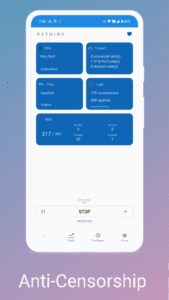
Anti-censorship:
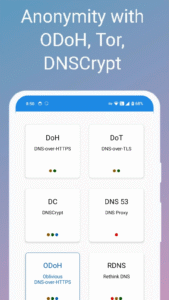
The app encrypts your internet connection to Domain Name System (DNS) server run by Rethink with presence in our 300+ locations world-wide. DNS servers are the address book of the internet: A DNS server provides the exact addresses you need to visit a website or open an app.
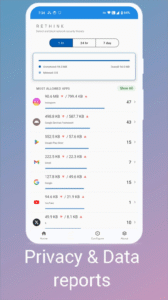
Data Monitor: Track per-app and per-connection Mobile or WiFi data usage.
VPN: Connects to multiple WireGuard VPNs of your choice.
Safe: Reveals network activity of installed apps and lets you disable, uninstall, or firewall them.
Secure: First line of defense against spyware, ransomware, and malware that steal personal information and takeover accounts. Protects from DNS manipulation typically employed to censor websites, social media, and messaging apps.
Fast: DNS Servers deployed to 300+ locations world-wide to ensure your internet is as fast and highly available as it can be.
Open: Open source and free of any trackers.
***Features***
Firewall: Prevent apps from connecting to the Internet. Block spyware, malware, ransomware and more.
A firewall blocks any app connecting to the Internet over WiFi or Mobile data. Since most forms of surveillance require the data to be sent the network to a server, firewalling them effectively mitigates the threat (File Managers, Alarm Clock, Calculator are few such examples of apps that do not require any Internet access to function). The firewall feature uses Accessibility Service to detect and firewall background applications.
Monitoring: Keep tabs on incoming and outgoing Internet traffic.
If enabled, the connectivity logs are collected and analyzed. Automated reports flag previously unknown or suspicious connections, and reveal the extent of attempt to steal data by spyware networks. In our tests, around 60% of the traffic is flagged and reported as being initiated by known spyware. Logs generated are made available in near-real time to the user for their own analysis.
WireGuard: Secure outgoing Internet traffic.
The app uses fast, modern, light-weight, and secure WireGuard protocol to encrypt outgoing connections to any compatible VPN provider of your choice.
Anti-censorship:
The app encrypts your internet connection to Domain Name System (DNS) server run by Rethink with presence in our 300+ locations world-wide. DNS servers are the address book of the internet: A DNS server provides the exact addresses you need to visit a website or open an app.
Data Monitor: Track per-app and per-connection Mobile or WiFi data usage.
Download Rethink: DNS + Firewall + VPN v0.5.5n-1-gc74a7ae1 (Android APK
Fast, free and safe download.
APK Permissions 18
- android.permission.ACCESS_NETWORK_STATE
- android.permission.CAMERA
- android.permission.CHANGE_NETWORK_STATE
- android.permission.FOREGROUND_SERVICE
- android.permission.FOREGROUND_SERVICE_CONNECTED_DEVICE
- android.permission.FOREGROUND_SERVICE_SYSTEM_EXEMPTED
- android.permission.INTERACT_ACROSS_USERS
- android.permission.INTERNET
- android.permission.MANAGE_EXTERNAL_STORAGE
- android.permission.POST_NOTIFICATIONS
- android.permission.QUERY_ALL_PACKAGES
- android.permission.READ_EXTERNAL_STORAGE
- android.permission.RECEIVE_BOOT_COMPLETED
- android.permission.USE_BIOMETRIC
- android.permission.USE_FINGERPRINT
- android.permission.WAKE_LOCK
- android.permission.WRITE_EXTERNAL_STORAGE
- com.celzero.bravedns.DYNAMIC_RECEIVER_NOT_EXPORTED_PERMISSION
APK Verified
The cryptographic signature guarantees that the file is safe to install and was not tampered with in any way.


Frequently Asked Questions about Rethink: DNS + Firewall + VPN v0.5.5n-1-gc74a7ae1 (Android APK
This variant is built for devices that report `arm64-v8a, armeabi-v7a, x86, x86_64` as their primary ABI. If your device's CPU matches, this is the smallest, fastest version to install.
Yes — the APK's signature has been cryptographically verified against the publisher's signing key. The SHA-256 hash is shown in the File Information panel so you can independently confirm the file matches the original release.
Android 23 (API level 35) or newer. Older devices will refuse the install.
Install a free app like 'CPU-Z' or 'Droid Hardware Info' from the Play Store and look at the ABI / Instruction Set row. Most phones made after 2017 are arm64-v8a; if in doubt, download the universal variant.
All variants are functionally identical — same features, same version. They differ only in which CPU architectures the native code is compiled for, and (sometimes) which screen densities the included graphics target. Pick the one that matches your device for the smallest install size, or pick 'Universal' if you're unsure.