
This is the universal build of Duo Mobile (Wear OS) 4.97.0. It contains native libraries for every CPU architecture (arm64-v8a, armeabi-v7a, x86, x86_64), so it installs on any Android device. The trade-off is size — it's larger than per-architecture variants. Pick this one if you're unsure which CPU your phone has, or if you plan to share the APK with multiple devices.
File size: 4.4 MB • Min Android: 30 • Target Android: 35 • Version code: 4097001 • Framework: Native (Java/Kotlin) • Permissions: 7
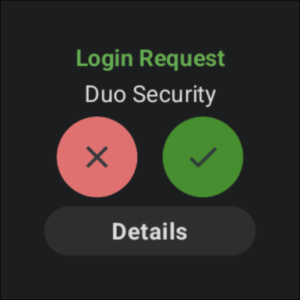
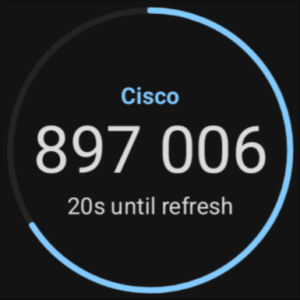
Screenshots
File Information
| Package Name | com.duosecurity.duomobile |
|---|---|
| Version Name | 4.97.0 |
| Version Code | 4097001 |
| Architecture | Universal |
| Min Android Version | Android 30 (API 35) |
| Main Activity | com.duosecurity.duomobile.account_list.AccountListActivity |
| Framework | Native (Java/Kotlin) |
| File Size | 4.41 MB |
| Signature (SHA1) | 56A8FC4417E41E0EB0B24E8B17EE1F447D0381E5 |
| File Hash (SHA256) | a923574567b3ab7762d45d160d982bf09ad59df0f33ec49b124b220b1f528228 |
What's New
We're always working to improve user experience in Duo Mobile. This update introduces various behind-the-scenes improvements and minor bug fixes to enhance your authentication experience.
App Description
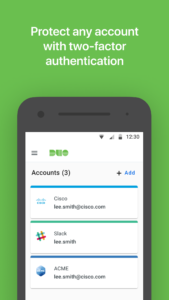
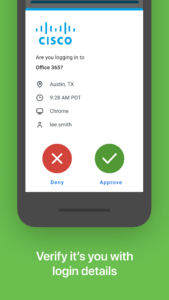
Duo Mobile works with Duo Security's two-factor authentication service to make logins more secure. The application generates passcodes for login and can receive push notifications for easy, one-tap authentication.
Additionally, you can use Duo Mobile to manage two-factor authentication for other application and web services that make use of passcodes.
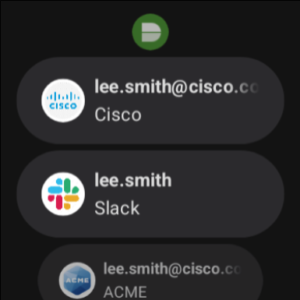
Duo Mobile also has a companion app for Wear OS, Duo Wear, making secure authentication even more convenient on your smartwatch.
Note: For Duo accounts, Duo Mobile needs to be activated and linked to your account before it will work. You will receive an activation link as part of Duo's enrollment process. You may add third-party accounts at any time.
Additionally, we will request access to use your camera for the sole purpose of scanning QR codes when activating accounts. Accounts can be activated by other methods if you choose not to do so.
License agreements for third-party Open Source libraries used in Duo Mobile can be found at
www.duosecurity.com/legal/open-source-licenses
.
For the latest Terms and Conditions see
duo.com/legal/terms
.
Additionally, you can use Duo Mobile to manage two-factor authentication for other application and web services that make use of passcodes.
Duo Mobile also has a companion app for Wear OS, Duo Wear, making secure authentication even more convenient on your smartwatch.
Note: For Duo accounts, Duo Mobile needs to be activated and linked to your account before it will work. You will receive an activation link as part of Duo's enrollment process. You may add third-party accounts at any time.
Additionally, we will request access to use your camera for the sole purpose of scanning QR codes when activating accounts. Accounts can be activated by other methods if you choose not to do so.
License agreements for third-party Open Source libraries used in Duo Mobile can be found at
www.duosecurity.com/legal/open-source-licenses
.
For the latest Terms and Conditions see
duo.com/legal/terms
.
Download Duo Mobile (Wear OS) APK
Fast, free and safe download.
APK Permissions 7
- android.permission.BLUETOOTH_CONNECT
- android.permission.POST_NOTIFICATIONS
- android.permission.USE_BIOMETRIC
- android.permission.USE_FINGERPRINT
- android.permission.VIBRATE
- android.permission.WAKE_LOCK
- com.duosecurity.duomobile.DYNAMIC_RECEIVER_NOT_EXPORTED_PERMISSION
APK Verified
The cryptographic signature guarantees that the file is safe to install and was not tampered with in any way.
Similar in Business


Frequently Asked Questions about Duo Mobile (Wear OS) APK
This is the universal variant — a single APK that contains native libraries for every CPU architecture. It installs on any Android device but is larger than per-architecture variants.
Yes — the APK's signature has been cryptographically verified against the publisher's signing key. The SHA-256 hash is shown in the File Information panel so you can independently confirm the file matches the original release.
Android 30 (API level 35) or newer. Older devices will refuse the install.
Install a free app like 'CPU-Z' or 'Droid Hardware Info' from the Play Store and look at the ABI / Instruction Set row. Most phones made after 2017 are arm64-v8a; if in doubt, download the universal variant.
All variants are functionally identical — same features, same version. They differ only in which CPU architectures the native code is compiled for, and (sometimes) which screen densities the included graphics target. Pick the one that matches your device for the smallest install size, or pick 'Universal' if you're unsure.