
Download Citrix Secure Access APK 25.03.3 arm64-v8a, armeabi-v7a, x86, x86_64 · Android 24+
Download APK
Verified Safe
This is the arm64-v8a, armeabi-v7a, x86, x86_64 build of Citrix Secure Access 25.03.3. Pick this build if your device's primary ABI matches.
File size: 10.6 MB • Min Android: 24 • Target Android: 34 • Version code: 145 • Framework: Native (Java/Kotlin) • Permissions: 16
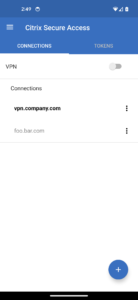
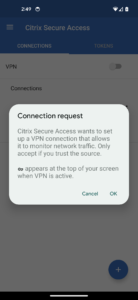
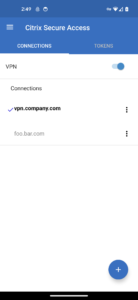
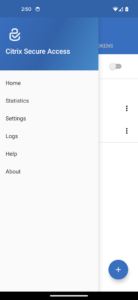
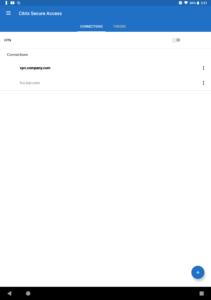
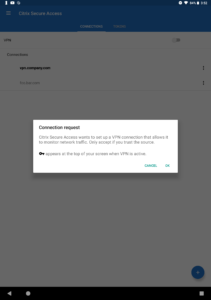
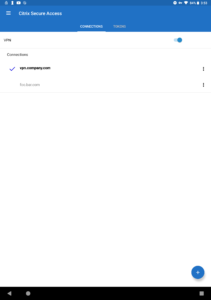
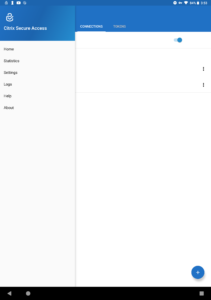
Screenshots
File Information
| Package Name | com.citrix.CitrixVPN |
|---|---|
| Version Name | 25.03.3 |
| Version Code | 145 |
| Architecture | arm64-v8a, armeabi-v7a, x86, x86_64 |
| Min Android Version | Android 24 (API 34) |
| Main Activity | com.citrix.citrixvpn.SplashScreen |
| Framework | Native (Java/Kotlin) |
| File Size | 10.58 MB |
| Signature (SHA1) | 4B500FC4C2685C1BF26277AF8332B29C32366929 |
| File Hash (SHA256) | 2912f0c971b4125bf18b9447cdd59c5bf0e873cf316aff05a1705ef36b6f9a00 |
What's New
- Enhance Always On VPN restart
- Fix Always On VPN stuck in reconnect loop
- Fix AO VPN and Intune NAC interaction
- Misc stability fixes
NOTE: MDM admins are advised to allow POST_NOTIFICATIONS permission and set "IsAlwaysOnVpn" to True in managed configuration for the Always-On VPN profile.
For documentation about new features, see What's new in Citrix SSO for Android release notes at
docs.citrix.com/en-us/citrix-gateway/citrix-gateway-clients/citrix-sso-release-notes-android.html
- Fix Always On VPN stuck in reconnect loop
- Fix AO VPN and Intune NAC interaction
- Misc stability fixes
NOTE: MDM admins are advised to allow POST_NOTIFICATIONS permission and set "IsAlwaysOnVpn" to True in managed configuration for the Always-On VPN profile.
For documentation about new features, see What's new in Citrix SSO for Android release notes at
docs.citrix.com/en-us/citrix-gateway/citrix-gateway-clients/citrix-sso-release-notes-android.html
App Description
Citrix Secure Access (formerly Citrix SSO) app enables secure access to business critical applications, virtual desktops, and corporate data from anywhere at any time, providing an optimal user experience with the NetScaler Gateway.
Secure Access features:
• Full layer 3 TLS connectivity to NetScaler Gateway using Android VpnService framework
• Per-app connection flexibility (Provisioning support through MDM systems)
• Android Enterprise managed configuration support
• Always-On connection support with client certificate on Android 7.0+
• Multi-factor authentication support with client certificate
• Seamless session maintenance during network changes
• Multi-language support
• Built-in support for emailing logs
One Time Password (OTP) features:
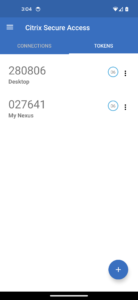
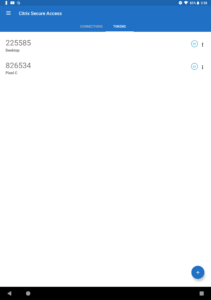
• One Time Password generator using TOTP protocol
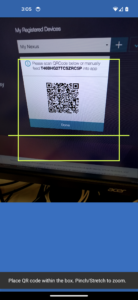
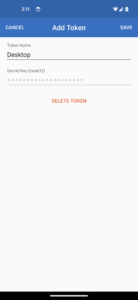
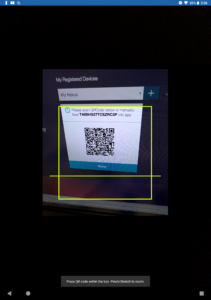
• Add/manage OTP tokens using QR Code
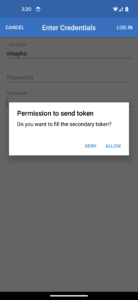
• Second factor authentication using push notifications
• Multi factor authentication with biometrics support on Android 6.0+
Requirements:
Credentialed access to a NetScaler Gateway installation with release 10.5 or later. Please contact your organization’s IT group for connection information.
Citrix Secure Access app in a managed Work Profile or Device Profile:
• If you are deploying Citrix Secure Access app in a managed Work Profile or Device Profile, it uses QUERY_ALL_PACKAGES permission. This permission is used by enterprise administrator to provision managed VPN configurations. A managed VPN configuration allows controlled access to the VPN session from specific applications on your Android device from the Work Profile or the Device Profile. It is also advised to pre-grant POST_NOTIFICATIONS permission to Citrix Secure Access app so that it can show VPN status and Push notifications to the user on Android 13 and later devices.
Typically, Citrix Secure Access app does not collect any personally identifiable data from managed Work Profile. No information from personal profile is accessed.
Languages:
Citrix Secure Access app supports English, German, French, Spanish, Simplified Chinese, and Japanese languages
Help docs:
help-docs.citrix.com/en-us/citrix-sso/citrix-sso-for-android/use-sso-app-from-your-android-device.html
Secure Access features:
• Full layer 3 TLS connectivity to NetScaler Gateway using Android VpnService framework
• Per-app connection flexibility (Provisioning support through MDM systems)
• Android Enterprise managed configuration support
• Always-On connection support with client certificate on Android 7.0+
• Multi-factor authentication support with client certificate
• Seamless session maintenance during network changes
• Multi-language support
• Built-in support for emailing logs
One Time Password (OTP) features:
• One Time Password generator using TOTP protocol
• Add/manage OTP tokens using QR Code
• Second factor authentication using push notifications
• Multi factor authentication with biometrics support on Android 6.0+
Requirements:
Credentialed access to a NetScaler Gateway installation with release 10.5 or later. Please contact your organization’s IT group for connection information.
Citrix Secure Access app in a managed Work Profile or Device Profile:
• If you are deploying Citrix Secure Access app in a managed Work Profile or Device Profile, it uses QUERY_ALL_PACKAGES permission. This permission is used by enterprise administrator to provision managed VPN configurations. A managed VPN configuration allows controlled access to the VPN session from specific applications on your Android device from the Work Profile or the Device Profile. It is also advised to pre-grant POST_NOTIFICATIONS permission to Citrix Secure Access app so that it can show VPN status and Push notifications to the user on Android 13 and later devices.
Typically, Citrix Secure Access app does not collect any personally identifiable data from managed Work Profile. No information from personal profile is accessed.
Languages:
Citrix Secure Access app supports English, German, French, Spanish, Simplified Chinese, and Japanese languages
Help docs:
help-docs.citrix.com/en-us/citrix-sso/citrix-sso-for-android/use-sso-app-from-your-android-device.html
Download Citrix Secure Access APK
Fast, free and safe download.
APK Permissions 16
- android.permission.ACCESS_NETWORK_STATE
- android.permission.ACCESS_WIFI_STATE
- android.permission.CAMERA
- android.permission.FOREGROUND_SERVICE
- android.permission.FOREGROUND_SERVICE_SYSTEM_EXEMPTED
- android.permission.HIDE_OVERLAY_WINDOWS
- android.permission.INTERNET
- android.permission.POST_NOTIFICATIONS
- android.permission.QUERY_ALL_PACKAGES
- android.permission.READ_PHONE_STATE
- android.permission.RECEIVE_BOOT_COMPLETED
- android.permission.USE_BIOMETRIC
- android.permission.WAKE_LOCK
- com.citrix.CitrixVPN.DYNAMIC_RECEIVER_NOT_EXPORTED_PERMISSION
- com.google.android.c2dm.permission.RECEIVE
- com.google.android.finsky.permission.BIND_GET_INSTALL_REFERRER_SERVICE
APK Verified
The cryptographic signature guarantees that the file is safe to install and was not tampered with in any way.


Frequently Asked Questions about Citrix Secure Access APK
This variant is built for devices that report `arm64-v8a, armeabi-v7a, x86, x86_64` as their primary ABI. If your device's CPU matches, this is the smallest, fastest version to install.
Yes — the APK's signature has been cryptographically verified against the publisher's signing key. The SHA-256 hash is shown in the File Information panel so you can independently confirm the file matches the original release.
Android 24 (API level 34) or newer. Older devices will refuse the install.
Install a free app like 'CPU-Z' or 'Droid Hardware Info' from the Play Store and look at the ABI / Instruction Set row. Most phones made after 2017 are arm64-v8a; if in doubt, download the universal variant.
All variants are functionally identical — same features, same version. They differ only in which CPU architectures the native code is compiled for, and (sometimes) which screen densities the included graphics target. Pick the one that matches your device for the smallest install size, or pick 'Universal' if you're unsure.