
Download 1.1.1.1 + WARP: Safer Internet APK 6.38.5 Universal · Android 21+
Download APK
Verified Safe
This is the universal build of 1.1.1.1 + WARP: Safer Internet 6.38.5. It contains native libraries for every CPU architecture (arm64-v8a, armeabi-v7a, x86, x86_64), so it installs on any Android device. The trade-off is size — it's larger than per-architecture variants. Pick this one if you're unsure which CPU your phone has, or if you plan to share the APK with multiple devices.
File size: 48.6 MB • Min Android: 21 • Target Android: 34 • Version code: 4920 • Framework: Native (Java/Kotlin) • Permissions: 17
Screenshots
File Information
| Package Name | com.cloudflare.onedotonedotonedotone |
|---|---|
| Version Name | 6.38.5 |
| Version Code | 4920 |
| Architecture | Universal |
| Min Android Version | Android 21 (API 34) |
| Main Activity | com.cloudflare.app.presentation.main.SplashActivity |
| Framework | Native (Java/Kotlin) |
| File Size | 48.63 MB |
| Signature (SHA1) | 3A595E52DD381BCEE86A82A089C9BDC78FD459BF |
| File Hash (SHA256) | 18eee6515c63c234a52773090e13dfc999a3dbee586d603e9da2a46f67a6c4bd |
What's New
New 1.1.1.1 app changes:
- Improved error messages for invalid license key entry.
- QLogs are now disabled by default and can be enabled in the app by toggling on ‘Enable qlogs’ under Settings > Advanced > Diagnostics > Debug Logs. The - QLog setting from previous releases will no longer be respected.
- DNS over HTTPS traffic is now included in the WARP tunnel by default.
- Improved error messages for invalid license key entry.
- QLogs are now disabled by default and can be enabled in the app by toggling on ‘Enable qlogs’ under Settings > Advanced > Diagnostics > Debug Logs. The - QLog setting from previous releases will no longer be respected.
- DNS over HTTPS traffic is now included in the WARP tunnel by default.
App Description
✌️✌️1.1.1.1 w/ WARP – the free app that makes your Internet more private – ✌️✌️
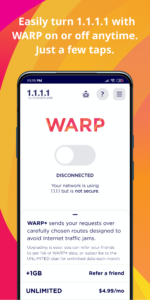
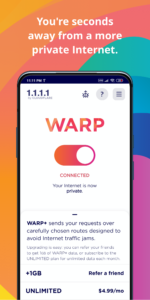
1.1.1.1 w/ WARP makes your Internet more private and safer. No one should be able to snoop 🔍 on what you do on the Internet. We’ve created 1.1.1.1 so that you can connect to the Internet securely anytime, anywhere.
A better way to connect 🔑
1.1.1.1 with WARP replaces the connection between your phone and the Internet with a modern, optimized, protocol.
Greater privacy 🔒
1.1.1.1 with WARP prevents anyone from snooping on you by encrypting more of the traffic leaving your phone. We believe privacy is a right. We won't sell your data.
Better security 🛑
1.1.1.1 with WARP protects your phone from security threats like malware, phishing, crypto mining and other security threats. Enable 1.1.1.1 for Families option from the DNS settings inside the app.
Easy to use ✌️
One-touch setup to make your Internet more safe and private. Install it today, get a more private Internet, it’s that simple.
The only way to get WARP+ 🚀
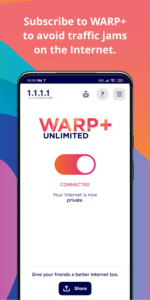
We test thousands of paths over the Internet every second to find which have the best performance. Skip right past Internet traffic jams using the same technology that we use to make thousands of websites 30% faster (on average).
---------------------
Subscription Information for WARP+
• 1.1.1.1 with WARP is free, but WARP+ is a paid feature which can be enabled at any time.
• Subscribe on a monthly basis to receive unlimited WARP+ data for the duration of the subscription.
• Your subscription will automatically renew for the same package length at the same price until you cancel in settings in the Google Play Store at least 24 hours prior to the end of the current period.
• Any unused portion of a free trial period and/or WARP+ data transfer credits, if offered, will be forfeited when you purchase a subscription, where applicable.
Trusted Networks and Location Awareness
WARP users can opt into sharing their precise location via device settings to use the Trusted Networks feature. This feature requires access to your network name (SSID), available only on Android with precise location sharing. Trusted Networks helps WARP recognize known networks for better compatibility with home devices like printers and TVs.
1.1.1.1 w/ WARP makes your Internet more private and safer. No one should be able to snoop 🔍 on what you do on the Internet. We’ve created 1.1.1.1 so that you can connect to the Internet securely anytime, anywhere.
A better way to connect 🔑
1.1.1.1 with WARP replaces the connection between your phone and the Internet with a modern, optimized, protocol.
Greater privacy 🔒
1.1.1.1 with WARP prevents anyone from snooping on you by encrypting more of the traffic leaving your phone. We believe privacy is a right. We won't sell your data.
Better security 🛑
1.1.1.1 with WARP protects your phone from security threats like malware, phishing, crypto mining and other security threats. Enable 1.1.1.1 for Families option from the DNS settings inside the app.
Easy to use ✌️
One-touch setup to make your Internet more safe and private. Install it today, get a more private Internet, it’s that simple.
The only way to get WARP+ 🚀
We test thousands of paths over the Internet every second to find which have the best performance. Skip right past Internet traffic jams using the same technology that we use to make thousands of websites 30% faster (on average).
---------------------
Subscription Information for WARP+
• 1.1.1.1 with WARP is free, but WARP+ is a paid feature which can be enabled at any time.
• Subscribe on a monthly basis to receive unlimited WARP+ data for the duration of the subscription.
• Your subscription will automatically renew for the same package length at the same price until you cancel in settings in the Google Play Store at least 24 hours prior to the end of the current period.
• Any unused portion of a free trial period and/or WARP+ data transfer credits, if offered, will be forfeited when you purchase a subscription, where applicable.
Trusted Networks and Location Awareness
WARP users can opt into sharing their precise location via device settings to use the Trusted Networks feature. This feature requires access to your network name (SSID), available only on Android with precise location sharing. Trusted Networks helps WARP recognize known networks for better compatibility with home devices like printers and TVs.
Download 1.1.1.1 + WARP: Safer Internet APK
Fast, free and safe download.
APK Permissions 17
- android.permission.ACCESS_COARSE_LOCATION
- android.permission.ACCESS_NETWORK_STATE
- android.permission.ACCESS_WIFI_STATE
- android.permission.FOREGROUND_SERVICE
- android.permission.FOREGROUND_SERVICE_LOCATION
- android.permission.FOREGROUND_SERVICE_SYSTEM_EXEMPTED
- android.permission.INTERNET
- android.permission.POST_NOTIFICATIONS
- android.permission.READ_EXTERNAL_STORAGE
- android.permission.RECEIVE_BOOT_COMPLETED
- android.permission.SCHEDULE_EXACT_ALARM
- android.permission.WAKE_LOCK
- android.permission.WRITE_EXTERNAL_STORAGE
- com.android.vending.BILLING
- com.cloudflare.onedotonedotonedotone.permission.ACCESS_EXPORTED_ACTIVITY
- com.google.android.c2dm.permission.RECEIVE
- com.google.android.finsky.permission.BIND_GET_INSTALL_REFERRER_SERVICE
APK Verified
The cryptographic signature guarantees that the file is safe to install and was not tampered with in any way.
Similar in Tools


More by Cloudflare, Inc.

Frequently Asked Questions about 1.1.1.1 + WARP: Safer Internet APK
This is the universal variant — a single APK that contains native libraries for every CPU architecture. It installs on any Android device but is larger than per-architecture variants.
Yes — the APK's signature has been cryptographically verified against the publisher's signing key. The SHA-256 hash is shown in the File Information panel so you can independently confirm the file matches the original release.
Android 21 (API level 34) or newer. Older devices will refuse the install.
Install a free app like 'CPU-Z' or 'Droid Hardware Info' from the Play Store and look at the ABI / Instruction Set row. Most phones made after 2017 are arm64-v8a; if in doubt, download the universal variant.
All variants are functionally identical — same features, same version. They differ only in which CPU architectures the native code is compiled for, and (sometimes) which screen densities the included graphics target. Pick the one that matches your device for the smallest install size, or pick 'Universal' if you're unsure.