
This is the arm64-v8a build of Collabora Office 25.04.5.2 — the modern 64-bit ARM build that runs on virtually every Android phone released since 2017. It's smaller and faster than the universal variant because Android only loads the native code your CPU actually needs. If your phone is from the last 8 years, this is the right pick.
File size: 256.2 MB • Min Android: 26 • Target Android: 35 • Version code: 112 • Framework: Native (Java/Kotlin) • Permissions: 3
Screenshots
File Information
| Package Name | com.collabora.libreoffice |
|---|---|
| Version Name | 25.04.5.2 |
| Version Code | 112 |
| Architecture | arm64-v8a |
| Min Android Version | Android 26 (API 35) |
| Main Activity | org.libreoffice.androidapp.ui.LibreOfficeUIActivity |
| Framework | Native (Java/Kotlin) |
| File Size | 256.19 MB |
| Signature (SHA1) | A79966C152A6B7F40707169CE9B58B50B96E1618 |
| File Hash (SHA256) | bfc1d8fb7b72b0eec15689524a325c4a1948fd9fe88a28b162d4f6cef4f8bd00 |
What's New
Heya! Good to see you again, loyal release-notes-readers. This release we've made some improvements to our selection handles - though we know they're still a little clunky and have some more fixes planned. We've also made some improvements to how the notebook bar works in tablet mode.
You can find the code that was used to build this release on our GitHub: this release is based on code from Collabora Online 25.04.5
You can find the code that was used to build this release on our GitHub: this release is based on code from Collabora Online 25.04.5
App Description
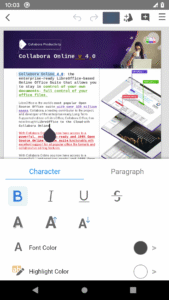
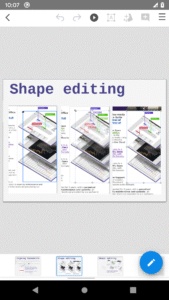
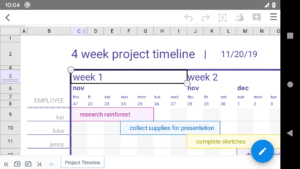
Collabora Office is a text editor, spreadsheet and presentation program based on LibreOffice, the world's most popular Open Source office suite - and now it's on Android, enhancing your possibilities to work on mobile and for collaboration.
This app is in active development, feedback and bug reports are very welcome.
Supported files:
• Open Document Format (.odt, .odp, .ods, .ots, .ott, .otp)
• Microsoft Office 2007/2010/2013/2016/2019 (.docx, .pptx, .xlsx, .dotx, .xltx, .ppsx)
• Microsoft Office 97/2000/XP/2003 (.doc, .ppt, .xls, .dot, .xlt, .pps)
Report issues:
Use the bugtracker and attach any files that caused problems via
col.la/android
. Please note that anything you enter in the bugtracker will be public.
About the app:
Collabora Office for Android uses the same engine as LibreOffice for Windows, Mac, and Linux. This, combined with a new front-end based on Collabora Online, reads and saves documents similarly to LibreOffice desktop.
Collabora Engineers Tor Lillqvist, Tomaž Vajngerl, Michael Meeks, Miklos Vajna, Jan Holešovský, Mert Tümer and Rashesh Padia have been developing Android support since 2012, with the help of Google Summer of Code students Andrzej Hunt, Iain Billet and Kaishu Sahu.
License:
Open Source - Mozilla Public License v2 and other
This app is in active development, feedback and bug reports are very welcome.
Supported files:
• Open Document Format (.odt, .odp, .ods, .ots, .ott, .otp)
• Microsoft Office 2007/2010/2013/2016/2019 (.docx, .pptx, .xlsx, .dotx, .xltx, .ppsx)
• Microsoft Office 97/2000/XP/2003 (.doc, .ppt, .xls, .dot, .xlt, .pps)
Report issues:
Use the bugtracker and attach any files that caused problems via
col.la/android
. Please note that anything you enter in the bugtracker will be public.
About the app:
Collabora Office for Android uses the same engine as LibreOffice for Windows, Mac, and Linux. This, combined with a new front-end based on Collabora Online, reads and saves documents similarly to LibreOffice desktop.
Collabora Engineers Tor Lillqvist, Tomaž Vajngerl, Michael Meeks, Miklos Vajna, Jan Holešovský, Mert Tümer and Rashesh Padia have been developing Android support since 2012, with the help of Google Summer of Code students Andrzej Hunt, Iain Billet and Kaishu Sahu.
License:
Open Source - Mozilla Public License v2 and other
Download Collabora Office APK
Fast, free and safe download.
APK Permissions 3
- android.permission.INTERNET
- android.permission.WRITE_EXTERNAL_STORAGE
- com.collabora.libreoffice.DYNAMIC_RECEIVER_NOT_EXPORTED_PERMISSION
APK Verified
The cryptographic signature guarantees that the file is safe to install and was not tampered with in any way.
Similar in Productivity


Frequently Asked Questions about Collabora Office APK
This variant is built for 64-bit ARM (most Android phones made since 2017). If your device's CPU matches, this is the smallest, fastest version to install.
Yes — the APK's signature has been cryptographically verified against the publisher's signing key. The SHA-256 hash is shown in the File Information panel so you can independently confirm the file matches the original release.
Android 26 (API level 35) or newer. Older devices will refuse the install.
Install a free app like 'CPU-Z' or 'Droid Hardware Info' from the Play Store and look at the ABI / Instruction Set row. Most phones made after 2017 are arm64-v8a; if in doubt, download the universal variant.
All variants are functionally identical — same features, same version. They differ only in which CPU architectures the native code is compiled for, and (sometimes) which screen densities the included graphics target. Pick the one that matches your device for the smallest install size, or pick 'Universal' if you're unsure.