
Download Logcat Reader APK 2.3.0 arm64-v8a, armeabi-v7a, x86, x86_64 · Android 21+
Download APK
Verified Safe
This is the arm64-v8a, armeabi-v7a, x86, x86_64 build of Logcat Reader 2.3.0. Pick this build if your device's primary ABI matches.
File size: 6.0 MB • Min Android: 21 • Target Android: 36 • Version code: 41 • Framework: Native (Java/Kotlin) • Permissions: 8
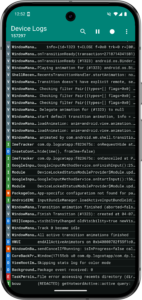
Screenshots
File Information
| Package Name | com.dp.logcatapp |
|---|---|
| Version Name | 2.3.0 |
| Version Code | 41 |
| Architecture | arm64-v8a, armeabi-v7a, x86, x86_64 |
| Min Android Version | Android 21 (API 36) |
| Main Activity | com.dp.logcatapp.activities.MainActivity |
| Framework | Native (Java/Kotlin) |
| File Size | 6.03 MB |
| Signature (SHA1) | B58445CE97EED78EB157C42240E85094888A8113 |
| File Hash (SHA256) | 46662ce4e13e16ff3159cc7ee8c879bcceb64840a05856794d2523276547cd77 |
What's New
* Add option to filter the logs list by search keyword instead of highlighting the search hits
* Add option to copy package name
* Miscellaneous improvements
* Add option to copy package name
* Miscellaneous improvements
App Description
Logcat Reader makes it easy to view and save the device logs. The source code is available at github.com/darshanparajuli/LogcatReader.
Features:
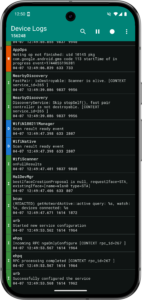
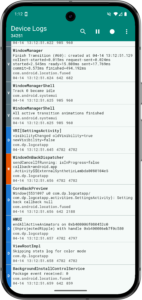
• Color coded logs based on log priority
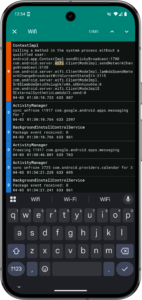
• Search through log messages and tags (supports highlighting)
• Option to select from available log buffers*
• Save logs as a simple text file (as you would see via logcat)
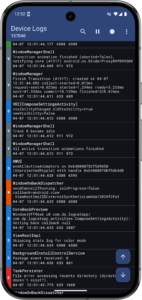
• Material theme (includes dark mode and dynamic color options)
• Compact view option
*
May not work on all devices, in which case, the option will simply not be present in Settings.
Permissions:
android.permission.WRITE_EXTERNAL_STORAGE
Needed for saving logs.
android.permission.READ_LOGS
Required for showing
all
of the logs, not just the ones produced by the Logcat Reader app itself; instructions to grant this permission will show every time the app is opened.
Tested on:
HTC One (m7)
HTC 10
Pixel 9 Pro
GitHub:
github.com/darshanparajuli/LogcatReader
Thank you for checking out this app :)
Features:
• Color coded logs based on log priority
• Search through log messages and tags (supports highlighting)
• Option to select from available log buffers*
• Save logs as a simple text file (as you would see via logcat)
• Material theme (includes dark mode and dynamic color options)
• Compact view option
*
May not work on all devices, in which case, the option will simply not be present in Settings.
Permissions:
android.permission.WRITE_EXTERNAL_STORAGE
Needed for saving logs.
android.permission.READ_LOGS
Required for showing
all
of the logs, not just the ones produced by the Logcat Reader app itself; instructions to grant this permission will show every time the app is opened.
Tested on:
HTC One (m7)
HTC 10
Pixel 9 Pro
GitHub:
github.com/darshanparajuli/LogcatReader
Thank you for checking out this app :)
Download Logcat Reader APK
Fast, free and safe download.
APK Permissions 8
- android.permission.FOREGROUND_SERVICE
- android.permission.FOREGROUND_SERVICE_SPECIAL_USE
- android.permission.POST_NOTIFICATIONS
- android.permission.QUERY_ALL_PACKAGES
- android.permission.READ_EXTERNAL_STORAGE
- android.permission.READ_LOGS
- android.permission.WRITE_EXTERNAL_STORAGE
- com.dp.logcatapp.DYNAMIC_RECEIVER_NOT_EXPORTED_PERMISSION
APK Verified
The cryptographic signature guarantees that the file is safe to install and was not tampered with in any way.


Frequently Asked Questions about Logcat Reader APK
This variant is built for devices that report `arm64-v8a, armeabi-v7a, x86, x86_64` as their primary ABI. If your device's CPU matches, this is the smallest, fastest version to install.
Yes — the APK's signature has been cryptographically verified against the publisher's signing key. The SHA-256 hash is shown in the File Information panel so you can independently confirm the file matches the original release.
Android 21 (API level 36) or newer. Older devices will refuse the install.
Install a free app like 'CPU-Z' or 'Droid Hardware Info' from the Play Store and look at the ABI / Instruction Set row. Most phones made after 2017 are arm64-v8a; if in doubt, download the universal variant.
All variants are functionally identical — same features, same version. They differ only in which CPU architectures the native code is compiled for, and (sometimes) which screen densities the included graphics target. Pick the one that matches your device for the smallest install size, or pick 'Universal' if you're unsure.