
This is the universal build of Docs To Go™ Office Suite 2.003. It contains native libraries for every CPU architecture (arm64-v8a, armeabi-v7a, x86, x86_64), so it installs on any Android device. The trade-off is size — it's larger than per-architecture variants. Pick this one if you're unsure which CPU your phone has, or if you plan to share the APK with multiple devices.
File size: 3.3 MB • Min Android: 3 • Version code: 520 • Framework: Native (Java/Kotlin) • Permissions: 4
Screenshots
File Information
| Package Name | com.dataviz.docstogo |
|---|---|
| Version Name | 2.003 |
| Version Code | 520 |
| Architecture | Universal |
| Min Android Version | Android 3 (API None) |
| Main Activity | com.dataviz.dxtg.common.launcher.android.LauncherActivity |
| Framework | Native (Java/Kotlin) |
| File Size | 3.31 MB |
| Signature (SHA1) | 9EF8BA1730B31B2457B1E88419BBDE2D0F525344 |
| File Hash (SHA256) | 186e004dd0601f4cb2cf4eb6f11ba5f8eb82ca7fb791fed73c601303f189cdad |
What's New
Bug fixes
App Description
Work from anywhere: View, edit, and create Microsoft® Office files & view Adobe PDF® files on your Android smartphone and/or tablet with the original & #1 selling mobile Office suite of all time.
Docs To Go 4.0 contains best-in-class document viewing & editing
THE DATAVIZ® ADVANTAGE
• Founded in 1984, DataViz is an industry leader in developing mobile Office & productivity solutions for Android, iOS, and more.
• Documents To Go is currently preloaded on millions of devices around the world and has been downloaded over 40 million times on Android.
• InTact Technology™ retains original document formatting of edited files.
• No account sign-up necessary to get started in creating files and the freedom to save files where you choose!
OVERALL SUITE FEATURES:
• Includes both Android smartphone & tablet versions in one download.
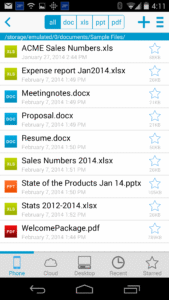
• View, edit, and create MS Office files
• View PDF files
• Send & receive supported email attachments using Gmail or your favorite email app.
• Localized in English, French, German, Spanish, Italian, Portuguese, Brazilian Portuguese, Russian, Turkish, Japanese, Chinese, Korean, Arabic, Polish, Czech.
WORD TO GO FEATURES:
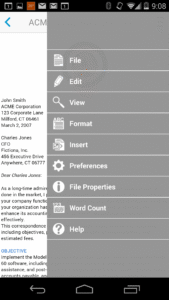
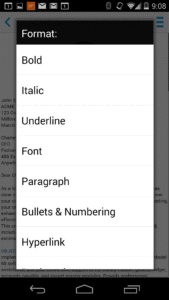
• Format font type, size, color, bold, italics, underline, and highlight text
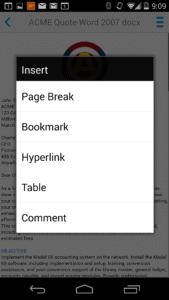
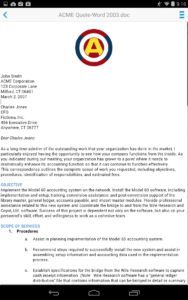
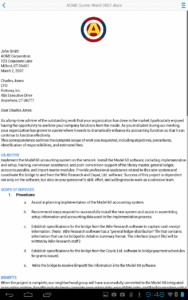
• High fidelity viewing for embedded graphics, tables, bookmarks, comments, footnotes/endnotes, text boxes, table of contents, and hyperlinks
• Change paragraph alignment
• Edit bullets & numbering
• Find & replace
• View Tracked Changes
• Word count
SHEET TO GO FEATURES:
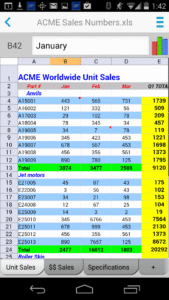
• Freeze panes
• Sort
• Auto-fit
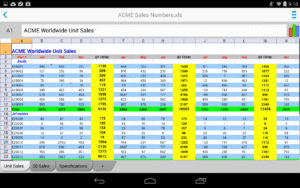
• Extensive cell, number, and sheet formatting options
• 111 functions supported
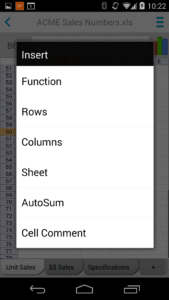
• Insert, delete, resize, hide/unhide rows & columns
• Rename, insert, and delete worksheets
• Find/find next
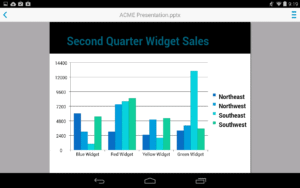
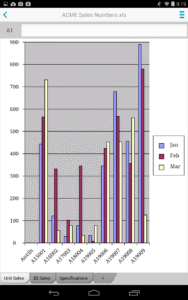
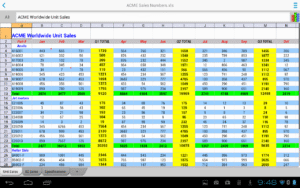
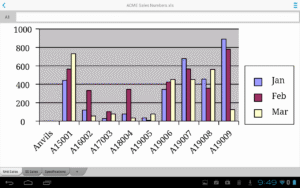
• View charts
SLIDESHOW TO GO FEATURES:
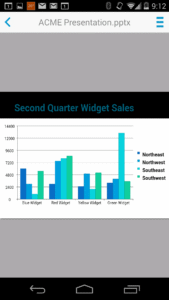
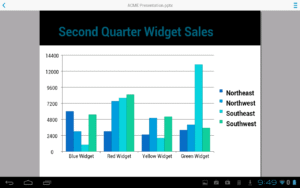
• Effortlessly “flick” through slides
• Rehearse timing
• View speaker notes
• Sort and edit slides, including promote/demote bullets
PDF TO GO FEATURES:
• High-fidelity viewing of PDF files with page view, word wrap, auto-rotate, bookmarks, search, and select/copy text options
• Pinch-to-zoom to desired PDF page size/width
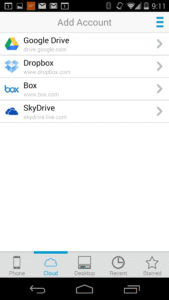
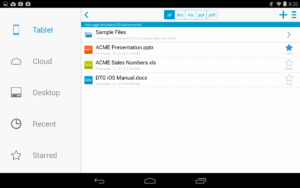
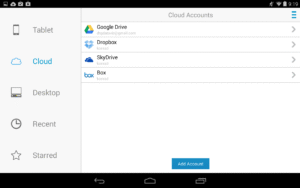
Cloud and Desktop Sync features are only available to customers who previously purchased the Premium app which is no longer for sale.
Docs To Go 4.0 contains best-in-class document viewing & editing
THE DATAVIZ® ADVANTAGE
• Founded in 1984, DataViz is an industry leader in developing mobile Office & productivity solutions for Android, iOS, and more.
• Documents To Go is currently preloaded on millions of devices around the world and has been downloaded over 40 million times on Android.
• InTact Technology™ retains original document formatting of edited files.
• No account sign-up necessary to get started in creating files and the freedom to save files where you choose!
OVERALL SUITE FEATURES:
• Includes both Android smartphone & tablet versions in one download.
• View, edit, and create MS Office files
• View PDF files
• Send & receive supported email attachments using Gmail or your favorite email app.
• Localized in English, French, German, Spanish, Italian, Portuguese, Brazilian Portuguese, Russian, Turkish, Japanese, Chinese, Korean, Arabic, Polish, Czech.
WORD TO GO FEATURES:
• Format font type, size, color, bold, italics, underline, and highlight text
• High fidelity viewing for embedded graphics, tables, bookmarks, comments, footnotes/endnotes, text boxes, table of contents, and hyperlinks
• Change paragraph alignment
• Edit bullets & numbering
• Find & replace
• View Tracked Changes
• Word count
SHEET TO GO FEATURES:
• Freeze panes
• Sort
• Auto-fit
• Extensive cell, number, and sheet formatting options
• 111 functions supported
• Insert, delete, resize, hide/unhide rows & columns
• Rename, insert, and delete worksheets
• Find/find next
• View charts
SLIDESHOW TO GO FEATURES:
• Effortlessly “flick” through slides
• Rehearse timing
• View speaker notes
• Sort and edit slides, including promote/demote bullets
PDF TO GO FEATURES:
• High-fidelity viewing of PDF files with page view, word wrap, auto-rotate, bookmarks, search, and select/copy text options
• Pinch-to-zoom to desired PDF page size/width
Cloud and Desktop Sync features are only available to customers who previously purchased the Premium app which is no longer for sale.
Download Docs To Go™ Office Suite APK
Fast, free and safe download.
APK Permissions 4
- android.permission.ACCESS_NETWORK_STATE
- android.permission.INTERNET
- android.permission.READ_PHONE_STATE
- android.permission.WRITE_EXTERNAL_STORAGE
APK Verified
The cryptographic signature guarantees that the file is safe to install and was not tampered with in any way.


Frequently Asked Questions about Docs To Go™ Office Suite APK
This is the universal variant — a single APK that contains native libraries for every CPU architecture. It installs on any Android device but is larger than per-architecture variants.
Yes — the APK's signature has been cryptographically verified against the publisher's signing key. The SHA-256 hash is shown in the File Information panel so you can independently confirm the file matches the original release.
Android 3 (API level None) or newer. Older devices will refuse the install.
Install a free app like 'CPU-Z' or 'Droid Hardware Info' from the Play Store and look at the ABI / Instruction Set row. Most phones made after 2017 are arm64-v8a; if in doubt, download the universal variant.
All variants are functionally identical — same features, same version. They differ only in which CPU architectures the native code is compiled for, and (sometimes) which screen densities the included graphics target. Pick the one that matches your device for the smallest install size, or pick 'Universal' if you're unsure.