
This is the universal build of DeepL Translate 25.36. It contains native libraries for every CPU architecture (arm64-v8a, armeabi-v7a, x86, x86_64), so it installs on any Android device. The trade-off is size — it's larger than per-architecture variants. Pick this one if you're unsure which CPU your phone has, or if you plan to share the APK with multiple devices.
File size: 37.6 MB • Min Android: 26 • Target Android: 35 • Version code: 189 • Framework: Native (Java/Kotlin) • Permissions: 11
Screenshots
File Information
| Package Name | com.deepl.mobiletranslator |
|---|---|
| Version Name | 25.36 |
| Version Code | 189 |
| Architecture | Universal |
| Min Android Version | Android 26 (API 35) |
| Main Activity | com.deepl.mobiletranslator.MainActivity |
| Framework | Native (Java/Kotlin) |
| File Size | 37.57 MB |
| Signature (SHA1) | B9F70A5D6AFFA23C6710A28590F29BEE1F898DD4 |
| File Hash (SHA256) | 3475dc323e68d64c056f6704f7a0935515b8f675a3a37480b77656bb0dc543d9 |
What's New
No big news this time, but that’s only because we’ve been working hard on improving your experience:
- Fixed several bugs
- Enhanced the usability
- Planned and designed further for the future of translation
- Fixed several bugs
- Enhanced the usability
- Planned and designed further for the future of translation
App Description
DeepL is your go-to AI translation and writing assistant for precise translations, powerful grammar fixes, and clear style enhancements. With the power of advanced Language AI, DeepL allows you to translate text, photos, files, and even speech into over 30 languages on the go. It also offers intelligent writing suggestions for English, French, German, and Spanish to help you create clear, error-free, and impactful texts with ease. So all of your mobile communication, from emails to social media posts, shines with professionalism and confidence.
DeepL Translator
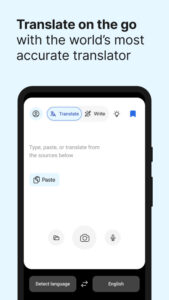
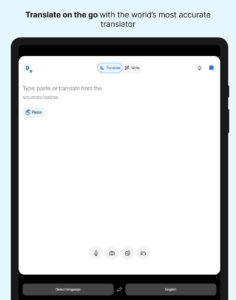
- Translate texts: translate quickly and reliably between more than 30 languages by typing
- High quality: DeepL consistently outperforms competitors by a factor of 3:1
- Quick detection: translations begin as you type
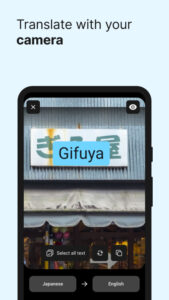
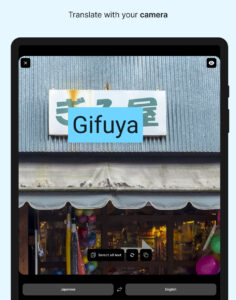
- Camera translation: take a picture to translate text in images (25 languages)
- Photo translation: import photos for higher quality translations of signs, menus, and more in 25 languages
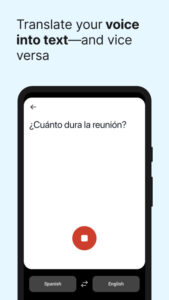
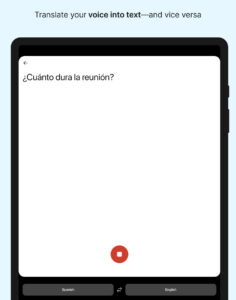
- Speech to text: speak and translate your words into most languages using your device's microphone
- Text to speech: hear your translated text spoken aloud in most languages
- File translation: translate text from files in 25 languages
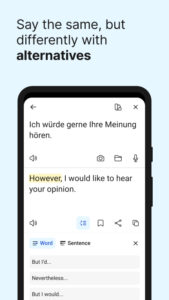
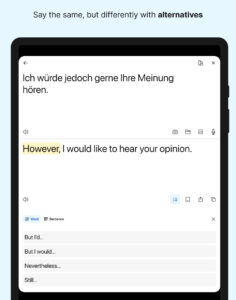
- Alternative translations: explore different options for single words and short phrases
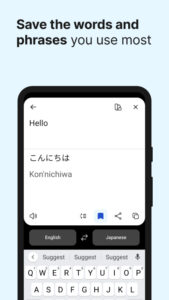
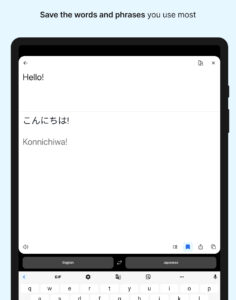
- Saved translations: tap the bookmark icon to save words and phrases for future reference
- Translation history: easily find, edit, and reuse past translations
- Glossary: translate key words and phrases as defined by you or your organization (available with a paid plan)
- Understand non-Latin languages better: see translations of languages such as Japanese or Russian in the Latin alphabet
- Tone adjustment: choose formal or informal styles (available with a paid plan)
Translations between the following languages are supported: Translate Arabic, Bulgarian, Chinese (simplified), Chinese (traditional), Czech, Danish, Dutch, English (American), English (British), Estonian, Finnish, French, German, Greek, Hungarian, Indonesian, Italian, Japanese, Korean, Latvian, Lithuanian, Norwegian (bokmål), Polish, Portuguese, Portuguese (Brazilian), Romanian, Russian, Slovak, Slovenian, Spanish, Swedish, Turkish, Ukrainian
DeepL Write
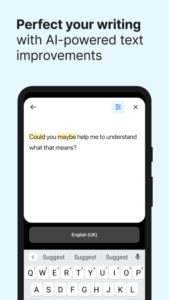
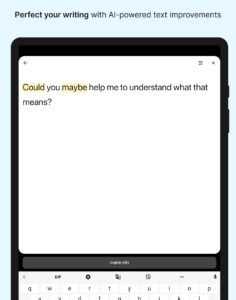
- Wording: rephrase for clarity, conciseness, and effectiveness
- Grammar: check your grammar for total confidence
- Spelling: say goodbye to typos and errors
- Punctuation: easily follow the punctuation rules of your language
- Writing styles and tones: rewrite your improved text based on your audience and goals
DeepL Write is currently available for English, French, German, and Spanish—with many more languages coming soon.
Free to download—access core features without cost!
- Enjoy more translation features with a DeepL account
- Log in to your organization's team account via SSO
- To unlock all features, you may need a DeepL paid plan
Like millions of others every day, get DeepL for Android to communicate effortlessly across language barriers—wherever you are.
︎Terms & Conditions:
www.deepl.com/app-terms
Privacy Policy:
www.deepl.com/privacy.html
DeepL Support:
www.deepl.com/support
DeepL Translator
- Translate texts: translate quickly and reliably between more than 30 languages by typing
- High quality: DeepL consistently outperforms competitors by a factor of 3:1
- Quick detection: translations begin as you type
- Camera translation: take a picture to translate text in images (25 languages)
- Photo translation: import photos for higher quality translations of signs, menus, and more in 25 languages
- Speech to text: speak and translate your words into most languages using your device's microphone
- Text to speech: hear your translated text spoken aloud in most languages
- File translation: translate text from files in 25 languages
- Alternative translations: explore different options for single words and short phrases
- Saved translations: tap the bookmark icon to save words and phrases for future reference
- Translation history: easily find, edit, and reuse past translations
- Glossary: translate key words and phrases as defined by you or your organization (available with a paid plan)
- Understand non-Latin languages better: see translations of languages such as Japanese or Russian in the Latin alphabet
- Tone adjustment: choose formal or informal styles (available with a paid plan)
Translations between the following languages are supported: Translate Arabic, Bulgarian, Chinese (simplified), Chinese (traditional), Czech, Danish, Dutch, English (American), English (British), Estonian, Finnish, French, German, Greek, Hungarian, Indonesian, Italian, Japanese, Korean, Latvian, Lithuanian, Norwegian (bokmål), Polish, Portuguese, Portuguese (Brazilian), Romanian, Russian, Slovak, Slovenian, Spanish, Swedish, Turkish, Ukrainian
DeepL Write
- Wording: rephrase for clarity, conciseness, and effectiveness
- Grammar: check your grammar for total confidence
- Spelling: say goodbye to typos and errors
- Punctuation: easily follow the punctuation rules of your language
- Writing styles and tones: rewrite your improved text based on your audience and goals
DeepL Write is currently available for English, French, German, and Spanish—with many more languages coming soon.
Free to download—access core features without cost!
- Enjoy more translation features with a DeepL account
- Log in to your organization's team account via SSO
- To unlock all features, you may need a DeepL paid plan
Like millions of others every day, get DeepL for Android to communicate effortlessly across language barriers—wherever you are.
︎Terms & Conditions:
www.deepl.com/app-terms
Privacy Policy:
www.deepl.com/privacy.html
DeepL Support:
www.deepl.com/support
Download DeepL Translate APK
Fast, free and safe download.
APK Permissions 11
- android.permission.ACCESS_NETWORK_STATE
- android.permission.CAMERA
- android.permission.FLASHLIGHT
- android.permission.FOREGROUND_SERVICE
- android.permission.INTERNET
- android.permission.POST_NOTIFICATIONS
- android.permission.RECEIVE_BOOT_COMPLETED
- android.permission.RECORD_AUDIO
- android.permission.SYSTEM_ALERT_WINDOW
- android.permission.WAKE_LOCK
- com.deepl.mobiletranslator.DYNAMIC_RECEIVER_NOT_EXPORTED_PERMISSION
APK Verified
The cryptographic signature guarantees that the file is safe to install and was not tampered with in any way.
Similar in Books & Reference


Frequently Asked Questions about DeepL Translate APK
This is the universal variant — a single APK that contains native libraries for every CPU architecture. It installs on any Android device but is larger than per-architecture variants.
Yes — the APK's signature has been cryptographically verified against the publisher's signing key. The SHA-256 hash is shown in the File Information panel so you can independently confirm the file matches the original release.
Android 26 (API level 35) or newer. Older devices will refuse the install.
Install a free app like 'CPU-Z' or 'Droid Hardware Info' from the Play Store and look at the ABI / Instruction Set row. Most phones made after 2017 are arm64-v8a; if in doubt, download the universal variant.
All variants are functionally identical — same features, same version. They differ only in which CPU architectures the native code is compiled for, and (sometimes) which screen densities the included graphics target. Pick the one that matches your device for the smallest install size, or pick 'Universal' if you're unsure.