
This is the universal build of Fly Delta 7.5.1. It contains native libraries for every CPU architecture (arm64-v8a, armeabi-v7a, x86, x86_64), so it installs on any Android device. The trade-off is size — it's larger than per-architecture variants. Pick this one if you're unsure which CPU your phone has, or if you plan to share the APK with multiple devices.
File size: 73.9 MB • Min Android: 26 • Target Android: 36 • Version code: 24234 • Framework: Native (Java/Kotlin) • Permissions: 29
Screenshots
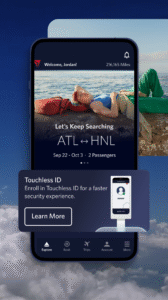

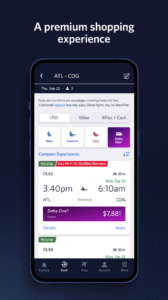
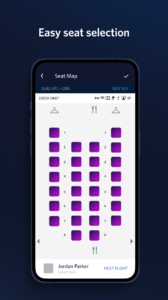
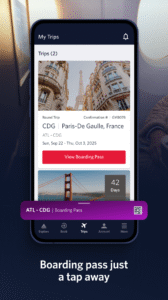
File Information
| Package Name | com.delta.mobile.android |
|---|---|
| Version Name | 7.5.1 |
| Version Code | 24234 |
| Architecture | Universal |
| Min Android Version | Android 26 (API 36) |
| Main Activity | com.delta.mobile.android.SplashScreen |
| Framework | Native (Java/Kotlin) |
| File Size | 73.92 MB |
| Signature (SHA1) | 2A7167E9A28BC6A7EF947DB2EA515B3F091E39F1 |
| File Hash (SHA256) | 1c301fd58f92faa2b5fefab26ba3cf34d2d7c57ade6b6c7390e351f282528c23 |
What's New
What's New 7.5:
• Introducing Flexible Dates when booking! Toggle “My Dates Are Flexible” in the Book tab when searching for flights to compare fares across a range of days and find the trip that best fits your schedule and budget.
• You can now add or edit your Known Traveler Number for TSA PreCheck® directly in your profile.
• Minor enhancements and bug fixes to keep things running smoothly.
• Introducing Flexible Dates when booking! Toggle “My Dates Are Flexible” in the Book tab when searching for flights to compare fares across a range of days and find the trip that best fits your schedule and budget.
• You can now add or edit your Known Traveler Number for TSA PreCheck® directly in your profile.
• Minor enhancements and bug fixes to keep things running smoothly.
App Description
Welcome to Fly Delta, Delta’s award-winning Android app that makes travel easier than ever before.
Planning Your Trip
• Shop and book domestic and international flights
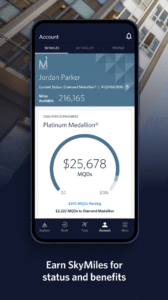
• Track and pay for upgrades using your SkyMiles®
• Manage travel preferences and payment methods
• Save a companion to your profile
• Need Help? Chat with one of our agents via Live Chat messaging
Use at the Airport
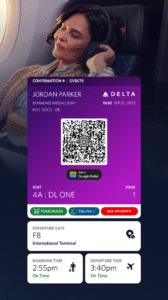
• ”Today” has everything you need for your day of travel
• Check in to your flight and receive your digital boarding pass
• ”Notifications” stores your flight updates and gate change notifications
• Use Airport Maps to navigate through the airport
• View your place on the upgrade/standby list
• Scan your passport during check-in
• View, change or upgrade your seat
• Reserve Preferred Seats in the bulkhead or aisle
• Access boarding pass offline
• Pay for and track your checked bags
• Add Trip Extras like a Wi-Fi pass or Mileage Booster
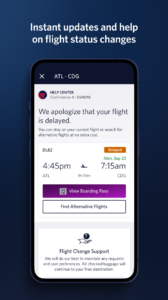
• Monitor flight status and read details about our fleet and partners
• Rebook canceled flights or missed connections
During & After Your Flight
• Get real-time bag tracking alerts
• Map your flight en route
• Find Delta Sky Club® info
• Store and use mobile drink vouchers
When downloading the Fly Delta app, you agree that your personal data will be processed in accordance with Delta’s Privacy Policy which can be accessed via the link below or on our website at delta.com.
Planning Your Trip
• Shop and book domestic and international flights
• Track and pay for upgrades using your SkyMiles®
• Manage travel preferences and payment methods
• Save a companion to your profile
• Need Help? Chat with one of our agents via Live Chat messaging
Use at the Airport
• ”Today” has everything you need for your day of travel
• Check in to your flight and receive your digital boarding pass
• ”Notifications” stores your flight updates and gate change notifications
• Use Airport Maps to navigate through the airport
• View your place on the upgrade/standby list
• Scan your passport during check-in
• View, change or upgrade your seat
• Reserve Preferred Seats in the bulkhead or aisle
• Access boarding pass offline
• Pay for and track your checked bags
• Add Trip Extras like a Wi-Fi pass or Mileage Booster
• Monitor flight status and read details about our fleet and partners
• Rebook canceled flights or missed connections
During & After Your Flight
• Get real-time bag tracking alerts
• Map your flight en route
• Find Delta Sky Club® info
• Store and use mobile drink vouchers
When downloading the Fly Delta app, you agree that your personal data will be processed in accordance with Delta’s Privacy Policy which can be accessed via the link below or on our website at delta.com.
Download Fly Delta APK
Fast, free and safe download.
APK Permissions 29
- android.permission.USE_BIOMETRIC
- android.permission.ACCESS_ADSERVICES_AD_ID
- android.permission.ACCESS_ADSERVICES_ATTRIBUTION
- android.permission.ACCESS_COARSE_LOCATION
- android.permission.ACCESS_FINE_LOCATION
- android.permission.ACCESS_NETWORK_STATE
- android.permission.ACCESS_WIFI_STATE
- android.permission.BLUETOOTH
- android.permission.BLUETOOTH_ADMIN
- android.permission.CAMERA
- android.permission.FOREGROUND_SERVICE
- android.permission.INTERNET
- android.permission.POST_NOTIFICATIONS
- android.permission.READ_CALENDAR
- android.permission.READ_EXTERNAL_STORAGE
- android.permission.RECEIVE_BOOT_COMPLETED
- android.permission.RECORD_AUDIO
- android.permission.USE_BIOMETRIC
- android.permission.USE_FINGERPRINT
- android.permission.VIBRATE
- android.permission.WAKE_LOCK
- android.permission.WRITE_CALENDAR
- com.delta.mobile.android.BROADCAST
- com.delta.mobile.android.DYNAMIC_RECEIVER_NOT_EXPORTED_PERMISSION
- com.delta.mobile.android.permission.C2D_MESSAGE
- com.google.android.c2dm.permission.RECEIVE
- com.google.android.finsky.permission.BIND_GET_INSTALL_REFERRER_SERVICE
- com.google.android.gms.permission.AD_ID
- com.google.android.providers.gsf.permission.READ_GSERVICES
APK Verified
The cryptographic signature guarantees that the file is safe to install and was not tampered with in any way.
Similar in Travel & Local


Frequently Asked Questions about Fly Delta APK
This is the universal variant — a single APK that contains native libraries for every CPU architecture. It installs on any Android device but is larger than per-architecture variants.
Yes — the APK's signature has been cryptographically verified against the publisher's signing key. The SHA-256 hash is shown in the File Information panel so you can independently confirm the file matches the original release.
Android 26 (API level 36) or newer. Older devices will refuse the install.
Install a free app like 'CPU-Z' or 'Droid Hardware Info' from the Play Store and look at the ABI / Instruction Set row. Most phones made after 2017 are arm64-v8a; if in doubt, download the universal variant.
All variants are functionally identical — same features, same version. They differ only in which CPU architectures the native code is compiled for, and (sometimes) which screen densities the included graphics target. Pick the one that matches your device for the smallest install size, or pick 'Universal' if you're unsure.