
This is the universal build of Yandex Navigator 25.6.2. It contains native libraries for every CPU architecture (arm64-v8a, armeabi-v7a, x86, x86_64), so it installs on any Android device. The trade-off is size — it's larger than per-architecture variants. Pick this one if you're unsure which CPU your phone has, or if you plan to share the APK with multiple devices.
File size: 178.0 MB • Min Android: 26 • Target Android: 35 • Version code: 738501720 • Framework: Native (Java/Kotlin) • Permissions: 58
Screenshots
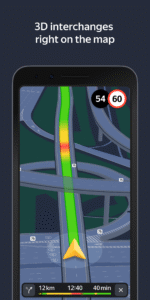
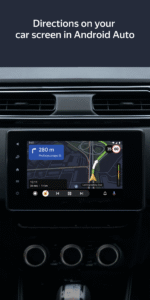
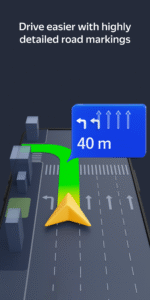
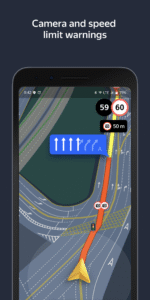
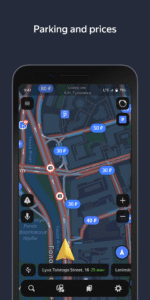
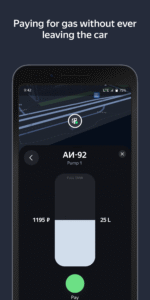
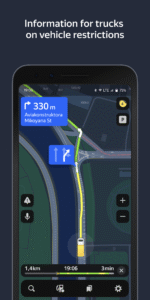
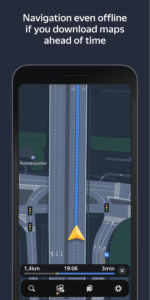
File Information
| Package Name | ru.yandex.yandexnavi |
|---|---|
| Version Name | 25.6.2 |
| Version Code | 738501720 |
| Architecture | Universal |
| Min Android Version | Android 26 (API 35) |
| Main Activity | ru.yandex.yandexnavi.core.NavigatorActivity |
| Framework | Native (Java/Kotlin) |
| File Size | 177.96 MB |
| Signature (SHA1) | 5D224274D9377C35DA777AD934C65C8CCA6E7A20 |
| File Hash (SHA256) | 1c313c1906917c44b2ac529ed40001c6f84f38669e3ea9524f87ccaded2f1c71 |
What's New
CarPlay now shows the next two turns rather than just the next one, so it’s easier to follow your route.
App Description
Yandex Navigator helps drivers plot the optimal route to their destination. The app takes traffic jams, accidents, road works, and other road events into account when plotting your route. Yandex Navigator will present you with up to three variants of your journey, starting with the fastest. If your selected journey takes you over toll roads, the app will warn you about this in advance.
Yandex. Navigator uses voice prompts to guide you along your way, and displays your route on your device’s screen. Additionally, you can always see how many minutes and kilometers you have to go.
You can use your voice to interact with Yandex Navigator so that you don't have to take your hands off the wheel. Just say "Hey, Yandex" and the app will start listening for your commands. For example, "Hey, Yandex, let's go to 1 Lesnaya Street" or "Hey, Yandex, take me to Domodedovo Airport". You can also let Navigator know about road events you encounter (such as "Hey, Yandex, there is an accident in the right lane") or search for locations on the map (by simply saying "Hey, Yandex, Red Square").
Save time by choosing recent destinations from your history. Look through your recent destinations and favorites from any of your devices—they are saved in the cloud and available when and where you need them.
Yandex Navigator will guide you to your destinations in Russia, Belarus, Kazakhstan, Ukraine, and Turkey.
Yandex Navigator is a navigation app, which doesn't have any functions related to healthcare or medicine.
The app suggests enabling the Yandex search widget for the notification panel.
Yandex. Navigator uses voice prompts to guide you along your way, and displays your route on your device’s screen. Additionally, you can always see how many minutes and kilometers you have to go.
You can use your voice to interact with Yandex Navigator so that you don't have to take your hands off the wheel. Just say "Hey, Yandex" and the app will start listening for your commands. For example, "Hey, Yandex, let's go to 1 Lesnaya Street" or "Hey, Yandex, take me to Domodedovo Airport". You can also let Navigator know about road events you encounter (such as "Hey, Yandex, there is an accident in the right lane") or search for locations on the map (by simply saying "Hey, Yandex, Red Square").
Save time by choosing recent destinations from your history. Look through your recent destinations and favorites from any of your devices—they are saved in the cloud and available when and where you need them.
Yandex Navigator will guide you to your destinations in Russia, Belarus, Kazakhstan, Ukraine, and Turkey.
Yandex Navigator is a navigation app, which doesn't have any functions related to healthcare or medicine.
The app suggests enabling the Yandex search widget for the notification panel.
Download Yandex Navigator APK
Fast, free and safe download.
APK Permissions 58
- android.permission.ACCESS_ADSERVICES_AD_ID
- android.permission.ACCESS_ADSERVICES_ATTRIBUTION
- android.permission.ACCESS_ADSERVICES_TOPICS
- android.permission.ACCESS_BACKGROUND_LOCATION
- android.permission.ACCESS_COARSE_LOCATION
- android.permission.ACCESS_FINE_LOCATION
- android.permission.ACCESS_MEDIA_LOCATION
- android.permission.ACCESS_NETWORK_STATE
- android.permission.ACCESS_WIFI_STATE
- android.permission.ACTIVITY_RECOGNITION
- android.permission.AUTHENTICATE_ACCOUNTS
- android.permission.BLUETOOTH
- android.permission.BLUETOOTH_ADMIN
- android.permission.BLUETOOTH_ADVERTISE
- android.permission.BLUETOOTH_CONNECT
- android.permission.BLUETOOTH_SCAN
- android.permission.CAMERA
- android.permission.CHANGE_WIFI_STATE
- android.permission.DETECT_SCREEN_CAPTURE
- android.permission.FOREGROUND_SERVICE
- android.permission.FOREGROUND_SERVICE_CAMERA
- android.permission.FOREGROUND_SERVICE_DATA_SYNC
- android.permission.FOREGROUND_SERVICE_LOCATION
- android.permission.FOREGROUND_SERVICE_MEDIA_PLAYBACK
- android.permission.GET_ACCOUNTS
- android.permission.INTERNET
- android.permission.MANAGE_ACCOUNTS
- android.permission.NFC
- android.permission.POST_NOTIFICATIONS
- android.permission.READ_CONTACTS
- android.permission.READ_EXTERNAL_STORAGE
- android.permission.READ_MEDIA_IMAGES
- android.permission.READ_MEDIA_VIDEO
- android.permission.READ_MEDIA_VISUAL_USER_SELECTED
- android.permission.RECEIVE_BOOT_COMPLETED
- android.permission.RECORD_AUDIO
- android.permission.SCHEDULE_EXACT_ALARM
- android.permission.USE_BIOMETRIC
- android.permission.USE_CREDENTIALS
- android.permission.USE_FINGERPRINT
- android.permission.VIBRATE
- android.permission.WAKE_LOCK
- android.permission.WRITE_EXTERNAL_STORAGE
- android.permission.WRITE_SETTINGS
- androidx.car.app.ACCESS_SURFACE
- androidx.car.app.NAVIGATION_TEMPLATES
- com.android.launcher.permission.INSTALL_SHORTCUT
- com.android.vending.BILLING
- com.google.android.c2dm.permission.RECEIVE
- com.google.android.finsky.permission.BIND_GET_INSTALL_REFERRER_SERVICE
- com.google.android.gms.permission.ACTIVITY_RECOGNITION
- com.google.android.gms.permission.AD_ID
- com.google.android.gms.permission.CAR_SPEED
- com.google.android.gms.permission.CAR_VENDOR_EXTENSION
- com.yandex.alice.icon.permission.READ_STATE
- com.yandex.permission.AM_COMMUNICATION
- com.yandex.permission.READ_CREDENTIALS
- ru.yandex.yandexnavi.DYNAMIC_RECEIVER_NOT_EXPORTED_PERMISSION
APK Verified
The cryptographic signature guarantees that the file is safe to install and was not tampered with in any way.
Similar in Travel & Local


More by Direct Cursus Computer Systems Trading LLC


Frequently Asked Questions about Yandex Navigator APK
This is the universal variant — a single APK that contains native libraries for every CPU architecture. It installs on any Android device but is larger than per-architecture variants.
Yes — the APK's signature has been cryptographically verified against the publisher's signing key. The SHA-256 hash is shown in the File Information panel so you can independently confirm the file matches the original release.
Android 26 (API level 35) or newer. Older devices will refuse the install.
Install a free app like 'CPU-Z' or 'Droid Hardware Info' from the Play Store and look at the ABI / Instruction Set row. Most phones made after 2017 are arm64-v8a; if in doubt, download the universal variant.
All variants are functionally identical — same features, same version. They differ only in which CPU architectures the native code is compiled for, and (sometimes) which screen densities the included graphics target. Pick the one that matches your device for the smallest install size, or pick 'Universal' if you're unsure.