
Download ScreenStream (f-droid version) APK 4.2.7 Universal · Android 23+
Download APK
Verified Safe
This is the universal build of ScreenStream (f-droid version) 4.2.7. It contains native libraries for every CPU architecture (arm64-v8a, armeabi-v7a, x86, x86_64), so it installs on any Android device. The trade-off is size — it's larger than per-architecture variants. Pick this one if you're unsure which CPU your phone has, or if you plan to share the APK with multiple devices.
File size: 28.6 MB • Min Android: 23 • Target Android: 36 • Version code: 42007 • Framework: Native (Java/Kotlin) • Permissions: 18
Screenshots
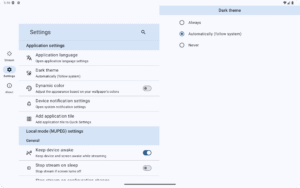
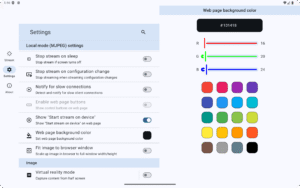
File Information
| Package Name | info.dvkr.screenstream |
|---|---|
| Version Name | 4.2.7 |
| Version Code | 42007 |
| Architecture | Universal |
| Min Android Version | Android 23 (API 36) |
| Main Activity | info.dvkr.screenstream.SingleActivity |
| Framework | Native (Java/Kotlin) |
| File Size | 28.59 MB |
| Signature (SHA1) | 6FFBF7A55FB7E6F0CAC97CDC01D17FEB81775D88 |
| File Hash (SHA256) | 7771a5bba1618fc34cba182a37e465fbb4bc7bd6c6979c26080a00704979c93a |
What's New
Bug fixes
App Description
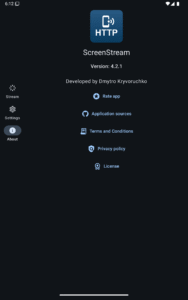
ScreenStream turns any Android device into a live, open source screen & audio streamer that plays in any modern browser - no cables, no extensions. Perfect for presentations, remote assistance, teaching, or casual sharing.
Modes:
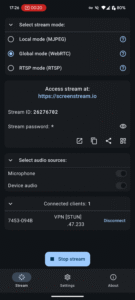
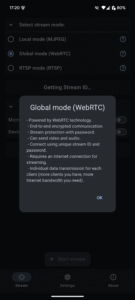
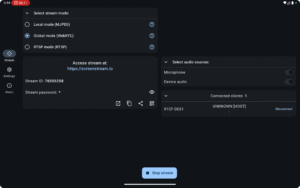
• Global (WebRTC) - worldwide, end-to-end encrypted WebRTC with password (video + audio).
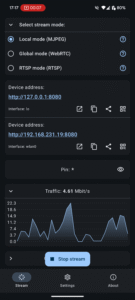
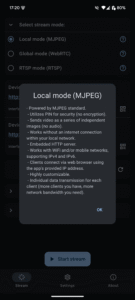
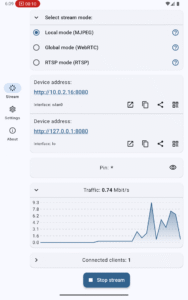
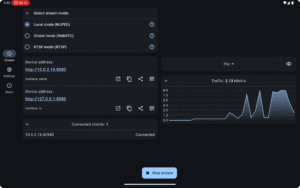
• Local (MJPEG) - zero setup HTTP stream on your Wi-Fi/hotspot; PIN locked; works offline or online.
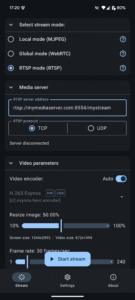
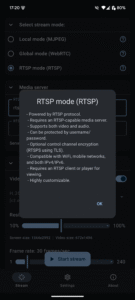
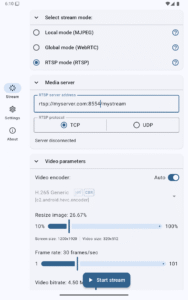
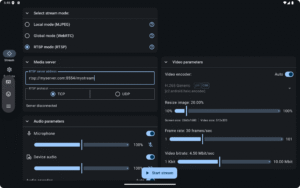
• RTSP - push H.265/H.264/AV1 video + OPUS/AAC/G.711 audio to your own media server.
Global (WebRTC)
• End-to-end encrypted, password-protected peer-to-peer stream
• Shares screen, microphone, and device audio
• Viewers join with Stream ID + password in any WebRTC-enabled browser
• Requires Internet; signaling handled by public open source server
• Audio/video flows directly between devices - Bandwidth grows per viewer
Local (MJPEG)
• Embedded HTTP server; works offline or online over Wi-Fi, hotspot, or USB‑tether
• Sends screen as independent JPEG images (video only)
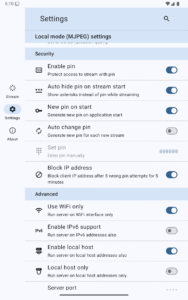
• Optional 4‑digit PIN; no encryption
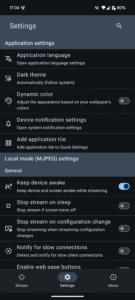
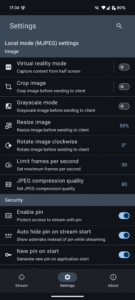
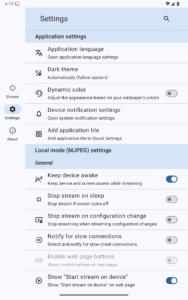
• IPv4 / IPv6 support; crop, resize, rotate, & more
• Each viewer gets a separate image stream - more viewers require more bandwidth
RTSP
• Streams H.265/H.264/AV1 video + OPUS/AAC/G.711 audio to an external RTSP server
• Optional Basic Auth & TLS (RTSPS)
• Works over Wi-Fi or cellular, IPv4 & IPv6
• Compatible with VLC, FFmpeg, OBS, MediaMTX, and other RTSP clients
• You provide the RTSP‑capable server for distribution
Popular use cases
• Remote support & troubleshooting
• Live presentations or demos
• Distance learning & tutoring
• Casual game sharing
Good to know
• Requires Android 6.0+ (uses the standard MediaProjection API)
• High data usage on mobile - prefer Wi‑Fi
• 100 % open source under the MIT License
Modes:
• Global (WebRTC) - worldwide, end-to-end encrypted WebRTC with password (video + audio).
• Local (MJPEG) - zero setup HTTP stream on your Wi-Fi/hotspot; PIN locked; works offline or online.
• RTSP - push H.265/H.264/AV1 video + OPUS/AAC/G.711 audio to your own media server.
Global (WebRTC)
• End-to-end encrypted, password-protected peer-to-peer stream
• Shares screen, microphone, and device audio
• Viewers join with Stream ID + password in any WebRTC-enabled browser
• Requires Internet; signaling handled by public open source server
• Audio/video flows directly between devices - Bandwidth grows per viewer
Local (MJPEG)
• Embedded HTTP server; works offline or online over Wi-Fi, hotspot, or USB‑tether
• Sends screen as independent JPEG images (video only)
• Optional 4‑digit PIN; no encryption
• IPv4 / IPv6 support; crop, resize, rotate, & more
• Each viewer gets a separate image stream - more viewers require more bandwidth
RTSP
• Streams H.265/H.264/AV1 video + OPUS/AAC/G.711 audio to an external RTSP server
• Optional Basic Auth & TLS (RTSPS)
• Works over Wi-Fi or cellular, IPv4 & IPv6
• Compatible with VLC, FFmpeg, OBS, MediaMTX, and other RTSP clients
• You provide the RTSP‑capable server for distribution
Popular use cases
• Remote support & troubleshooting
• Live presentations or demos
• Distance learning & tutoring
• Casual game sharing
Good to know
• Requires Android 6.0+ (uses the standard MediaProjection API)
• High data usage on mobile - prefer Wi‑Fi
• 100 % open source under the MIT License
Download ScreenStream (f-droid version) APK
Fast, free and safe download.
APK Permissions 18
- android.permission.ACCESS_ADSERVICES_AD_ID
- android.permission.ACCESS_ADSERVICES_ATTRIBUTION
- android.permission.ACCESS_ADSERVICES_TOPICS
- android.permission.ACCESS_NETWORK_STATE
- android.permission.ACCESS_WIFI_STATE
- android.permission.FOREGROUND_SERVICE
- android.permission.FOREGROUND_SERVICE_MEDIA_PROJECTION
- android.permission.FOREGROUND_SERVICE_MICROPHONE
- android.permission.INTERNET
- android.permission.MODIFY_AUDIO_SETTINGS
- android.permission.POST_NOTIFICATIONS
- android.permission.RECEIVE_BOOT_COMPLETED
- android.permission.RECORD_AUDIO
- android.permission.TURN_SCREEN_ON
- android.permission.WAKE_LOCK
- com.google.android.finsky.permission.BIND_GET_INSTALL_REFERRER_SERVICE
- com.google.android.gms.permission.AD_ID
- info.dvkr.screenstream.DYNAMIC_RECEIVER_NOT_EXPORTED_PERMISSION
APK Verified
The cryptographic signature guarantees that the file is safe to install and was not tampered with in any way.


Frequently Asked Questions about ScreenStream (f-droid version) APK
This is the universal variant — a single APK that contains native libraries for every CPU architecture. It installs on any Android device but is larger than per-architecture variants.
Yes — the APK's signature has been cryptographically verified against the publisher's signing key. The SHA-256 hash is shown in the File Information panel so you can independently confirm the file matches the original release.
Android 23 (API level 36) or newer. Older devices will refuse the install.
Install a free app like 'CPU-Z' or 'Droid Hardware Info' from the Play Store and look at the ABI / Instruction Set row. Most phones made after 2017 are arm64-v8a; if in doubt, download the universal variant.
All variants are functionally identical — same features, same version. They differ only in which CPU architectures the native code is compiled for, and (sometimes) which screen densities the included graphics target. Pick the one that matches your device for the smallest install size, or pick 'Universal' if you're unsure.