
Download healow APK 7.4.1 arm64-v8a, armeabi-v7a, x86, x86_64 · Android 24+
Download APK
Verified Safe
This is the arm64-v8a, armeabi-v7a, x86, x86_64 build of healow 7.4.1. Pick this build if your device's primary ABI matches.
File size: 89.9 MB • Min Android: 24 • Target Android: 35 • Version code: 20250804 • Framework: Native (Java/Kotlin) • Permissions: 26
Screenshots




File Information
| Package Name | com.ecw.healow |
|---|---|
| Version Name | 7.4.1 |
| Version Code | 20250804 |
| Architecture | arm64-v8a, armeabi-v7a, x86, x86_64 |
| Min Android Version | Android 24 (API 35) |
| Main Activity | com.ecw.healow.MainActivity |
| Framework | Native (Java/Kotlin) |
| File Size | 89.87 MB |
| Signature (SHA1) | 0DA3E0B2565634BC86323A9D34B54E8DEFB860AF |
| File Hash (SHA256) | 2920424a0ccc2af9a2d235b9279f0168d0aa2d6d3ab2a646fad31d3f6e6c6e8c |
What's New
Update now for an enhanced experience! This version brings new features and improvements along with fixes. Stay current with updates to enjoy all our newest improvements!
App Description
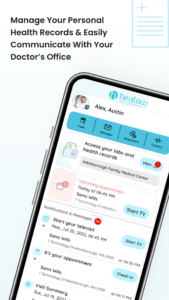
Healow App is a convenient mobile tool that helps patients access health information and communicate with their providers to stay engaged, motivated, and make healthy choices. With the healow app, patients can easily:
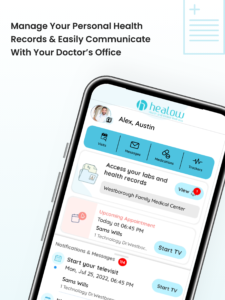
Message the care team – Contact care team through quick, secure direct messages.
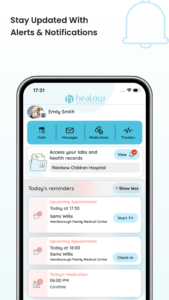
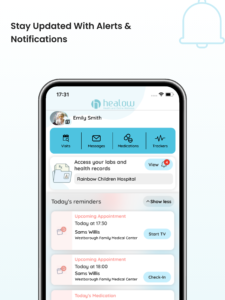
View test results – Access labs and other test results as soon as they become available.
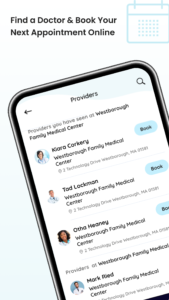
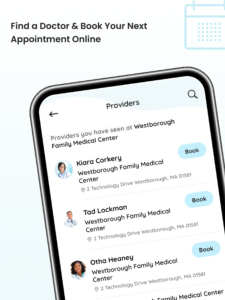
Self-schedule appointments – Book appointments with the care team and view upcoming visits beyond regular office hours.
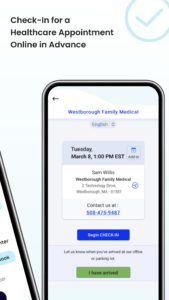
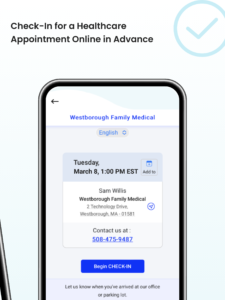
Check in before the visit – Easily check in for appointments and save time by completing any necessary documentation before arrival.
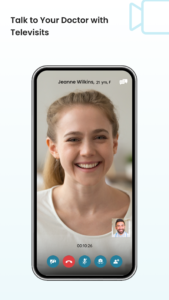
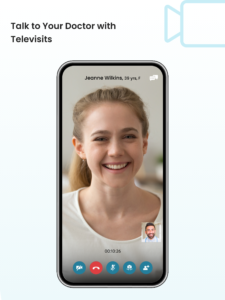
Attend virtual visits –Initiate and attend telehealth visits with members of the care team.
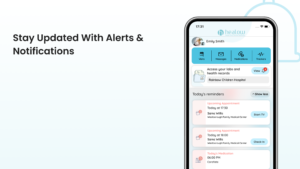
View medications, set medication reminders, and request for refills without calling the doctor.
View medical history including allergies, immunizations, vitals, visit summary, and other health information.
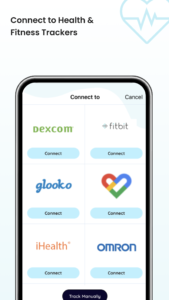
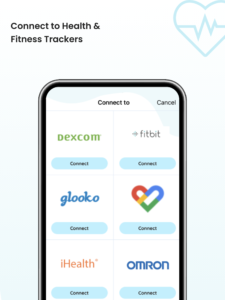
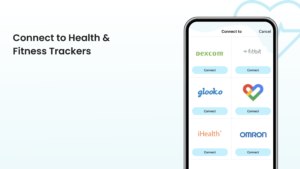
Monitor vitals and meet health goals using weight management, activity, fitness, and sleeping tracking tools to track readings and watch for trend changes to share with the doctor.
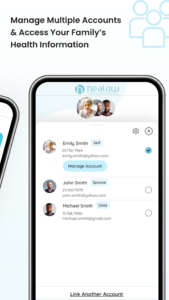
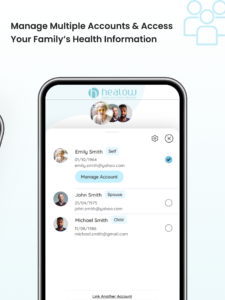
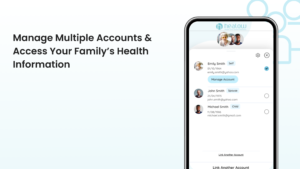
Manage and view multiple family member’s health records under one account.
Please note that patients must have an existing healow Patient Portal account with their doctor’s office. Once downloaded and launched, the patient must log in using the username and password used to access the provider’s healow Patient Portal website to begin using the app. It will ask the user to create a pin and enable Face ID or Touch ID. Enabling either of these features will save the user from having to enter their login information every time they want to use the app.
Message the care team – Contact care team through quick, secure direct messages.
View test results – Access labs and other test results as soon as they become available.
Self-schedule appointments – Book appointments with the care team and view upcoming visits beyond regular office hours.
Check in before the visit – Easily check in for appointments and save time by completing any necessary documentation before arrival.
Attend virtual visits –Initiate and attend telehealth visits with members of the care team.
View medications, set medication reminders, and request for refills without calling the doctor.
View medical history including allergies, immunizations, vitals, visit summary, and other health information.
Monitor vitals and meet health goals using weight management, activity, fitness, and sleeping tracking tools to track readings and watch for trend changes to share with the doctor.
Manage and view multiple family member’s health records under one account.
Please note that patients must have an existing healow Patient Portal account with their doctor’s office. Once downloaded and launched, the patient must log in using the username and password used to access the provider’s healow Patient Portal website to begin using the app. It will ask the user to create a pin and enable Face ID or Touch ID. Enabling either of these features will save the user from having to enter their login information every time they want to use the app.
Download healow APK
Fast, free and safe download.
APK Permissions 26
- android.permission.ACCESS_COARSE_LOCATION
- android.permission.ACCESS_FINE_LOCATION
- android.permission.ACCESS_NETWORK_STATE
- android.permission.BLUETOOTH
- android.permission.BLUETOOTH_CONNECT
- android.permission.CAMERA
- android.permission.DISABLE_KEYGUARD
- android.permission.FOREGROUND_SERVICE
- android.permission.FOREGROUND_SERVICE_MICROPHONE
- android.permission.INTERNET
- android.permission.MODIFY_AUDIO_SETTINGS
- android.permission.POST_NOTIFICATIONS
- android.permission.READ_CALENDAR
- android.permission.READ_PHONE_STATE
- android.permission.RECEIVE_BOOT_COMPLETED
- android.permission.RECORD_AUDIO
- android.permission.SCHEDULE_EXACT_ALARM
- android.permission.USE_BIOMETRIC
- android.permission.USE_FINGERPRINT
- android.permission.USE_FULL_SCREEN_INTENT
- android.permission.WAKE_LOCK
- android.permission.WRITE_CALENDAR
- com.ecw.healow.DYNAMIC_RECEIVER_NOT_EXPORTED_PERMISSION
- com.google.android.c2dm.permission.RECEIVE
- com.google.android.finsky.permission.BIND_GET_INSTALL_REFERRER_SERVICE
- com.google.android.gms.permission.AD_ID
APK Verified
The cryptographic signature guarantees that the file is safe to install and was not tampered with in any way.
Similar in Health & Fitness


Frequently Asked Questions about healow APK
This variant is built for devices that report `arm64-v8a, armeabi-v7a, x86, x86_64` as their primary ABI. If your device's CPU matches, this is the smallest, fastest version to install.
Yes — the APK's signature has been cryptographically verified against the publisher's signing key. The SHA-256 hash is shown in the File Information panel so you can independently confirm the file matches the original release.
Android 24 (API level 35) or newer. Older devices will refuse the install.
Install a free app like 'CPU-Z' or 'Droid Hardware Info' from the Play Store and look at the ABI / Instruction Set row. Most phones made after 2017 are arm64-v8a; if in doubt, download the universal variant.
All variants are functionally identical — same features, same version. They differ only in which CPU architectures the native code is compiled for, and (sometimes) which screen densities the included graphics target. Pick the one that matches your device for the smallest install size, or pick 'Universal' if you're unsure.