
Screenshots
File Information
| Package Name | jp.ejimax.berrybrowser |
|---|---|
| Version Name | 3.79.80 |
| Version Code | 379800 |
| Architecture | Universal |
| Min Android Version | Android 26 (API 35) |
| Main Activity | jp.ejimax.berrybrowser.BrowserActivity |
| Framework | Native (Java/Kotlin) |
| File Size | 4.55 MB |
| Signature (SHA1) | 5986D17AB9EFF24D20EB4363E24FB06B68ABAB98 |
| File Hash (SHA256) | 677abdc4e58fbb9ee06c1d44ba112b17f943926807c14d68b8edbf7a426627d7 |
What's New
Bug fixes and minor improvements
App Description
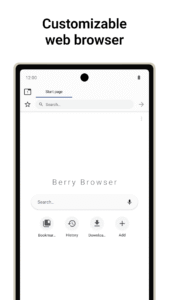
Berry Browser is a customizable web browser.
User interface
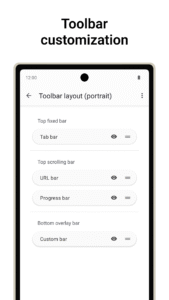
Customize every aspect of your toolbar's display, position, and appearance.
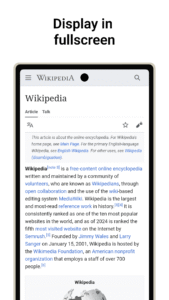
You can also change the display of the status bar and navigation bar to make better use of the screen.
Actions
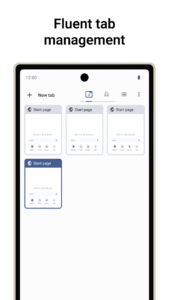
Any browser operations can be used as "actions", such as "back/forward", "open/close tabs", and "open menu".
Actions can be registered to toolbar buttons and gestures.
Content blocker
Block ads and tracking with a high-performance content blocker.
You can add custom filters and domain rules.
Privacy protection
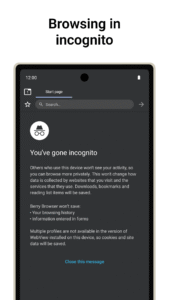
Manage location permissions, JavaScript, etc. for each site.
Start page
You can tap on your favorite sites and apps directly from the start page.
Dark mode
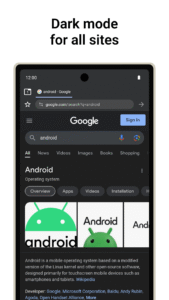
Automatically display websites in dark mode depending on your app or device theme.
Backup and restore
Back up your settings and bookmarks to a file and share them across devices.
User interface
Customize every aspect of your toolbar's display, position, and appearance.
You can also change the display of the status bar and navigation bar to make better use of the screen.
Actions
Any browser operations can be used as "actions", such as "back/forward", "open/close tabs", and "open menu".
Actions can be registered to toolbar buttons and gestures.
Content blocker
Block ads and tracking with a high-performance content blocker.
You can add custom filters and domain rules.
Privacy protection
Manage location permissions, JavaScript, etc. for each site.
Start page
You can tap on your favorite sites and apps directly from the start page.
Dark mode
Automatically display websites in dark mode depending on your app or device theme.
Backup and restore
Back up your settings and bookmarks to a file and share them across devices.
Download Berry Browser APK
Fast, free and safe download.
APK Permissions 18
- android.permission.ACCESS_COARSE_LOCATION
- android.permission.ACCESS_FINE_LOCATION
- android.permission.ACCESS_NETWORK_STATE
- android.permission.CAMERA
- android.permission.FOREGROUND_SERVICE
- android.permission.INTERNET
- android.permission.MODIFY_AUDIO_SETTINGS
- android.permission.POST_NOTIFICATIONS
- android.permission.RECEIVE_BOOT_COMPLETED
- android.permission.RECORD_AUDIO
- android.permission.REQUEST_INSTALL_PACKAGES
- android.permission.RUN_USER_INITIATED_JOBS
- android.permission.VIBRATE
- android.permission.WAKE_LOCK
- android.permission.WRITE_EXTERNAL_STORAGE
- com.android.launcher.permission.INSTALL_SHORTCUT
- com.google.android.finsky.permission.BIND_GET_INSTALL_REFERRER_SERVICE
- jp.ejimax.berrybrowser.DYNAMIC_RECEIVER_NOT_EXPORTED_PERMISSION
APK Verified
The cryptographic signature guarantees that the file is safe to install and was not tampered with in any way.


