
This is the arm64-v8a build of Element Classic 1.6.42 — the modern 64-bit ARM build that runs on virtually every Android phone released since 2017. It's smaller and faster than the universal variant because Android only loads the native code your CPU actually needs. If your phone is from the last 8 years, this is the right pick.
File size: 73.0 MB • Min Android: 21 • Target Android: 34 • Version code: 40106422 • Framework: React Native • Permissions: 34
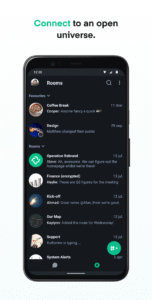
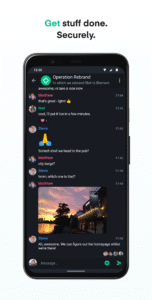
Screenshots

File Information
| Package Name | im.vector.app |
|---|---|
| Version Name | 1.6.42 |
| Version Code | 40106422 |
| Architecture | arm64-v8a |
| Min Android Version | Android 21 (API 34) |
| Main Activity | im.vector.application.features.Alias |
| Framework | React Native |
| File Size | 73.02 MB |
| Signature (SHA1) | C93E027B9F69CA7B401185594977BC64B8559919 |
| File Hash (SHA256) | cccd1f75b2e125a9780b2076ff7370b98916f49f87d1849a2e64facbe8ba0bfd |
What's New
Main changes in this version: dependency update.
Full changelog:
github.com/element-hq/element-android/releases
Full changelog:
github.com/element-hq/element-android/releases
App Description
Element is both a secure messenger and a productivity team collaboration app that is ideal for group chats while remote working. This chat app uses end-to-end encryption to provide powerful video conferencing, file sharing and voice calls.
Element’s features include:
- Advanced online communication tools
- Fully encrypted messages to allow safer corporate communication, even for remote workers
- Decentralized chat based on the Matrix open source framework
- File sharing securely with encrypted data while managing projects
- Video chats with Voice over IP and screen sharing
- Easy integration with your favourite online collaboration tools, project management tools, VoIP services and other team messaging apps
Element is completely different from other messaging and collaboration apps. It operates on Matrix, an open network for secure messaging and decentralized communication. It allows self-hosting to give users maximum ownership and control of their data and messages.
Privacy and encrypted messaging
Element protects you from unwanted ads, data mining and walled gardens. It also secures all your data, one-to-one video and voice communication through end-to-end encryption and cross-signed device verification.
Element gives you control over your privacy while allowing you to communicate securely with anyone on the Matrix network, or other business collaboration tools by integrating with apps such as Slack.
Element can be self-hosted
To allow more control of your sensitive data and conversations, Element can be self-hosted or you can choose any Matrix-based host - the standard for open source, decentralized communication. Element gives you privacy, security compliance and integration flexibility.
Own your data
You decide where to keep your data and messages. Without the risk of data mining or access from third parties.
Element puts you in control in different ways:
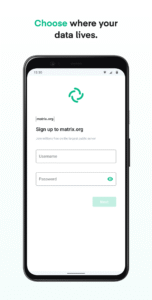
1. Get a free account on the matrix.org public server hosted by the Matrix developers, or choose from thousands of public servers hosted by volunteers
2. Self-host your account by running a server on your own IT infrastructure
3. Sign up for an account on a custom server by simply subscribing to the Element Matrix Services hosting platform
Open messaging and collaboration
You can chat with anyone on the Matrix network, whether they’re using Element, another Matrix app or even if they are using a different messaging app.
Super secure
Real end-to-end encryption (only those in the conversation can decrypt messages), and cross-signed device verification.
Complete communication and integration
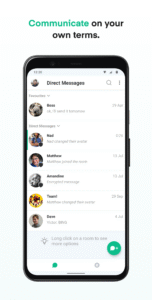
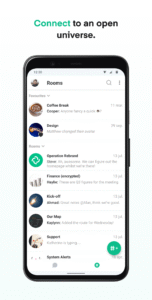
Messaging, voice and video calls, file sharing, screen sharing and a whole bunch of integrations, bots and widgets. Build rooms, communities, stay in touch and get things done.
Pick up where you left off
Stay in touch wherever you are with fully synchronised message history across all your devices and on the web at
app.element.io
Open source
Element Android is an open source project, hosted by GitHub. Please report bugs and/or contribute to its development at
github.com/vector-im/element-android
Element’s features include:
- Advanced online communication tools
- Fully encrypted messages to allow safer corporate communication, even for remote workers
- Decentralized chat based on the Matrix open source framework
- File sharing securely with encrypted data while managing projects
- Video chats with Voice over IP and screen sharing
- Easy integration with your favourite online collaboration tools, project management tools, VoIP services and other team messaging apps
Element is completely different from other messaging and collaboration apps. It operates on Matrix, an open network for secure messaging and decentralized communication. It allows self-hosting to give users maximum ownership and control of their data and messages.
Privacy and encrypted messaging
Element protects you from unwanted ads, data mining and walled gardens. It also secures all your data, one-to-one video and voice communication through end-to-end encryption and cross-signed device verification.
Element gives you control over your privacy while allowing you to communicate securely with anyone on the Matrix network, or other business collaboration tools by integrating with apps such as Slack.
Element can be self-hosted
To allow more control of your sensitive data and conversations, Element can be self-hosted or you can choose any Matrix-based host - the standard for open source, decentralized communication. Element gives you privacy, security compliance and integration flexibility.
Own your data
You decide where to keep your data and messages. Without the risk of data mining or access from third parties.
Element puts you in control in different ways:
1. Get a free account on the matrix.org public server hosted by the Matrix developers, or choose from thousands of public servers hosted by volunteers
2. Self-host your account by running a server on your own IT infrastructure
3. Sign up for an account on a custom server by simply subscribing to the Element Matrix Services hosting platform
Open messaging and collaboration
You can chat with anyone on the Matrix network, whether they’re using Element, another Matrix app or even if they are using a different messaging app.
Super secure
Real end-to-end encryption (only those in the conversation can decrypt messages), and cross-signed device verification.
Complete communication and integration
Messaging, voice and video calls, file sharing, screen sharing and a whole bunch of integrations, bots and widgets. Build rooms, communities, stay in touch and get things done.
Pick up where you left off
Stay in touch wherever you are with fully synchronised message history across all your devices and on the web at
app.element.io
Open source
Element Android is an open source project, hosted by GitHub. Please report bugs and/or contribute to its development at
github.com/vector-im/element-android
Download Element Classic APK
Fast, free and safe download.
APK Permissions 34
- android.permission.ACCESS_COARSE_LOCATION
- android.permission.ACCESS_FINE_LOCATION
- android.permission.ACCESS_NETWORK_STATE
- android.permission.ACCESS_WIFI_STATE
- android.permission.BLUETOOTH
- android.permission.BLUETOOTH_CONNECT
- android.permission.CAMERA
- android.permission.FOREGROUND_SERVICE
- android.permission.FOREGROUND_SERVICE_DATA_SYNC
- android.permission.FOREGROUND_SERVICE_LOCATION
- android.permission.FOREGROUND_SERVICE_MEDIA_PLAYBACK
- android.permission.FOREGROUND_SERVICE_MEDIA_PROJECTION
- android.permission.FOREGROUND_SERVICE_MICROPHONE
- android.permission.FOREGROUND_SERVICE_PHONE_CALL
- android.permission.INTERNET
- android.permission.MANAGE_OWN_CALLS
- android.permission.MODIFY_AUDIO_SETTINGS
- android.permission.POST_NOTIFICATIONS
- android.permission.READ_CALENDAR
- android.permission.READ_CONTACTS
- android.permission.READ_EXTERNAL_STORAGE
- android.permission.RECEIVE_BOOT_COMPLETED
- android.permission.RECORD_AUDIO
- android.permission.REQUEST_INSTALL_PACKAGES
- android.permission.SYSTEM_ALERT_WINDOW
- android.permission.USE_BIOMETRIC
- android.permission.USE_FINGERPRINT
- android.permission.USE_FULL_SCREEN_INTENT
- android.permission.VIBRATE
- android.permission.WAKE_LOCK
- android.permission.WRITE_CALENDAR
- android.permission.WRITE_EXTERNAL_STORAGE
- com.google.android.c2dm.permission.RECEIVE
- im.vector.app.DYNAMIC_RECEIVER_NOT_EXPORTED_PERMISSION
APK Verified
The cryptographic signature guarantees that the file is safe to install and was not tampered with in any way.


Frequently Asked Questions about Element Classic APK
This variant is built for 64-bit ARM (most Android phones made since 2017). If your device's CPU matches, this is the smallest, fastest version to install.
Yes — the APK's signature has been cryptographically verified against the publisher's signing key. The SHA-256 hash is shown in the File Information panel so you can independently confirm the file matches the original release.
Android 21 (API level 34) or newer. Older devices will refuse the install.
Install a free app like 'CPU-Z' or 'Droid Hardware Info' from the Play Store and look at the ABI / Instruction Set row. Most phones made after 2017 are arm64-v8a; if in doubt, download the universal variant.
All variants are functionally identical — same features, same version. They differ only in which CPU architectures the native code is compiled for, and (sometimes) which screen densities the included graphics target. Pick the one that matches your device for the smallest install size, or pick 'Universal' if you're unsure.