
This is the universal build of PCAPdroid - network monitor 1.8.8. It contains native libraries for every CPU architecture (arm64-v8a, armeabi-v7a, x86, x86_64), so it installs on any Android device. The trade-off is size — it's larger than per-architecture variants. Pick this one if you're unsure which CPU your phone has, or if you plan to share the APK with multiple devices.
File size: 14.5 MB • Min Android: 21 • Target Android: 35 • Version code: 89 • Framework: Native (Java/Kotlin) • Permissions: 12
Screenshots
File Information
| Package Name | com.emanuelef.remote_capture |
|---|---|
| Version Name | 1.8.8 |
| Version Code | 89 |
| Architecture | Universal |
| Min Android Version | Android 21 (API 35) |
| Main Activity | com.emanuelef.remote_capture.activities.MainActivity |
| Framework | Native (Java/Kotlin) |
| File Size | 14.50 MB |
| Signature (SHA1) | EE953D4F988C8AC17575DFFAA1E3BBCE2E29E81D |
| File Hash (SHA256) | c5ca4f6e56c29b478ae134cba28e09863f7593f61b95815dc54d2886ec1ca273 |
What's New
- Support 16 KB page size devices
- Make PCAP/CSV file name prefix configurable
- Fix possible invalid Pcapng block length with root
- New API options (credits: c4rl2s0n)
- Make PCAP/CSV file name prefix configurable
- Fix possible invalid Pcapng block length with root
- New API options (credits: c4rl2s0n)
App Description
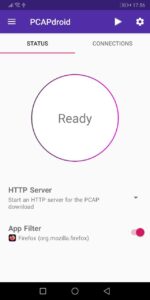
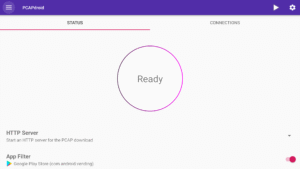
PCAPdroid is a privacy-friendly open source app which lets you track, analyze and block the connections made by the other apps in your device. It also allows you to export a PCAP dump of the traffic, extract metadata and much more!
PCAPdroid simulates a VPN in order to capture the network traffic without root. It does not use a remote VPN server. All the data is processed locally on the device.
Features:
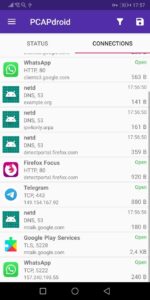
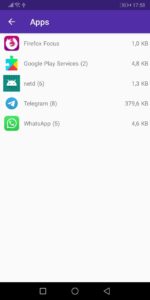
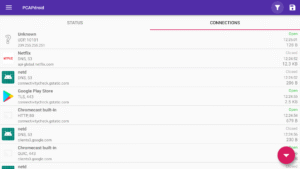
- Log and examine the connections made by user and system apps
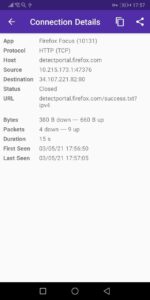
- Extract the SNI, DNS query, HTTP URL and the remote IP address
- Inspect HTTP requests and replies thanks to the built-in decoders
- Inspect the full connections payload as hexdump/text and export it
- Decrypt the HTTPS/TLS traffic and export the SSLKEYLOGFILE
- Dump the traffic to a PCAP file, download it from a browser, or stream it to a remote receiver for real time analysis (e.g. wireshark)
- Create rules to filter out the good traffic and easily spot anomalies
- Identify the country and ASN of remote server via offline db lookups
- On rooted devices, capture the traffic while other VPN apps are running
Paid features:
- Firewall: create rules to block individual apps, domains and IP addresses
- Malware detection: detect malicious connections by using third-party blacklists
If you plan to use PCAPdroid to perform packet analysis, please check out
the specific section
of the manual.
Join the PCAPdroid community
on telegram to discuss and receive updates on the latest features.
PCAPdroid simulates a VPN in order to capture the network traffic without root. It does not use a remote VPN server. All the data is processed locally on the device.
Features:
- Log and examine the connections made by user and system apps
- Extract the SNI, DNS query, HTTP URL and the remote IP address
- Inspect HTTP requests and replies thanks to the built-in decoders
- Inspect the full connections payload as hexdump/text and export it
- Decrypt the HTTPS/TLS traffic and export the SSLKEYLOGFILE
- Dump the traffic to a PCAP file, download it from a browser, or stream it to a remote receiver for real time analysis (e.g. wireshark)
- Create rules to filter out the good traffic and easily spot anomalies
- Identify the country and ASN of remote server via offline db lookups
- On rooted devices, capture the traffic while other VPN apps are running
Paid features:
- Firewall: create rules to block individual apps, domains and IP addresses
- Malware detection: detect malicious connections by using third-party blacklists
If you plan to use PCAPdroid to perform packet analysis, please check out
the specific section
of the manual.
Join the PCAPdroid community
on telegram to discuss and receive updates on the latest features.
Download PCAPdroid - network monitor APK
Fast, free and safe download.
APK Permissions 12
- android.permission.ACCESS_NETWORK_STATE
- android.permission.ACCESS_WIFI_STATE
- android.permission.FOREGROUND_SERVICE
- android.permission.FOREGROUND_SERVICE_SPECIAL_USE
- android.permission.INTERACT_ACROSS_USERS
- android.permission.INTERNET
- android.permission.POST_NOTIFICATIONS
- android.permission.RECEIVE_BOOT_COMPLETED
- android.permission.WRITE_CLIPS
- android.permission.WRITE_EXTERNAL_STORAGE
- com.android.vending.BILLING
- com.emanuelef.remote_capture.DYNAMIC_RECEIVER_NOT_EXPORTED_PERMISSION
APK Verified
The cryptographic signature guarantees that the file is safe to install and was not tampered with in any way.
Similar in Tools


More by Emanuele Faranda

Frequently Asked Questions about PCAPdroid - network monitor APK
This is the universal variant — a single APK that contains native libraries for every CPU architecture. It installs on any Android device but is larger than per-architecture variants.
Yes — the APK's signature has been cryptographically verified against the publisher's signing key. The SHA-256 hash is shown in the File Information panel so you can independently confirm the file matches the original release.
Android 21 (API level 35) or newer. Older devices will refuse the install.
Install a free app like 'CPU-Z' or 'Droid Hardware Info' from the Play Store and look at the ABI / Instruction Set row. Most phones made after 2017 are arm64-v8a; if in doubt, download the universal variant.
All variants are functionally identical — same features, same version. They differ only in which CPU architectures the native code is compiled for, and (sometimes) which screen densities the included graphics target. Pick the one that matches your device for the smallest install size, or pick 'Universal' if you're unsure.