
This is the universal build of MyChart 11.5.1. It contains native libraries for every CPU architecture (arm64-v8a, armeabi-v7a, x86, x86_64), so it installs on any Android device. The trade-off is size — it's larger than per-architecture variants. Pick this one if you're unsure which CPU your phone has, or if you plan to share the APK with multiple devices.
File size: 55.4 MB • Min Android: 28 • Target Android: 35 • Version code: 3518 • Framework: Native (Java/Kotlin) • Permissions: 50
Screenshots


File Information
| Package Name | epic.mychart.android |
|---|---|
| Version Name | 11.5.1 |
| Version Code | 3518 |
| Architecture | Universal |
| Min Android Version | Android 28 (API 35) |
| Main Activity | epic.mychart.android.library.prelogin.SplashActivity |
| Framework | Native (Java/Kotlin) |
| File Size | 55.41 MB |
| Signature (SHA1) | 0E969CECB06323D7D528C7712FFC64619AC9079C |
| File Hash (SHA256) | a660ec0d19a2def118890f12f4c06df5a89d60b137dd7d77d0c141d6903dd407 |
What's New
The login page has been updated to create a more consistent experience. Usernames are now automatically remembered, with the option to disable this in the app settings. You can now change the language from the account menu on the home page. These features might become available to you after your healthcare organization starts using the latest version of Epic.
App Description
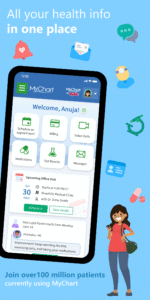
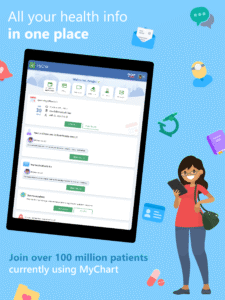
MyChart puts your health information in the palm of your hand and helps you conveniently manage care for yourself and your family members. With MyChart you can:
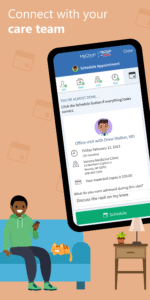
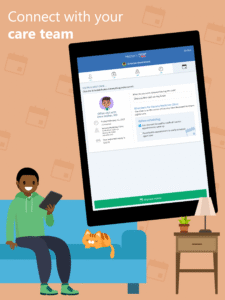
• Communicate with your care team.
• Review test results, medications, immunization history, and other health information.
• Connect your account to Google Fit to pull health-related data from your personal devices right into MyChart.
• View your After Visit Summary® for past visits and hospital stays, along with any clinical notes your provider has recorded and shared with you.
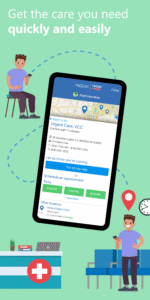
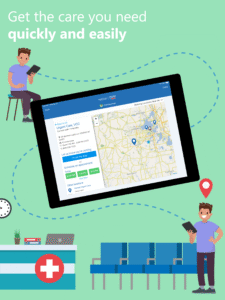
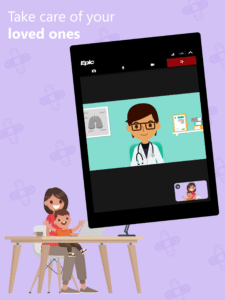
• Schedule and manage appointments, including in-person visits and video visits.
• Get price estimates for the cost of care.
• View and pay your medical bills.
• Securely share your medical record from anywhere with anyone who has Internet access.
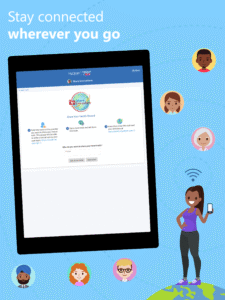
• Connect your accounts from other healthcare organizations so you can see all your health information in one place, even if you've been seen at multiple healthcare organizations.
• Receive push notifications when new information is available in MyChart. You can check whether push notifications are enabled under the Account Settings within the app.
Note that what you can see and do within the MyChart app depends on which features your healthcare organization has enabled and whether they’re using the latest version of Epic software. If you have questions about what’s available, contact your healthcare organization.
To access MyChart, you must create an account with your healthcare organization. To sign up for an account, download the app and search for your healthcare organization or go to your healthcare organization’s MyChart website. After you’ve signed up, turn on fingerprint authentication or set up a four-digit passcode to quickly log in without needing to use your MyChart username and password each time.
For more information about MyChart’s features or to find a healthcare organization that offers MyChart, visit
www.mychart.com
.
Have feedback about the app? Email us at
mychartsupport@epic.com
.
• Communicate with your care team.
• Review test results, medications, immunization history, and other health information.
• Connect your account to Google Fit to pull health-related data from your personal devices right into MyChart.
• View your After Visit Summary® for past visits and hospital stays, along with any clinical notes your provider has recorded and shared with you.
• Schedule and manage appointments, including in-person visits and video visits.
• Get price estimates for the cost of care.
• View and pay your medical bills.
• Securely share your medical record from anywhere with anyone who has Internet access.
• Connect your accounts from other healthcare organizations so you can see all your health information in one place, even if you've been seen at multiple healthcare organizations.
• Receive push notifications when new information is available in MyChart. You can check whether push notifications are enabled under the Account Settings within the app.
Note that what you can see and do within the MyChart app depends on which features your healthcare organization has enabled and whether they’re using the latest version of Epic software. If you have questions about what’s available, contact your healthcare organization.
To access MyChart, you must create an account with your healthcare organization. To sign up for an account, download the app and search for your healthcare organization or go to your healthcare organization’s MyChart website. After you’ve signed up, turn on fingerprint authentication or set up a four-digit passcode to quickly log in without needing to use your MyChart username and password each time.
For more information about MyChart’s features or to find a healthcare organization that offers MyChart, visit
www.mychart.com
.
Have feedback about the app? Email us at
mychartsupport@epic.com
.
Download MyChart APK
Fast, free and safe download.
APK Permissions 50
- android.permission.ACCESS_BACKGROUND_LOCATION
- android.permission.ACCESS_COARSE_LOCATION
- android.permission.ACCESS_FINE_LOCATION
- android.permission.ACCESS_NETWORK_STATE
- android.permission.BLUETOOTH
- android.permission.BLUETOOTH_ADMIN
- android.permission.BLUETOOTH_CONNECT
- android.permission.BLUETOOTH_SCAN
- android.permission.CALL_PHONE
- android.permission.CAMERA
- android.permission.FOREGROUND_SERVICE
- android.permission.FOREGROUND_SERVICE_LOCATION
- android.permission.health.READ_ACTIVE_CALORIES_BURNED
- android.permission.health.READ_BASAL_BODY_TEMPERATURE
- android.permission.health.READ_BASAL_METABOLIC_RATE
- android.permission.health.READ_BLOOD_GLUCOSE
- android.permission.health.READ_BLOOD_PRESSURE
- android.permission.health.READ_BODY_FAT
- android.permission.health.READ_BODY_TEMPERATURE
- android.permission.health.READ_DISTANCE
- android.permission.health.READ_EXERCISE
- android.permission.health.READ_FLOORS_CLIMBED
- android.permission.health.READ_HEALTH_DATA_IN_BACKGROUND
- android.permission.health.READ_HEART_RATE
- android.permission.health.READ_HEART_RATE_VARIABILITY
- android.permission.health.READ_HEIGHT
- android.permission.health.READ_HYDRATION
- android.permission.health.READ_LEAN_BODY_MASS
- android.permission.health.READ_NUTRITION
- android.permission.health.READ_OXYGEN_SATURATION
- android.permission.health.READ_RESPIRATORY_RATE
- android.permission.health.READ_RESTING_HEART_RATE
- android.permission.health.READ_STEPS
- android.permission.health.READ_VO2_MAX
- android.permission.health.READ_WEIGHT
- android.permission.health.READ_WHEELCHAIR_PUSHES
- android.permission.INTERNET
- android.permission.MODIFY_AUDIO_SETTINGS
- android.permission.POST_NOTIFICATIONS
- android.permission.READ_EXTERNAL_STORAGE
- android.permission.RECEIVE_BOOT_COMPLETED
- android.permission.RECORD_AUDIO
- android.permission.SCHEDULE_EXACT_ALARM
- android.permission.USE_BIOMETRIC
- android.permission.USE_FINGERPRINT
- android.permission.VIBRATE
- android.permission.WAKE_LOCK
- android.permission.WRITE_EXTERNAL_STORAGE
- com.google.android.c2dm.permission.RECEIVE
- epic.mychart.android.DYNAMIC_RECEIVER_NOT_EXPORTED_PERMISSION
APK Verified
The cryptographic signature guarantees that the file is safe to install and was not tampered with in any way.
Similar in Medical


More by Epic Systems Corporation

Frequently Asked Questions about MyChart APK
This is the universal variant — a single APK that contains native libraries for every CPU architecture. It installs on any Android device but is larger than per-architecture variants.
Yes — the APK's signature has been cryptographically verified against the publisher's signing key. The SHA-256 hash is shown in the File Information panel so you can independently confirm the file matches the original release.
Android 28 (API level 35) or newer. Older devices will refuse the install.
Install a free app like 'CPU-Z' or 'Droid Hardware Info' from the Play Store and look at the ABI / Instruction Set row. Most phones made after 2017 are arm64-v8a; if in doubt, download the universal variant.
All variants are functionally identical — same features, same version. They differ only in which CPU architectures the native code is compiled for, and (sometimes) which screen densities the included graphics target. Pick the one that matches your device for the smallest install size, or pick 'Universal' if you're unsure.