
Download AdBlock for Samsung Browser APK 3.4.7 arm64-v8a, armeabi-v7a, x86, x86_64 · Android 21+
Download APK
Verified Safe
This is the arm64-v8a, armeabi-v7a, x86, x86_64 build of AdBlock for Samsung Browser 3.4.7. Pick this build if your device's primary ABI matches.
File size: 4.3 MB • Min Android: 21 • Target Android: 35 • Version code: 11004 • Framework: Native (Java/Kotlin) • Permissions: 11
Screenshots
File Information
| Package Name | com.betafish.adblocksbrowser |
|---|---|
| Version Name | 3.4.7 |
| Version Code | 11004 |
| Architecture | arm64-v8a, armeabi-v7a, x86, x86_64 |
| Min Android Version | Android 21 (API 35) |
| Main Activity | org.adblockplus.adblockplussbrowser.app.ui.LauncherActivity |
| Framework | Native (Java/Kotlin) |
| File Size | 4.34 MB |
| Signature (SHA1) | 8AECF9160154A80C5EF8EA7726211F1C8D6EDA1E |
| File Hash (SHA256) | 176fa66a46865f0cb262ee82f8a8d49440894802d75b9867eafbc357c504c261 |
What's New
It's been a while since the last update, but the new AdBlock for Samsung Internet is already here!
Here’s what’s new:
⚙️ Stability improvements and bug fixes.
Here’s what’s new:
⚙️ Stability improvements and bug fixes.
App Description
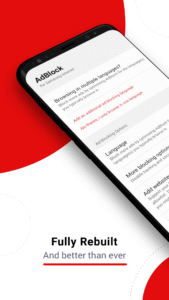
AdBlock is the perfect companion app for users wanting to stop seeing annoying ads while browsing the internet. The app is designed to work exclusively with the Samsung Internet Browser. It is completely free and will not compromise your data.
What are the advantages of using AdBlock for Samsung Internet?
• Save reading space by blocking annoying ads
• Save money on monthly data usage
• Enjoy faster web page performance
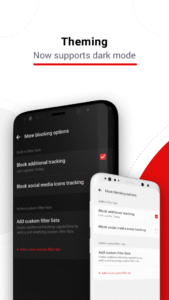
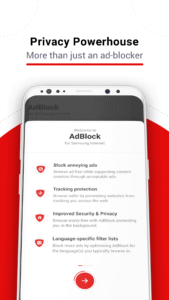
• Get built-in privacy protection with anti-tracking
• Use custom language setting to block region-specific ads
• Benefit from free, responsive support
Frequently Asked Questions:
* Does AdBlock block all ads in all my apps?
AdBlock only blocks ads on websites you visit in the Samsung Internet browser.
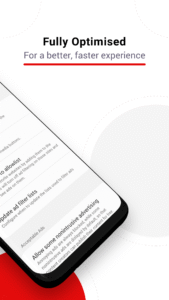
You can choose to support content creators to publish content for free by allowing non intrusive ads compliant with Acceptable Ads.
*What is Acceptable Ads ?
It is a standard for nonintrusive, light ads that do not interfere with your browsing experience. The standard only displays formats that adhere to carefully researched criteria about size, location and labeling.
* Is AdBlock compatible with any other Android browsers?
Not yet! But you can get AdBlock for Chrome, Safari, or Opera on your desktop. Visit getadblock.com!
What are the advantages of using AdBlock for Samsung Internet?
• Save reading space by blocking annoying ads
• Save money on monthly data usage
• Enjoy faster web page performance
• Get built-in privacy protection with anti-tracking
• Use custom language setting to block region-specific ads
• Benefit from free, responsive support
Frequently Asked Questions:
* Does AdBlock block all ads in all my apps?
AdBlock only blocks ads on websites you visit in the Samsung Internet browser.
You can choose to support content creators to publish content for free by allowing non intrusive ads compliant with Acceptable Ads.
*What is Acceptable Ads ?
It is a standard for nonintrusive, light ads that do not interfere with your browsing experience. The standard only displays formats that adhere to carefully researched criteria about size, location and labeling.
* Is AdBlock compatible with any other Android browsers?
Not yet! But you can get AdBlock for Chrome, Safari, or Opera on your desktop. Visit getadblock.com!
Download AdBlock for Samsung Browser APK
Fast, free and safe download.
APK Permissions 11
- android.permission.ACCESS_ADSERVICES_AD_ID
- android.permission.ACCESS_ADSERVICES_ATTRIBUTION
- android.permission.ACCESS_NETWORK_STATE
- android.permission.FOREGROUND_SERVICE
- android.permission.INTERNET
- android.permission.RECEIVE_BOOT_COMPLETED
- android.permission.WAKE_LOCK
- com.betafish.adblocksbrowser.DYNAMIC_RECEIVER_NOT_EXPORTED_PERMISSION
- com.google.android.finsky.permission.BIND_GET_INSTALL_REFERRER_SERVICE
- com.google.android.gms.permission.AD_ID
- com.samsung.android.sbrowser.permission.CONTENTBLOCKER
APK Verified
The cryptographic signature guarantees that the file is safe to install and was not tampered with in any way.
Similar in Productivity


Frequently Asked Questions about AdBlock for Samsung Browser APK
This variant is built for devices that report `arm64-v8a, armeabi-v7a, x86, x86_64` as their primary ABI. If your device's CPU matches, this is the smallest, fastest version to install.
Yes — the APK's signature has been cryptographically verified against the publisher's signing key. The SHA-256 hash is shown in the File Information panel so you can independently confirm the file matches the original release.
Android 21 (API level 35) or newer. Older devices will refuse the install.
Install a free app like 'CPU-Z' or 'Droid Hardware Info' from the Play Store and look at the ABI / Instruction Set row. Most phones made after 2017 are arm64-v8a; if in doubt, download the universal variant.
All variants are functionally identical — same features, same version. They differ only in which CPU architectures the native code is compiled for, and (sometimes) which screen densities the included graphics target. Pick the one that matches your device for the smallest install size, or pick 'Universal' if you're unsure.