
Download Facer Watch Faces (Wear OS) APK 7.0.54_11134202_wear_legacy.watch.leg Universal · Android 25+
Download APK
Verified Safe
This is the universal build of Facer Watch Faces (Wear OS) 7.0.54_11134202_wear_legacy.watch.leg. It contains native libraries for every CPU architecture (arm64-v8a, armeabi-v7a, x86, x86_64), so it installs on any Android device. The trade-off is size — it's larger than per-architecture variants. Pick this one if you're unsure which CPU your phone has, or if you plan to share the APK with multiple devices.
File size: 27.9 MB • Min Android: 25 • Target Android: 34 • Version code: 11134202 • Framework: Native (Java/Kotlin) • Permissions: 32
Screenshots

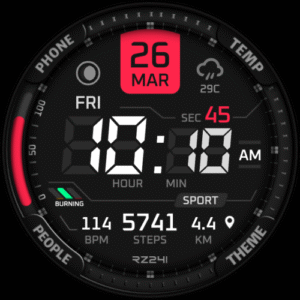
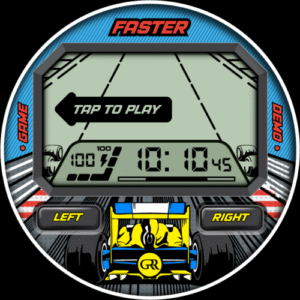
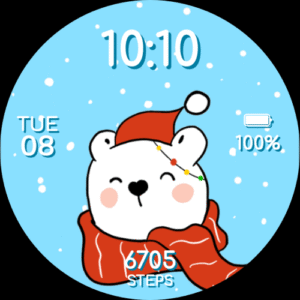
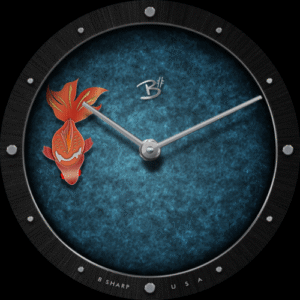


File Information
| Package Name | com.jeremysteckling.facerrel |
|---|---|
| Version Name | 7.0.54_11134202_wear_legacy.watch.leg |
| Version Code | 11134202 |
| Architecture | Universal |
| Min Android Version | Android 25 (API 34) |
| Main Activity | com.jeremysteckling.facerrel.ui.activity.HomeActivity |
| Framework | Native (Java/Kotlin) |
| File Size | 27.94 MB |
| Signature (SHA1) | 6FEFFD6DFB9592C3A1C0A573AB7C9D43041F710D |
| File Hash (SHA256) | 6855a1b164572897ff85195b330c867d0f922462fa53dba7f5ecba4cb1df56cd |
What's New
From version
7.0.46_1111131.watch
:
- Misc bug fixes and optimizations
7.0.46_1111131.watch
:
- Misc bug fixes and optimizations
App Description
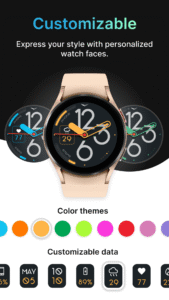
Don’t be default! Customize your watch face and personalize your style!
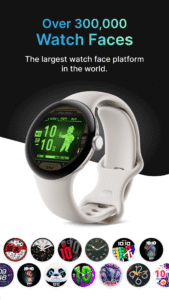
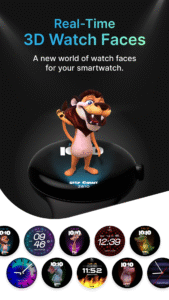
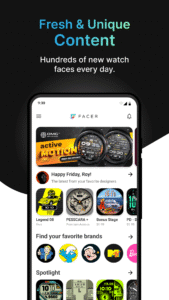
500,000+ free and premium watch faces from leading brands and independent artists!
Get free faces, buy amazing ones, or subscribe for unlimited access!
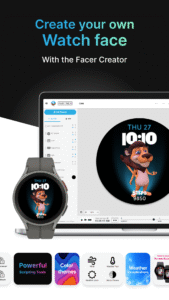
Make your own faces and share them with the world using our Facer Creator tool too!
Supports Wear OS, Tizen, AppleWatch - If you change your watch, your faces go with you!
Important Set Up Steps!
1. Install Facer on both your phone AND your watch
2. Select the Facer watch face on your watch
3. Select new faces in the Facer app on your phone
Check our help for more details:
help.facer.io/hc/en-us/articles/360001249734-Sync-your-first-watch-face-on-Facer-WearOS-Tizen-smartwatches
Note for new WearOS watches (Galaxy7, Ultra, OnePlus Watch3)! Upgrades to Facer are on the way! Get a taste of what’s coming soon and try out a few faces! For these watches, our phone app has a curation of faces that when selected will direct you to download them individually on Google Play (there is no single “Facer” app for your watch yet). When you download these, they will appear in the list of faces on your watch.
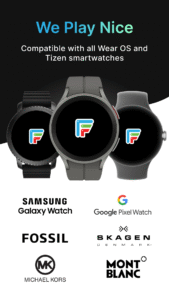
FACER IS COMPATIBLE WITH ALL YOUR FAVORITE SMARTWATCHES
Samsung Galaxy Watch5 and Galaxy Watch 5 Pro
Samsung Galaxy Watch4/Watch4 Classic
Samsung Tizen-based smartwatches: Samsung Galaxy Watch3 and older
Fossil smartwatches
Mobvoi Ticwatch Series
Oppo Watch
Montblanc Summit Series
Asus Gen Watch 1, 2, 3
CASIO Series
Guess Wear
Huawei Watch 2 Classic/Sport
Huawei Watch
Hublot Big Bang e
LG Watch Series
Louis Vuitton Smartwatch
Moto 360 Series
Movado Series
New Balance Run IQ
Nixon The Mission
Polar M600
Skagen Falster
Sony Smartwatch 3
SUUNTO 7
TAG Heuer Connected
ZTE Quartz
Installation tips for Tizen users (Galaxy Watch 3 and older):
Download & Install “Facer” app from the Google Play App store
Make sure your Samsung watch is connected with your smartphone through the “Galaxy Wearable” app & bluetooth is turned on for both your phone and smartwatch
Download & Install “Facer Companion for Samsung Watch” from the Samsung Galaxy App Store
Long press on your Samsung smartwatch and scroll to select “Facer” as your chosen watchface. That's it!
FEEDBACK & TROUBLESHOOTING
If you’re having any issues using our app & watch faces or are dissatisfied in any way, please give us a chance to fix it for you before expressing dissatisfaction through ratings.
You can contact us at
help.facer.io/hc/en-us/requests/new
If you are enjoying our watch faces, we always appreciate a positive review
TOP BRANDS
Find hundreds of premium faces from the world’s leading brands like Tetris™, Star Trek, Garfield, Ghostbusters, American Dad and more. There are new brands being added all the time so keep an eye out for new watch faces.
ORIGINAL DESIGNS
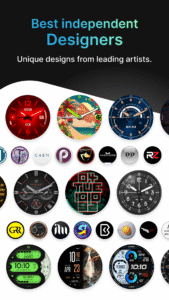
Facer curates collections of original designs from talented watch face designers to bring you the most beautiful and dynamic faces available for your smartwatch.
PUBLISH YOUR WATCH FACE DESIGNS WITH FACER!
Want to create your own watch face designs & publish them through Facer, reaching thousands of smartwatch users? If so, we’re looking for talented artists to join our growing community of Facer-certified designers. Find out more by contacting us at
hello@facer.io
MAKE YOUR OWN WATCH FACE
Make your own watch faces with our powerful web-based editor at
www.facer.io/creator
(note: view on your laptop or desktop for full functionality).
Permissions needed (all optional)
Location: Needed to show weather data based on your location
Fitness/Health: Needed to show step counter, heart rate, and other health and fitness related information
CONNECT
Facebook:
www.facebook.com/groups/facercommunity/
Facer Creator & Community:
www.facer.io
Instagram:
instagram.com/getfacer/
Twitter:
twitter.com/GetFacer
500,000+ free and premium watch faces from leading brands and independent artists!
Get free faces, buy amazing ones, or subscribe for unlimited access!
Make your own faces and share them with the world using our Facer Creator tool too!
Supports Wear OS, Tizen, AppleWatch - If you change your watch, your faces go with you!
Important Set Up Steps!
1. Install Facer on both your phone AND your watch
2. Select the Facer watch face on your watch
3. Select new faces in the Facer app on your phone
Check our help for more details:
help.facer.io/hc/en-us/articles/360001249734-Sync-your-first-watch-face-on-Facer-WearOS-Tizen-smartwatches
Note for new WearOS watches (Galaxy7, Ultra, OnePlus Watch3)! Upgrades to Facer are on the way! Get a taste of what’s coming soon and try out a few faces! For these watches, our phone app has a curation of faces that when selected will direct you to download them individually on Google Play (there is no single “Facer” app for your watch yet). When you download these, they will appear in the list of faces on your watch.
FACER IS COMPATIBLE WITH ALL YOUR FAVORITE SMARTWATCHES
Samsung Galaxy Watch5 and Galaxy Watch 5 Pro
Samsung Galaxy Watch4/Watch4 Classic
Samsung Tizen-based smartwatches: Samsung Galaxy Watch3 and older
Fossil smartwatches
Mobvoi Ticwatch Series
Oppo Watch
Montblanc Summit Series
Asus Gen Watch 1, 2, 3
CASIO Series
Guess Wear
Huawei Watch 2 Classic/Sport
Huawei Watch
Hublot Big Bang e
LG Watch Series
Louis Vuitton Smartwatch
Moto 360 Series
Movado Series
New Balance Run IQ
Nixon The Mission
Polar M600
Skagen Falster
Sony Smartwatch 3
SUUNTO 7
TAG Heuer Connected
ZTE Quartz
Installation tips for Tizen users (Galaxy Watch 3 and older):
Download & Install “Facer” app from the Google Play App store
Make sure your Samsung watch is connected with your smartphone through the “Galaxy Wearable” app & bluetooth is turned on for both your phone and smartwatch
Download & Install “Facer Companion for Samsung Watch” from the Samsung Galaxy App Store
Long press on your Samsung smartwatch and scroll to select “Facer” as your chosen watchface. That's it!
FEEDBACK & TROUBLESHOOTING
If you’re having any issues using our app & watch faces or are dissatisfied in any way, please give us a chance to fix it for you before expressing dissatisfaction through ratings.
You can contact us at
help.facer.io/hc/en-us/requests/new
If you are enjoying our watch faces, we always appreciate a positive review
TOP BRANDS
Find hundreds of premium faces from the world’s leading brands like Tetris™, Star Trek, Garfield, Ghostbusters, American Dad and more. There are new brands being added all the time so keep an eye out for new watch faces.
ORIGINAL DESIGNS
Facer curates collections of original designs from talented watch face designers to bring you the most beautiful and dynamic faces available for your smartwatch.
PUBLISH YOUR WATCH FACE DESIGNS WITH FACER!
Want to create your own watch face designs & publish them through Facer, reaching thousands of smartwatch users? If so, we’re looking for talented artists to join our growing community of Facer-certified designers. Find out more by contacting us at
hello@facer.io
MAKE YOUR OWN WATCH FACE
Make your own watch faces with our powerful web-based editor at
www.facer.io/creator
(note: view on your laptop or desktop for full functionality).
Permissions needed (all optional)
Location: Needed to show weather data based on your location
Fitness/Health: Needed to show step counter, heart rate, and other health and fitness related information
CONNECT
Facebook:
www.facebook.com/groups/facercommunity/
Facer Creator & Community:
www.facer.io
Instagram:
instagram.com/getfacer/
Twitter:
twitter.com/GetFacer
Download Facer Watch Faces (Wear OS) APK
Fast, free and safe download.
APK Permissions 32
- android.permission.ACCESS_ADSERVICES_AD_ID
- android.permission.ACCESS_ADSERVICES_ATTRIBUTION
- android.permission.ACCESS_COARSE_LOCATION
- android.permission.ACCESS_FINE_LOCATION
- android.permission.ACCESS_NETWORK_STATE
- android.permission.ACCESS_WIFI_STATE
- android.permission.ACTIVITY_RECOGNITION
- android.permission.BLUETOOTH
- android.permission.BLUETOOTH_CONNECT
- android.permission.BODY_SENSORS
- android.permission.BODY_SENSORS_BACKGROUND
- android.permission.CHANGE_NETWORK_STATE
- android.permission.FITNESS_ACTIVITY_READ
- android.permission.FOREGROUND_SERVICE
- android.permission.INTERNET
- android.permission.POST_NOTIFICATIONS
- android.permission.READ_EXTERNAL_STORAGE
- android.permission.RECEIVE_BOOT_COMPLETED
- android.permission.VIBRATE
- android.permission.WAKE_LOCK
- android.permission.WRITE_EXTERNAL_STORAGE
- android.wearable.permission.RECEIVE_COMPLICATION_DATA
- com.android.vending.BILLING
- com.google.android.c2dm.permission.RECEIVE
- com.google.android.finsky.permission.BIND_GET_INSTALL_REFERRER_SERVICE
- com.google.android.gms.permission.AD_ID
- com.google.android.permission.PROVIDE_BACKGROUND
- com.google.android.wearable.permission.RECEIVE_COMPLICATION_DATA
- com.google.wear.permission.PUSH_WATCH_FACES
- com.google.wear.permission.SET_PUSHED_WATCH_FACE_AS_ACTIVE
- com.jeremysteckling.facerrel.DYNAMIC_RECEIVER_NOT_EXPORTED_PERMISSION
- no.nordicsemi.android.LOG
APK Verified
The cryptographic signature guarantees that the file is safe to install and was not tampered with in any way.


Frequently Asked Questions about Facer Watch Faces (Wear OS) APK
This is the universal variant — a single APK that contains native libraries for every CPU architecture. It installs on any Android device but is larger than per-architecture variants.
Yes — the APK's signature has been cryptographically verified against the publisher's signing key. The SHA-256 hash is shown in the File Information panel so you can independently confirm the file matches the original release.
Android 25 (API level 34) or newer. Older devices will refuse the install.
Install a free app like 'CPU-Z' or 'Droid Hardware Info' from the Play Store and look at the ABI / Instruction Set row. Most phones made after 2017 are arm64-v8a; if in doubt, download the universal variant.
All variants are functionally identical — same features, same version. They differ only in which CPU architectures the native code is compiled for, and (sometimes) which screen densities the included graphics target. Pick the one that matches your device for the smallest install size, or pick 'Universal' if you're unsure.