
This is the armeabi-v7a build of Logos Bible 9.5.5, compiled for 32-bit ARM processors found in older Android phones (roughly 2013-2017). Use this build if your device's primary ABI is armeabi-v7a — modern 64-bit phones should pick the arm64-v8a or universal variant for better performance.
File size: 83.5 MB • Min Android: 24 • Target Android: 29 • Version code: 905051731 • Framework: Xamarin • Permissions: 13
Screenshots

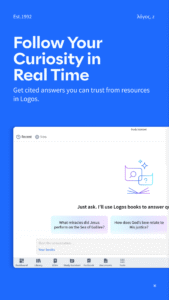

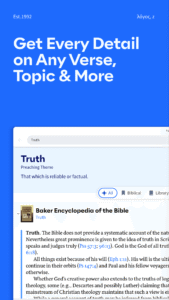
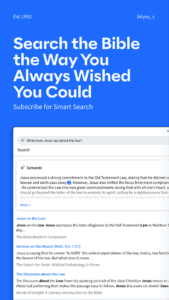

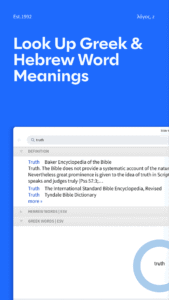

File Information
| Package Name | com.logos.androidlogos |
|---|---|
| Version Name | 9.5.5 |
| Version Code | 905051731 |
| Architecture | armeabi-v7a |
| Min Android Version | Android 24 (API 29) |
| Main Activity | md56ab619a8c39531950374b1258c5efd44.SplashScreen |
| Framework | Xamarin |
| File Size | 83.54 MB |
| Signature (SHA1) | 97A08315BFC11B314A453B46CE7F3E0B6D52B129 |
| File Hash (SHA256) | 4476cd803283f1dc396bbf561c199a2cf1f04166c9e4ce70679cd3a69e25eb65 |
What's New
New
- Improved searching of user collections. You can now specify “basic” or “bible” search types and apply a search range to a “basic” search, allowing e.g. a search for “joy” in Romans within a commentary series
- Back button traverses tabs
- Long-press Back button shows History for current resource
- Reading Plans, Prayers and Notes add to History and use the new Back Button flow
Fixed
- Remove spurious User Ratings of 0
- Audio notification control visibility
- Various bug fixes
- Improved searching of user collections. You can now specify “basic” or “bible” search types and apply a search range to a “basic” search, allowing e.g. a search for “joy” in Romans within a commentary series
- Back button traverses tabs
- Long-press Back button shows History for current resource
- Reading Plans, Prayers and Notes add to History and use the new Back Button flow
Fixed
- Remove spurious User Ratings of 0
- Audio notification control visibility
- Various bug fixes
App Description
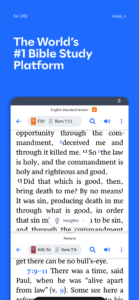
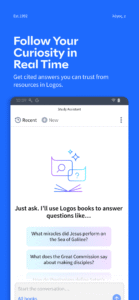
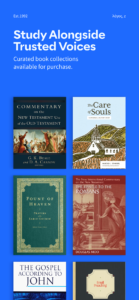
Read the Bible and make use of commentaries and reading plans. You can save any book or Bible you own for offline use. Get up to 95 free resources when you download the app and sign in, and do better Bible study with exclusive Logos Bible study tools.
Read your favorite Bible translations: we have a variety of options including the NIV, ESV, NASB, NKJV, and many more.
TOP FEATURES:
• TABBED BROWSING - Open as many resources or Bibles as you want side by side.
• REFERENCE SCANNER - Take a picture of a church bulletin or handout using Reference Scanner and the app will open your preferred Bible version to all the verse references.
• LIBRARY - Downloading this app gives you access to up to 95 free resources to kick off your Bible study.
• NOTES - Attach your thoughts, comments, and questions to any Bible verse or book.
• HIGHLIGHTING - Mark the words that matter with fully customizable color and text options and return to them at any time.
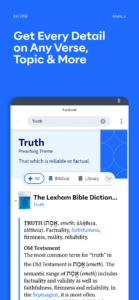
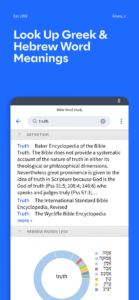
• BIBLE WORD STUDY - Learn more about any word in the Bible by examining dictionaries, lexicons, and cross-references.
• PASSAGE GUIDE - Get a detailed, verse-specific report including Bible commentaries, cross-references, literary typing, and media resources.
• TEXT COMPARISON - Compare any verse across multiple translations with visual and percentage indicators of difference.
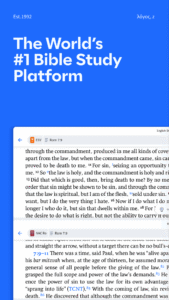
• SPLIT SCREEN - Delve into any secondary resource side by side with your preferred translation.
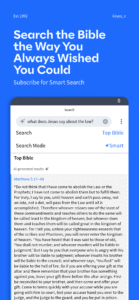
• SEARCH - Find every mention of a word or phrase in every resource in your library.
• SOCIAL SHARING - Share Bible verse images with Facebook, Twitter, Evernote, and Email.
• READING PLANS - Get into daily reading with several Bible reading plans to choose from.
• AUDIO BOOKS - Listen to the Bible wherever you are.
Find training for the app at
www.logos.com/training/ios
.
Read your favorite Bible translations: we have a variety of options including the NIV, ESV, NASB, NKJV, and many more.
TOP FEATURES:
• TABBED BROWSING - Open as many resources or Bibles as you want side by side.
• REFERENCE SCANNER - Take a picture of a church bulletin or handout using Reference Scanner and the app will open your preferred Bible version to all the verse references.
• LIBRARY - Downloading this app gives you access to up to 95 free resources to kick off your Bible study.
• NOTES - Attach your thoughts, comments, and questions to any Bible verse or book.
• HIGHLIGHTING - Mark the words that matter with fully customizable color and text options and return to them at any time.
• BIBLE WORD STUDY - Learn more about any word in the Bible by examining dictionaries, lexicons, and cross-references.
• PASSAGE GUIDE - Get a detailed, verse-specific report including Bible commentaries, cross-references, literary typing, and media resources.
• TEXT COMPARISON - Compare any verse across multiple translations with visual and percentage indicators of difference.
• SPLIT SCREEN - Delve into any secondary resource side by side with your preferred translation.
• SEARCH - Find every mention of a word or phrase in every resource in your library.
• SOCIAL SHARING - Share Bible verse images with Facebook, Twitter, Evernote, and Email.
• READING PLANS - Get into daily reading with several Bible reading plans to choose from.
• AUDIO BOOKS - Listen to the Bible wherever you are.
Find training for the app at
www.logos.com/training/ios
.
Download Logos Bible APK
Fast, free and safe download.
APK Permissions 13
- android.permission.ACCESS_FINE_LOCATION
- android.permission.ACCESS_NETWORK_STATE
- android.permission.AUTHENTICATE_ACCOUNTS
- android.permission.CAMERA
- android.permission.FOREGROUND_SERVICE
- android.permission.GET_ACCOUNTS
- android.permission.INTERNET
- android.permission.MANAGE_ACCOUNTS
- android.permission.USE_CREDENTIALS
- android.permission.WAKE_LOCK
- android.permission.WRITE_EXTERNAL_STORAGE
- com.google.android.c2dm.permission.RECEIVE
- com.google.android.finsky.permission.BIND_GET_INSTALL_REFERRER_SERVICE
APK Verified
The cryptographic signature guarantees that the file is safe to install and was not tampered with in any way.


Frequently Asked Questions about Logos Bible APK
This variant is built for 32-bit ARM (older Android phones, ~2013–2017). If your device's CPU matches, this is the smallest, fastest version to install.
Yes — the APK's signature has been cryptographically verified against the publisher's signing key. The SHA-256 hash is shown in the File Information panel so you can independently confirm the file matches the original release.
Android 24 (API level 29) or newer. Older devices will refuse the install.
Install a free app like 'CPU-Z' or 'Droid Hardware Info' from the Play Store and look at the ABI / Instruction Set row. Most phones made after 2017 are arm64-v8a; if in doubt, download the universal variant.
All variants are functionally identical — same features, same version. They differ only in which CPU architectures the native code is compiled for, and (sometimes) which screen densities the included graphics target. Pick the one that matches your device for the smallest install size, or pick 'Universal' if you're unsure.