
This is the universal build of Photo & Picture Resizer 1.0.366. It contains native libraries for every CPU architecture (arm64-v8a, armeabi-v7a, x86, x86_64), so it installs on any Android device. The trade-off is size — it's larger than per-architecture variants. Pick this one if you're unsure which CPU your phone has, or if you plan to share the APK with multiple devices.
File size: 28.0 MB • Min Android: 26 • Target Android: 34 • Version code: 366 • Framework: Native (Java/Kotlin) • Permissions: 22
Screenshots
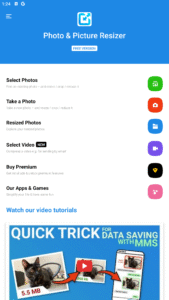
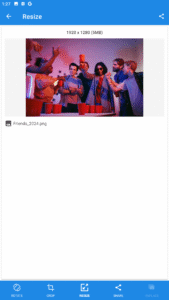
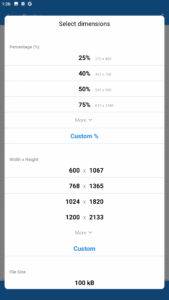
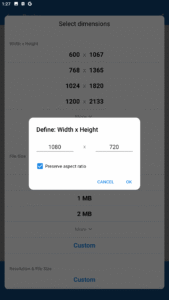
File Information
| Package Name | com.simplemobilephotoresizer |
|---|---|
| Version Name | 1.0.366 |
| Version Code | 366 |
| Architecture | Universal |
| Min Android Version | Android 26 (API 34) |
| Main Activity | com.simplemobilephotoresizer.andr.ui.splash.SplashActivity |
| Framework | Native (Java/Kotlin) |
| File Size | 28.04 MB |
| Signature (SHA1) | D9D8AC59E7030673D2742A5043AC2112A4530B03 |
| File Hash (SHA256) | c8eba3e8540a2d8368fd1e3a5266d3b8635ce6e959670b98c9be4046a53e8817 |
What's New
Added: Support for converting image formats to JPG, PNG, and WEBP.
Improved: Quality of resized photos.
If you enjoy using Resizer, please consider leaving a positive review or rating in the Google Play Store: it really helps.
Improved: Quality of resized photos.
If you enjoy using Resizer, please consider leaving a positive review or rating in the Google Play Store: it really helps.
App Description
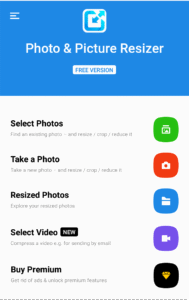
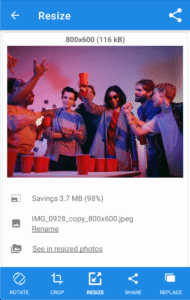
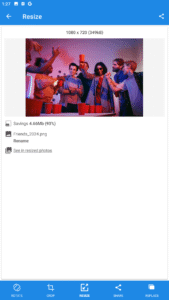
Resize photo size in a fast and easy way.
The easy-to-use image resizer app helps you quickly downsize photo size or resize photo resolution. It can be used for text messages, e-mails, Instagram, Facebook, web forms, etc to adjust photo size.
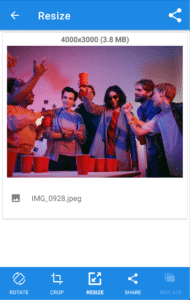
If you want to resize photos quickly, Photo & Picture Resizer is a perfect choice. Photo resizer allows you to easily reduce image size without losing quality. You don’t have to manually save resized pictures, because they are automatically saved in a separate folder titled ’Pictures/PhotoResizer'.
Image resizer for your Android device is a utility app that lets you downsize photos by selecting the right resolution. Photo resizer is an app designed to help you resize images quickly and easily. Image resizer performs one simple task like resizing the image in a fast and easy-to-use way. This image resizer maintains the picture aspect ratio by providing a resolution list based on camera resolution. Photo resizer helps you resize photos before posting them on Instagram, Facebook, Twitter, Pinterest, Reddit, Tumblr, Google+, VKontakte, KakaoTalk, etc.
When you send the e-mail with the attached pictures, you will often find that the e-mail exceeds the message size limit. For example, if your email account allows you to send messages up to 5 megabytes (MB) and you include just two pictures in the attachment (today’s pictures taken by a phone or tablet camera are about 5 MB), you will probably exceed the maximum message size. In this case, this image resizer app is very helpful, because it helps to avoid exceeding the maximum message size limits associated with most email accounts. Downsize photos before composing the e-mail and then attach much smaller pictures.
Image resizer Features:
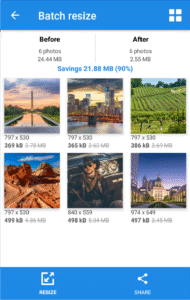
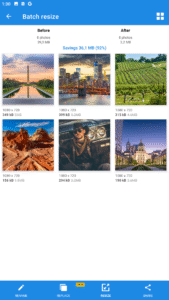
* Batch resize (multiple photos resize)
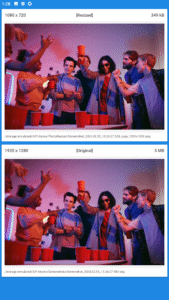
* Original pictures are not affected
* Resized pictures are automatically saved in the output folder
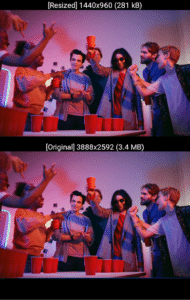
* Very good quality of the resized photos
* Photos resized several times do not lose quality
* Browsing photos by gestures
* Reducing photo size preserves original quality and aspect ratio
* Very good compression result (4MB picture is shrunk to approx. ~400 KB - for resolution 800x600)
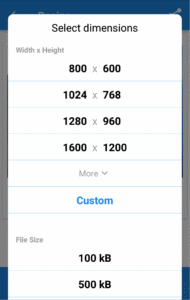
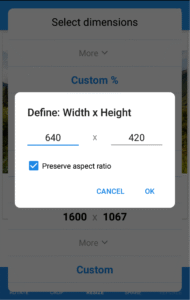
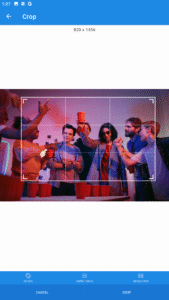
* Adjust resolution to 1920x1080, 2048x1152 (2048 pixels wide and 1152 pixels tall) or custom
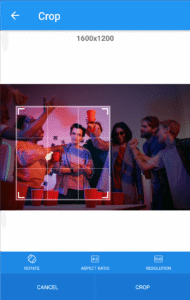
* Adjust aspect ratio to 2x3, 16x9, or custom
* Downsize photo for Instagram, Facebook, Whatsapp, printing
* Adjust photo size
* Scale image size
* Enlarge photo
* YouTube banner maker 2048x1152
* Resize photo to KB, MB
The photo size editor can easily be:
* Sent via email or text message
* Shared to social media (Instagram, Facebook, YouTube, Flickr, Discord, VKontakte, KakaoTalk, etc.)
Having a high definition camera on your phone with thousands of megapixels per inch is great, but if you can't send your pictures to your friends, you might as well throw your phone and charger in the snail mailbox and ship it off to your friend, right? Never again! Our photo resizer will solve your issues and downsize photos!
Users love this image resizer app!
This is the best image resizer for you.
The easy-to-use image resizer app helps you quickly downsize photo size or resize photo resolution. It can be used for text messages, e-mails, Instagram, Facebook, web forms, etc to adjust photo size.
If you want to resize photos quickly, Photo & Picture Resizer is a perfect choice. Photo resizer allows you to easily reduce image size without losing quality. You don’t have to manually save resized pictures, because they are automatically saved in a separate folder titled ’Pictures/PhotoResizer'.
Image resizer for your Android device is a utility app that lets you downsize photos by selecting the right resolution. Photo resizer is an app designed to help you resize images quickly and easily. Image resizer performs one simple task like resizing the image in a fast and easy-to-use way. This image resizer maintains the picture aspect ratio by providing a resolution list based on camera resolution. Photo resizer helps you resize photos before posting them on Instagram, Facebook, Twitter, Pinterest, Reddit, Tumblr, Google+, VKontakte, KakaoTalk, etc.
When you send the e-mail with the attached pictures, you will often find that the e-mail exceeds the message size limit. For example, if your email account allows you to send messages up to 5 megabytes (MB) and you include just two pictures in the attachment (today’s pictures taken by a phone or tablet camera are about 5 MB), you will probably exceed the maximum message size. In this case, this image resizer app is very helpful, because it helps to avoid exceeding the maximum message size limits associated with most email accounts. Downsize photos before composing the e-mail and then attach much smaller pictures.
Image resizer Features:
* Batch resize (multiple photos resize)
* Original pictures are not affected
* Resized pictures are automatically saved in the output folder
* Very good quality of the resized photos
* Photos resized several times do not lose quality
* Browsing photos by gestures
* Reducing photo size preserves original quality and aspect ratio
* Very good compression result (4MB picture is shrunk to approx. ~400 KB - for resolution 800x600)
* Adjust resolution to 1920x1080, 2048x1152 (2048 pixels wide and 1152 pixels tall) or custom
* Adjust aspect ratio to 2x3, 16x9, or custom
* Downsize photo for Instagram, Facebook, Whatsapp, printing
* Adjust photo size
* Scale image size
* Enlarge photo
* YouTube banner maker 2048x1152
* Resize photo to KB, MB
The photo size editor can easily be:
* Sent via email or text message
* Shared to social media (Instagram, Facebook, YouTube, Flickr, Discord, VKontakte, KakaoTalk, etc.)
Having a high definition camera on your phone with thousands of megapixels per inch is great, but if you can't send your pictures to your friends, you might as well throw your phone and charger in the snail mailbox and ship it off to your friend, right? Never again! Our photo resizer will solve your issues and downsize photos!
Users love this image resizer app!
This is the best image resizer for you.
Download Photo & Picture Resizer APK
Fast, free and safe download.
APK Permissions 22
- android.permission.ACCESS_ADSERVICES_AD_ID
- android.permission.ACCESS_ADSERVICES_ATTRIBUTION
- android.permission.ACCESS_ADSERVICES_TOPICS
- android.permission.ACCESS_MEDIA_LOCATION
- android.permission.ACCESS_NETWORK_STATE
- android.permission.ACCESS_WIFI_STATE
- android.permission.FOREGROUND_SERVICE
- android.permission.INTERNET
- android.permission.POST_NOTIFICATIONS
- android.permission.READ_EXTERNAL_STORAGE
- android.permission.READ_MEDIA_IMAGES
- android.permission.READ_MEDIA_VISUAL_USER_SELECTED
- android.permission.WAKE_LOCK
- android.permission.WRITE_EXTERNAL_STORAGE
- com.android.vending.BILLING
- com.android.vending.CHECK_LICENSE
- com.applovin.array.apphub.permission.BIND_APPHUB_SERVICE
- com.google.android.c2dm.permission.RECEIVE
- com.google.android.finsky.permission.BIND_GET_INSTALL_REFERRER_SERVICE
- com.google.android.gms.permission.AD_ID
- com.samsung.android.providers.context.permission.WRITE_USE_APP_FEATURE_SURVEY
- com.simplemobilephotoresizer.DYNAMIC_RECEIVER_NOT_EXPORTED_PERMISSION
APK Verified
The cryptographic signature guarantees that the file is safe to install and was not tampered with in any way.
Similar in Photography


More by Farluner Apps & Games

Frequently Asked Questions about Photo & Picture Resizer APK
This is the universal variant — a single APK that contains native libraries for every CPU architecture. It installs on any Android device but is larger than per-architecture variants.
Yes — the APK's signature has been cryptographically verified against the publisher's signing key. The SHA-256 hash is shown in the File Information panel so you can independently confirm the file matches the original release.
Android 26 (API level 34) or newer. Older devices will refuse the install.
Install a free app like 'CPU-Z' or 'Droid Hardware Info' from the Play Store and look at the ABI / Instruction Set row. Most phones made after 2017 are arm64-v8a; if in doubt, download the universal variant.
All variants are functionally identical — same features, same version. They differ only in which CPU architectures the native code is compiled for, and (sometimes) which screen densities the included graphics target. Pick the one that matches your device for the smallest install size, or pick 'Universal' if you're unsure.