
This is the universal build of B4UFLY by FAA 11.0.1. It contains native libraries for every CPU architecture (arm64-v8a, armeabi-v7a, x86, x86_64), so it installs on any Android device. The trade-off is size — it's larger than per-architecture variants. Pick this one if you're unsure which CPU your phone has, or if you plan to share the APK with multiple devices.
File size: 25.4 MB • Min Android: 21 • Target Android: 33 • Version code: 1112 • Framework: React Native • Permissions: 6
Screenshots

File Information
| Package Name | gov.faa.b4ufly2 |
|---|---|
| Version Name | 11.0.1 |
| Version Code | 1112 |
| Architecture | Universal |
| Min Android Version | Android 21 (API 33) |
| Main Activity | gov.faa.b4ufly2.MainActivity |
| Framework | React Native |
| File Size | 25.41 MB |
| Signature (SHA1) | 3AE60935983CB07CBD0B2442FD93CD554DF1D183 |
| File Hash (SHA256) | 3eb49f833b99c2be01157d79c57e8d272d16104d4fef84a99b635ae626f346e2 |
What's New
This app is no longer in service, but we have more options for you!
App Description
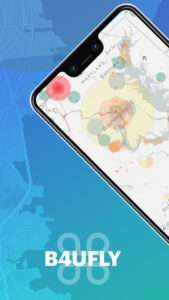
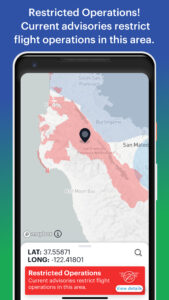
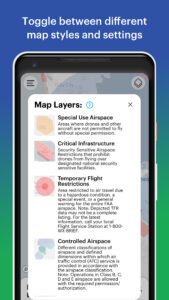
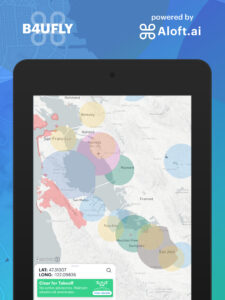
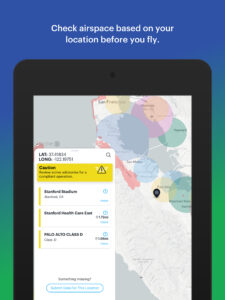
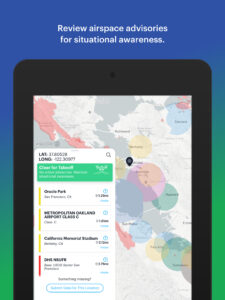
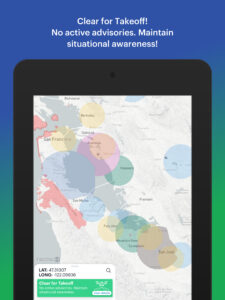
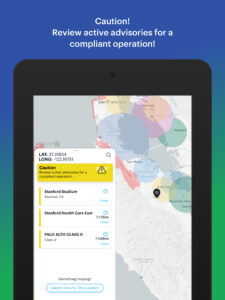
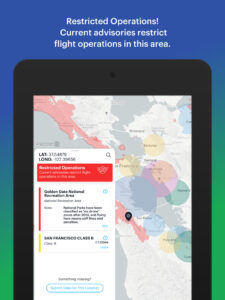
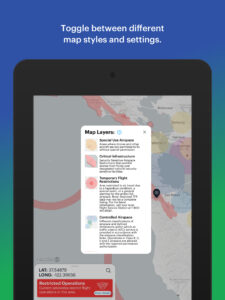
B4UFLY is the simple way for drone operators to check airspace and local advisories before taking flight. Stay compliant and contribute to safer national airspace by making yourself aware of advisories and restrictions in the airspace and local advisories around you.
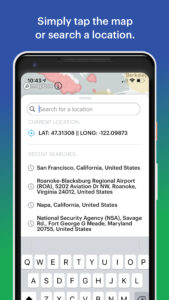
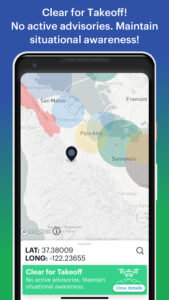
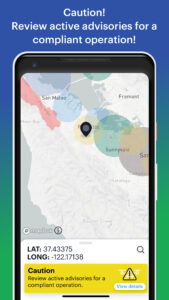
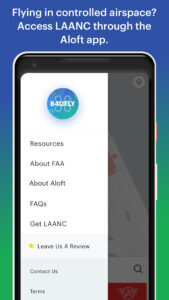
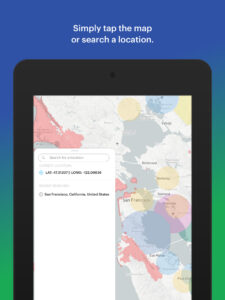
With B4UFLY, you simply open the app and select where you want to fly to see the status of the airspace selected, as well as details regarding surrounding advisories. B4UFLY is provided through a partnership between the FAA and Aloft (formerly Kittyhawk). Learn more at
aloft.ai/b4ufly/
We have also added new crowdsourcing functionality for people to contribute to our global advisory and compliance database. You can flag areas for review and submit new locations for addition to B4UFLY advisories from within the app, or you can also visit this page to submit areas for review at
aloft.ai/b4ufly-data-submission-form/
.
If you have a general question or comment about UAS or drones, please send us an email at
UASHelp@faa.gov
or call us at 844-FLY-MY-UA (359-6982) 8am – 4pm ET Monday – Friday.
With B4UFLY, you simply open the app and select where you want to fly to see the status of the airspace selected, as well as details regarding surrounding advisories. B4UFLY is provided through a partnership between the FAA and Aloft (formerly Kittyhawk). Learn more at
aloft.ai/b4ufly/
We have also added new crowdsourcing functionality for people to contribute to our global advisory and compliance database. You can flag areas for review and submit new locations for addition to B4UFLY advisories from within the app, or you can also visit this page to submit areas for review at
aloft.ai/b4ufly-data-submission-form/
.
If you have a general question or comment about UAS or drones, please send us an email at
UASHelp@faa.gov
or call us at 844-FLY-MY-UA (359-6982) 8am – 4pm ET Monday – Friday.
Download B4UFLY by FAA APK
Fast, free and safe download.
APK Permissions 6
- android.permission.INTERNET
- android.permission.READ_EXTERNAL_STORAGE
- android.permission.SYSTEM_ALERT_WINDOW
- android.permission.VIBRATE
- android.permission.WRITE_EXTERNAL_STORAGE
- com.google.android.finsky.permission.BIND_GET_INSTALL_REFERRER_SERVICE
APK Verified
The cryptographic signature guarantees that the file is safe to install and was not tampered with in any way.


Frequently Asked Questions about B4UFLY by FAA APK
This is the universal variant — a single APK that contains native libraries for every CPU architecture. It installs on any Android device but is larger than per-architecture variants.
Yes — the APK's signature has been cryptographically verified against the publisher's signing key. The SHA-256 hash is shown in the File Information panel so you can independently confirm the file matches the original release.
Android 21 (API level 33) or newer. Older devices will refuse the install.
Install a free app like 'CPU-Z' or 'Droid Hardware Info' from the Play Store and look at the ABI / Instruction Set row. Most phones made after 2017 are arm64-v8a; if in doubt, download the universal variant.
All variants are functionally identical — same features, same version. They differ only in which CPU architectures the native code is compiled for, and (sometimes) which screen densities the included graphics target. Pick the one that matches your device for the smallest install size, or pick 'Universal' if you're unsure.