
This is the universal build of Acode - code editor | OSS 1.8.3. It contains native libraries for every CPU architecture (arm64-v8a, armeabi-v7a, x86, x86_64), so it installs on any Android device. The trade-off is size — it's larger than per-architecture variants. Pick this one if you're unsure which CPU your phone has, or if you plan to share the APK with multiple devices.
File size: 8.7 MB • Min Android: 22 • Target Android: 31 • Version code: 278 • Framework: Native (Java/Kotlin) • Permissions: 10
Screenshots
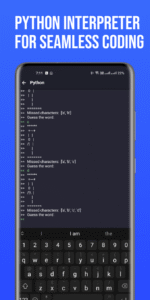
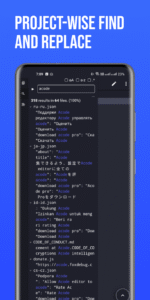
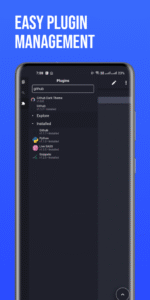
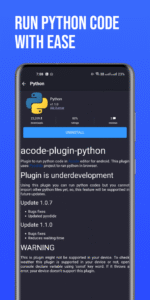
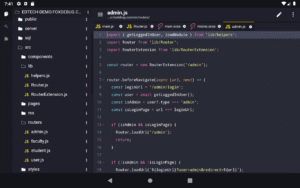
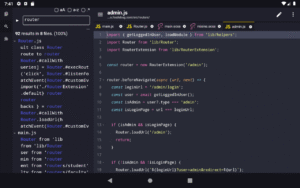
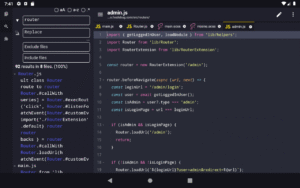
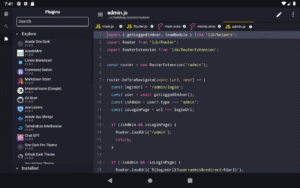
File Information
| Package Name | com.foxdebug.acodefree |
|---|---|
| Version Name | 1.8.3 |
| Version Code | 278 |
| Architecture | Universal |
| Min Android Version | Android 22 (API 31) |
| Main Activity | com.foxdebug.acodefree.MainActivity |
| Framework | Native (Java/Kotlin) |
| File Size | 8.67 MB |
| Signature (SHA1) | 0397B02FE501CB5A7A906E5F78A389F282AF3ECF |
| File Hash (SHA256) | c580f53baa7565063a0b97c5a31b76ab6fa3ae17940d43260aa18ab32d8e7feb |
What's New
- Updated to Target SDK 35 with improved edge-to-edge compatibility and updated payment stuff too
- New Font Manager UI for managing custom fonts
- Added auto-detect encoding option
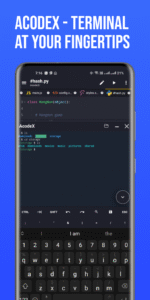
- Improved Terminal stability, plugin installation, and FTP fixes
- Multiple UI improvements, bug fixes for big screen
- New Sponsor page to support Acode(remove support page)
- Updated translations (German, Hungarian, Indonesian, Bengali, Russian, etc.)
- Check changelogs for more
- New Font Manager UI for managing custom fonts
- Added auto-detect encoding option
- Improved Terminal stability, plugin installation, and FTP fixes
- Multiple UI improvements, bug fixes for big screen
- New Sponsor page to support Acode(remove support page)
- Updated translations (German, Hungarian, Indonesian, Bengali, Russian, etc.)
- Check changelogs for more
App Description
Welcome to Acode!
A powerful, lightweight code editor, and web IDE for Android. Now enhanced with cutting-edge features and updates to transform your coding experience.
What's New?
Step into the future of coding with our innovative Plugin System. This brand new feature supports a wide range of plugins, boosting the functionality of Acode to meet all your development needs. With over 30 plugins already available in the Plugin Store, the possibilities are endless.
Latest Updates Include:
- Enhanced Ace Editor: Now updated to version 1.22.0 for more efficient editing.
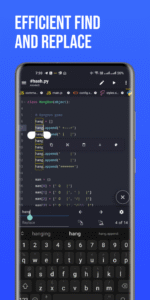
- Search in All Files: Our beta feature lets you search and replace text in all files within your opened projects.
- Customizable Quick Tools: Personalize your quick tools to enhance your workflow.
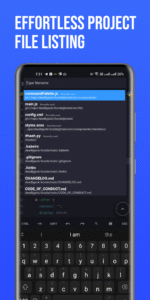
- Fast File Listing in Find Files (Ctrl + P): Acode now loads and caches files at startup, leading to faster file listing.
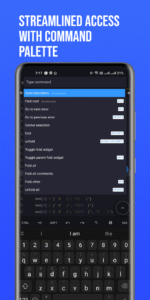
- Ctrl Key Functionality: Take advantage of keyboard shortcuts for actions such as save (Ctrl+S) and open command palette (Ctrl+Shift+P).
Why Choose Acode?
Acode lets you build and run websites directly within your browser, debug with ease using the integrated console, and edit a wide range of source files - from Python and CSS to Java, JavaScript, Dart, and more.
Key Features:
- Universal File Editor: Edit any file directly from your device.
- GitHub Integration: Seamlessly sync your projects with GitHub.
- FTP/SFTP Support: Manage your files efficiently with FTP/SFTP.
- Extensive Syntax Highlighting: Supports over 100 programming languages.
- Personalized Themes: Choose from dozens of unique themes to match your style.
- User-Friendly Interface: Navigate with ease through our intuitive design.
- In-App Preview: Instantly view your HTML/MarkDown files within the app.
- Interactive JavaScript Console: Debug JavaScript code right from the console.
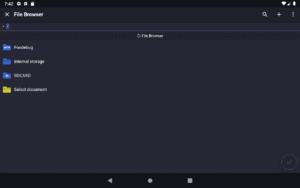
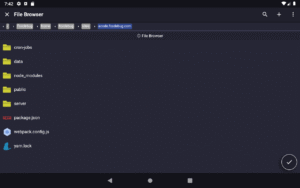
- In-App File Browser: Access your files directly within Acode.
- Open Source: Benefit from our transparent and community-driven project.
- High Performance: Supports files with over 50,000 lines, ensuring smooth workflow.
- Multi-File Support: Work on multiple files simultaneously for productive multitasking.
- Customizable Interface: Adapt Acode to your personal coding style.
- Keyboard Shortcuts: Speed up your coding with handy shortcuts.
- File Recovery: Never lose your work with our reliable file recovery feature.
- File Management: Keep your projects organized with effective file management.
Start your streamlined coding journey with Acode today. Join our ever-growing community of developers and experience the difference for yourself!
A powerful, lightweight code editor, and web IDE for Android. Now enhanced with cutting-edge features and updates to transform your coding experience.
What's New?
Step into the future of coding with our innovative Plugin System. This brand new feature supports a wide range of plugins, boosting the functionality of Acode to meet all your development needs. With over 30 plugins already available in the Plugin Store, the possibilities are endless.
Latest Updates Include:
- Enhanced Ace Editor: Now updated to version 1.22.0 for more efficient editing.
- Search in All Files: Our beta feature lets you search and replace text in all files within your opened projects.
- Customizable Quick Tools: Personalize your quick tools to enhance your workflow.
- Fast File Listing in Find Files (Ctrl + P): Acode now loads and caches files at startup, leading to faster file listing.
- Ctrl Key Functionality: Take advantage of keyboard shortcuts for actions such as save (Ctrl+S) and open command palette (Ctrl+Shift+P).
Why Choose Acode?
Acode lets you build and run websites directly within your browser, debug with ease using the integrated console, and edit a wide range of source files - from Python and CSS to Java, JavaScript, Dart, and more.
Key Features:
- Universal File Editor: Edit any file directly from your device.
- GitHub Integration: Seamlessly sync your projects with GitHub.
- FTP/SFTP Support: Manage your files efficiently with FTP/SFTP.
- Extensive Syntax Highlighting: Supports over 100 programming languages.
- Personalized Themes: Choose from dozens of unique themes to match your style.
- User-Friendly Interface: Navigate with ease through our intuitive design.
- In-App Preview: Instantly view your HTML/MarkDown files within the app.
- Interactive JavaScript Console: Debug JavaScript code right from the console.
- In-App File Browser: Access your files directly within Acode.
- Open Source: Benefit from our transparent and community-driven project.
- High Performance: Supports files with over 50,000 lines, ensuring smooth workflow.
- Multi-File Support: Work on multiple files simultaneously for productive multitasking.
- Customizable Interface: Adapt Acode to your personal coding style.
- Keyboard Shortcuts: Speed up your coding with handy shortcuts.
- File Recovery: Never lose your work with our reliable file recovery feature.
- File Management: Keep your projects organized with effective file management.
Start your streamlined coding journey with Acode today. Join our ever-growing community of developers and experience the difference for yourself!
Download Acode - code editor | OSS APK
Fast, free and safe download.
APK Permissions 10
- android.permission.ACCESS_NETWORK_STATE
- android.permission.FOREGROUND_SERVICE
- android.permission.INTERNET
- android.permission.RECEIVE_BOOT_COMPLETED
- android.permission.VIBRATE
- android.permission.WAKE_LOCK
- android.permission.WRITE_EXTERNAL_STORAGE
- android.permission.WRITE_MEDIA_STORAGE
- com.android.vending.BILLING
- com.google.android.gms.permission.AD_ID
APK Verified
The cryptographic signature guarantees that the file is safe to install and was not tampered with in any way.
Similar in Productivity


Frequently Asked Questions about Acode - code editor | OSS APK
This is the universal variant — a single APK that contains native libraries for every CPU architecture. It installs on any Android device but is larger than per-architecture variants.
Yes — the APK's signature has been cryptographically verified against the publisher's signing key. The SHA-256 hash is shown in the File Information panel so you can independently confirm the file matches the original release.
Android 22 (API level 31) or newer. Older devices will refuse the install.
Install a free app like 'CPU-Z' or 'Droid Hardware Info' from the Play Store and look at the ABI / Instruction Set row. Most phones made after 2017 are arm64-v8a; if in doubt, download the universal variant.
All variants are functionally identical — same features, same version. They differ only in which CPU architectures the native code is compiled for, and (sometimes) which screen densities the included graphics target. Pick the one that matches your device for the smallest install size, or pick 'Universal' if you're unsure.