
Screenshots

File Information
| Package Name | com.foxit.mobile.pdf.lite |
|---|---|
| Version Name | 2025.10.0.1027.0901 |
| Version Code | 350 |
| Architecture | Universal |
| Min Android Version | Android 28 (API 35) |
| Main Activity | com.fx.app.ui.AppActivity |
| Framework | Native (Java/Kotlin) |
| File Size | 181.66 MB |
| Signature (SHA1) | 4A9F05A967CB588C4C657B39D7856FD3AD1E9DD7 |
| File Hash (SHA256) | fd4ebbf155242c7dc4ea084234c3df86e9bbe9cba01e2db669010ae29af9d0be |
What's New
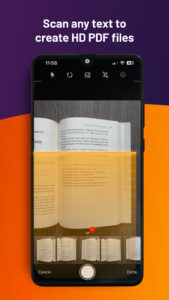
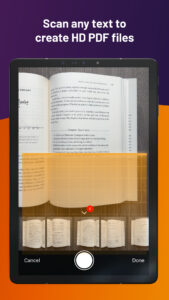
Smarter Scans - Automatic border detection speeds up scanning, reduces errors, and minimizes manual adjustments.
Save Controls - New Save button, autosave options, and "last saved" visibility make it easier to manage your edits.
Precise Measurements - Add decimals or fractions when scale measuring for better accuracy.
AI Identification: AI content is clearly labeled so you know what’s AI-assisted.
Save Controls - New Save button, autosave options, and "last saved" visibility make it easier to manage your edits.
Precise Measurements - Add decimals or fractions when scale measuring for better accuracy.
AI Identification: AI content is clearly labeled so you know what’s AI-assisted.
App Description
Looking for a versatile PDF editor that you can use anytime, anywhere? Look no further than Foxit PDF Editor mobile app. This easy-to-use PDF editor – trusted by hundreds of millions – allows you to view, edit, and annotate PDF files on Android devices while on the go. The app also offers advanced subscription-based features, including our AI Assistant, optical character recognition (OCR), handwritten notes conversion, and more.
Discover the capabilities of Foxit PDF Editor:
• Reliable: 100% compliant with your current PDF ecosystem.
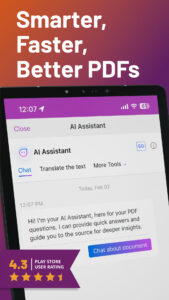
• Efficient: Let our AI Assistant do the work for you.
• Lightweight: Doesn’t exhaust your device resources.
• Fast: Instant access to PDFs with no delays.
• Secure: Robust file protection features to safeguard sensitive information.
• Collaborative: Maintain full control of your content while working with others..
• Supportive: Access 24/7 customer service via support chat.
• Multi-Language: Support for 12 languages for global usability.
What Foxit PDF Editor can offer to you:
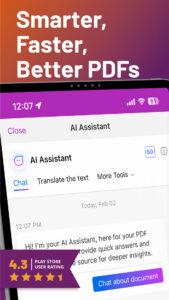
Utilize AI on PDF files
• Summarize the document
• Summarize the text
• Translate the text
• Enhance the writing of the text
• Define and clarify the text
• Fix spelling and grammar of the text
• Chat about the document
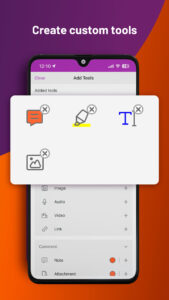
• Smart PDF editor commands
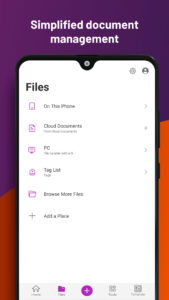
View and manage PDF files
• Reflow PDF files for easy viewing
• Convert scanned text and handwritten notes into digital text*
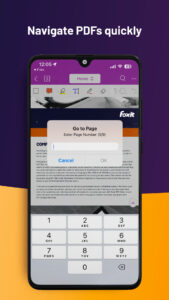
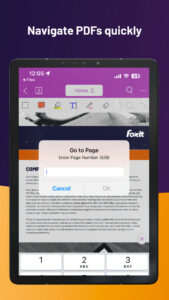
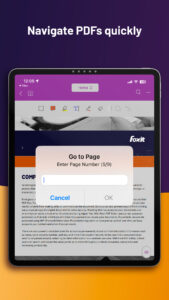
• Easy document navigation with bookmark management features
• Search for text within your PDF document
• Supports tabbed document interface (for tablet only)
• Supports to read the PDF out loud
• Rename, move, copy, or delete PDF file(s)
Collaborate and share PDF files
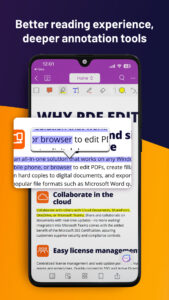
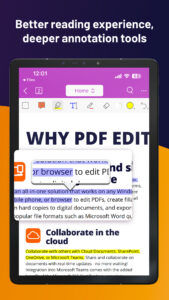
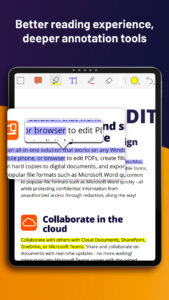
• Add annotations and stamps to PDF files
• Share PDF files and screenshots from within the application
• Share multiple files across your desktop and Android device via Wi-Fi
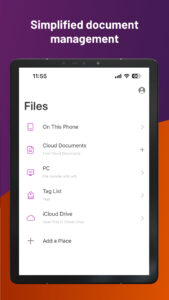
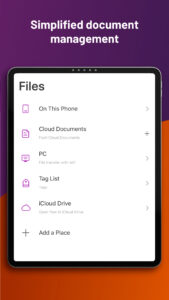
• Save, synchronize, and access PDF files in popular cloud services (Google Drive, OneDrive, etc.)
Create and convert PDFs
• Create blank PDFs from scratch*
• Create PDFs from Microsoft Office, image, text, and HTML files*
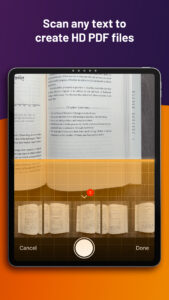
• Scan and convert paper documents to PDFs
• Convert PDFs to Microsoft Office, image, text, or HTML files*
• Combine PDFs to create a new PDF*
Edit PDF files
• Insert audios, videos, or hyperlinks to PDFs*
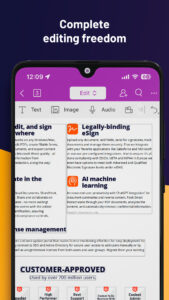
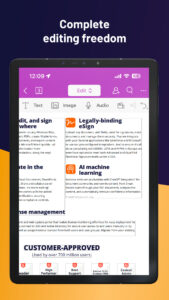
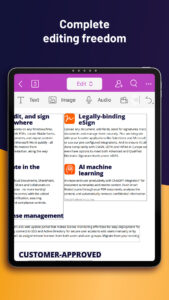
• Add/edit text and image objects in PDFs*
• Edit document properties*
• Optimize PDF documents*
• Reorganize PDF pages (Add*, delete, rotate, or extract* pages)
Work on PDF forms
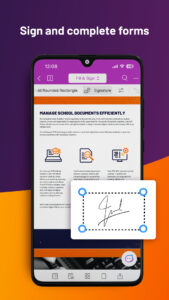
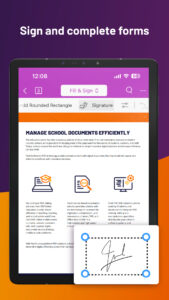
• Fill out and save PDF forms
• Import and export form data
• Submit PDF forms via HTTP, FTP, or Email
• Work on XFA forms*
Sign and protect PDFs
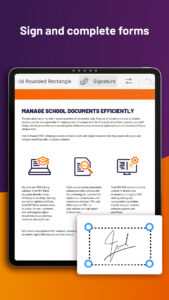
• Add handwritten signatures to PDFs
• Sign PDF documents with an existing digital certificate*
• Protect PDF files with password and Microsoft Information Protection*
• Protect PDF information with redaction*
The features marked with the asterisk (*) are advanced features based on subscription through in-app purchase. To activate the advanced features, you should create a Foxit account and subscribe to Foxit PDF Editor. After subscription, just sign in with your Foxit account and the advanced features will be available.
Terms and Conditions: You must comply with the Foxit-Terms of Use and Privacy Policy (
appstore.foxitsoftware.com/appstore/license
) when using this app.
Have feedback? You can contact us at the following address:
www.foxit.com/support/ticket.html
Follow Foxit on Facebook and Twitter!
www.facebook.com/foxitsoftware
twitter.com/foxitsoftware
Discover the capabilities of Foxit PDF Editor:
• Reliable: 100% compliant with your current PDF ecosystem.
• Efficient: Let our AI Assistant do the work for you.
• Lightweight: Doesn’t exhaust your device resources.
• Fast: Instant access to PDFs with no delays.
• Secure: Robust file protection features to safeguard sensitive information.
• Collaborative: Maintain full control of your content while working with others..
• Supportive: Access 24/7 customer service via support chat.
• Multi-Language: Support for 12 languages for global usability.
What Foxit PDF Editor can offer to you:
Utilize AI on PDF files
• Summarize the document
• Summarize the text
• Translate the text
• Enhance the writing of the text
• Define and clarify the text
• Fix spelling and grammar of the text
• Chat about the document
• Smart PDF editor commands
View and manage PDF files
• Reflow PDF files for easy viewing
• Convert scanned text and handwritten notes into digital text*
• Easy document navigation with bookmark management features
• Search for text within your PDF document
• Supports tabbed document interface (for tablet only)
• Supports to read the PDF out loud
• Rename, move, copy, or delete PDF file(s)
Collaborate and share PDF files
• Add annotations and stamps to PDF files
• Share PDF files and screenshots from within the application
• Share multiple files across your desktop and Android device via Wi-Fi
• Save, synchronize, and access PDF files in popular cloud services (Google Drive, OneDrive, etc.)
Create and convert PDFs
• Create blank PDFs from scratch*
• Create PDFs from Microsoft Office, image, text, and HTML files*
• Scan and convert paper documents to PDFs
• Convert PDFs to Microsoft Office, image, text, or HTML files*
• Combine PDFs to create a new PDF*
Edit PDF files
• Insert audios, videos, or hyperlinks to PDFs*
• Add/edit text and image objects in PDFs*
• Edit document properties*
• Optimize PDF documents*
• Reorganize PDF pages (Add*, delete, rotate, or extract* pages)
Work on PDF forms
• Fill out and save PDF forms
• Import and export form data
• Submit PDF forms via HTTP, FTP, or Email
• Work on XFA forms*
Sign and protect PDFs
• Add handwritten signatures to PDFs
• Sign PDF documents with an existing digital certificate*
• Protect PDF files with password and Microsoft Information Protection*
• Protect PDF information with redaction*
The features marked with the asterisk (*) are advanced features based on subscription through in-app purchase. To activate the advanced features, you should create a Foxit account and subscribe to Foxit PDF Editor. After subscription, just sign in with your Foxit account and the advanced features will be available.
Terms and Conditions: You must comply with the Foxit-Terms of Use and Privacy Policy (
appstore.foxitsoftware.com/appstore/license
) when using this app.
Have feedback? You can contact us at the following address:
www.foxit.com/support/ticket.html
Follow Foxit on Facebook and Twitter!
www.facebook.com/foxitsoftware
twitter.com/foxitsoftware
Download Foxit PDF Editor APK
Fast, free and safe download.
APK Permissions 23
- android.permission.ACCESS_NETWORK_STATE
- android.permission.ACCESS_WIFI_STATE
- android.permission.CAMERA
- android.permission.FOREGROUND_SERVICE
- android.permission.FOREGROUND_SERVICE_DATA_SYNC
- android.permission.FOREGROUND_SERVICE_MEDIA_PLAYBACK
- android.permission.GET_ACCOUNTS
- android.permission.INTERNET
- android.permission.MANAGE_EXTERNAL_STORAGE
- android.permission.POST_NOTIFICATIONS
- android.permission.READ_EXTERNAL_STORAGE
- android.permission.READ_MEDIA_AUDIO
- android.permission.READ_MEDIA_IMAGES
- android.permission.READ_MEDIA_VIDEO
- android.permission.READ_PHONE_STATE
- android.permission.RECEIVE_BOOT_COMPLETED
- android.permission.RECORD_AUDIO
- android.permission.VIBRATE
- android.permission.WAKE_LOCK
- android.permission.WRITE_EXTERNAL_STORAGE
- com.android.vending.BILLING
- com.foxit.mobile.pdf.lite.DYNAMIC_RECEIVER_NOT_EXPORTED_PERMISSION
- com.google.android.finsky.permission.BIND_GET_INSTALL_REFERRER_SERVICE
APK Verified
The cryptographic signature guarantees that the file is safe to install and was not tampered with in any way.


