
Download Termux googleplay.2024.08.29 (arm64-v8a + x86_64) (120-640dpi) (Android 11+) APK 0.118.0 arm64-v8a, armeabi-v7a, x86, x86_64 · Android 21+
Download APK
Verified Safe
This is the arm64-v8a, armeabi-v7a, x86, x86_64 build of Termux googleplay.2024.08.29 (arm64-v8a + x86_64) (120-640dpi) (Android 11+) 0.118.0. Pick this build if your device's primary ABI matches.
File size: 104.4 MB • Min Android: 21 • Target Android: 28 • Version code: 118 • Framework: Native (Java/Kotlin) • Permissions: 17
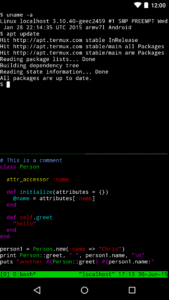
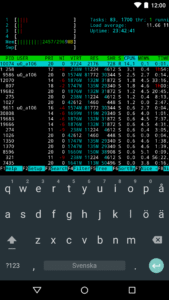
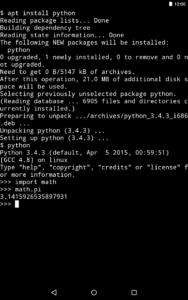
Screenshots
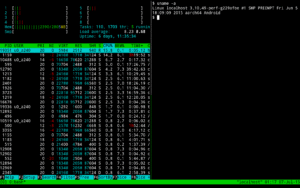
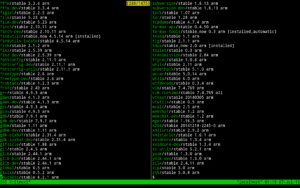
File Information
| Package Name | com.termux |
|---|---|
| Version Name | 0.118.0 |
| Version Code | 118 |
| Architecture | arm64-v8a, armeabi-v7a, x86, x86_64 |
| Min Android Version | Android 21 (API 28) |
| Main Activity | com.termux.app.TermuxActivity |
| Framework | Native (Java/Kotlin) |
| File Size | 104.37 MB |
| Signature (SHA1) | E744193337C0624EC9A8663CE03D4BA09AA17720 |
| File Hash (SHA256) | f331c573e6668c0bed854f0b405d0a096c2429efb5251ca07a6dcad287069372 |
What's New
• Fix issue when rotating devices while in fullscreen.
• Add back 32-bit arm support.
• Improve focus handling while using keyboard / d-pad.
• Update bootstrap packages.
• Add back 32-bit arm support.
• Improve focus handling while using keyboard / d-pad.
• Update bootstrap packages.
App Description
Termux combines powerful terminal emulation with an extensive Linux package collection.
• Enjoy the bash and zsh shells.
• Manage files with nnn and edit them with nano, vim or emacs.
• Access servers over ssh.
• Develop in C with clang, make and gdb.
• Use the python console as a pocket calculator.
• Check out projects with git.
• Run text-based games with frotz.
At first start a small base system is installed - desired packages can then be installed using the apt package manager. Access the built-in help by long-pressing anywhere on the terminal and selecting the Help menu option to learn more.
Want to read the wiki?
wiki.termux.com
Want to report bugs?
bugs.termux.com
Want to interact with a community of users?
www.reddit.com/r/termux/
• Enjoy the bash and zsh shells.
• Manage files with nnn and edit them with nano, vim or emacs.
• Access servers over ssh.
• Develop in C with clang, make and gdb.
• Use the python console as a pocket calculator.
• Check out projects with git.
• Run text-based games with frotz.
At first start a small base system is installed - desired packages can then be installed using the apt package manager. Access the built-in help by long-pressing anywhere on the terminal and selecting the Help menu option to learn more.
Want to read the wiki?
wiki.termux.com
Want to report bugs?
bugs.termux.com
Want to interact with a community of users?
www.reddit.com/r/termux/
Download Termux googleplay.2024.08.29 (arm64-v8a + x86_64) (120-640dpi) (Android 11+) APK
Fast, free and safe download.
APK Permissions 17
- android.permission.ACCESS_NETWORK_STATE
- android.permission.DUMP
- android.permission.FOREGROUND_SERVICE
- android.permission.INTERNET
- android.permission.MANAGE_EXTERNAL_STORAGE
- android.permission.PACKAGE_USAGE_STATS
- android.permission.READ_EXTERNAL_STORAGE
- android.permission.READ_LOGS
- android.permission.RECEIVE_BOOT_COMPLETED
- android.permission.REQUEST_IGNORE_BATTERY_OPTIMIZATIONS
- android.permission.REQUEST_INSTALL_PACKAGES
- android.permission.SYSTEM_ALERT_WINDOW
- android.permission.VIBRATE
- android.permission.WAKE_LOCK
- android.permission.WRITE_EXTERNAL_STORAGE
- android.permission.WRITE_SECURE_SETTINGS
- com.android.alarm.permission.SET_ALARM
APK Verified
The cryptographic signature guarantees that the file is safe to install and was not tampered with in any way.
Similar in Tools


Frequently Asked Questions about Termux googleplay.2024.08.29 (arm64-v8a + x86_64) (120-640dpi) (Android 11+) APK
This variant is built for devices that report `arm64-v8a, armeabi-v7a, x86, x86_64` as their primary ABI. If your device's CPU matches, this is the smallest, fastest version to install.
Yes — the APK's signature has been cryptographically verified against the publisher's signing key. The SHA-256 hash is shown in the File Information panel so you can independently confirm the file matches the original release.
Android 21 (API level 28) or newer. Older devices will refuse the install.
Install a free app like 'CPU-Z' or 'Droid Hardware Info' from the Play Store and look at the ABI / Instruction Set row. Most phones made after 2017 are arm64-v8a; if in doubt, download the universal variant.
All variants are functionally identical — same features, same version. They differ only in which CPU architectures the native code is compiled for, and (sometimes) which screen densities the included graphics target. Pick the one that matches your device for the smallest install size, or pick 'Universal' if you're unsure.